Free Provider Roster

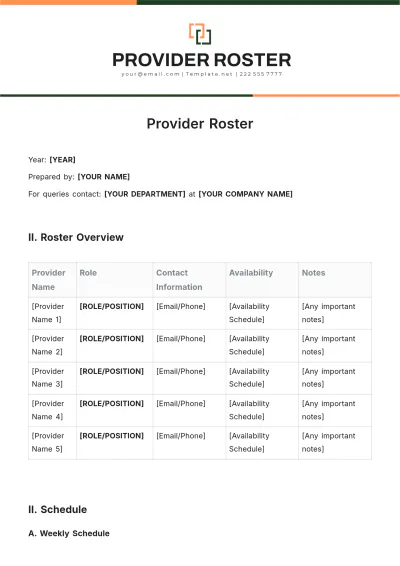
Year: [YEAR]
Prepared by: [YOUR NAME]
For queries contact: [YOUR DEPARTMENT] at [YOUR COMPANY NAME]
II. Roster Overview
Provider Name | Role | Contact Information | Availability | Notes |
|---|---|---|---|---|
[Provider Name 1] | [ROLE/POSITION] | [Email/Phone] | [Availability Schedule] | [Any important notes] |
[Provider Name 2] | [ROLE/POSITION] | [Email/Phone] | [Availability Schedule] | [Any important notes] |
[Provider Name 3] | [ROLE/POSITION] | [Email/Phone] | [Availability Schedule] | [Any important notes] |
[Provider Name 4] | [ROLE/POSITION] | [Email/Phone] | [Availability Schedule] | [Any important notes] |
[Provider Name 5] | [ROLE/POSITION] | [Email/Phone] | [Availability Schedule] | [Any important notes] |
II. Schedule
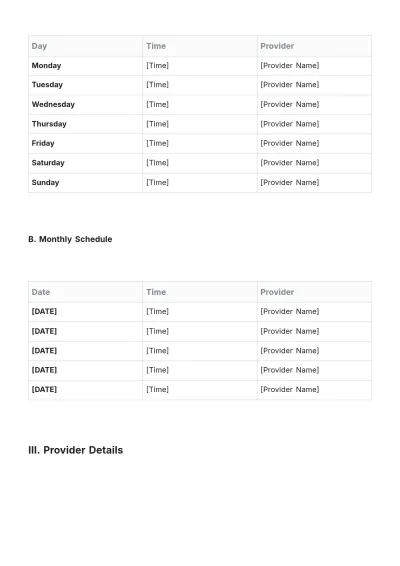
A. Weekly Schedule
Day | Time | Provider |
|---|---|---|
Monday | [Time] | [Provider Name] |
Tuesday | [Time] | [Provider Name] |
Wednesday | [Time] | [Provider Name] |
Thursday | [Time] | [Provider Name] |
Friday | [Time] | [Provider Name] |
Saturday | [Time] | [Provider Name] |
Sunday | [Time] | [Provider Name] |
B. Monthly Schedule
Date | Time | Provider |
|---|---|---|
[DATE] | [Time] | [Provider Name] |
[DATE] | [Time] | [Provider Name] |
[DATE] | [Time] | [Provider Name] |
[DATE] | [Time] | [Provider Name] |
[DATE] | [Time] | [Provider Name] |
III. Provider Details
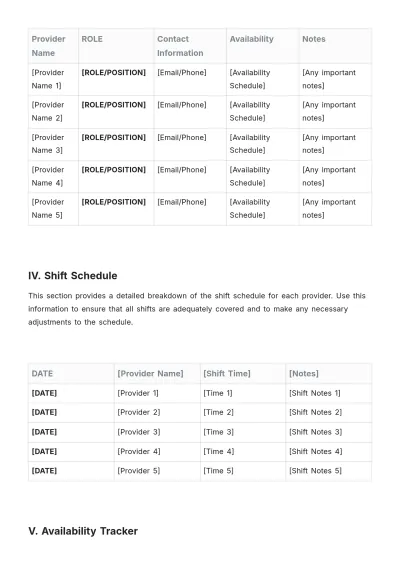
Provider Name | ROLE | Contact Information | Availability | Notes |
|---|---|---|---|---|
[Provider Name 1] | [ROLE/POSITION] | [Email/Phone] | [Availability Schedule] | [Any important notes] |
[Provider Name 2] | [ROLE/POSITION] | [Email/Phone] | [Availability Schedule] | [Any important notes] |
[Provider Name 3] | [ROLE/POSITION] | [Email/Phone] | [Availability Schedule] | [Any important notes] |
[Provider Name 4] | [ROLE/POSITION] | [Email/Phone] | [Availability Schedule] | [Any important notes] |
[Provider Name 5] | [ROLE/POSITION] | [Email/Phone] | [Availability Schedule] | [Any important notes] |
IV. Shift Schedule
This section provides a detailed breakdown of the shift schedule for each provider. Use this information to ensure that all shifts are adequately covered and to make any necessary adjustments to the schedule.
DATE | [Provider Name] | [Shift Time] | [Notes] |
|---|---|---|---|
[DATE] | [Provider 1] | [Time 1] | [Shift Notes 1] |
[DATE] | [Provider 2] | [Time 2] | [Shift Notes 2] |
[DATE] | [Provider 3] | [Time 3] | [Shift Notes 3] |
[DATE] | [Provider 4] | [Time 4] | [Shift Notes 4] |
[DATE] | [Provider 5] | [Time 5] | [Shift Notes 5] |
V. Availability Tracker
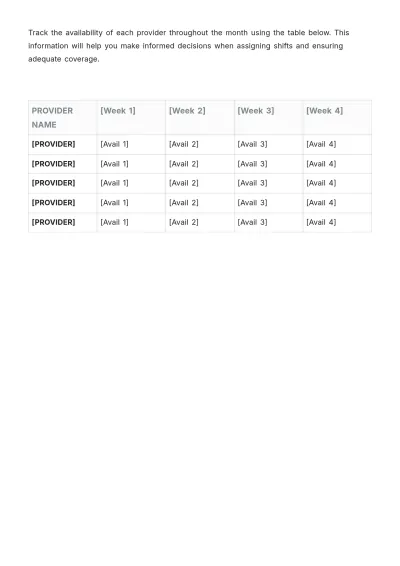
Track the availability of each provider throughout the month using the table below. This information will help you make informed decisions when assigning shifts and ensuring adequate coverage.
PROVIDER NAME | [Week 1] | [Week 2] | [Week 3] | [Week 4] |
|---|---|---|---|---|
[PROVIDER] | [Avail 1] | [Avail 2] | [Avail 3] | [Avail 4] |
[PROVIDER] | [Avail 1] | [Avail 2] | [Avail 3] | [Avail 4] |
[PROVIDER] | [Avail 1] | [Avail 2] | [Avail 3] | [Avail 4] |
[PROVIDER] | [Avail 1] | [Avail 2] | [Avail 3] | [Avail 4] |
[PROVIDER] | [Avail 1] | [Avail 2] | [Avail 3] | [Avail 4] |
- 100% Customizable, free editor
- Access 1 Million+ Templates, photo’s & graphics
- Download or share as a template
- Click and replace photos, graphics, text, backgrounds
- Resize, crop, AI write & more
- Access advanced editor
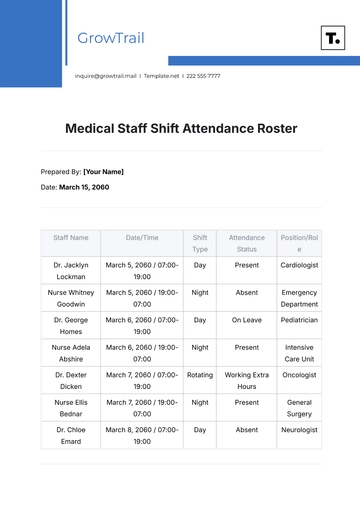
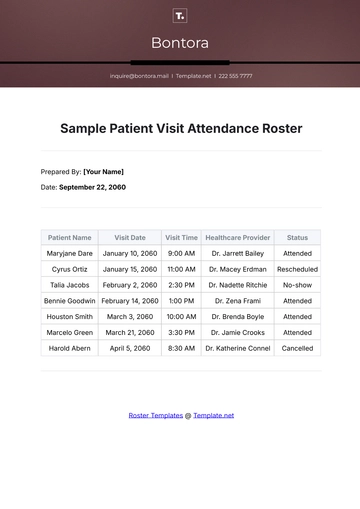
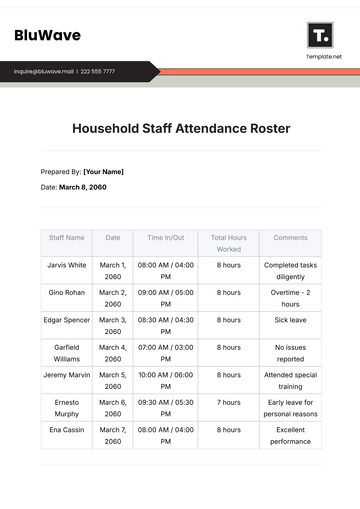
Introducing Template.net's Provider Roster Template: your solution for streamlined organization. Effortlessly editable and fully customizable, this template empowers you to manage your provider network with ease. Editable in our Ai Editor Tool, it offers flexibility and efficiency for creating, updating, and maintaining your roster seamlessly. Optimize your operations today.