Free AI Photo Editor
Transform your photos with AI-powered editing tools to enhance details, change backgrounds, adjust colors, and create stunning images in seconds — all for free.

Edit Photos Online with Smart AI Photo Editor
Transform your images effortlessly with Template.net’s Free AI Photo Editor.
- Upload a photo and use AI to enhance image quality, refine details, change backgrounds, and edit visual elements with ease.
- Create stunning, professional-looking results in seconds, explore different variations, and download high-quality images ready to share or use in your projects.
![Free AI Photo Editor, Edit and Enhance Images Online [ No Signup ]](https://images.template.net/generator-images/ai-photo-editor-0-updated.webp)
How to Edit a Photo Using the AI Photo Editor
Upload, enhance, and export images using a simple workflow.
Upload Your Image
Click the upload button and choose a JPEG, JPG, WEBP, or PNG file (up to 25 MB). The AI instantly processes your file and generates suggested design variations for you to explore. Review the options to decide your starting point for editing.
Edit and Customize
Choose a design suggestion and refine it in the editor. Remove or change backgrounds, add text, adjust colors, or insert icons to match your creative needs. Use drag-and-drop controls to perfect your composition.
Save, Share, or Export
Preview your edited image and download it in high quality or share instantly via Email, LinkedIn, WhatsApp, Facebook, X (Twitter), Pinterest, or generate a live link or QR code.for personal or professional use.
Create High-Quality Edited Images Faster with AI Ph Editor
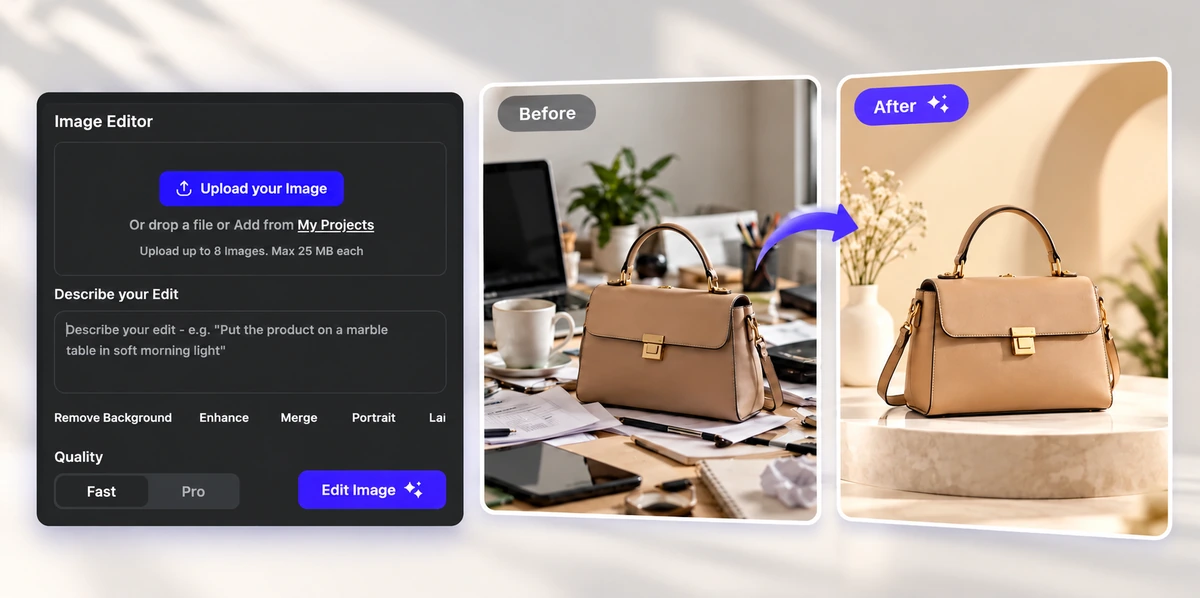
Product Photos for Online Stores
Move products from cluttered desks onto clean studio backdrops or styled lifestyle scenes. Get consistent, catalog-ready images for online stores and marketplace listings in seconds.
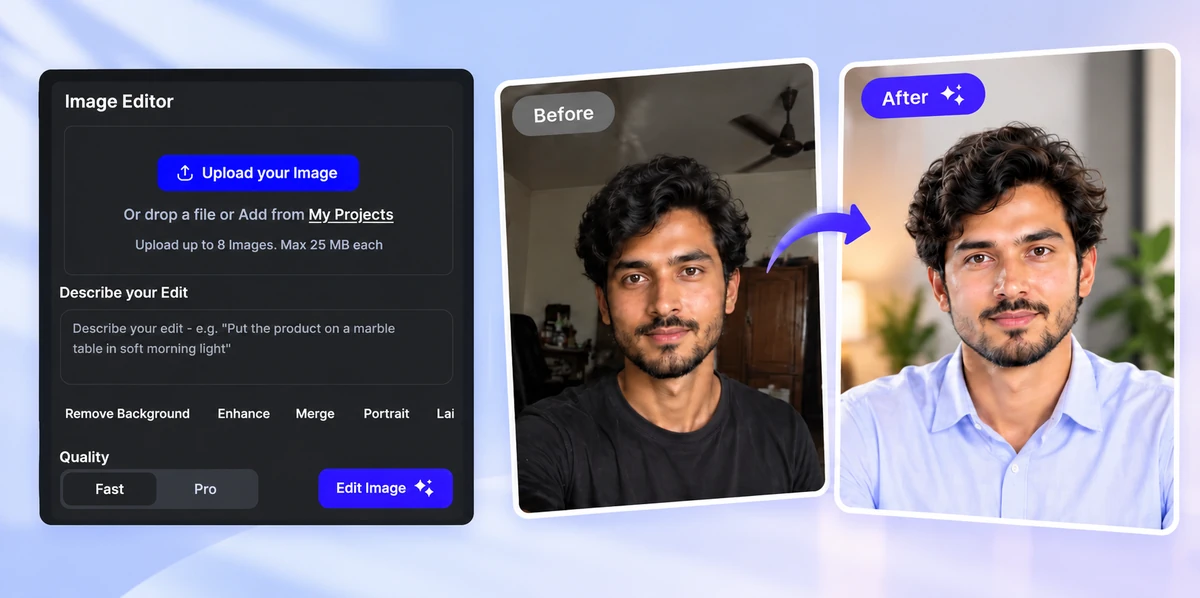
Portraits and Profile Pictures
Fix dim lighting, clean up busy backgrounds, and give everyday selfies a professional finish for LinkedIn, resumes, and team pages – while keeping the person looking like themselves.
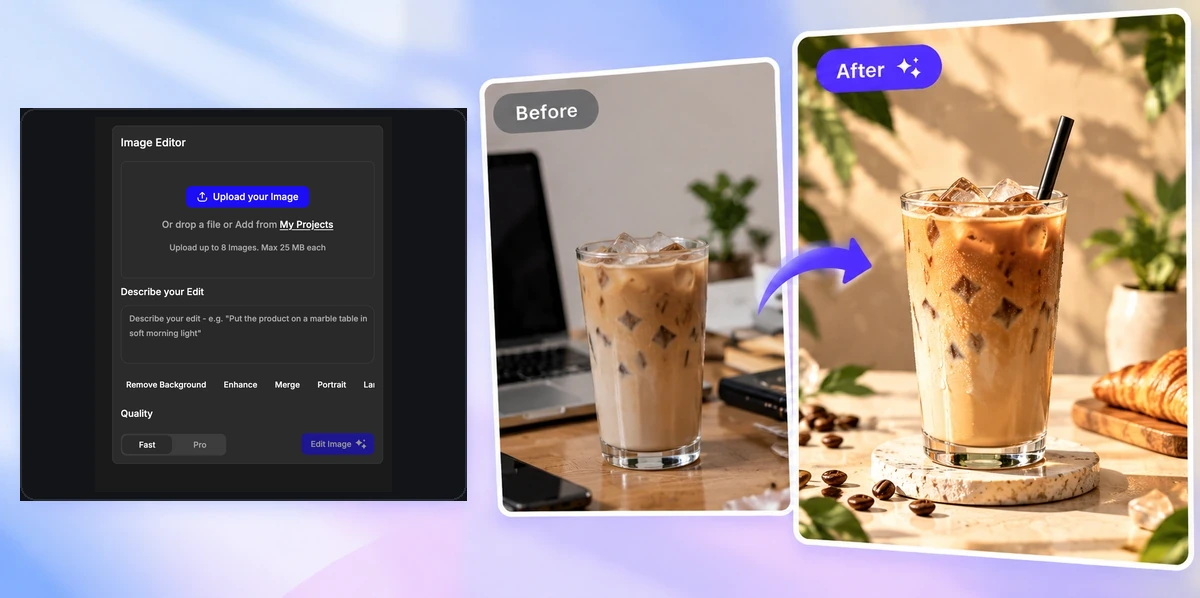
Social Media and Marketing Visuals
Turn ordinary photos into eye-catching posts, ads, and banners. Change the scene, the mood, or the whole style to match your campaign without a photoshoot.
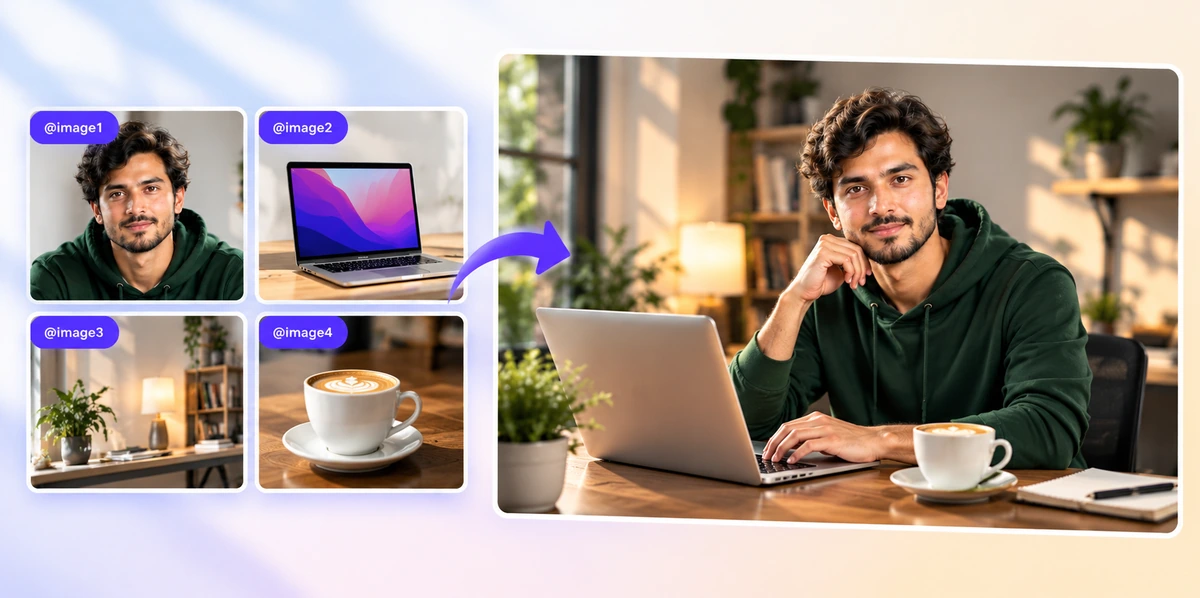
Combine Multiple Photos into One Scene
Upload up to 8 images and refer to them as @image1, @image2 to merge a person, a product, and a background into one natural-looking picture with matching light and shadows.
Edit and Transform Images Effortlessly with AI
Everything you need to enhance, refine, and transform images with speed, precision, and creative control.

Prompt-Based Editing
Type the edit you want and the AI does the work – no tools, layers, or masks to learn.

Results in Seconds
Most edits are ready in seconds, so you can try a few ideas and keep the one you like best.

Reference Images with @image
Each upload appears as a chip such as @image1 or @image2, so you can say exactly which picture to use where.

Background Change and Removal
Swap any background for a studio, lifestyle, or outdoor scene, or remove it for a clean cut-out.

Object Removal and Replacement
Erase distractions, remove people or text, or replace one object with another that fits the scene.

Relighting and Color Fixes
Brighten dark shots, warm up cold tones, or match the lighting of a different time of day.

Style and Mood Changes
Restyle a photo as a painting, illustration, cinematic still, or a clean commercial look.

Fast or Pro Quality
Pick Fast for quick previews or Pro when you need finer detail and a more polished result.

Try It with Sample Images
No photo ready? Start with one of the sample images and see the editor in action instantly.

High-Quality Downloads
Download finished images in high resolution, ready for social media, online stores, ads, and print.

Keep Every Edit in Your Workspace
Each result is saved to your workspace, so you can come back, compare versions, and keep refining.

Works in Your Browser
No software to install – edit on desktop, tablet, or phone, in light or dark mode.

Smart, Targeted Edits
The AI changes only what you describe and keeps the rest of your photo just as it was

Enhance Detail and Clarity
Brighten dull shots, sharpen soft details, and lift colors for a crisp, professional finish.

Drag and Drop Uploads
Drop photos straight onto the upload box or browse your device – JPG, PNG, and WEBP up to 25 MB each.

Preview Every Upload
Hover any @image chip to see the full picture, and remove one with a single click before you generate.

Portraits That Stay True to You
Retouch light, background, and style while keeping faces and features looking like the real person.

Describe Edits in Everyday Words
No technical terms needed – write the change the way you would explain it to a friend.
Photo Editor FAQs
Still have questions?
The quickest answer is to try it - upload a photo and see the result.
What is an AI Photo Editor?
An AI Photo Editor edits images from written instructions. Instead of using manual tools, you describe the change – like a new background or better lighting – and AI applies it to your photo.
Is the AI Photo Editor free?
Yes, you can start editing for free without signing up. Pro quality and higher usage may use credits depending on your plan.
How many images can I upload?
You can upload up to 8 images per edit. Each appears in the prompt box as @image1, @image2 and so on, so you can refer to them in your instructions.
What file types and sizes are supported?
You can upload JPG, PNG, and WEBP images up to 25 MB each.
What is the difference between Fast and Pro?
Fast creates quick results for previews and drafts. Pro takes a little longer and produces finer detail and a more polished finish.
What kinds of edits can I make?
You can change or remove backgrounds, remove or replace objects, relight a photo, adjust colors, restyle it as art, and combine several photos into one scene.
Where do I find my edited image?
After you click Generate, the result opens in your workspace. From there you can download it in high quality, share it, or keep editing.
Do I need design skills to use it?
No. If you can describe what you want in a sentence, you can edit a photo with AI.
Can I use the AI Photo Editor on my phone?
Yes. It works in any modern browser on desktop, tablet, and phone, with nothing to install, in both light and dark mode.
Can I try it without my own photo?
Yes. Pick one of the sample images under the preview and it loads straight into the editor, ready for your prompt.
Explore more AI image tools
 Image to Image
 Remove Background
 Face Swap
 Inpaint
 Photo Upscaler
 Image Resizer
 Crop Image
 Camera Angle
 Skin Enhancer
 Restyle
 Relight
- Character Generator
- Object Remover
- Image Eraser
 Text Remover
 Watermark Remover
 Transparent Background Generator
 Mirror Image
 Image Background Changer
 Change Image Color
 Add Text To Photo
 Border Generator
 Watermark Generator
 Photo Blur
 Image Enhancer
- Image Clearer
 Sharpen Image
 HD Photo Converter
 Image To Cartoon
 Photo To Sketch
 SVG Converter
- Image To Text Generator
 Color Analysis
 Image Combiner
- Character Swap
- Photo Collage Generator
- Photo Grid Generator
 Headshot Generator
 Profile Picture Generator
 Portrait Generator
 Hair Style Changer
 Long Hair Extension Generator
 Action Figure Generator
 Old Photo Restoration
 Pet Portrait Generator
 Photo To Emoji Generator
- Product Expander Generator
- Cinematic Shot Generator
- Pixel Art Generator
- Sketch Generator
- Cake Topper Generator
- Emoji Generator
- Cartoon Generator
- Coloring Page Generator
- Anime Generator
- Lego Generator
- Tattoo Generator
- Drawing Generator
- Art Generator
- Stock Photo Generator
- Photo Generator
- PNG Image Generator
- Font Text Generator
- Text Effect Generator
- Random Quote Generator
Try AI Photo Editor now
Drag and drop your images or browse to edit them with a prompt
or drop an image here
