Template.net AI

Free AI Line Chart Generator

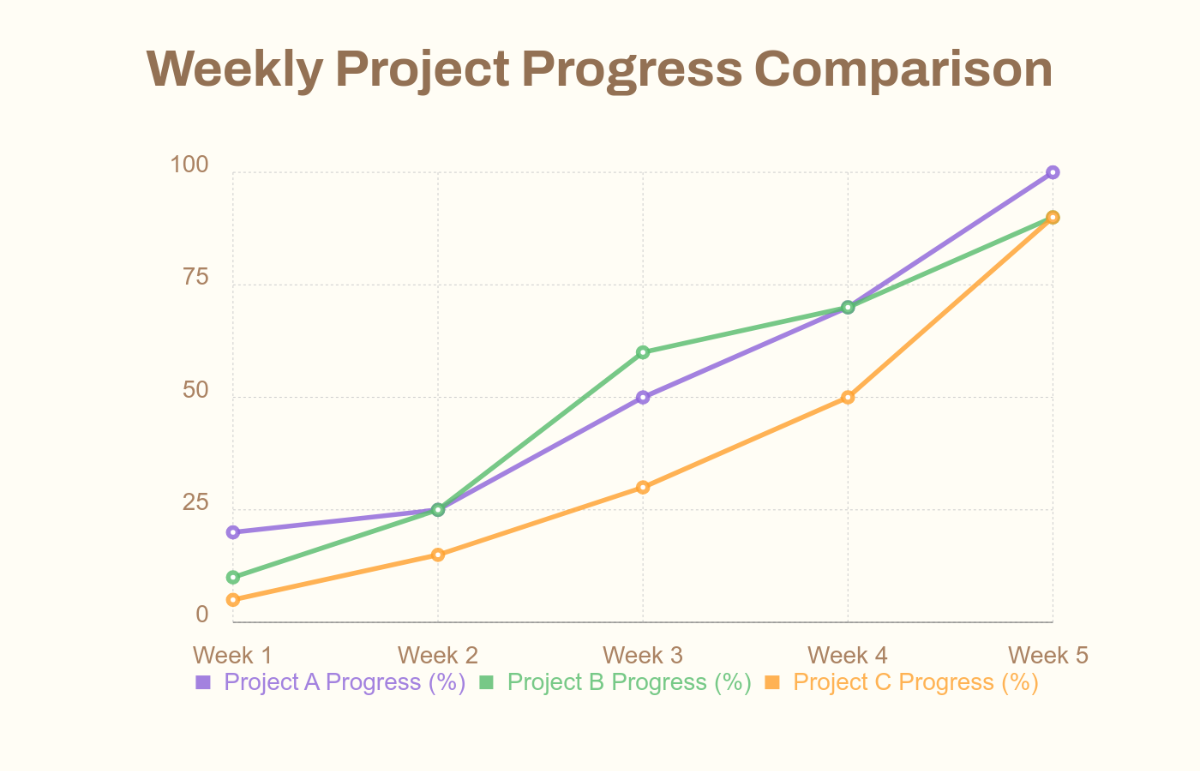
Prompt text or voice and our AI generates editable line charts instantly. Create professional visual data for reports, presentations, dashboards, and infographics. No sign-up needed. Free, fast, and online.

What you want to generate today?
for best quality & speed
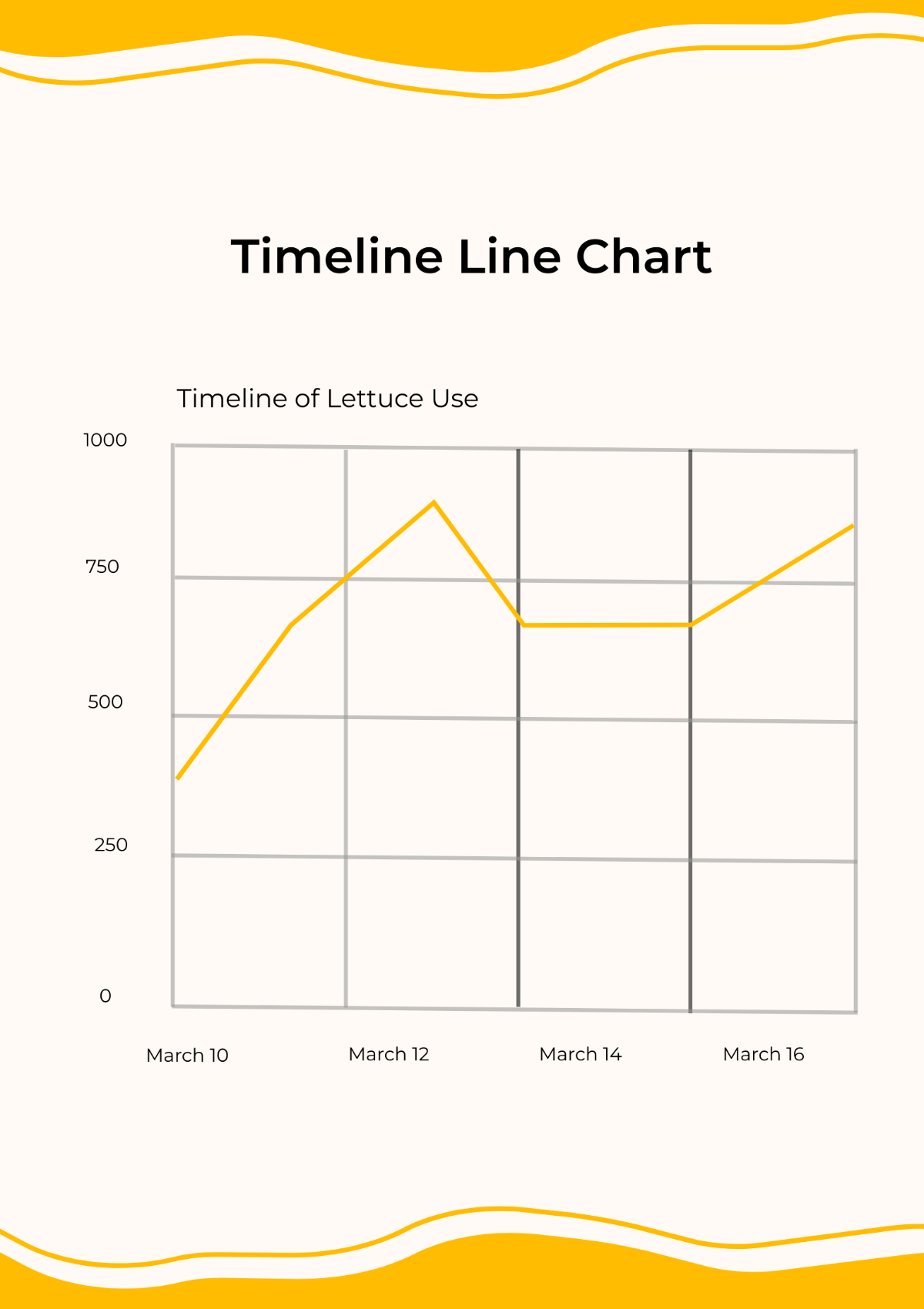
Project Timeline Line Chart - AI Line Chart Generator, Graph Maker
Project Timeline Line Chart Template
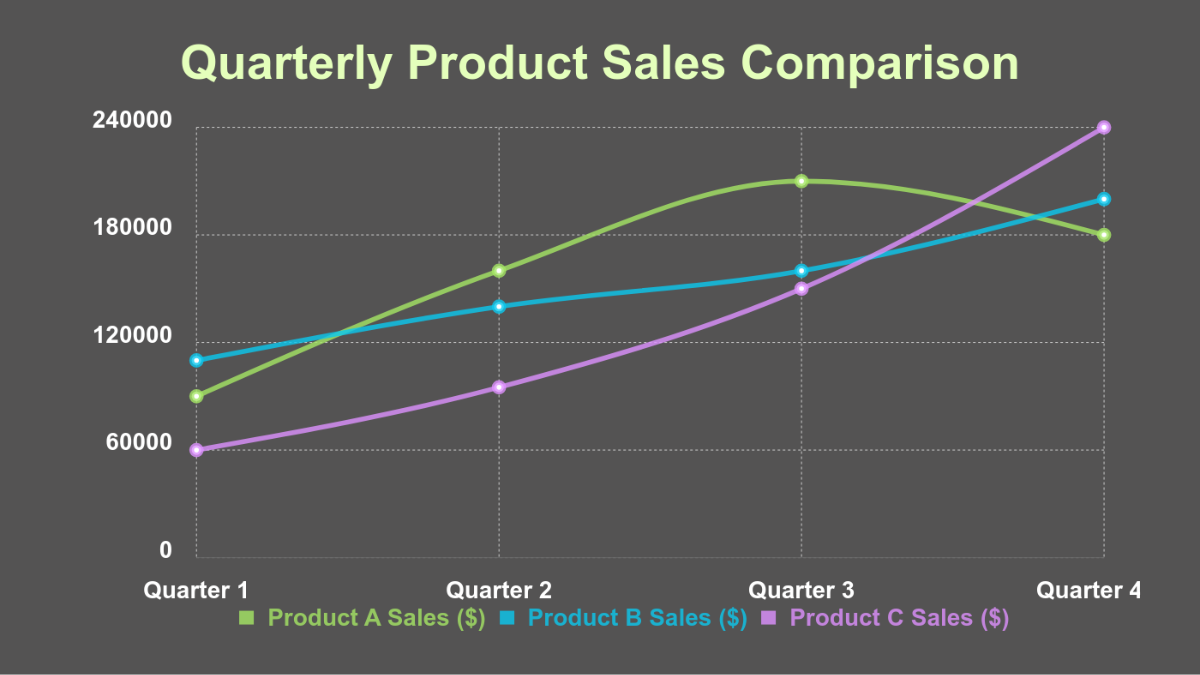
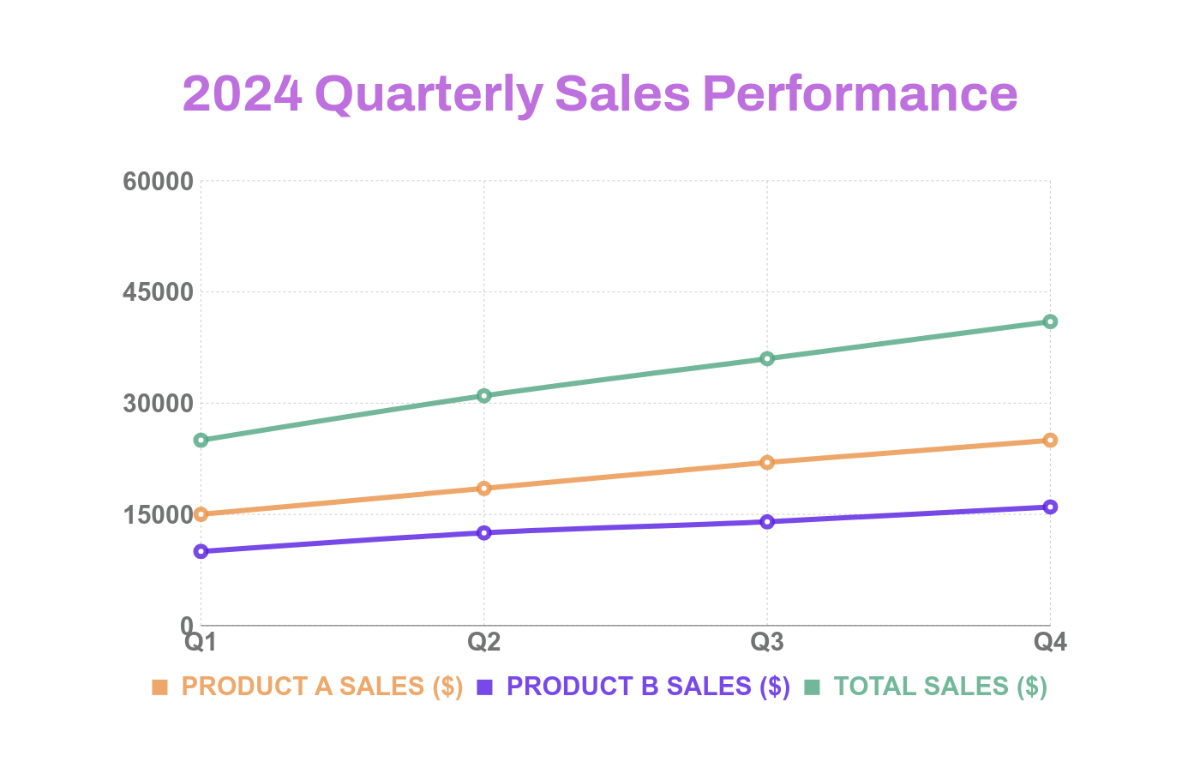
Quarterly Line Chart - AI Line Chart Generator, Graph Maker
Quarterly Line Chart Template
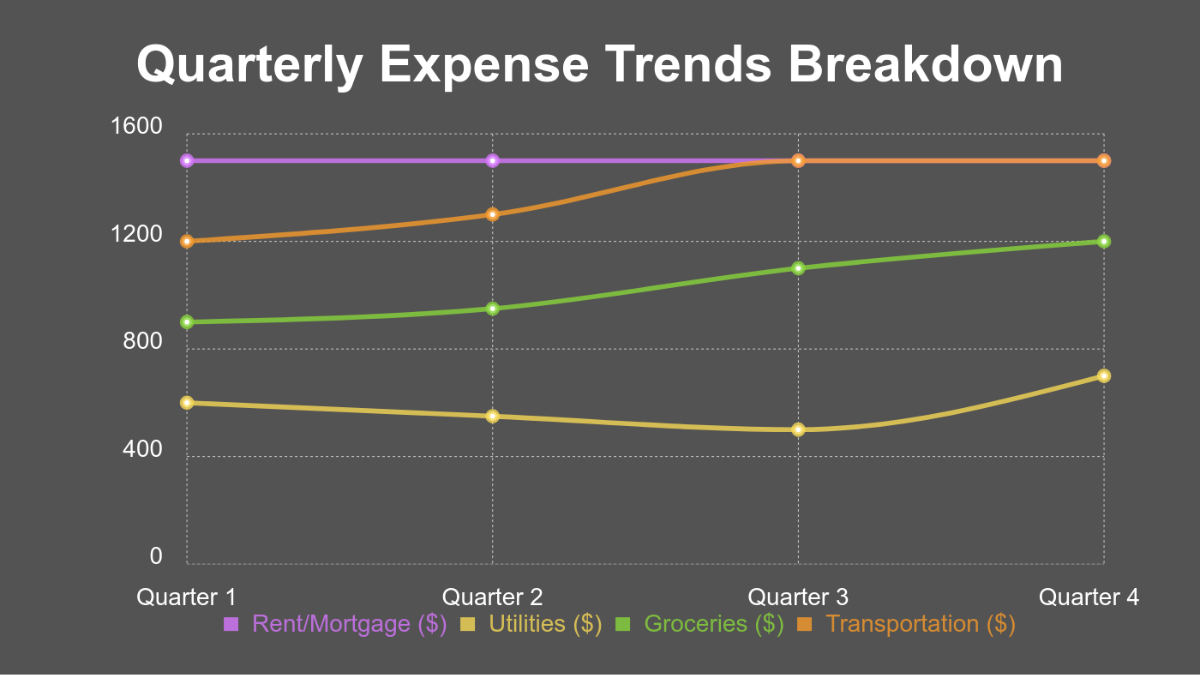
Expense Line Chart - AI Line Chart Generator, Graph Maker
Expense Line Chart Template
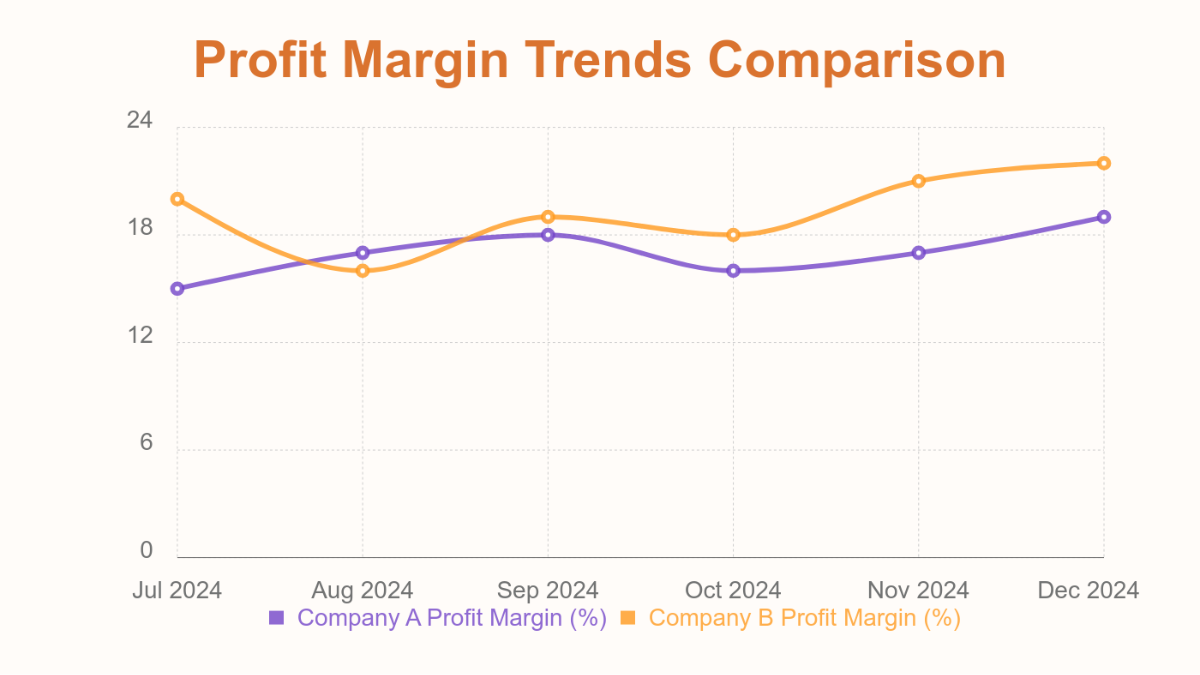
Profit Line Chart - AI Line Chart Generator, Graph Maker
Profit Line Chart Template
Productivity Line Chart - AI Line Chart Generator, Graph Maker
Productivity Line Chart Template
Research Data Line Chart - AI Line Chart Generator, Graph Maker
Research Data Line Chart Template
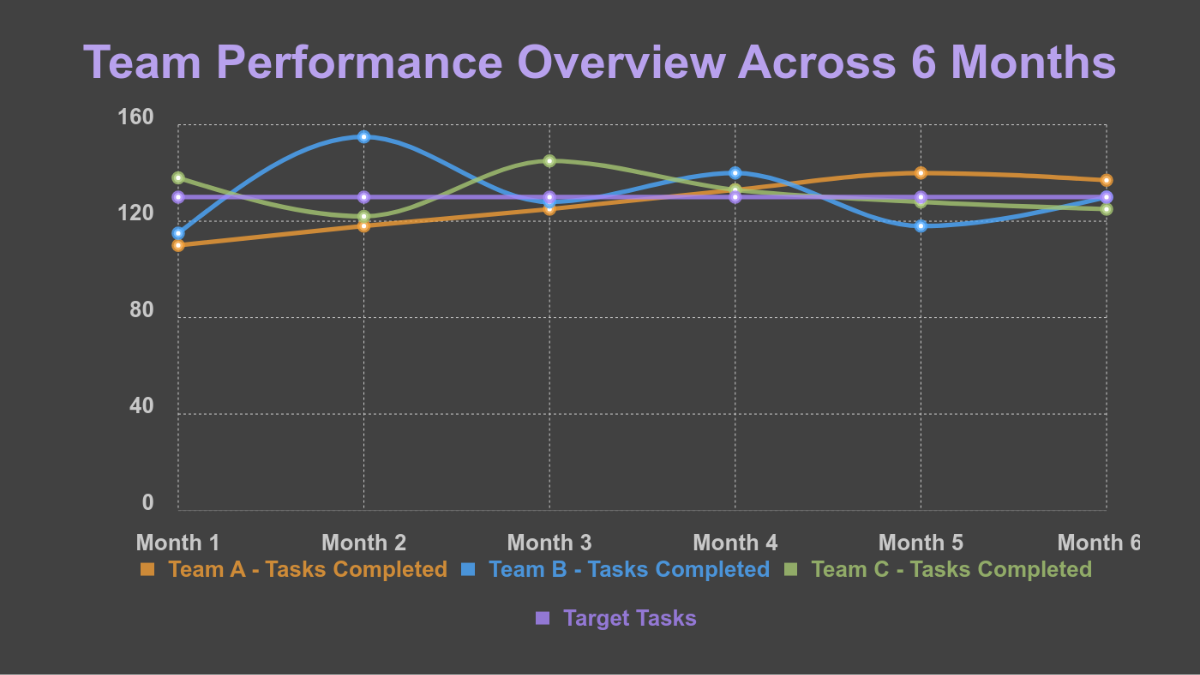
Performance Line Chart - AI Line Chart Generator, Graph Maker
Performance Line Chart Template
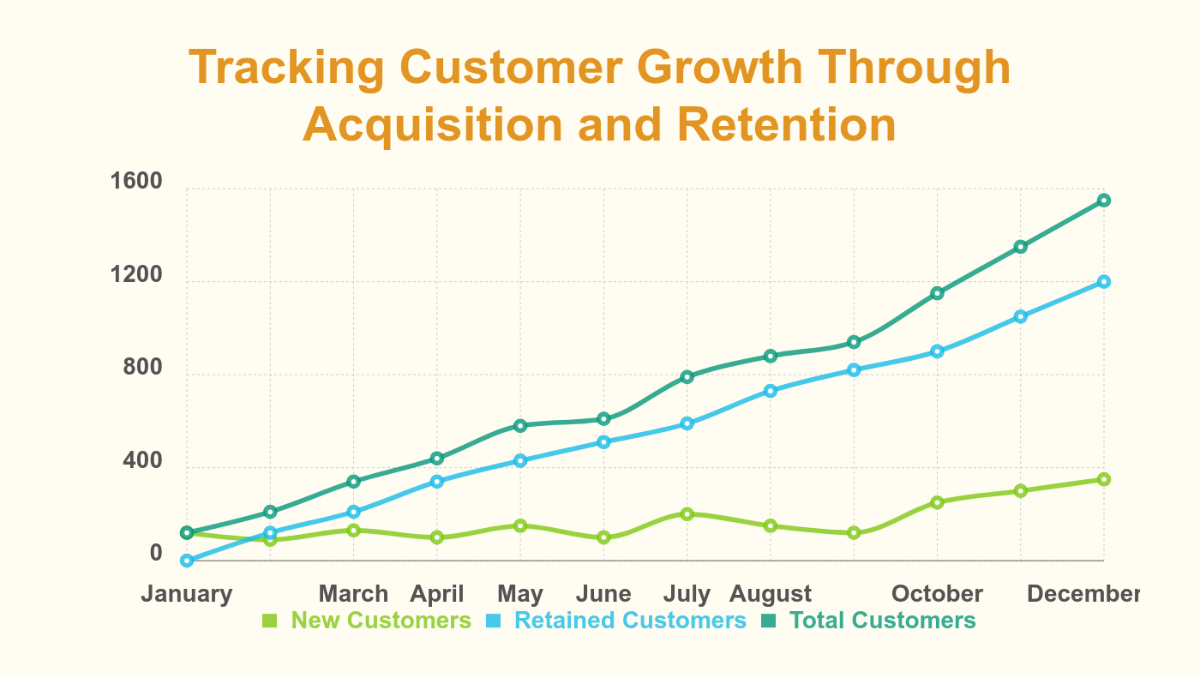
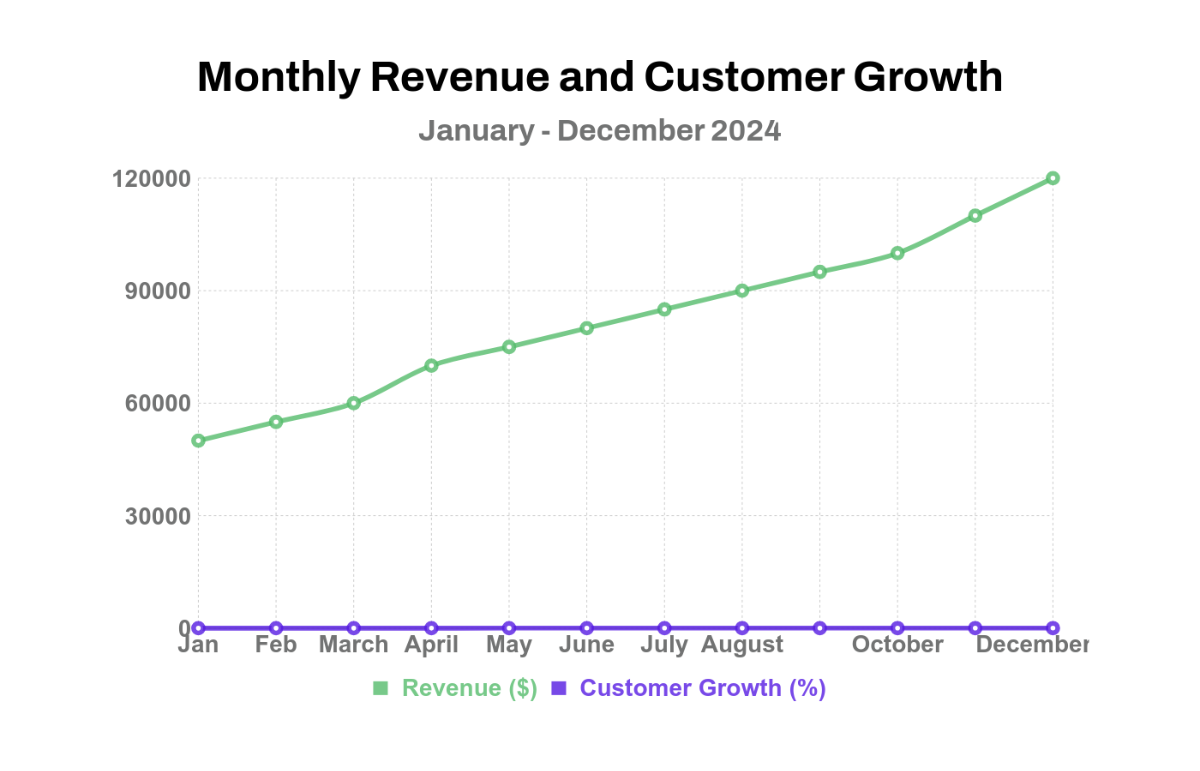
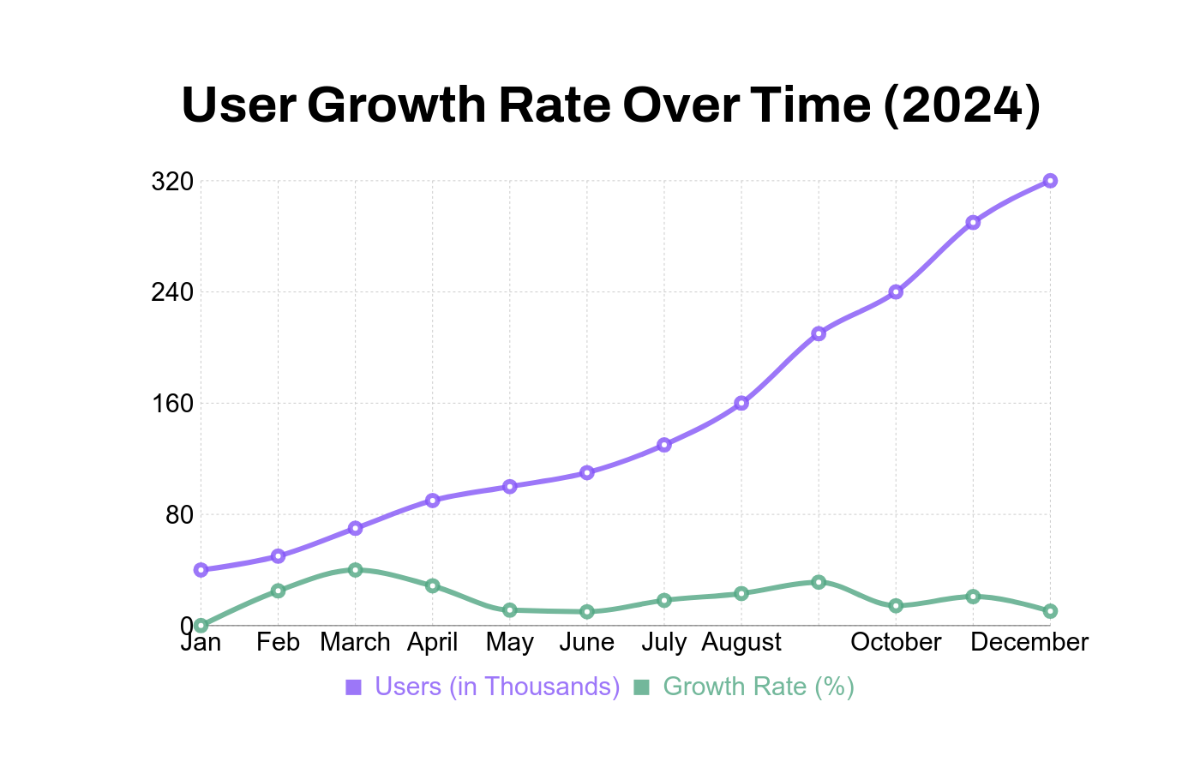
Customer Growth Line Chart - AI Line Chart Generator, Graph Maker
Customer Growth Line Chart Template
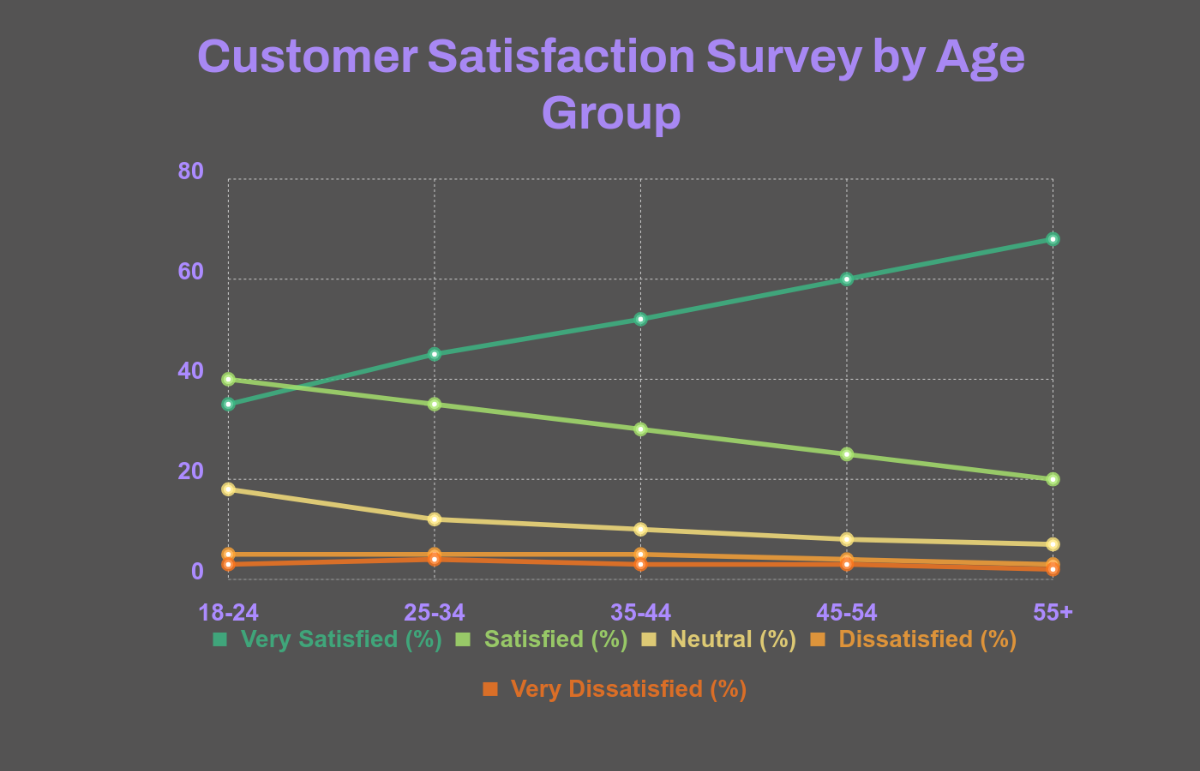
Survey Results Line Chart - AI Line Chart Generator, Graph Maker
Survey Results Line Chart Template
Trend Analysis Line Chart - AI Line Chart Generator, Graph Maker
Trend Analysis Line Chart Template
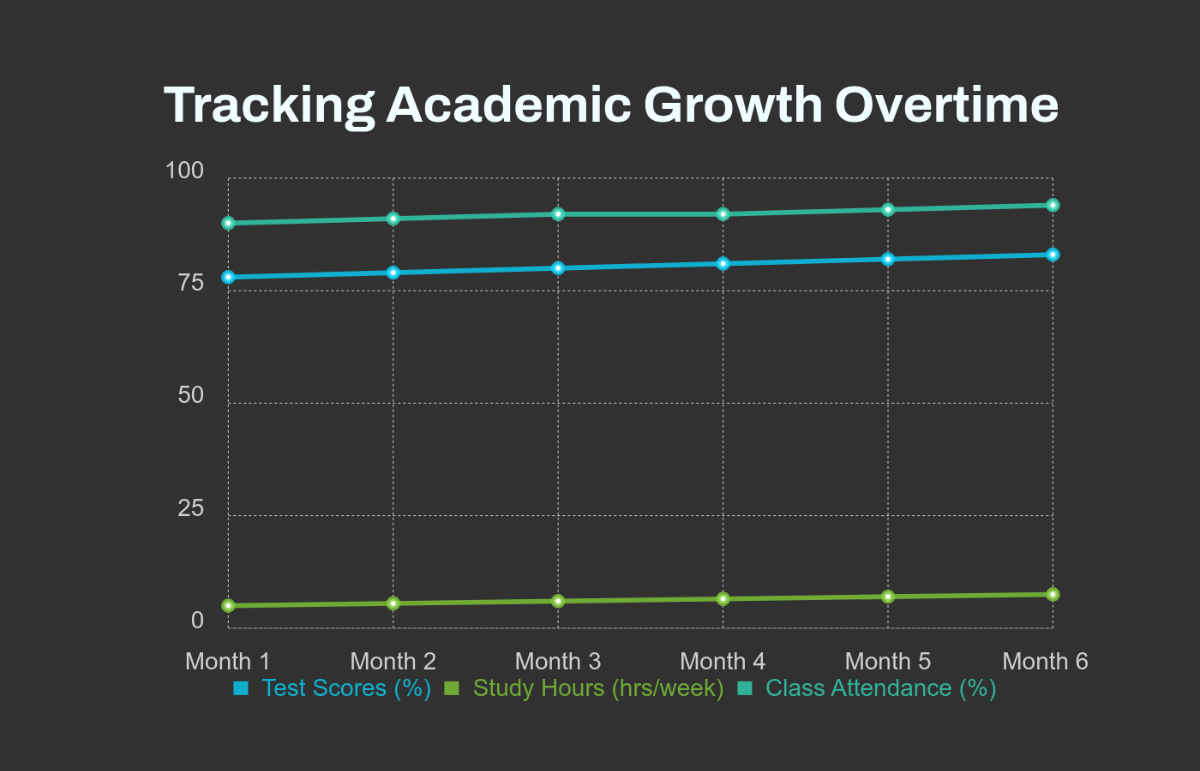
Educational Line Chart - AI Line Chart Generator, Graph Maker
Educational Line Chart Template
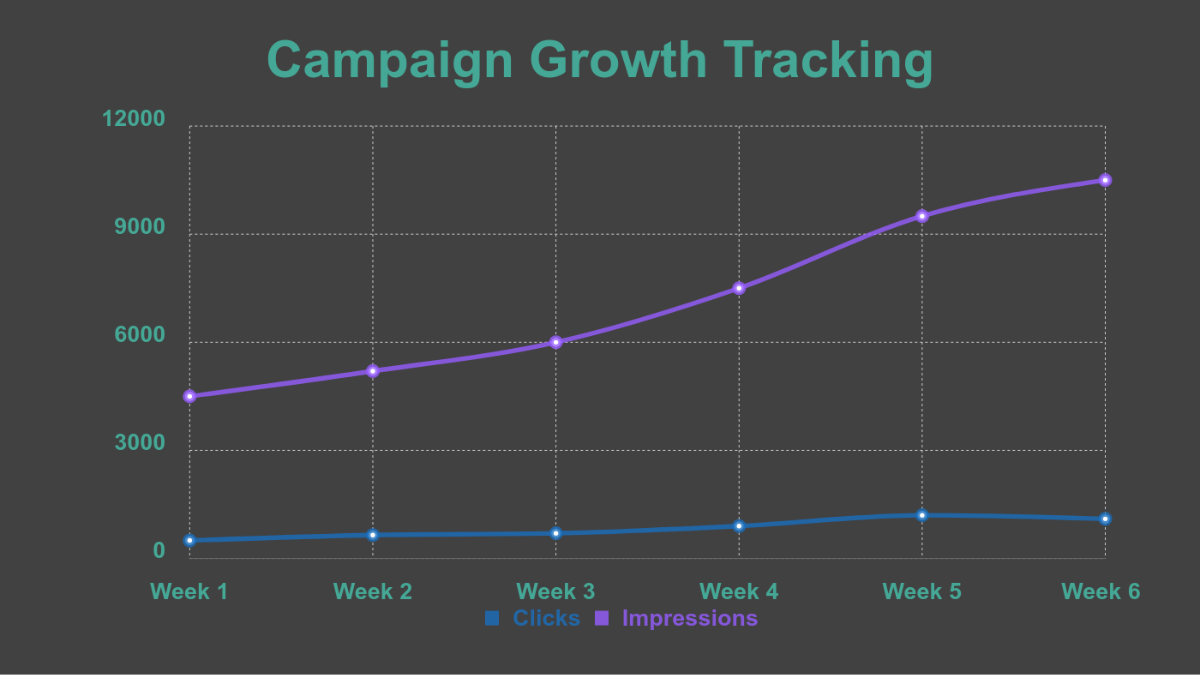
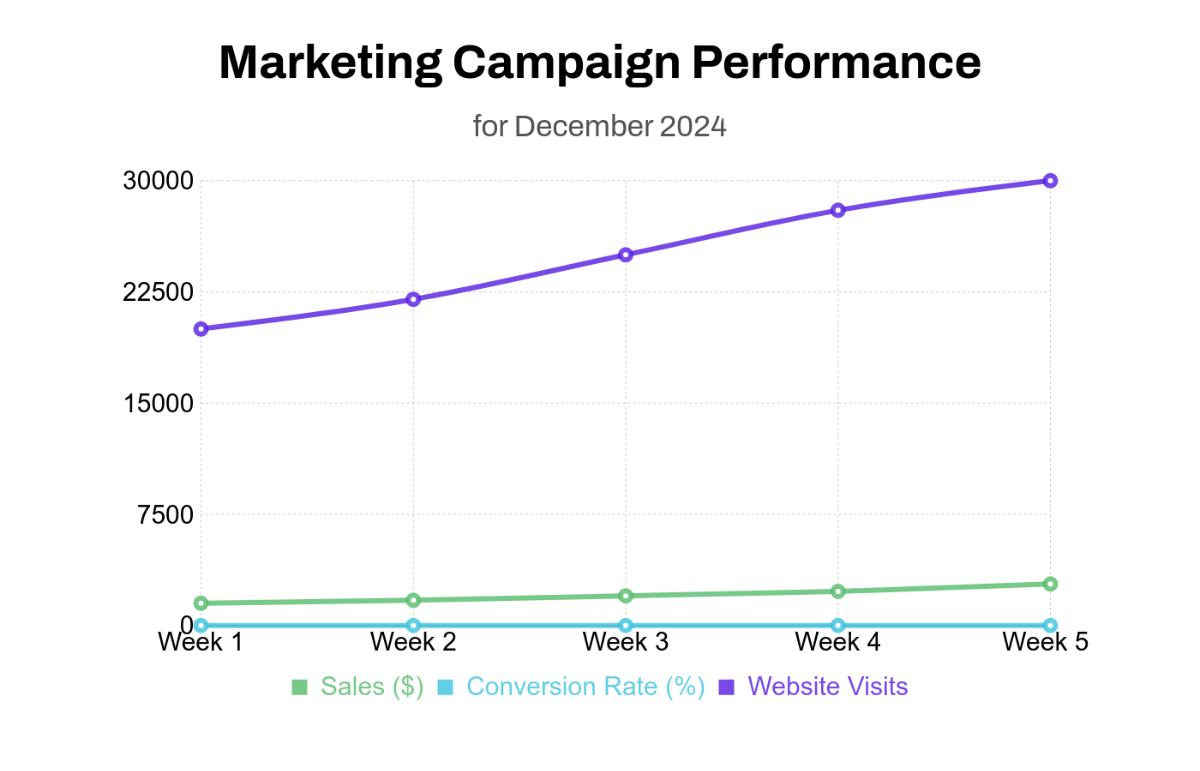
Campaign Line Chart - AI Line Chart Generator, Graph Maker
Campaign Line Chart Template
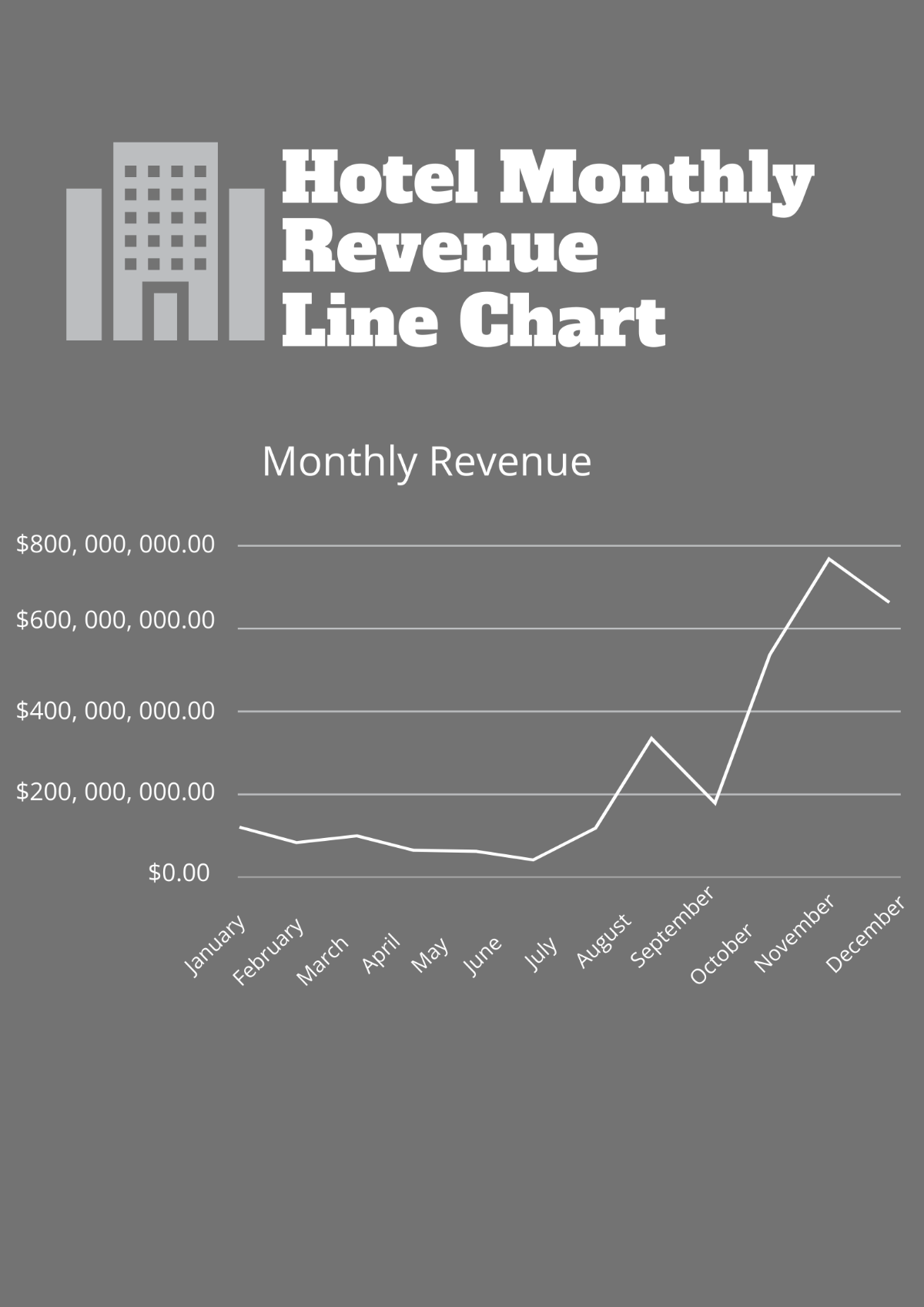
Revenue Line Chart - AI Line Chart Generator, Graph Maker
Revenue Line Chart Template
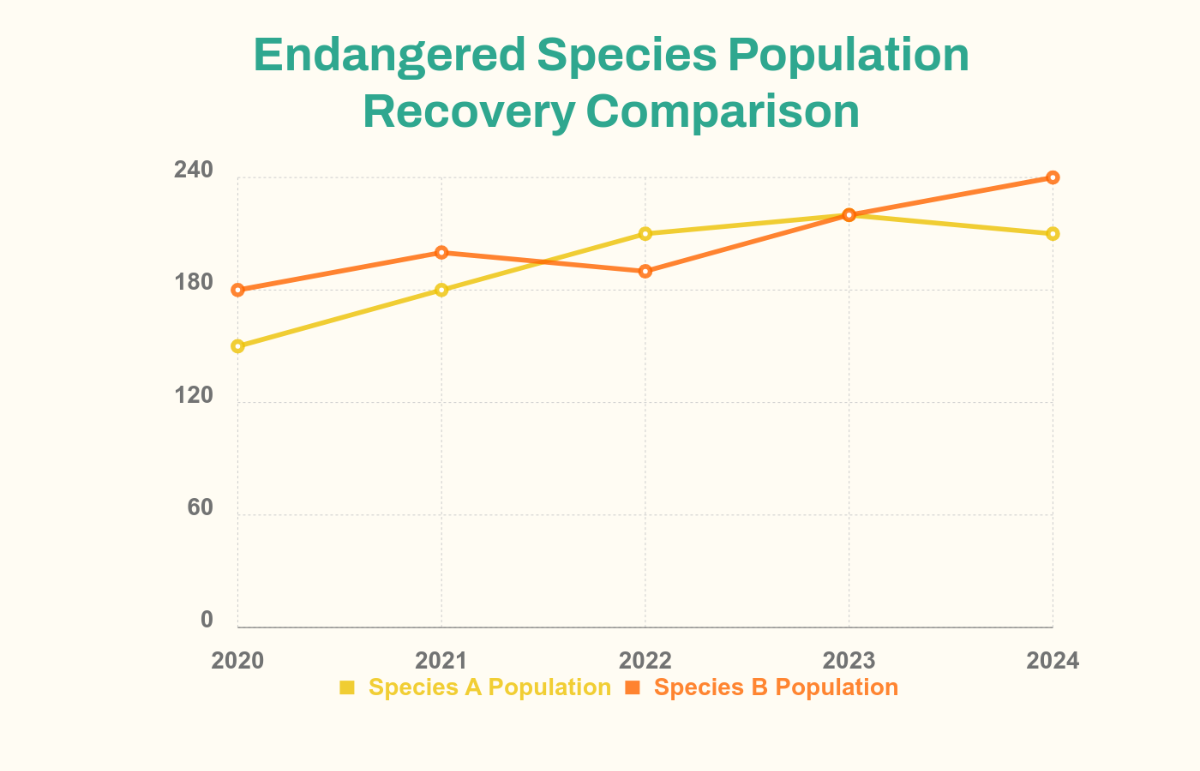
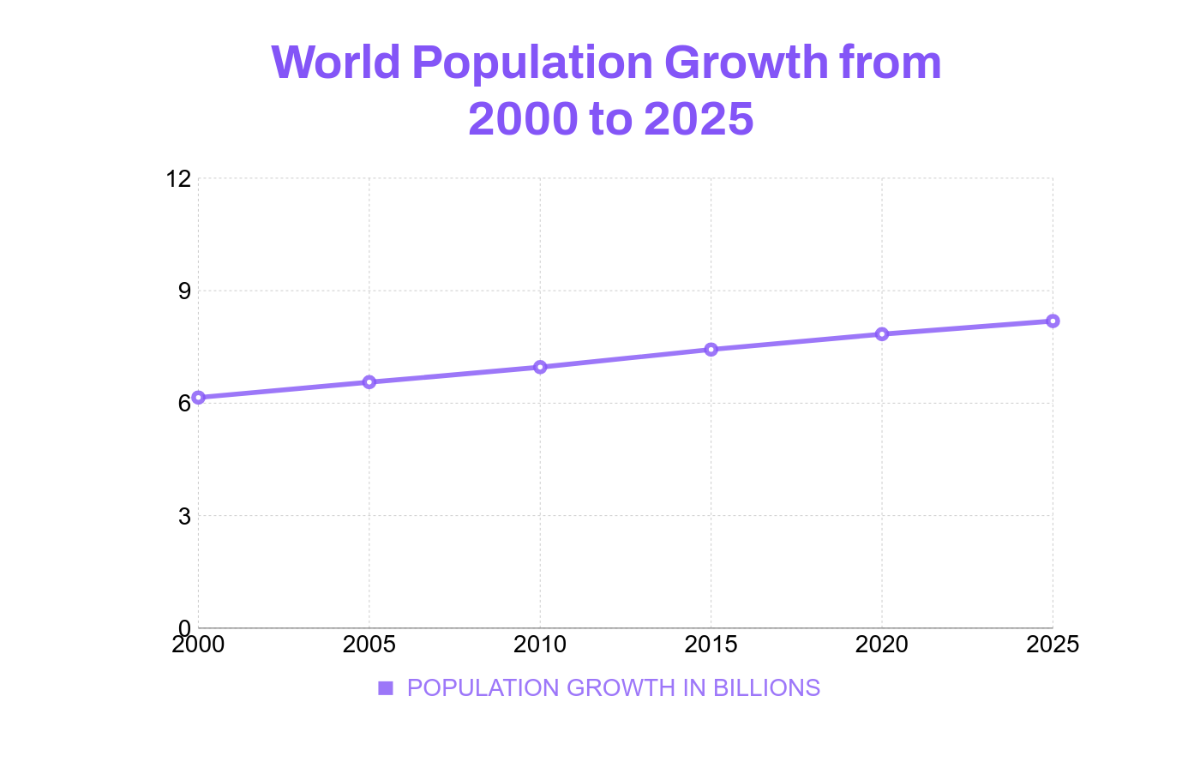
Population Line Chart - AI Line Chart Generator, Graph Maker
Population Line Chart Template
Marketing Line Chart - AI Line Chart Generator, Graph Maker
Marketing Line Chart Template
Project Management Line Chart - AI Line Chart Generator, Graph Maker
Project Management Line Chart Template
Academic Line Chart - AI Line Chart Generator, Graph Maker
Academic Line Chart Template
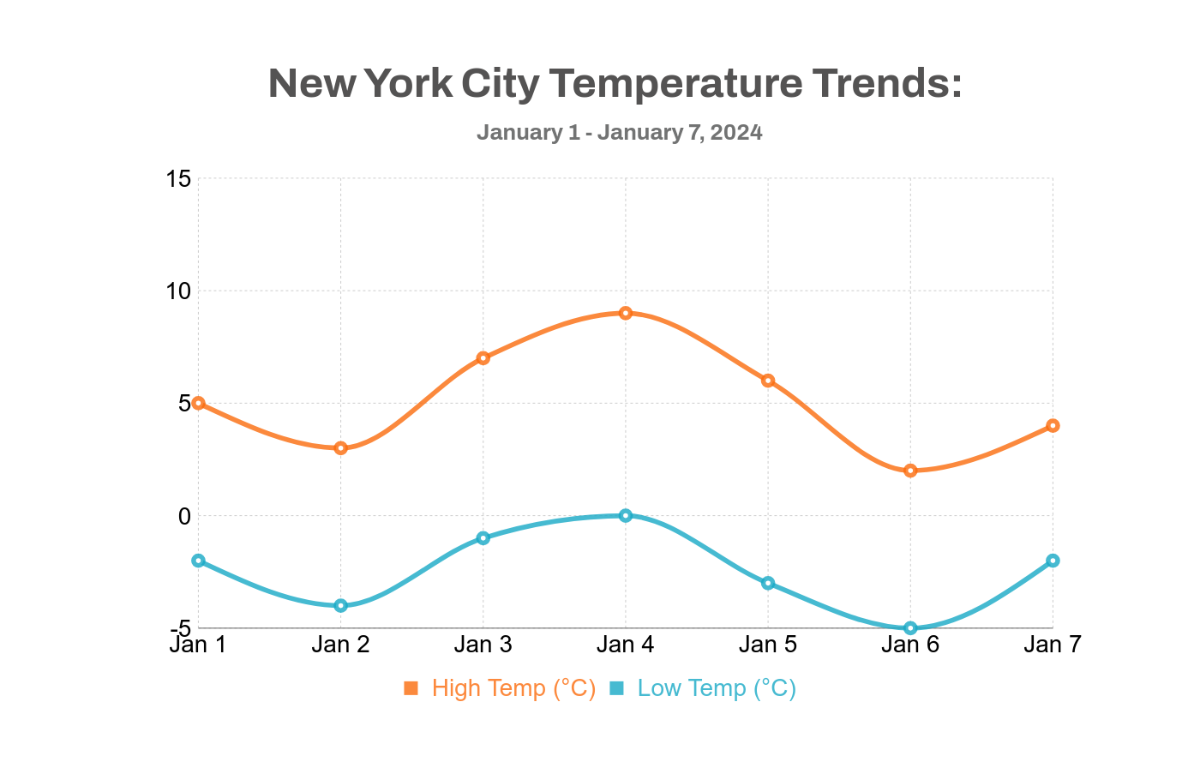
Temperature Line Chart - AI Line Chart Generator, Graph Maker
Temperature Line Chart Template
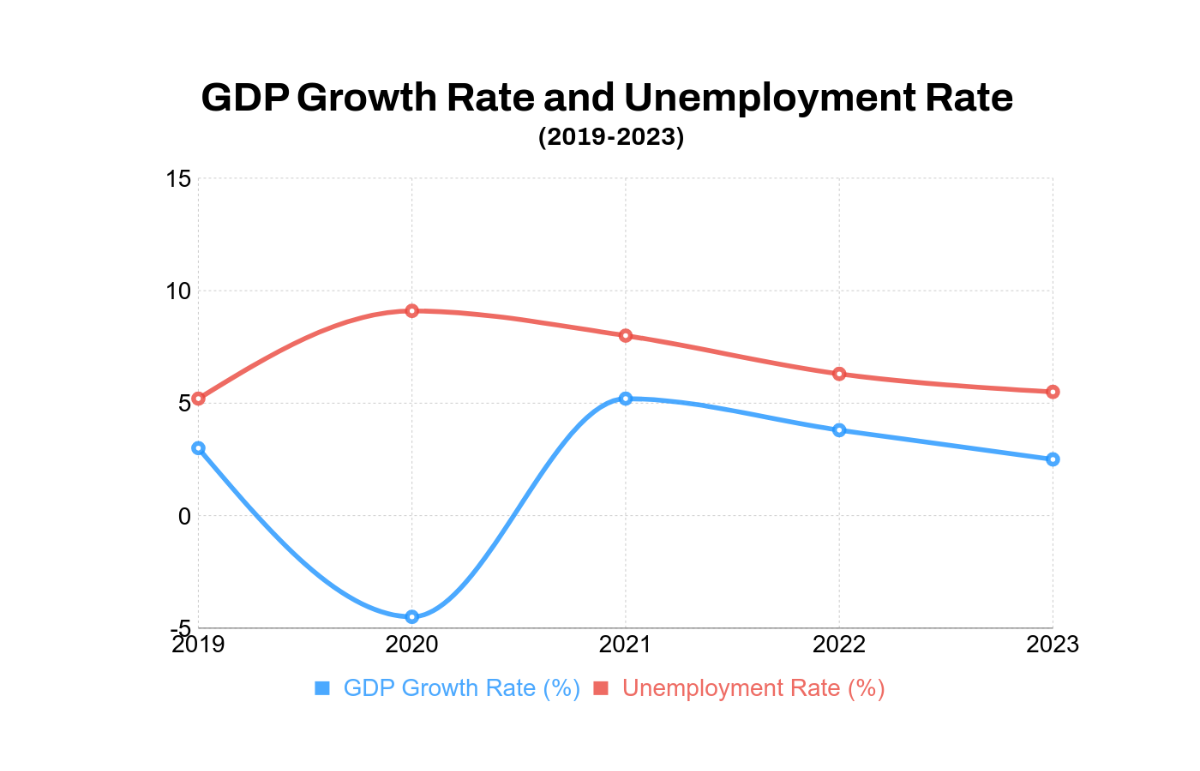
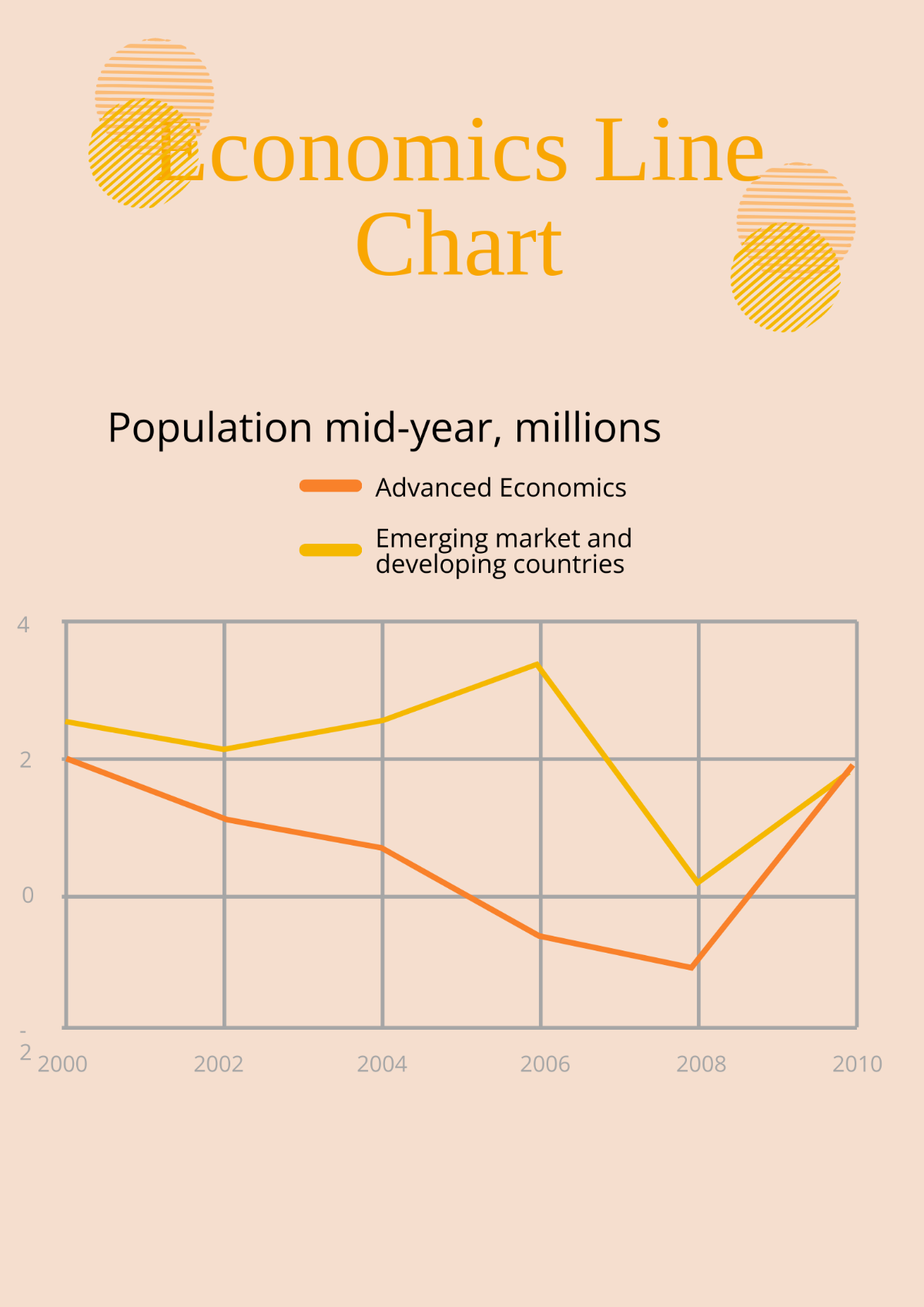
Economics Line Chart - AI Line Chart Generator, Graph Maker
Economics Line Chart Template
Monthly Line Chart - AI Line Chart Generator, Graph Maker
Monthly Line Chart Template
Line Chart - AI Line Chart Generator, Graph Maker
Line Chart Template
Annual Line Chart - AI Line Chart Generator, Graph Maker
Annual Line Chart Template
Professional Line Chart - AI Line Chart Generator, Graph Maker
Professional Line Chart Template
Business Line Chart - AI Line Chart Generator, Graph Maker
Business Line Chart Template
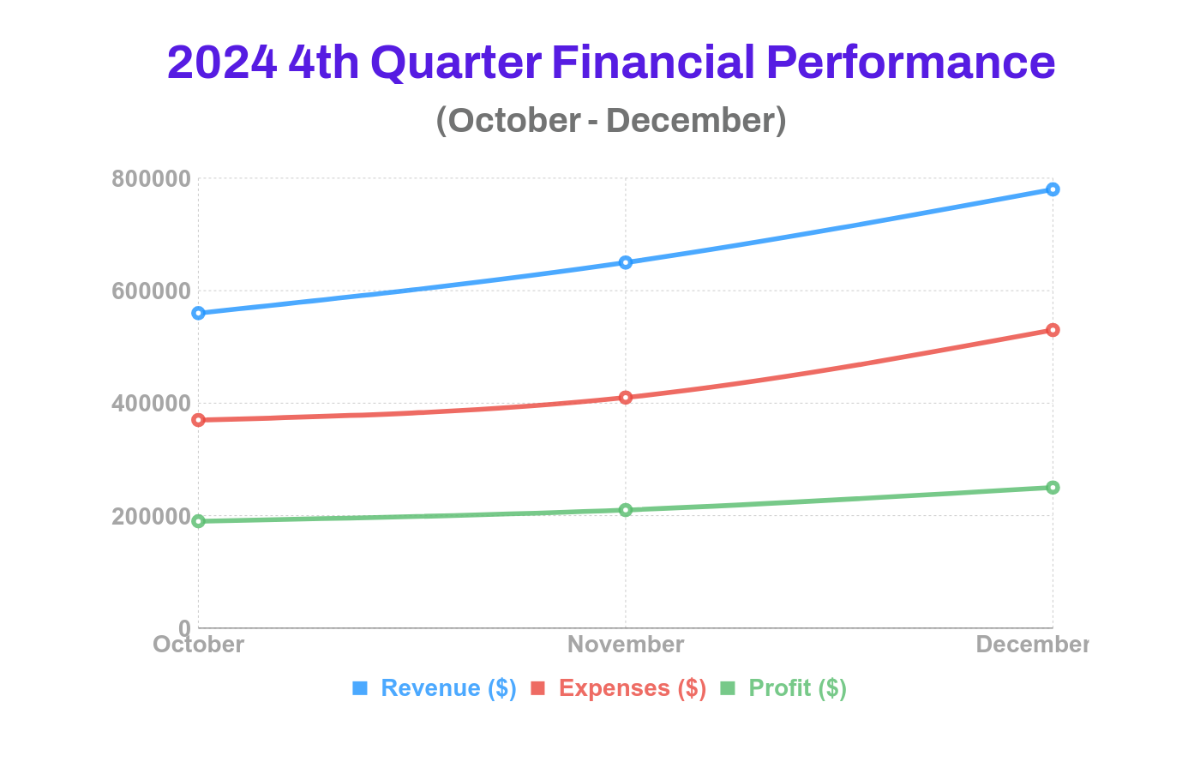
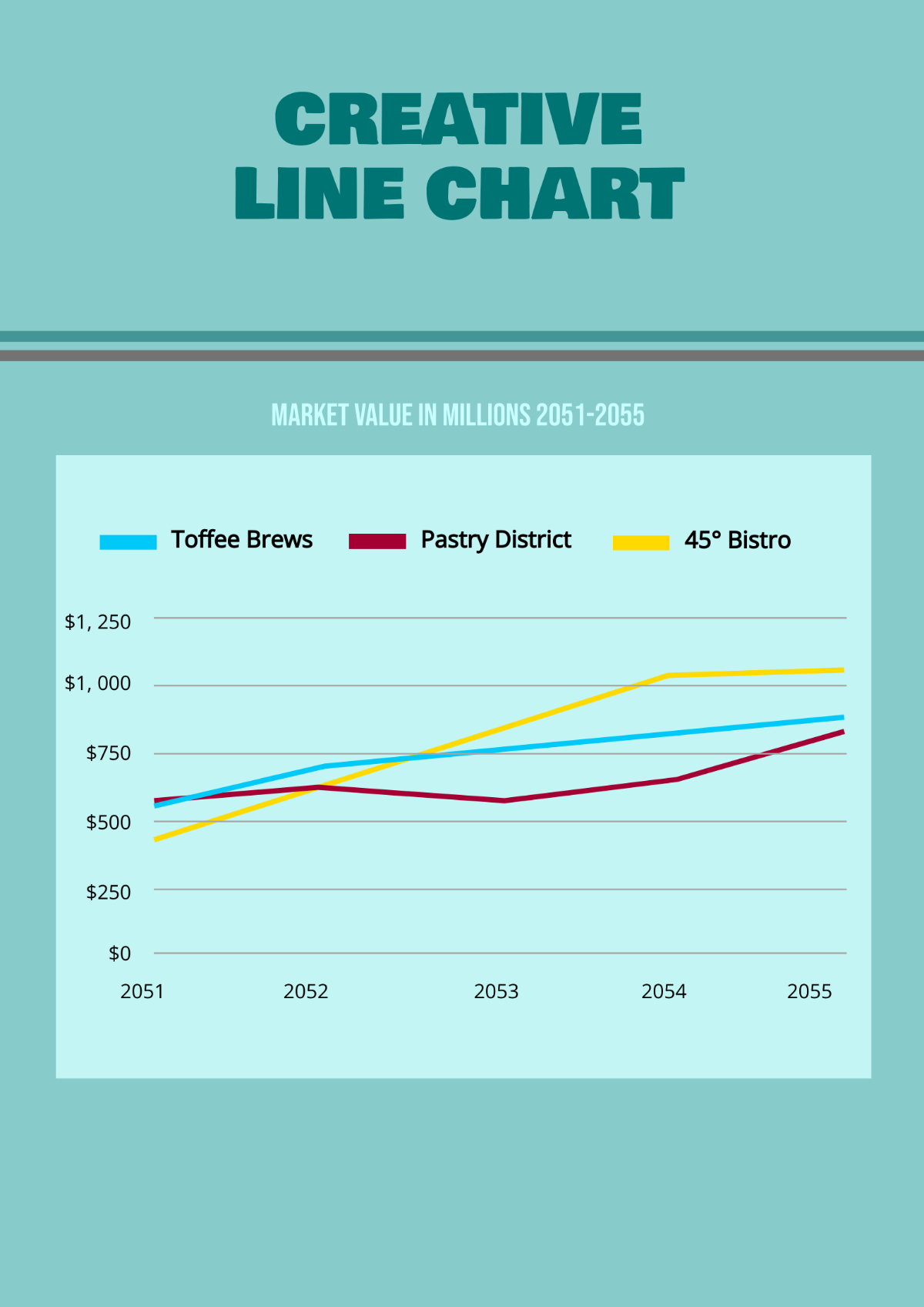
Financial Line Chart - AI Line Chart Generator, Graph Maker
Financial Line Chart Template
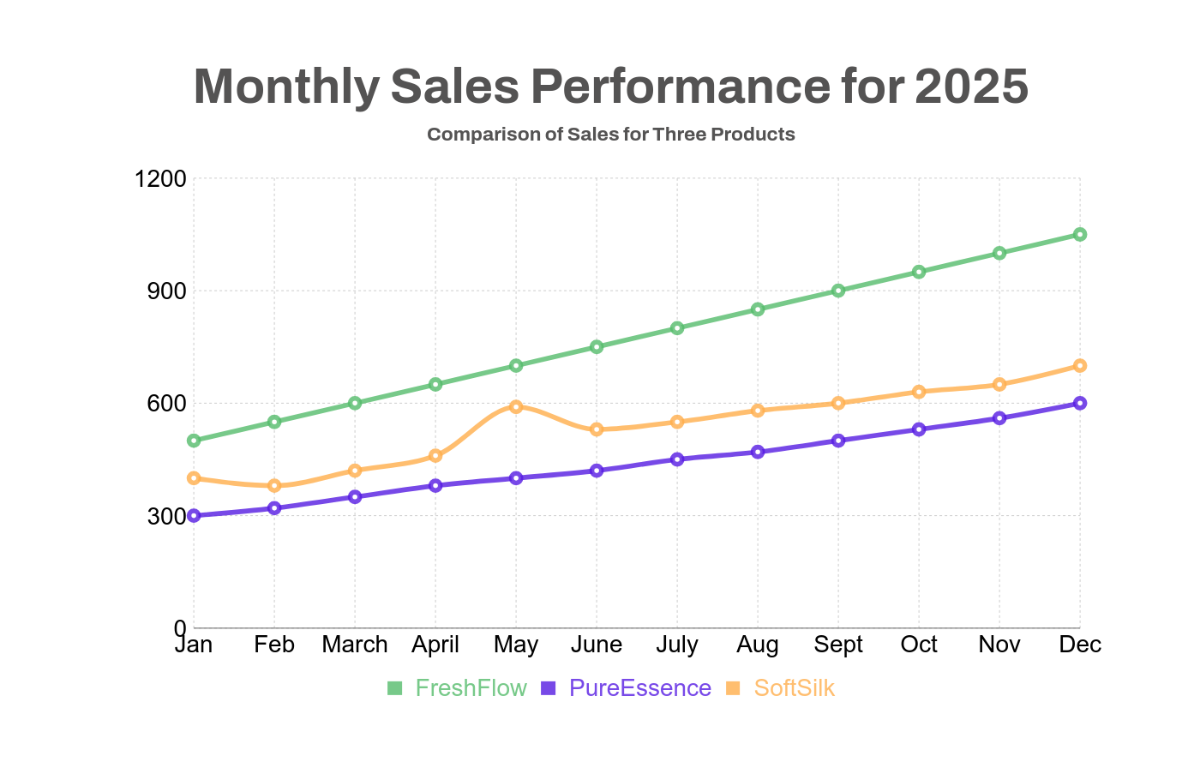
Sales Line Chart - AI Line Chart Generator, Graph Maker
Sales Line Chart Template
Growth Line Chart - AI Line Chart Generator, Graph Maker
Growth Line Chart Template
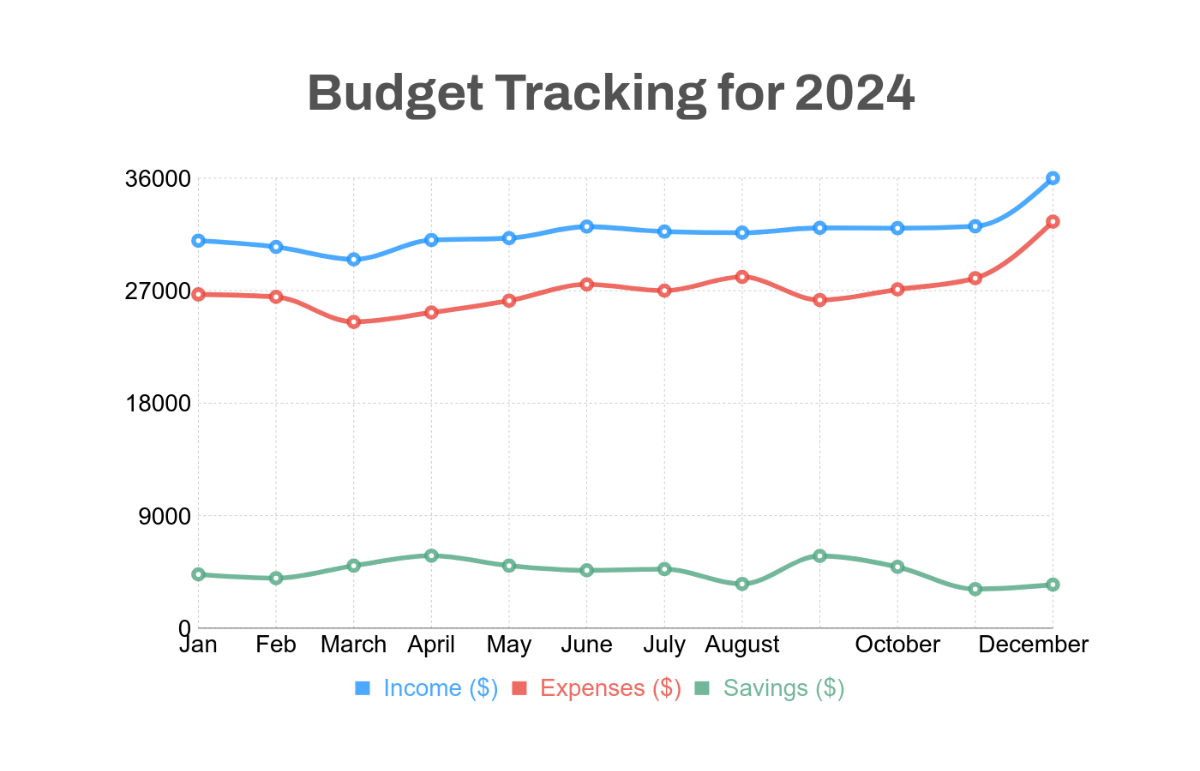
Budget Line Chart - AI Line Chart Generator, Graph Maker
Budget Line Chart Template
Design Line Chart Templates - AI Line Chart Generator, Graph Maker
Design Line Chart Templates
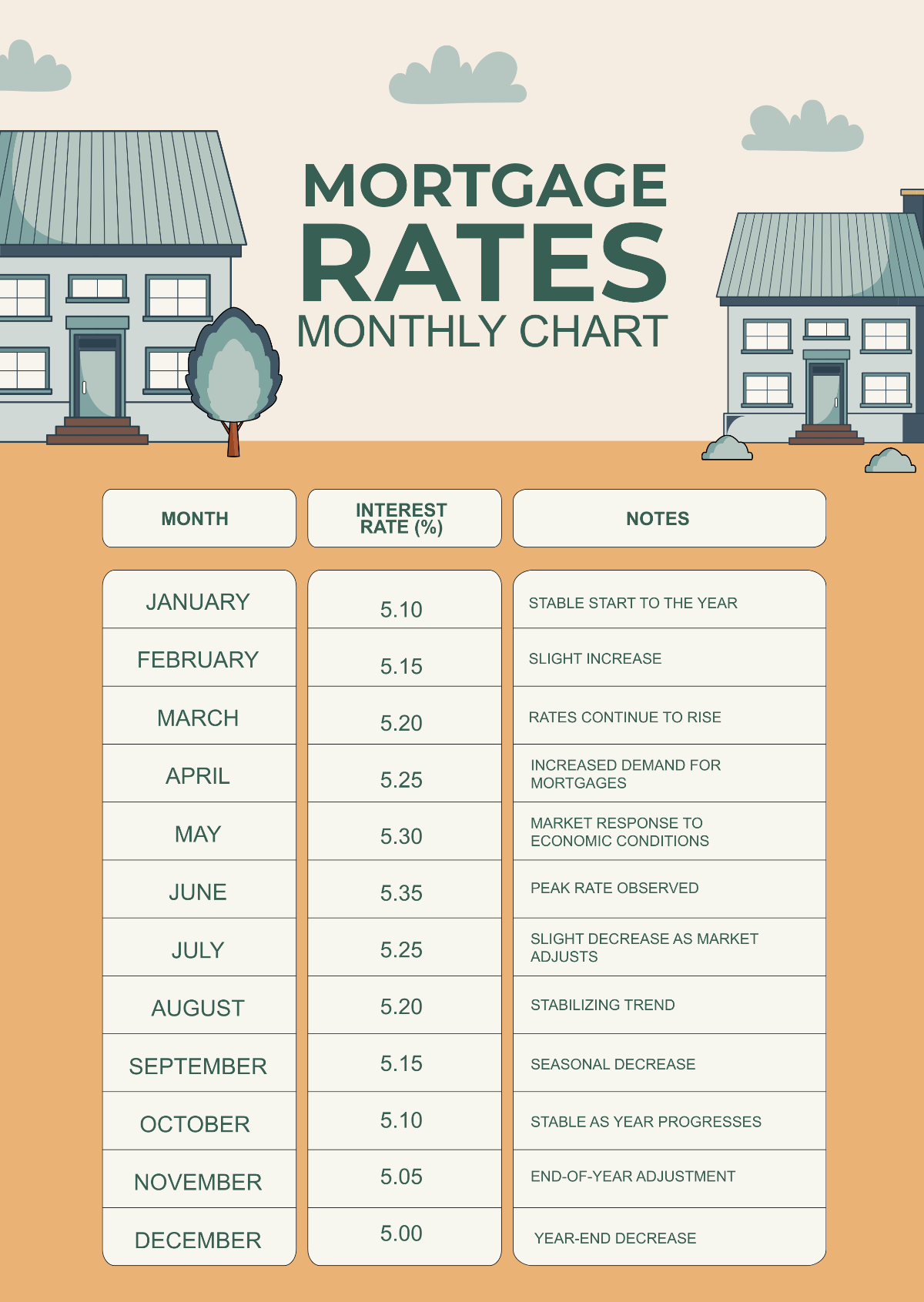
Mortgage Rates Monthly Chart - AI Line Chart Generator, Graph Maker
Mortgage Rates Monthly Chart Template
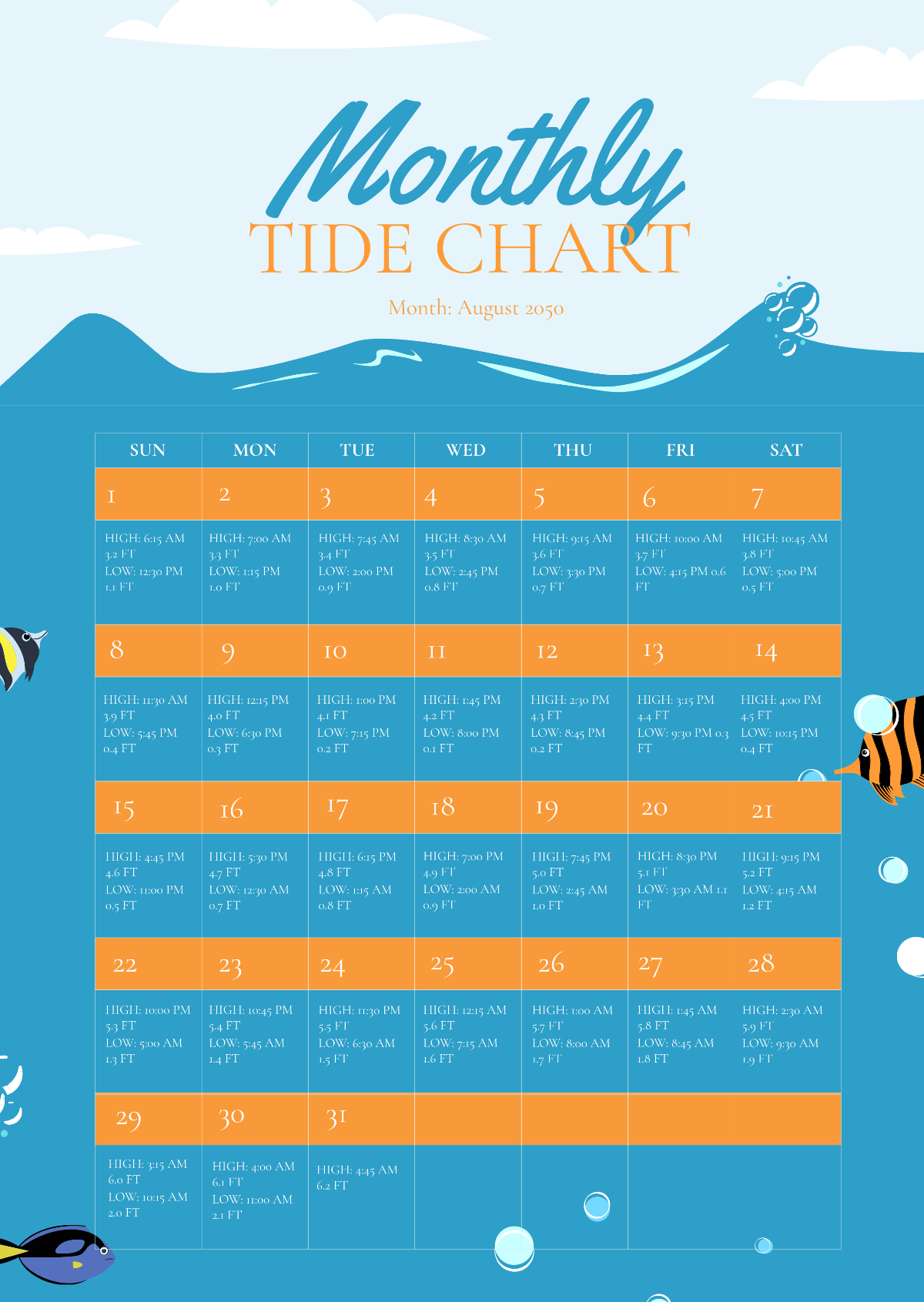
Monthly Tide Chart - AI Line Chart Generator, Graph Maker
Monthly Tide Chart Template
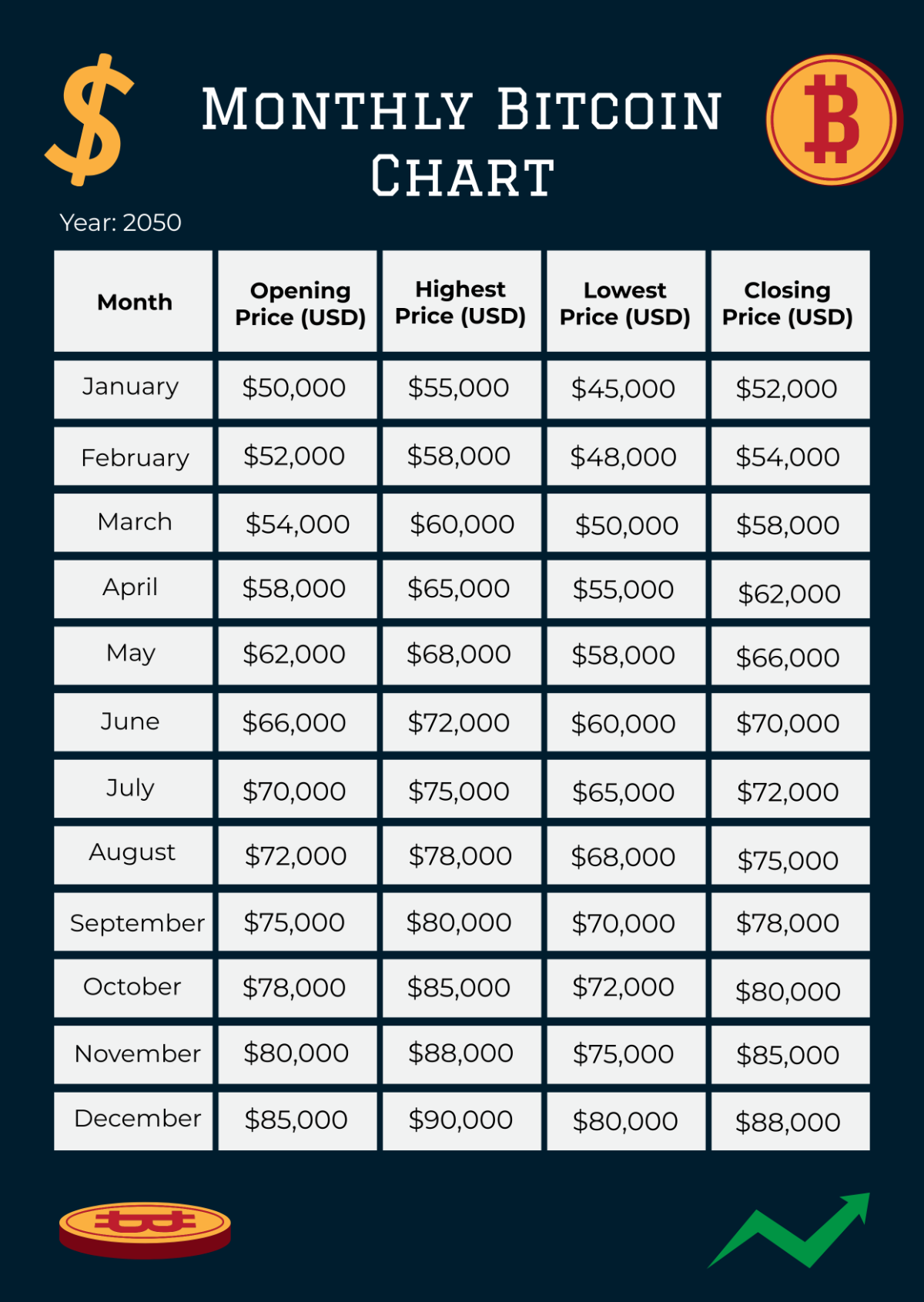
Monthly Bitcoin Chart - AI Line Chart Generator, Graph Maker
Monthly Bitcoin Chart Template
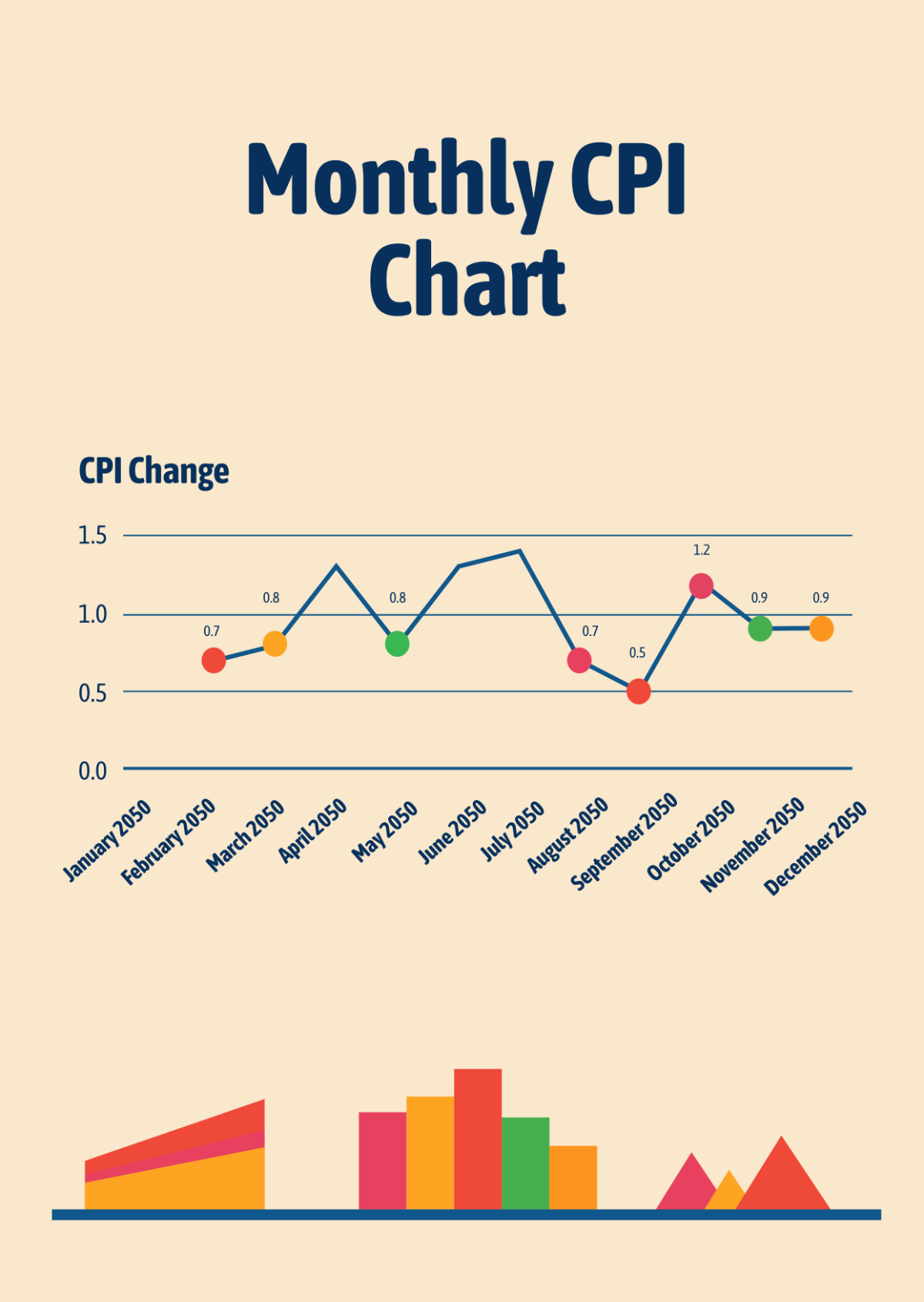
Monthly Cpi Chart - AI Line Chart Generator, Graph Maker
Monthly Cpi Chart Template
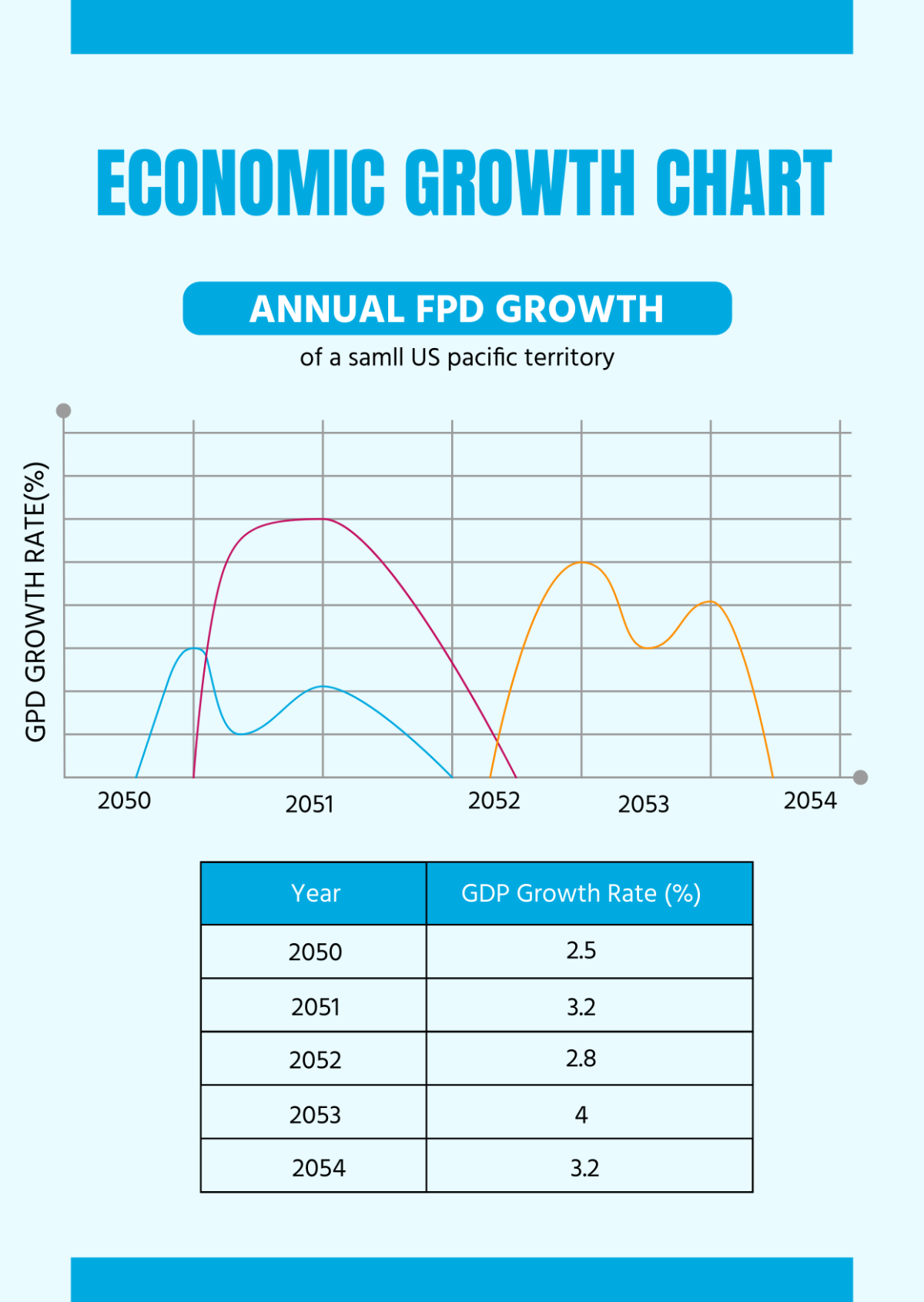
Economic Growth Chart - AI Line Chart Generator, Graph Maker
Economic Growth Chart Template
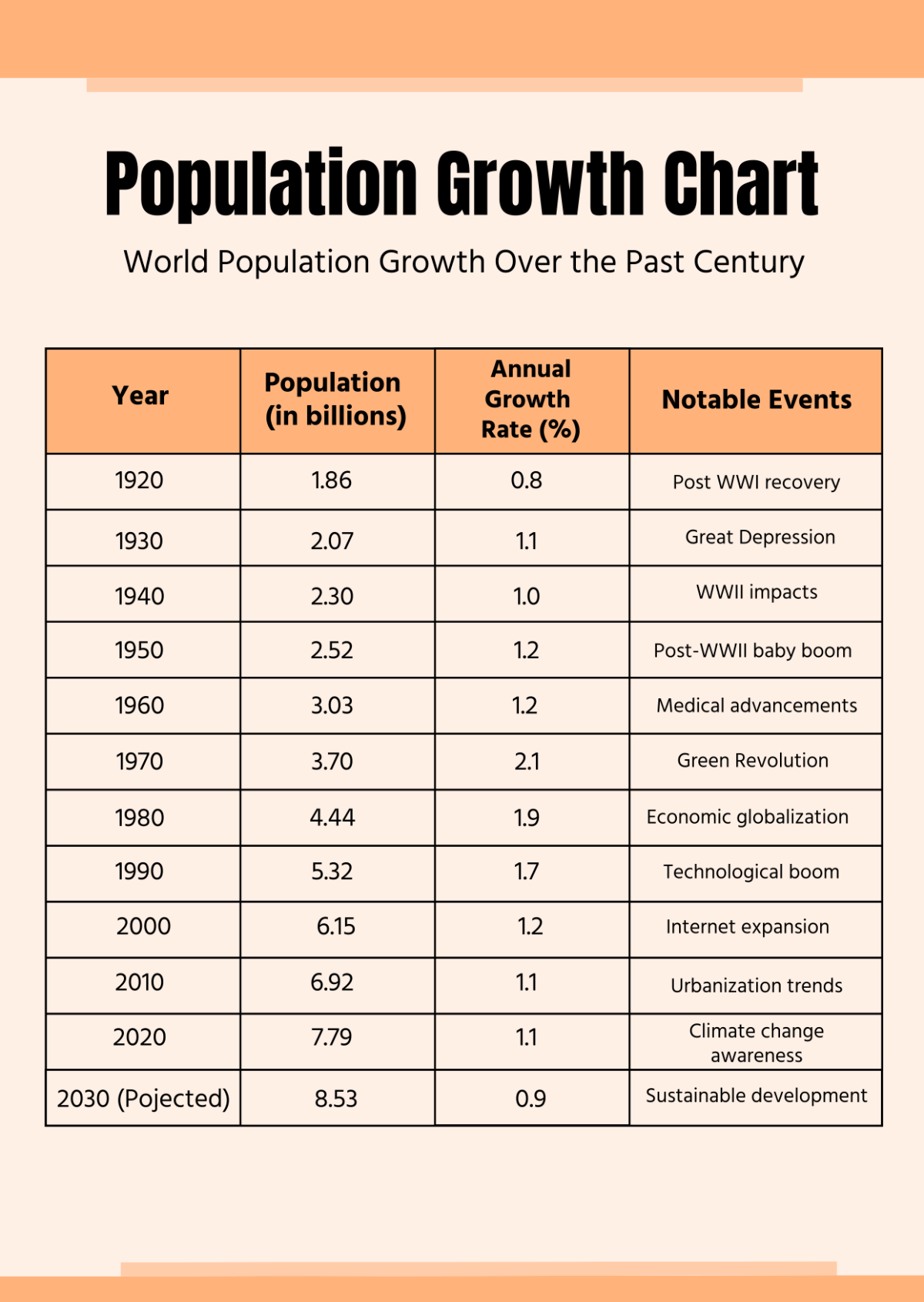
Population Growth Chart - AI Line Chart Generator, Graph Maker
Population Growth Chart Template
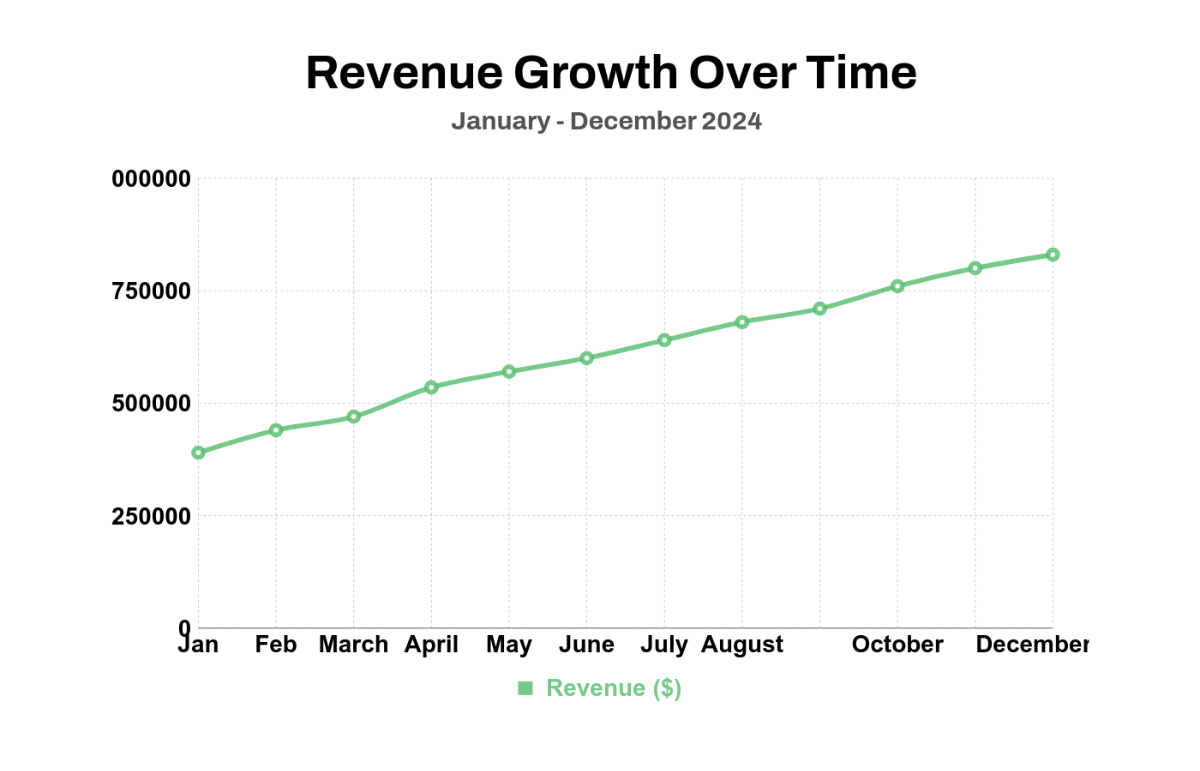
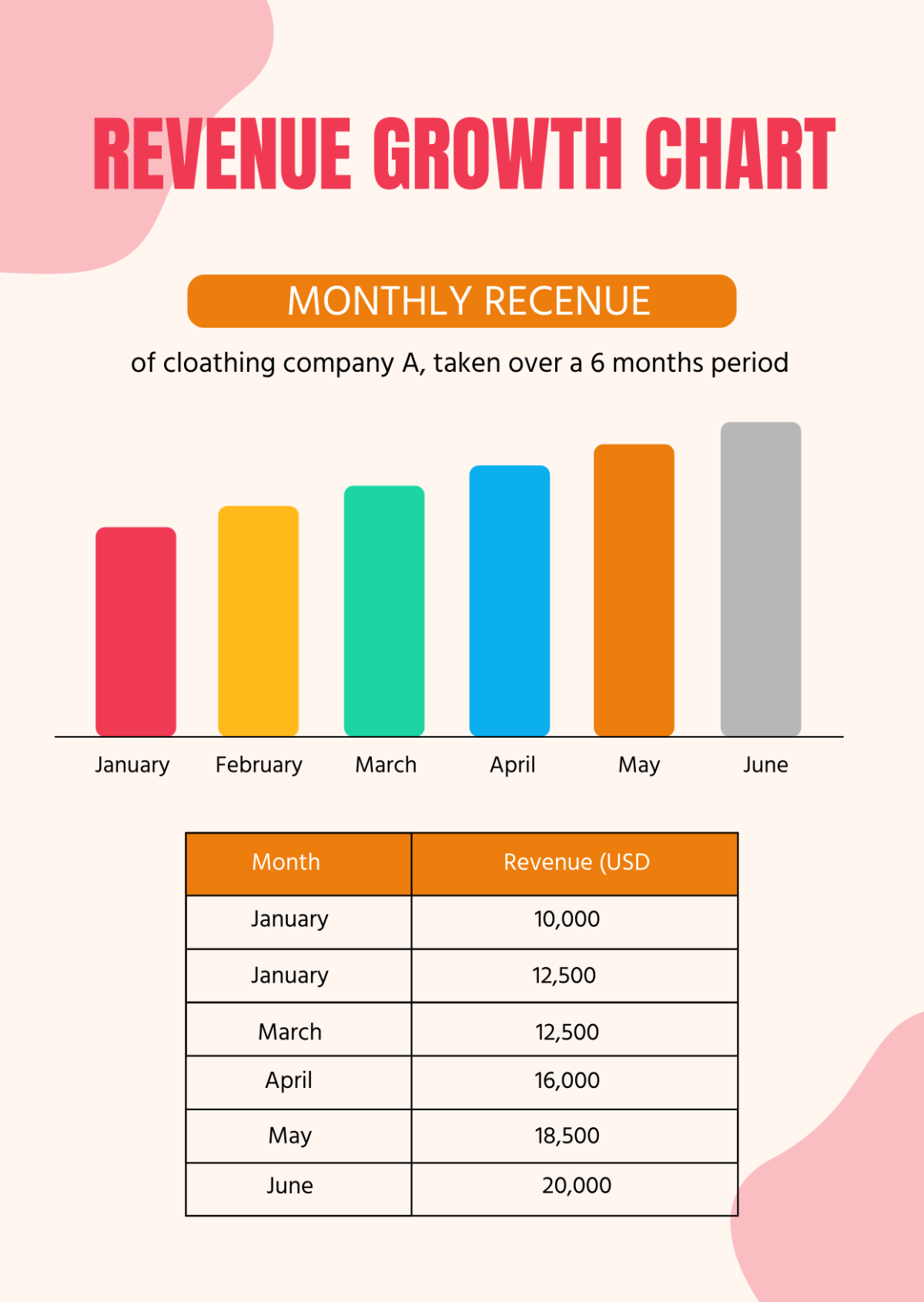
Revenue Growth Chart - AI Line Chart Generator, Graph Maker
Revenue Growth Chart Template
National Aviation Day Chart - AI Line Chart Generator, Graph Maker
National Aviation Day Chart Template
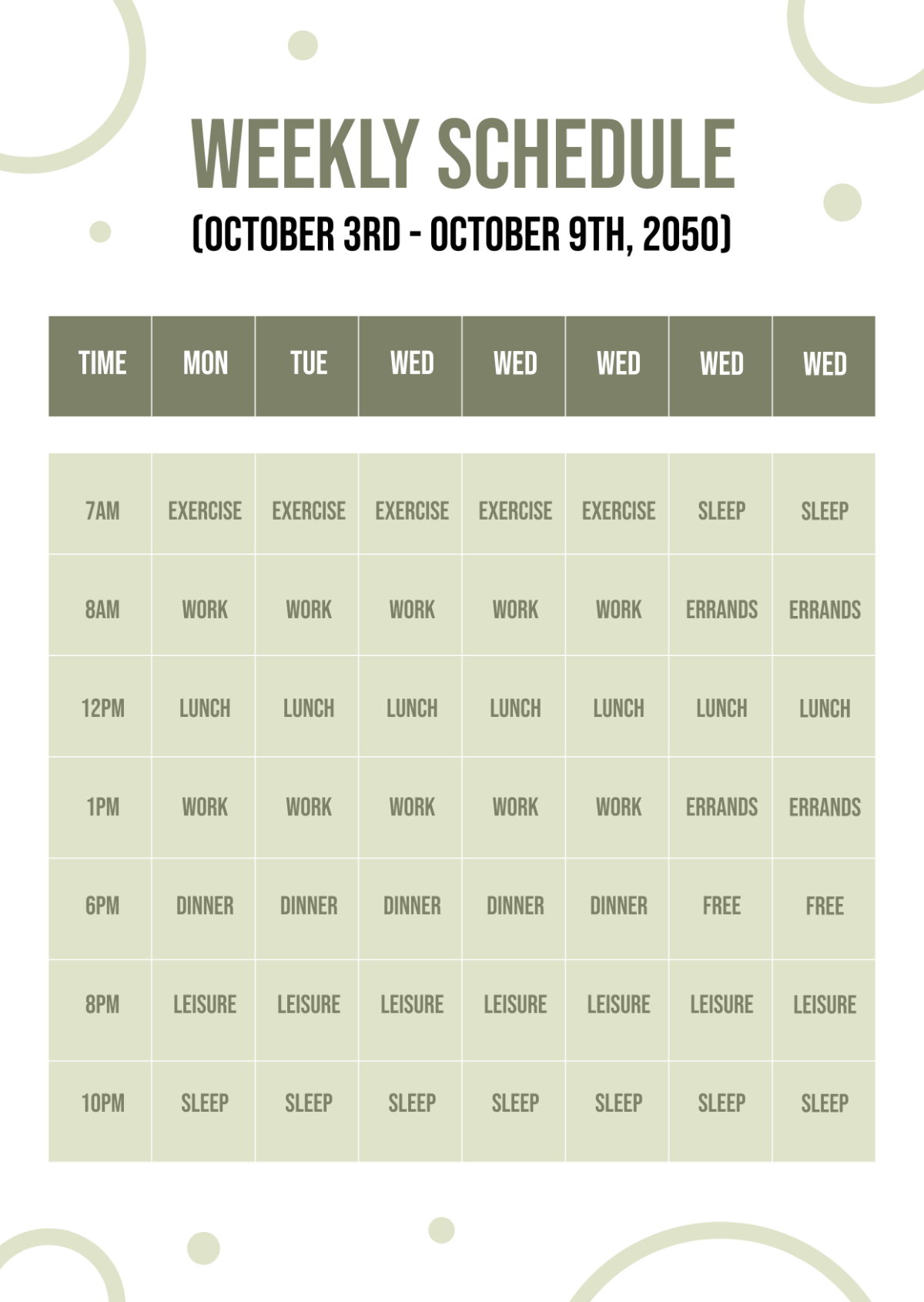
Weekly Chart - AI Line Chart Generator, Graph Maker
Weekly Chart Template
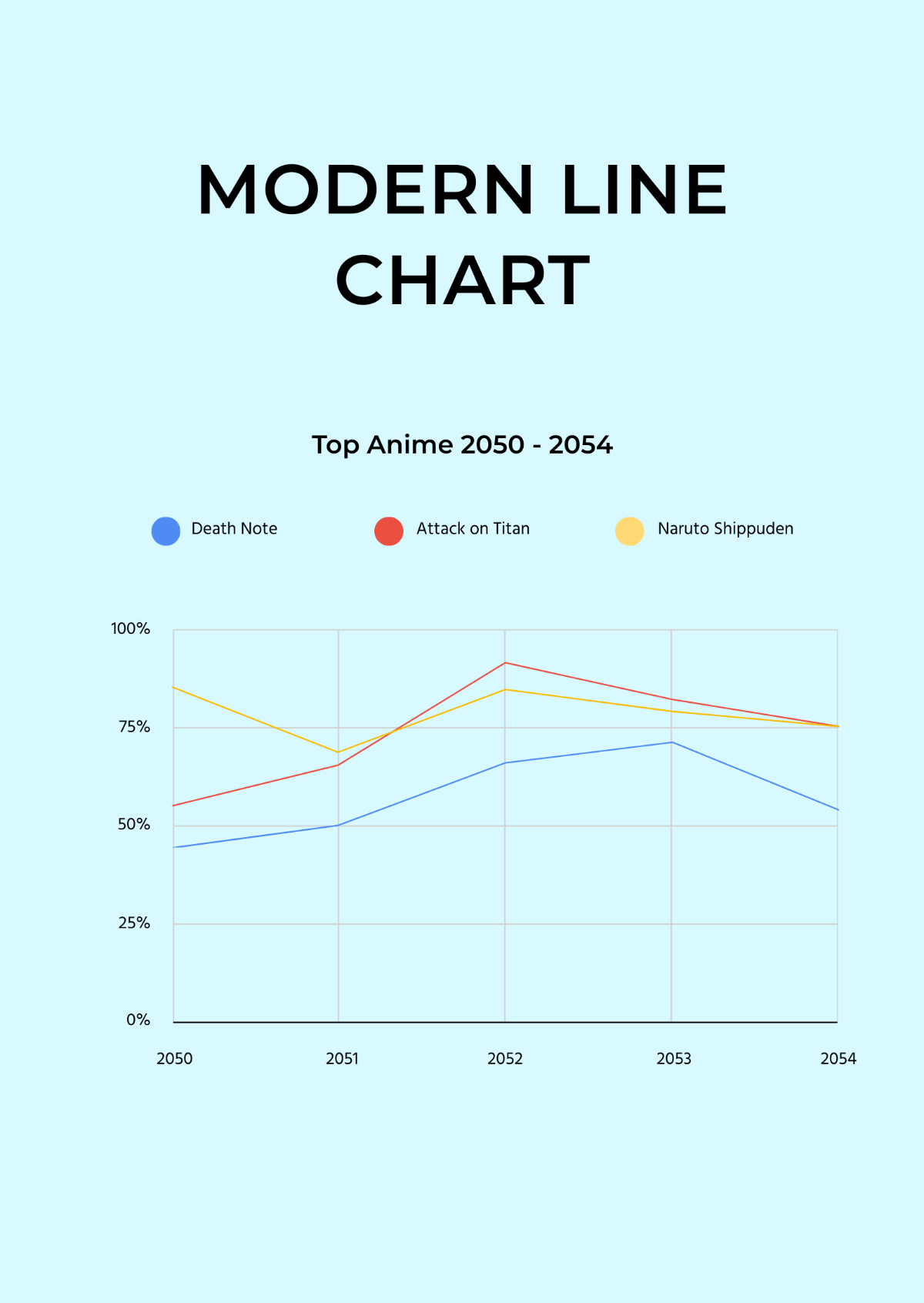
Modern Line Chart - AI Line Chart Generator, Graph Maker
Modern Line Chart Template
Private Health Insurance in the UK Line Chart - AI Line Chart Generator, Graph Maker
Private Health Insurance in the UK Line Chart Template
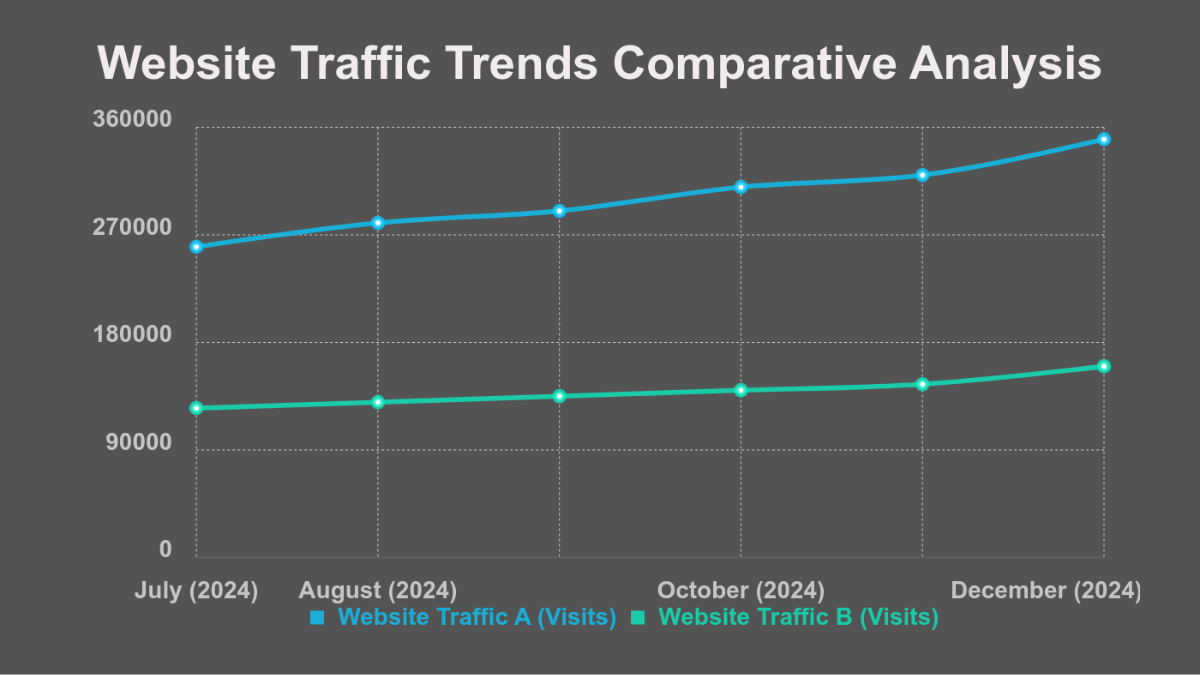
Monthly Active Users Line Chart - AI Line Chart Generator, Graph Maker
Monthly Active Users Line Chart Template
Global Overview Line Chart - AI Line Chart Generator, Graph Maker
Global Overview Line Chart Template
Quarterly Revenue Trends Line Chart - AI Line Chart Generator, Graph Maker
Quarterly Revenue Trends Line Chart Template
Retail Investment Prospect Trends Line Chart - AI Line Chart Generator, Graph Maker
Retail Investment Prospect Trends Line Chart Template
Line Chart for Business Revenue - AI Line Chart Generator, Graph Maker
Line Chart for Business Revenue Template
Product Inflation/Deflation Line Chart - AI Line Chart Generator, Graph Maker
Product Inflation/Deflation Line Chart Template
10 Years Sales Overview Line Chart - AI Line Chart Generator, Graph Maker
10 Years Sales Overview Line Chart Template
Smooth Line Chart - AI Line Chart Generator, Graph Maker
Smooth Line Chart Template
Sales Projections Line Chart - AI Line Chart Generator, Graph Maker
Sales Projections Line Chart Template
Accounting T Chart - AI Line Chart Generator, Graph Maker
Accounting T Chart Template
Browse all templates

Make Line Charts, Customize Online with Design Editor

Template.net's Free AI Line Chart Generator helps you build branded, intelligent, and presentation-ready data visuals. Upload Excel, CSV, or Google Sheet files or enter data manually into smart tables. Create grouped, stacked, or combo line charts with AI-assisted formatting.
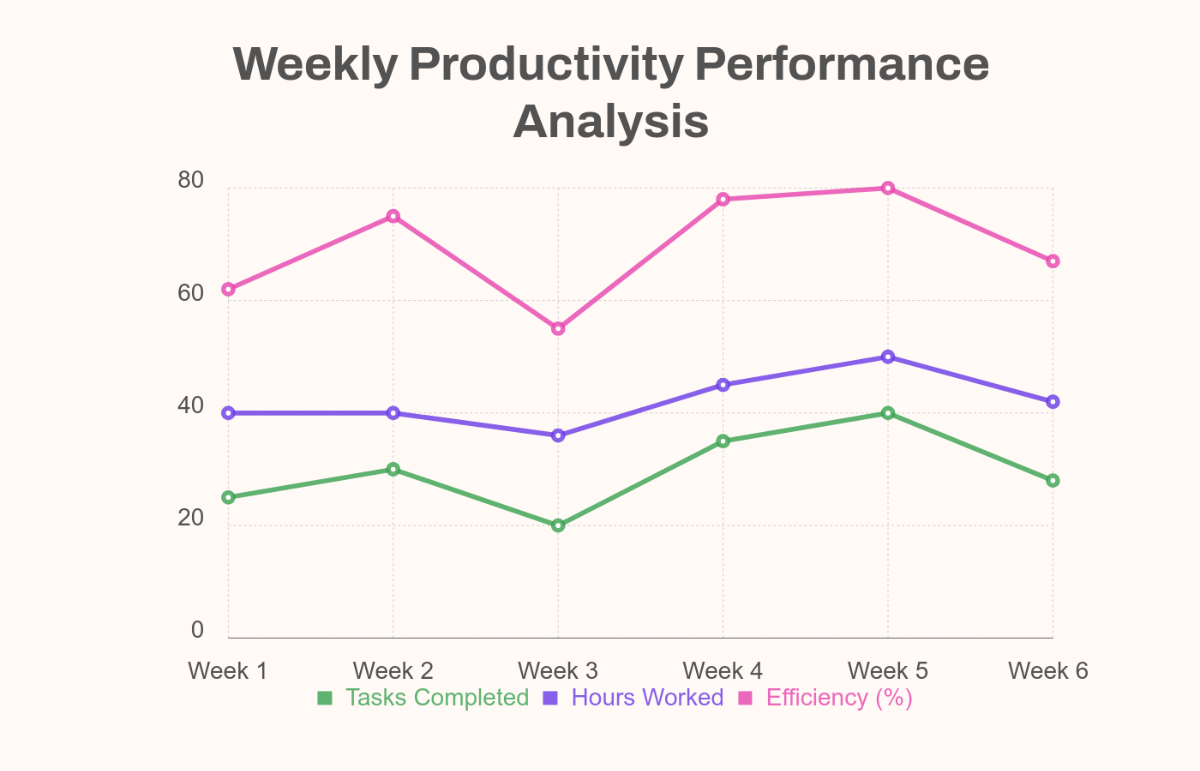
Free AI Line Chart Generator, Graph Maker [ No Signup ]

Design Custom, Branded Line Charts for Free

Everything you need to create stunning visualizations.

Thousands of Line Chart Templates

Professional templates for finance, marketing, economics, research, education, and business intelligence.

AI-Powered Line Chart Generator

Type a prompt or upload a data file and our AI automatically selects the best line chart format and labels it. You can switch to any chart type.

Upload Excel, Google Sheets, or CSV Files

Import your data directly or paste it into a smart table. Auto-convert to a line chart in one click.

Drag-and-Drop Line Chart Editor

Easily adjust axes, values, text, colors, and legends without touching a spreadsheet.

Fully Customizable Layouts

Tweak chart type, data sets, styles, and visual elements. Apply gradients, shadows, legends, and more.

All Major Chart Types Supported

Create Bar (simple, grouped, stacked), Line (multi-series, curved, comparative), Pie & Donut, Column & Stacked Column, Line & Stacked Line, Radar, Bubble, Waterfall, Combo charts, Comparison & Trend analysis visuals.

1-Click Brand Kit for Line Charts

Apply your brand’s color palette, logo, and fonts instantly across all visuals.

Generate Titles & Summaries in Brand Voice

Let AI write chart headlines, descriptions, and captions in your tone, whether formal, persuasive, academic, or simple.

Create Charts in 20+ Languages

Generate data visuals using text, voice, or file input in: English, Spanish, French, Hindi, Arabic, Chinese, Portuguese, Bengali, Russian, Japanese, German, Korean, Italian, Turkish, Vietnamese, Urdu, Persian, Polish, Thai, Punjabi.

Collaborate on Line Charts in Real-Time

Edit and review live with stakeholders. Add comments, iterate, and finalize together.

Resize Line Charts for Web, Print, or Presentations

Choose from A4, square, widescreen, or infographic dimensions.

Export & Share Line Charts Instantly

Download in PDF, PNG, JPG, SVG, or HTML, or share via Email, WhatsApp, Instagram, Facebook, LinkedIn, X (Twitter), Pinterest, Messenger, QR code, or public link.

Embed Line Charts on Reports, Sites, or Dashboards

Use iframe or HTML to embed your chart anywhere like blogs, portals, Notion, or presentations.

Free AI Line Chart Generator, Graph Maker [ No Signup ]

How to Generate a Free AI Line Chart in 3 Easy Steps

1

Step 1: Enter Your Prompt

Type or speak your line chart request, for example: "Population Growth Line Chart," "Data Visualization Line Chart," or "Timeline Line Chart." The AI creates an editable line chart layout instantly.

2

Step 2: Customize Your Chart

Use the design editor to edit titles, values, labels, or chart styles. You can modify font, layout, axis format, and colors with just a few clicks.

3

Step 3: Download or Share Anywhere

Export your line chart in PDF, PNG, SVG format. Share via link, QR code, or post directly on Facebook, LinkedIn, X, Pinterest, Reddit, or WhatsApp.

Create Line Charts That Match Your Brand and Message

  • Free AI Line Chart Generator, Graph Maker [ No Signup ]

    Make Line Charts That Match Your Brand

    Apply logos, brand colors, and font styles with one click to ensure all line charts align with your company’s visual identity.

  • Free AI Line Chart Generator, Graph Maker [ No Signup ]

    Repurpose Designs Across Teams

    Duplicate line charts for new departments or campaigns. Just update the data while keeping the structure consistent.

  • Free AI Line Chart Generator, Graph Maker [ No Signup ]

    Collaborate and Share Seamlessly

    Invite collaborators, track changes, and finalize line chart designs in one place. Share charts as files, links, or embed them into your slides, reports, or dashboards.

  • Free AI Line Chart Generator, Graph Maker [ No Signup ]

    Organize with Smart Workspaces

    Create private folders, manage line chart templates, control access, and organize your visual content by project or client.

Line Chart FAQ

What is a line chart and why is it useful?

Line charts simplify data by connecting individual data points with straight lines, making it easy to spot trends, patterns, and changes over time. They are essential for storytelling in business, research, education, and analytics.

How do I generate a line chart using AI?

Just type a prompt or upload a file like: "Population Growth Line Chart" and the AI builds a labeled, styled line chart instantly, editable and brandable.

What chart types can I create?

You can build:
Bar (basic, grouped, stacked)
Line (single or multi-series)
Pie, Donut, and Comparison charts
Column and Combo charts
Line and Stacked Line
Radar, Bubble, Waterfall
Multi-axis and Custom analysis visuals

Can I upload Excel, Google Sheets, or CSV files?

Yes. You can upload files or paste tables directly. The AI will auto-read and visualize the data.

Can I create charts in multiple languages?

Yes. Generate charts in: English, Spanish, French, Hindi, Arabic, Chinese, Portuguese, Bengali, Russian, Japanese, German, Korean, Italian, Turkish, Vietnamese, Urdu, Persian, Polish, Thai, Punjabi.

How can I export or share charts?

Export in PDF, PNG, JPG, SVG, or HTML, or share via Email, WhatsApp, Instagram, Facebook, LinkedIn, X (Twitter), Pinterest, Messenger, YouTube, QR code, or public link.

Can I reuse and edit charts later?

Absolutely. Save any chart as a template and reload it to update the dataset or design anytime.

Can I add legends, callouts, or annotations?

Yes. Add titles, subtitles, footnotes, or tooltip annotations using the drag-and-drop or AI content tools.

Is the AI Line Chart Generator free to use?
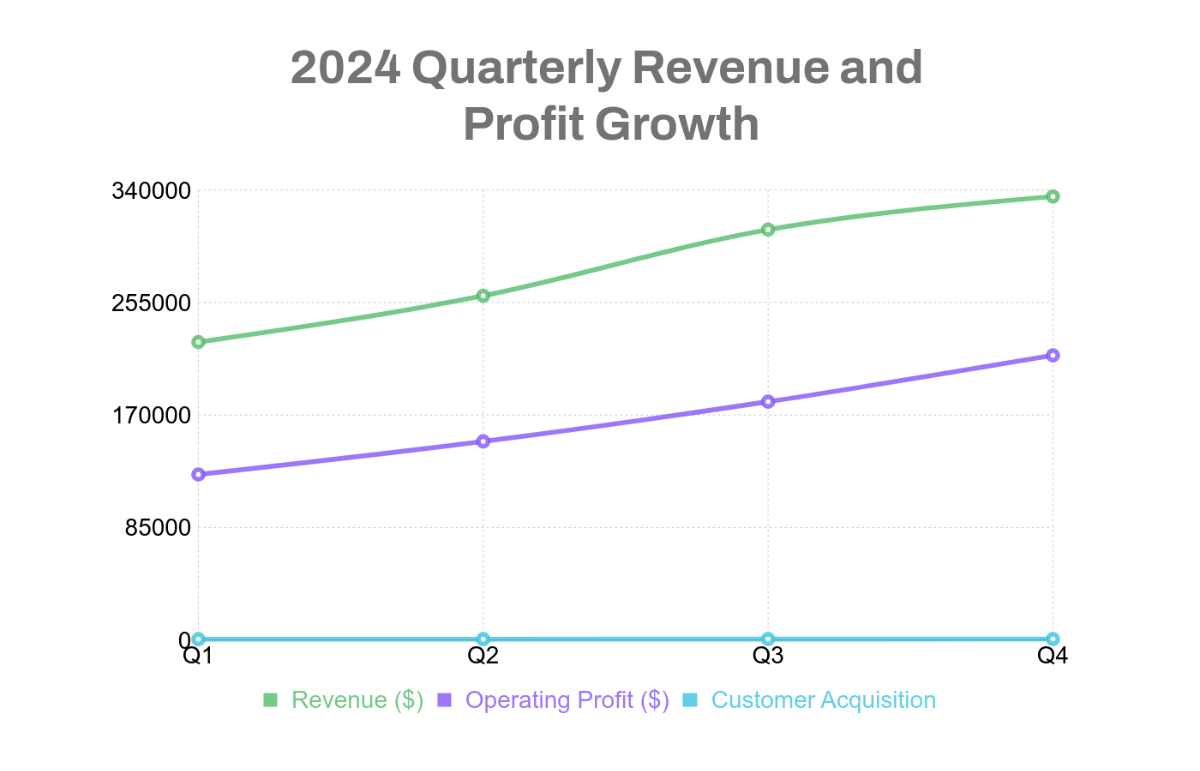
Yes. 100% free. No signup needed. Upload, generate, customize, and export unlimited charts instantly.