

![50+ Best Google Gemini Photo & Image Effect Prompts in 2026 [Copy & Paste]](https://images.template.net/wp-content/uploads/2026/07/Cinematic-Portrait.png)
50+ Best Google Gemini Photo & Image Effect Prompts in 2026 [Copy & Paste]
Google Gemini Photo & Image Effect Prompts are detailed text instructions that help users transform, enhance, or restyle images with…
Jul 30, 2026


Jul 28, 2026
ChatGPT Photo & Image Effect Prompts are detailed instructions that help users transform, restyle, or enhance photos using ChatGPT’s AI image generation capabilities. They enable creators, designers, marketers, businesses, and everyday users to produce professional-quality visuals without advanced editing skills. This guide features 50+ carefully crafted copy-and-paste prompts, practical customization tips, and proven techniques for creating consistent, high-quality image effects across a wide range of creative styles.
ChatGPT Photo & Image Effect Prompts are structured text instructions that tell ChatGPT how to generate, transform, or restyle an image using its AI image generation capabilities. Rather than relying on generic requests such as “make this photo look better,” these prompts describe the desired visual style, lighting, composition, colors, textures, background, and other creative details to produce more accurate and consistent results.
Unlike traditional photo editing software that modifies existing pixels, ChatGPT creates a new AI-generated image based on your uploaded reference photo and written instructions. The quality of the final image depends largely on how clearly the prompt communicates the intended appearance while preserving the important characteristics of the original subject.
Professional creators often use well-structured prompts because they provide greater creative control over elements such as:
A well-written prompt also helps maintain visual consistency when creating profile photos, marketing assets, social media graphics, product images, concept art, or creative portraits.
Using ChatGPT image effect prompts effectively is about providing clear, structured instructions that define exactly how you want an uploaded image to be transformed. A detailed prompt gives ChatGPT enough context to generate more accurate, visually consistent, and creative results while preserving the important characteristics of your original image.
Follow these steps to create high-quality AI-generated photo effects.
While this guide focuses on copy-and-paste prompts for transforming and enhancing images, you can also use an AI Image Generator to create completely new visuals from text descriptions. Whether you’re designing marketing graphics, concept art, product mockups, portraits, or social media content, combining detailed prompts with an AI Image Generator helps you produce professional-quality images quickly without traditional design software.
Start by uploading a high-quality image with good lighting and sufficient detail. A clear reference helps ChatGPT better understand facial features, objects, colors, and composition.
For best results:
Tell ChatGPT exactly how you want the image to look instead of using broad descriptions.
Include details such as:
For example, instead of saying “Make it cinematic,” describe the specific look you want, such as dramatic side lighting, shallow depth of field, moody color grading, and a blurred city background.
If you’re transforming an existing portrait or product photo, clearly identify the elements that should remain consistent.
Examples include:
This helps maintain visual continuity across multiple image variations.
Once the core transformation is defined, enhance the prompt with supporting visual details that improve realism and artistic quality.
Examples include:
These additions help create richer and more visually appealing results.
Review the generated image carefully before making additional changes.
Check whether:
If something isn’t quite right, refine the prompt instead of rewriting it completely.
ChatGPT supports iterative editing, allowing you to improve an image through follow-up prompts.
Examples include:
Making one adjustment at a time usually produces more predictable results than changing multiple elements simultaneously.
If you want to make additional refinements after generating an image, an AI Photo Editor can help you quickly adjust backgrounds, lighting, colors, unwanted objects, facial details, and other visual elements without starting over. This makes it easier to create polished, professional images while preserving your preferred style.
Professional portraits are among the most popular uses for ChatGPT image generation. Whether you’re updating a LinkedIn profile, building a personal brand, creating a speaker bio, or designing a company website, these prompts help transform everyday photos into polished, business-ready portraits while maintaining a natural and authentic appearance.

Transform the uploaded photo into a premium executive corporate headshot. Place the subject inside a modern executive office with floor-to-ceiling windows and a softly blurred background. Use balanced professional studio lighting with natural skin tones, realistic facial details, and shallow depth of field. Dress the subject in a tailored navy business suit with a crisp white shirt. Preserve the subject’s facial features, hairstyle, expression, body proportions, and overall identity while producing a clean editorial-quality portrait.
A polished executive portrait suitable for leadership and corporate branding.
Replace the office with a boardroom, luxury workspace, or financial district skyline.

Using the uploaded image as the reference, create a modern startup founder portrait inside a bright collaborative workspace with glass meeting rooms, indoor plants, laptops, and natural daylight. Dress the subject in premium smart-casual clothing such as a fitted crew-neck sweater or minimal blazer. Preserve facial identity, hairstyle, expression, and body posture. Use soft editorial lighting with realistic skin texture and subtle background blur.
A relaxed yet professional portrait commonly used by startup founders and entrepreneurs.
Swap the startup office for a co-working space, innovation lab, or creative studio.

Transform this uploaded portrait into a clean LinkedIn profile photo using professional studio lighting, a neutral gray background, realistic skin texture, sharp facial focus, and natural color grading. Improve posture and clothing while preserving facial identity, expression, hairstyle, and proportions. Produce a friendly, approachable, and trustworthy business portrait.
A professional LinkedIn-ready headshot with natural enhancements.
Request a white, blue, or softly blurred office background depending on your industry.

Recreate the uploaded image as a keynote speaker standing on a modern conference stage. Include a softly blurred audience, LED presentation screen, cinematic stage spotlights, and subtle depth of field. Preserve the subject’s facial identity, expression, hairstyle, and posture while dressing them in premium business attire suitable for an international technology conference.
A professional conference presentation portrait.
Change the conference theme to AI, healthcare, finance, education, or marketing.

Create a sophisticated business consultant portrait using the uploaded image. Place the subject inside a modern consulting office with elegant furniture, natural window lighting, premium wooden finishes, and a blurred workspace. Preserve facial identity, hairstyle, and expression while styling the subject in a tailored charcoal business suit with a confident but approachable appearance.
A premium consulting profile image.
Replace the office with a luxury hotel meeting room or executive boardroom.

Transform this portrait into a premium financial executive profile. Use a sophisticated corporate office with city skyline views, warm architectural lighting, elegant wood finishes, and subtle luxury details. Preserve facial features, expression, hairstyle, and body proportions. Dress the subject in a dark tailored suit with a conservative business style suitable for finance and banking.
A trustworthy executive portrait for finance professionals.
Choose a New York, London, Singapore, or Dubai financial district backdrop.

Using the uploaded photo, create a professional healthcare portrait inside a modern hospital or medical clinic with bright natural lighting, clean interiors, and subtle background blur. Dress the subject in a white medical coat with professional attire underneath while preserving facial identity, hairstyle, expression, and natural skin texture.
A professional portrait suitable for healthcare professionals.
Change the setting to a research laboratory, dental clinic, or private practice.

Transform the uploaded portrait into a distinguished university faculty profile. Place the subject inside an academic library or modern university campus with softly blurred bookshelves and natural daylight. Preserve facial identity, hairstyle, and expression while dressing the subject in smart academic business attire with a confident and approachable appearance.
A professional academic portrait.
Use a lecture hall, research center, or innovation laboratory background.

Create a modern creative director portrait using the uploaded photo. Place the subject inside a premium design studio featuring mood boards, creative workstations, typography posters, and architectural lighting. Preserve facial features, hairstyle, and expression while styling the subject in fashionable smart-casual clothing with editorial-quality lighting and realistic skin texture.
A stylish portrait for creative professionals.
Replace the design studio with a photography studio, branding agency, or production house.

Transform the uploaded image into a professional remote workspace portrait featuring a modern home office with minimalist décor, premium desk setup, laptop, indoor plants, warm natural lighting, and shallow depth of field. Preserve facial identity, hairstyle, expression, clothing proportions, and realistic skin texture while enhancing overall image quality for a clean professional appearance.
A polished work-from-home business portrait.
Adjust the workspace to match your profession by adding bookshelves, multiple monitors, design equipment, coding setups, podcast microphones, or video production gear.
Cinematic and retro image effects recreate the visual style of movies, classic photography, and vintage film stocks. These prompts combine lighting, color grading, camera aesthetics, and period-inspired details to transform ordinary photos into dramatic, nostalgic, or storytelling-focused visuals suitable for social media, creative portfolios, posters, and personal branding.

Transform the uploaded photo into a modern Hollywood cinematic portrait. Place the subject in a dramatic nighttime cityscape with softly blurred lights, subtle fog, and realistic depth of field. Apply teal-and-orange cinematic color grading, soft volumetric lighting, and natural skin tones. Preserve the subject’s facial identity, hairstyle, expression, clothing proportions, and pose while creating a premium movie-poster aesthetic.
A dramatic, blockbuster-style portrait with professional cinematic lighting.
Replace the city with a desert highway, mountain landscape, luxury hotel, or futuristic skyline.

Using the uploaded image as the reference, recreate the portrait during golden hour with warm sunlight illuminating the subject from the side. Add natural lens flare, soft bokeh, realistic shadows, and subtle cinematic color grading. Preserve facial identity, expression, hairstyle, and pose while maintaining authentic skin texture and environmental realism.
A warm editorial portrait with beautiful sunset lighting.
Change the location to a beach, vineyard, rooftop, countryside, or forest trail.

Convert the uploaded portrait into a classic film noir scene using dramatic black-and-white photography. Apply high-contrast side lighting, deep shadows, atmospheric smoke, and subtle rain outside a vintage office window. Preserve the subject’s facial identity and expression while dressing them in a classic trench coat and fedora with realistic cinematic styling.
A timeless detective-style portrait inspired by classic noir cinema.
Swap the detective office for a jazz club, vintage street, or old train station.

Transform the uploaded image into an authentic 35mm film photograph with natural film grain, soft color fading, subtle imperfections, warm highlights, and realistic analog texture. Place the subject in an outdoor urban environment while preserving facial features, expression, hairstyle, and body posture exactly as shown in the reference image.
An authentic analog film photograph with nostalgic character.
Choose Kodak Gold, Fujifilm Pro 400H, Kodak Portra, or Ilford film-inspired color grading.

Recreate the uploaded photo in a vibrant 1980s synthwave aesthetic featuring glowing neon pink and cyan lighting, retro grid reflections, futuristic skyline elements, and subtle atmospheric haze. Preserve the subject’s facial identity, hairstyle, expression, and body proportions while applying cinematic neon reflections and retro-futuristic color grading.
A colorful retro-futuristic portrait inspired by 1980s synthwave art.
Add retro sports cars, arcade machines, neon signs, or palm trees.

Transform the uploaded portrait into a nostalgic Polaroid instant photograph featuring warm faded colors, soft analog grain, realistic paper texture, subtle edge wear, and natural lighting. Preserve facial identity, hairstyle, expression, and composition while creating an authentic instant-camera appearance with timeless photographic charm.
A classic instant-camera memory with authentic vintage styling.
Add handwritten dates, vintage borders, or realistic photo album placement.

Using the uploaded image, recreate the photo as if captured with a 1990s point-and-shoot camera using direct flash. Apply bright frontal lighting, natural overexposed highlights, subtle grain, realistic color shifts, and authentic disposable-camera styling while preserving facial identity, clothing, hairstyle, and expression.
A nostalgic late-90s disposable camera photograph.
Include a timestamp, bedroom setting, concert venue, or house party environment.

Transform the uploaded portrait into an independent European film scene captured on a quiet cobblestone street. Apply soft natural daylight, muted cinematic colors, shallow depth of field, authentic street photography composition, and realistic architectural details while preserving facial identity, hairstyle, expression, and clothing.
A sophisticated European art-film portrait.
Replace the location with Paris, Rome, Prague, Amsterdam, or Barcelona.

Create an editorial portrait inside a classic European café featuring warm wooden interiors, vintage furniture, soft window lighting, coffee cups, newspapers, and subtle background blur. Preserve the subject’s facial features, hairstyle, expression, and clothing while applying magazine-quality color grading and timeless cinematic styling.
A cozy editorial portrait with vintage café aesthetics.
Switch the café to a historic bookstore, luxury hotel lounge, or vintage train carriage.

Transform the uploaded image into a dramatic blockbuster movie poster portrait featuring cinematic lighting, volumetric atmosphere, large-scale environmental depth, premium color grading, subtle lens effects, and a heroic composition. Preserve the subject’s facial identity, expression, hairstyle, and proportions while creating an immersive, high-budget cinematic appearance. Do not include any text, logos, or movie titles.
A premium movie-poster-inspired portrait with dramatic visual impact.
Change the setting to a medieval battlefield, futuristic metropolis, snowy mountain, outer space, tropical island, or post-apocalyptic city depending on your preferred cinematic genre.
Artistic image effects transform ordinary photos into illustrations, paintings, sketches, and digital artwork inspired by traditional and contemporary art techniques. These prompts are ideal for creators who want to produce gallery-style portraits, personalized artwork, social media visuals, book covers, posters, and decorative prints while preserving the subject’s recognizable features.

Transform the uploaded portrait into a museum-quality Renaissance oil painting. Use rich canvas textures, layered oil brushstrokes, warm earthy colors, and dramatic chiaroscuro lighting inspired by classical European paintings. Preserve the subject’s facial identity, expression, hairstyle, and proportions while naturally adapting clothing and background into an elegant Renaissance setting.
A timeless fine-art portrait resembling a classic oil painting.
Replace the Renaissance palace with a royal library, castle hall, cathedral, or noble garden.

Using the uploaded image as the reference, recreate the portrait as a delicate watercolor illustration featuring soft pigment blending, textured watercolor paper, subtle paint splashes, pastel color harmony, and hand-painted brush transitions. Preserve the subject’s facial identity, hairstyle, expression, and body proportions while maintaining a natural artistic appearance.
A soft watercolor painting with elegant hand-painted textures.
Choose floral, coastal, autumn, botanical, or minimalist watercolor backgrounds.

Convert the uploaded portrait into a highly detailed charcoal pencil drawing using realistic graphite shading, cross-hatching, soft smudging, textured sketch paper, and hand-drawn artistic strokes. Preserve facial identity, hairstyle, expression, and proportions while producing a realistic fine-art illustration.
A professional charcoal portrait with realistic shading.
Increase sketch contrast or choose softer graphite for a lighter artistic appearance.

Recreate the uploaded portrait as a colored pencil illustration featuring layered pencil strokes, realistic color blending, textured drawing paper, soft highlights, and handcrafted artistic details. Preserve the subject’s facial features, hairstyle, expression, and proportions while maintaining a warm traditional illustration style.
A realistic hand-colored pencil portrait.
Use vibrant, pastel, vintage, or monochrome color palettes.

Transform the uploaded image into a bold modern pop art illustration using vibrant flat colors, thick graphic outlines, geometric shapes, clean composition, and contemporary gallery-inspired design. Preserve facial identity, hairstyle, expression, and pose while creating a colorful modern artwork suitable for large-format printing.
A striking pop-art portrait with bold contemporary colors.
Choose complementary, monochromatic, or neon-inspired color palettes.

Convert the uploaded portrait into a premium graphic novel illustration using expressive ink outlines, dramatic cinematic shadows, textured brush strokes, subtle halftone effects, and realistic comic-book coloring. Preserve the subject’s facial features, hairstyle, expression, and proportions while maintaining an authentic illustrated appearance.
A realistic graphic novel or comic-book portrait.
Choose superhero, detective, fantasy, or science-fiction themes.

Transform the uploaded portrait into a clean minimalist vector illustration using smooth geometric shapes, flat color blocks, crisp outlines, modern composition, and subtle gradients. Preserve the subject’s facial identity, hairstyle, expression, and body proportions while creating a scalable illustration suitable for digital branding.
A clean vector-style illustration for modern branding.
Customize the background using abstract shapes, gradients, or solid brand colors.

Recreate the uploaded portrait as a heartwarming children’s storybook illustration featuring soft pastel colors, gentle brush textures, magical lighting, whimsical scenery, and friendly illustrated characters. Preserve facial identity, hairstyle, expression, and proportions while creating an inviting illustrated scene suitable for storybooks.
A charming storybook-inspired illustration.
Replace the background with enchanted forests, cozy cottages, magical gardens, or fantasy villages.

Transform the uploaded portrait into a traditional ink wash painting featuring expressive black ink brushwork, flowing watercolor gradients, textured handmade paper, subtle mountain landscapes, and elegant minimalist composition. Preserve the subject’s facial identity, hairstyle, expression, and body proportions while maintaining authentic brush-painted aesthetics.
A refined ink painting inspired by traditional East Asian art.
Include bamboo forests, rivers, temples, or mist-covered mountains.

Create a contemporary gallery-style portrait using the uploaded image as the reference. Combine expressive palette-knife brushwork, layered acrylic textures, premium stretched canvas, sophisticated neutral colors, and modern fine-art composition. Preserve the subject’s facial identity, hairstyle, expression, and proportions while producing a museum-quality artwork suitable for gallery display.
A premium contemporary fine-art portrait with modern gallery aesthetics.
Experiment with abstract backgrounds, textured acrylic finishes, metallic highlights, or monochromatic color palettes to create different gallery-inspired looks.
Gaming, anime, and 3D character effects transform portraits into immersive digital avatars inspired by modern video games, animated films, fantasy worlds, and stylized character design. These prompts are ideal for creators, gamers, streamers, VTubers, content creators, and anyone looking to build distinctive digital identities while preserving their recognizable facial features.

Transform the uploaded photo into a highly realistic AAA video game character using cinematic Unreal Engine-quality rendering. Place the subject inside a futuristic city with realistic environmental lighting, atmospheric fog, reflective surfaces, and premium character detailing. Preserve the subject’s facial identity, hairstyle, expression, body proportions, and natural features while creating a production-quality game character.
A realistic next-generation video game character.
Choose futuristic, military, fantasy, survival, or sci-fi environments.

Using the uploaded image as the reference, transform the subject into a beautifully illustrated anime hero while preserving their recognizable facial identity, hairstyle, expression, and proportions. Use expressive anime eyes, clean cel shading, vibrant colors, dynamic lighting, and a dramatic sky background with cinematic composition.
A premium anime-inspired portrait with vibrant storytelling aesthetics.
Customize the character as a student, warrior, ninja, mage, or futuristic hero.

Transform the uploaded portrait into a high-quality 3D animated character featuring expressive facial animation, soft skin textures, realistic hair simulation, cinematic lighting, colorful environments, and premium animated film rendering. Preserve the subject’s facial identity, smile, hairstyle, and proportions while creating a warm, family-friendly animated appearance.
A polished 3D animated character inspired by modern animated films.
Place the character inside a magical village, colorful city, amusement park, or fantasy kingdom.

Recreate the uploaded image as a futuristic cyberpunk hacker featuring glowing holographic interfaces, neon city lights, augmented reality displays, advanced technology, and cinematic cyberpunk lighting. Preserve facial identity, hairstyle, expression, and body proportions while adding realistic futuristic clothing and digital accessories.
A high-tech cyberpunk avatar with futuristic visual effects.
Adjust the neon colors to blue, purple, red, green, or gold.

Transform the uploaded portrait into a heroic fantasy warrior standing inside an ancient kingdom surrounded by medieval castles, mountains, glowing magical effects, and cinematic sunlight. Preserve facial identity, hairstyle, expression, and body proportions while replacing clothing with detailed fantasy armor and realistic handcrafted textures.
A realistic fantasy game character ready for adventure.
Choose knight, archer, assassin, paladin, or barbarian character classes.

Using the uploaded photo, create a realistic space explorer wearing a premium futuristic spacesuit inside a massive spacecraft overlooking distant galaxies. Add cinematic space lighting, floating holographic displays, glowing control panels, and realistic reflections while preserving facial identity, hairstyle, expression, and proportions.
A science-fiction astronaut portrait with cinematic realism.
Replace the spacecraft with the Moon, Mars, a space station, or an alien planet.

Transform the uploaded portrait into an authentic black-and-white manga illustration using expressive ink lines, detailed screentones, dramatic action lighting, speed lines, and cinematic panel composition. Preserve facial identity, hairstyle, expression, and proportions while creating a clean professional manga appearance.
A detailed manga portrait suitable for comic storytelling.
Choose romance, action, mystery, slice-of-life, or fantasy manga themes.

Transform the uploaded image into a modern stylized 3D game avatar featuring realistic lighting, smooth character modeling, expressive facial animation, premium clothing textures, and colorful game-inspired environments. Preserve the subject’s facial identity, hairstyle, expression, and body proportions while maintaining a polished stylized appearance.
A colorful stylized avatar suitable for modern multiplayer games.
Customize clothing, accessories, hairstyles, and color palettes to match your gaming identity.

Recreate the uploaded portrait as a powerful mystical mage surrounded by magical energy, glowing spell effects, floating ancient symbols, enchanted forests, and cinematic fantasy lighting. Preserve facial identity, hairstyle, expression, and body proportions while dressing the subject in detailed magical robes with realistic fabric textures.
A magical fantasy portrait with cinematic spell effects.
Choose elemental magic such as fire, ice, lightning, nature, or celestial powers.

Transform the uploaded portrait into a sophisticated futuristic android while preserving the subject’s facial identity, expression, hairstyle, and proportions. Add realistic metallic design elements, illuminated interface details, premium synthetic materials, subtle glowing circuitry, cinematic studio lighting, and a clean science-fiction environment that feels technologically advanced without overpowering the original appearance.
A premium science-fiction android portrait with realistic futuristic aesthetics.
Experiment with white, matte black, titanium, carbon fiber, chrome, or holographic finishes while changing the environment to a futuristic laboratory, smart city, spacecraft, or AI research facility.

Transform the uploaded portrait into an elegant crystal glass sculpture with realistic transparency, light refraction, subtle reflections, polished edges, and premium gallery lighting. Preserve the subject’s facial identity, hairstyle, expression, and proportions while making the sculpture appear hand-crafted from flawless crystal. Place it inside a luxury museum with softly blurred surroundings.
A premium crystal sculpture with realistic optical reflections.
Experiment with clear crystal, blue crystal, frosted glass, or colored stained crystal.

Recreate the uploaded image as a futuristic liquid chrome sculpture featuring highly reflective metallic surfaces, smooth flowing contours, cinematic studio lighting, and realistic environmental reflections. Preserve facial identity, hairstyle, expression, and body proportions while maintaining elegant mirror-like chrome textures.
A futuristic chrome portrait with premium reflective surfaces.
Choose polished silver, black chrome, rose gold, titanium, or iridescent metallic finishes.

Transform the uploaded portrait into a finely carved white marble sculpture featuring realistic stone texture, subtle marble veining, handcrafted chiseling details, museum-quality lighting, and elegant architectural surroundings. Preserve the subject’s facial identity, hairstyle, expression, and proportions while creating a timeless classical appearance.
A realistic marble statue inspired by classical sculpture.
Place the sculpture inside a museum, palace courtyard, Roman temple, or sculpture garden.

Using the uploaded image as the reference, recreate the subject as a monumental bronze sculpture with authentic metal textures, aged patina, handcrafted detailing, realistic lighting, and a grand public plaza setting. Preserve facial identity, hairstyle, expression, and body proportions while maintaining a realistic sculptural appearance.
A large-scale bronze monument with realistic craftsmanship.
Customize the bronze finish with polished, antique, weathered, or oxidized textures.

Transform the uploaded portrait into a handcrafted ceramic artwork featuring glazed pottery textures, subtle handcrafted imperfections, soft reflections, natural clay colors, and artisan studio lighting. Preserve the subject’s facial identity, hairstyle, expression, and proportions while producing a premium ceramic sculpture.
An elegant handcrafted ceramic portrait.
Use matte, glossy, porcelain, terracotta, or stoneware finishes.

Recreate the uploaded image entirely from carefully folded origami paper using realistic paper textures, precise geometric folds, layered construction, soft shadows, and premium studio lighting. Preserve facial identity, hairstyle, expression, and body proportions while creating an elegant handcrafted paper sculpture.
A sophisticated origami-inspired portrait with geometric paper folds.
Experiment with textured paper, Japanese washi paper, recycled paper, or metallic paper finishes.

Transform the uploaded portrait into a detailed wooden sculpture carved from premium walnut wood. Include realistic wood grain, handcrafted carving marks, natural texture variation, warm lighting, and a professional woodworking studio environment. Preserve facial identity, hairstyle, expression, and proportions throughout the carving.
A handcrafted wooden portrait with natural grain details.
Choose oak, walnut, maple, cherry, mahogany, or bamboo textures.

Transform the uploaded portrait into a realistic crystal-clear ice sculpture featuring frozen transparency, subtle frost textures, natural light refraction, sparkling highlights, and cinematic winter lighting. Preserve facial identity, hairstyle, expression, and body proportions while creating a premium frozen artwork displayed inside an elegant winter gallery.
A beautifully sculpted portrait made entirely of crystal-clear ice.
Enhance the scene with falling snow, blue ambient lighting, frozen landscapes, or luxury winter interiors.

Recreate the uploaded portrait as an intricate multilayer paper-cut artwork featuring stacked colored paper, realistic depth, handcrafted precision, soft shadows, clean contours, and premium gallery presentation. Preserve facial identity, hairstyle, expression, and proportions while creating an elegant layered paper illustration.
A sophisticated layered paper art portrait with impressive dimensional depth.
Use monochrome, pastel, vibrant, or earth-tone layered paper color palettes.

Transform the uploaded portrait into a beautifully embroidered fabric artwork using realistic thread textures, detailed stitching patterns, layered embroidery techniques, premium textile materials, and soft studio lighting. Preserve facial identity, hairstyle, expression, and proportions while maintaining handcrafted embroidery realism.
A realistic embroidered textile portrait.
Experiment with silk thread, cotton embroidery, floral stitching, gold thread, or traditional handcrafted patterns.

Using the uploaded photo as the reference, recreate the portrait as a handcrafted mosaic assembled from thousands of individually placed ceramic, marble, and colored glass tiles. Include realistic grout lines, subtle surface reflections, natural texture variation, and gallery-quality lighting. Preserve facial identity, hairstyle, expression, and body proportions while maintaining exceptional detail throughout the mosaic.
A museum-style mosaic portrait built from handcrafted tiles.
Choose Byzantine, Roman, Mediterranean, Moroccan, or contemporary mosaic styles.

Transform the uploaded portrait into a futuristic neon wireframe sculpture composed of glowing illuminated light tubes and geometric contours. Use realistic volumetric lighting, dark studio surroundings, subtle reflections, premium cinematic rendering, and vibrant neon colors. Preserve facial identity, hairstyle, expression, and body proportions while maintaining recognizable facial geometry.
A futuristic neon wireframe portrait with striking illuminated contours.
Customize the lighting using electric blue, cyan, magenta, purple, emerald green, gold, or multicolor neon while changing the environment to a futuristic gallery, cyberpunk city, concert stage, or immersive digital exhibition.
Creating impressive AI-generated images isn’t just about using long prompts—it’s about giving ChatGPT clear, specific, and well-structured instructions. The more context you provide about the subject, style, lighting, composition, and background, the more accurately the AI can interpret your vision. Whether you’re generating professional headshots, cinematic portraits, anime characters, or artistic illustrations, these best practices will help you achieve higher-quality and more consistent results.
If you’re editing an existing photo, upload the highest-quality image available. A sharp, well-lit photo allows ChatGPT to better recognize facial features, clothing, and fine details. Avoid blurry, heavily filtered, or low-resolution images, as they can reduce accuracy.
Instead of writing vague prompts like “Make this look cool,” describe exactly what you want. Mention the artistic style, environment, lighting, colors, camera angle, and overall mood. For example, specify whether you want a cinematic portrait, watercolor painting, retro film look, or futuristic cyberpunk scene.
Lighting dramatically influences the final image. Mention whether you want soft studio lighting, golden hour sunlight, dramatic side lighting, neon glow, or natural daylight. Similarly, describe the background clearly, such as a modern office, luxury hotel, mountain landscape, coffee shop, or futuristic city.
When transforming portraits, include instructions to preserve the subject’s facial features, hairstyle, expression, and overall identity. This helps create realistic transformations while keeping the original person recognizable, especially for professional branding or profile photos.
Avoid combining too many unrelated effects in a single prompt. Instead of requesting a watercolor painting, cyberpunk lighting, marble texture, and fantasy background all at once, focus on one primary visual style. Once the first result looks good, refine it with follow-up prompts.
Professional photography terms often produce better results than generic descriptions. Words like shallow depth of field, soft background bokeh, 50mm portrait lens, editorial lighting, cinematic color grading, and natural skin texture help create more realistic images.
If the first generation isn’t perfect, don’t start from scratch. Ask ChatGPT to make targeted adjustments, such as changing the background, softening the lighting, improving colors, or modifying clothing while keeping everything else unchanged. Small refinements usually produce better outcomes than rewriting the entire prompt.
Try generating multiple versions by changing one element at a time, such as the lighting, background, camera angle, outfit, or artistic style. Comparing several variations helps you discover the strongest composition and achieve the best final result.
By combining a clear reference image, detailed instructions, realistic lighting, and iterative refinements, you can consistently create professional-quality AI images that are visually appealing, creative, and closely aligned with your original vision.
After creating multiple image variations, consider combining your best results with an AI Photo Collage Generator. It’s useful for presenting before-and-after transformations, comparing different artistic styles, showcasing prompt variations, building portfolio layouts, or creating engaging social media posts using multiple AI-generated images in a single design.
The prompts in this guide are designed to be flexible starting points rather than fixed templates. By changing a few key elements, you can create hundreds of unique image variations while maintaining a consistent structure and high-quality results.
When customizing a prompt, focus on these five components:
For the best results, modify only one or two elements at a time and generate multiple versions before making further refinements. This iterative approach makes it easier to compare outputs, identify the strongest composition, and achieve a final image that closely matches your creative vision.
Many users expect great results from short or vague prompts, but AI image quality depends on clear instructions. Avoid combining too many effects in one prompt, as this can produce inconsistent results. Instead, focus on one visual style and refine it gradually. Don’t forget to specify lighting, background, and composition, as these significantly influence the final image. When editing portraits, include instructions to preserve facial features, expression, and proportions. Finally, avoid using low-quality reference images. A sharp, well-lit photo combined with a detailed prompt consistently produces more realistic, professional, and visually appealing AI-generated images.
Yes, but it’s best to combine only two or three complementary effects, such as cinematic lighting with a vintage film look. Adding too many unrelated styles in one prompt can lead to inconsistent or cluttered results. For complex edits, generate the base image first and then refine it with follow-up prompts.
High-resolution JPG, JPEG, and PNG files generally produce the best results. Use images with good lighting, clear facial details, and minimal compression. The higher the quality of the source image, the more accurately ChatGPT can interpret and transform it.
In many cases, yes. These prompts can help create visuals for websites, marketing campaigns, social media, presentations, product mockups, and branding materials. However, always review the applicable usage rights and licensing terms for AI-generated images before using them in commercial projects.
Reuse the same prompt structure while keeping key details—such as lighting, color palette, camera angle, background, and artistic style—consistent. Only change the subject or scene when needed. This approach helps create a cohesive series of images for brands, campaigns, or storytelling.
Yes. Including photography terms such as 50mm lens, shallow depth of field, soft background bokeh, editorial lighting, or high-angle shot can help produce images with a more natural and professional photographic appearance, especially for portraits and product photography.

Google Gemini Photo & Image Effect Prompts are detailed text instructions that help users transform, enhance, or restyle images with…
ChatGPT Photo & Image Effect Prompts are detailed instructions that help users transform, restyle, or enhance photos using ChatGPT’s AI…
Introduction Creating content today is faster, smarter, and more competitive than ever. Whether you are a blogger, marketer, business owner,…
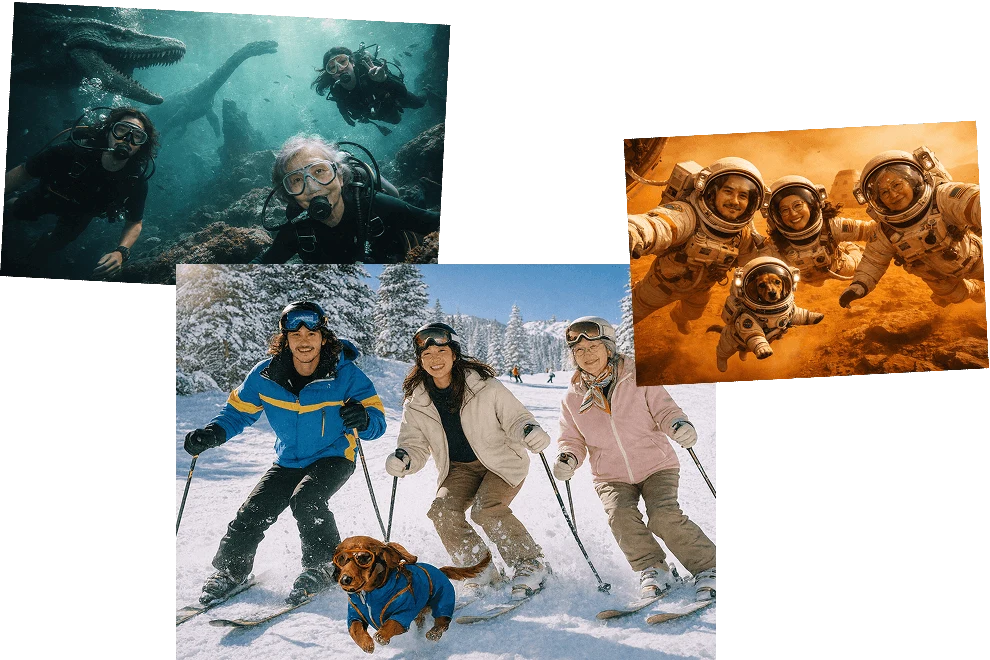
1. Introduction: The Real State of AI Image Generation in 2026 AI image generation in 2026 is no longer a…

Introduction: The State of AI Customer Service in 2026 Customer service has undergone a fundamental shift. By 2026, AI chatbots…
Introduction: AI Video Generation Is No Longer Experimental What began as short, unstable demo clips has evolved into production-grade systems…
In today’s fast-paced digital world, efficiency and consistency are key to content creation, and this is where the power of…
Hospitality Induction Templates are structured guides created specifically for the hospitality industry to facilitate the onboarding process for new employees.…
Whether you are a business or an organization, it is important for you to keep track of your business bank…