

![50+ Best Google Gemini Photo & Image Effect Prompts in 2026 [Copy & Paste]](https://images.template.net/wp-content/uploads/2026/07/Cinematic-Portrait.png)
50+ Best Google Gemini Photo & Image Effect Prompts in 2026 [Copy & Paste]
Google Gemini Photo & Image Effect Prompts are detailed text instructions that help users transform, enhance, or restyle images with…
Jul 30, 2026


Aug 19, 2026
Google Gemini Photo & Image Effect Prompts are detailed text instructions that help users transform, enhance, or restyle images with Google’s AI-powered image generation and editing capabilities. Whether you’re creating professional portraits, artistic illustrations, cinematic scenes, or creative visual effects, well-written prompts produce more accurate and consistent results. This guide features 50+ copy-and-paste Google Gemini photo and image effect prompts, along with practical techniques for customizing them to suit different creative projects.
An image effect prompt is a text instruction that tells Google Gemini how to transform an existing image or generate a new one using a specific artistic style, lighting, material, composition, or visual effect while preserving important details when needed.
Google Gemini Photo & Image Effect Prompts are structured text instructions that tell Google’s AI how to create, edit, or transform an image. These prompts describe the subject, desired visual effect, artistic style, lighting, background, composition, and any elements that should remain unchanged, helping Gemini generate more accurate and consistent results.
Unlike simple requests such as “make this image look better,” effective Gemini prompts provide clear creative direction. The AI interprets each instruction to apply specific edits—such as changing the lighting, replacing backgrounds, converting photos into artistic styles, enhancing portraits, or adding cinematic effects—while preserving important details when requested.
Modern Gemini image prompts can be used for both AI image generation and AI-powered image editing. Users can generate entirely new images from text or upload an existing photo and describe how they want it transformed. Depending on the prompt, Gemini can adjust colors, improve image quality, restyle portraits, simulate different materials, create seasonal scenes, or produce professional-quality visual effects.
A well-structured prompt typically includes multiple visual components instead of a single instruction. The more specific the description, the easier it is for Gemini to understand the intended result.
A high-quality Google Gemini photo or image effect prompt often includes:
Using structured prompts provides several advantages over generic instructions:
Whether you’re designing marketing visuals, editing professional headshots, creating social media content, generating concept art, restoring old photographs, or experimenting with artistic styles, Google Gemini Photo & Image Effect Prompts provide a repeatable framework for achieving high-quality AI-generated and AI-edited images with greater control and consistency.
Looking to create images from scratch instead of editing existing ones? An AI Image Generator lets you turn detailed text prompts into original artwork, realistic photos, illustrations, and creative designs using AI.
Using Google Gemini Image Effect Prompts is straightforward, but the quality of the output depends on how clearly you describe the desired result. Whether you’re creating a new AI-generated image or transforming an existing photo, structured prompts help Gemini understand exactly what to create while preserving important visual details.
Follow these steps to achieve more accurate and consistent results.
Launch Google Gemini in your web browser or mobile app and start a new conversation that supports image generation or image editing.
If you want to edit an existing photo, upload it before entering your prompt. For generating a brand-new image from scratch, simply describe the scene without uploading a reference image.
Start by identifying the main subject. This could be a person, product, pet, landscape, building, vehicle, or any other object.
Examples:
Being specific helps Gemini understand the focus of the image.
Clearly explain what transformation or visual effect you want Gemini to apply.
Common image effects include:
Avoid generic instructions such as “make it look better.” Instead, describe the exact visual style or enhancement you want.
Provide supporting information that defines the overall appearance of the image.
Include details such as:
These details help Gemini produce images that better match your creative intent.
When editing an existing image, specify which details should remain unchanged.
For example, you may want to preserve:
Explicit preservation instructions reduce unwanted changes during image editing.
Submit the prompt and review the generated image. If the result isn’t exactly what you expected, continue the conversation with additional instructions instead of rewriting the entire prompt.
Examples include:
Iterative refinement often produces better results than trying to describe every detail in a single prompt.
Note: Most prompts in this collection work for both AI image generation and AI image editing. If you’re creating a new image from scratch, replace references to “uploaded image” or “uploaded portrait” with a detailed description of your subject. If you’re editing an existing photo, simply upload the image and use the prompt as written to apply the desired transformation while preserving important details.
If you want to generate realistic people, products, landscapes, or lifestyle scenes without uploading a reference image, an AI Photo Generator can transform these prompts into high-quality AI-created photos with just a text description.
Google Gemini Photo & Image Effect Prompts are designed for anyone who wants to create high-quality AI-generated or AI-edited images with greater control and consistency. Whether you’re creating content for work, business, education, or personal projects, these prompts can help produce professional-looking results.
Whether you’re a beginner experimenting with AI image generation or an experienced creator looking to streamline your workflow, these copy-and-paste Google Gemini Photo & Image Effect Prompts provide a reliable foundation for creating professional, artistic, and visually compelling images.
Portrait and professional prompts help create business headshots, cinematic portraits, fashion photography, editorial visuals, and personal branding images while preserving realistic facial identity. These prompts are ideal for LinkedIn profiles, company websites, portfolios, resumes, marketing materials, and social media, making it easy to generate polished, high-quality portraits with Google Gemini.
Best For: Professional portraits, portfolio photography, social media profiles, editorial visuals
Copy & Paste Prompt
Transform the uploaded portrait into a cinematic film-style image with natural facial features preserved. Apply dramatic directional lighting, realistic skin texture, soft teal-and-warm color grading, subtle atmospheric depth, shallow depth of field, and authentic film grain. Create a premium movie still aesthetic with a softly blurred background while keeping the subject’s identity, hairstyle, expression, body proportions, and pose unchanged.
What It Creates
Creates a polished cinematic portrait with balanced color grading, realistic lighting, and professional depth. The final image resembles a frame from a high-budget film while preserving the person’s natural appearance.
Customization Tips

Best For: LinkedIn, resumes, company websites, executive branding
Copy & Paste Prompt
Convert the uploaded image into a premium executive studio headshot. Place the subject against a clean neutral background with professional three-point studio lighting, balanced exposure, realistic skin texture, sharp facial details, and subtle background separation. Improve clothing presentation while preserving facial identity, hairstyle, expression, posture, and natural proportions. Create a trustworthy and approachable business portrait.
What It Creates
Produces a clean corporate headshot suitable for business profiles, company directories, conference speakers, and executive branding.
Customization Tips
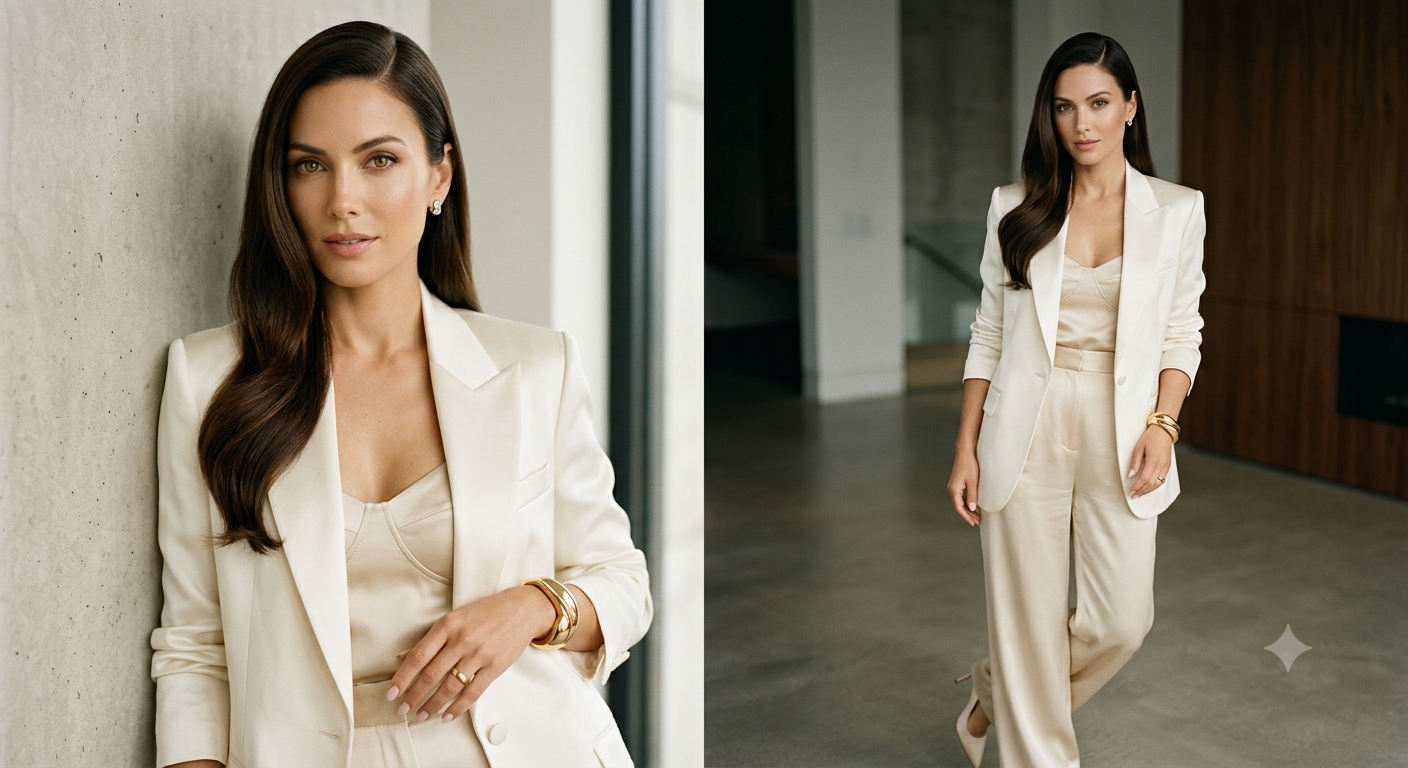
Best For: Fashion campaigns, magazines, luxury branding, personal portfolios
Copy & Paste Prompt
Restyle the uploaded portrait into a luxury editorial fashion photograph with premium studio lighting, sophisticated color grading, refined skin texture, elegant wardrobe styling, high-end beauty retouching, shallow depth of field, and dramatic composition. Maintain realistic facial identity, expression, body proportions, and pose while creating a polished magazine-quality aesthetic.
What It Creates
Generates a refined editorial portrait similar to luxury fashion campaigns while maintaining realistic facial characteristics.
Customization Tips

Best For: LinkedIn, CVs, recruitment profiles, corporate networking
Copy & Paste Prompt
Create a professional LinkedIn profile photo from the uploaded image using clean business photography principles. Apply balanced natural lighting, realistic skin tones, sharp facial focus, subtle background blur, professional wardrobe enhancements, and neutral color grading. preserve important details, hairstyle, expression, posture, and proportions while creating an approachable and credible business portrait.
What It Creates
Produces a clean professional portrait designed for career-focused platforms without excessive retouching.
Customization Tips
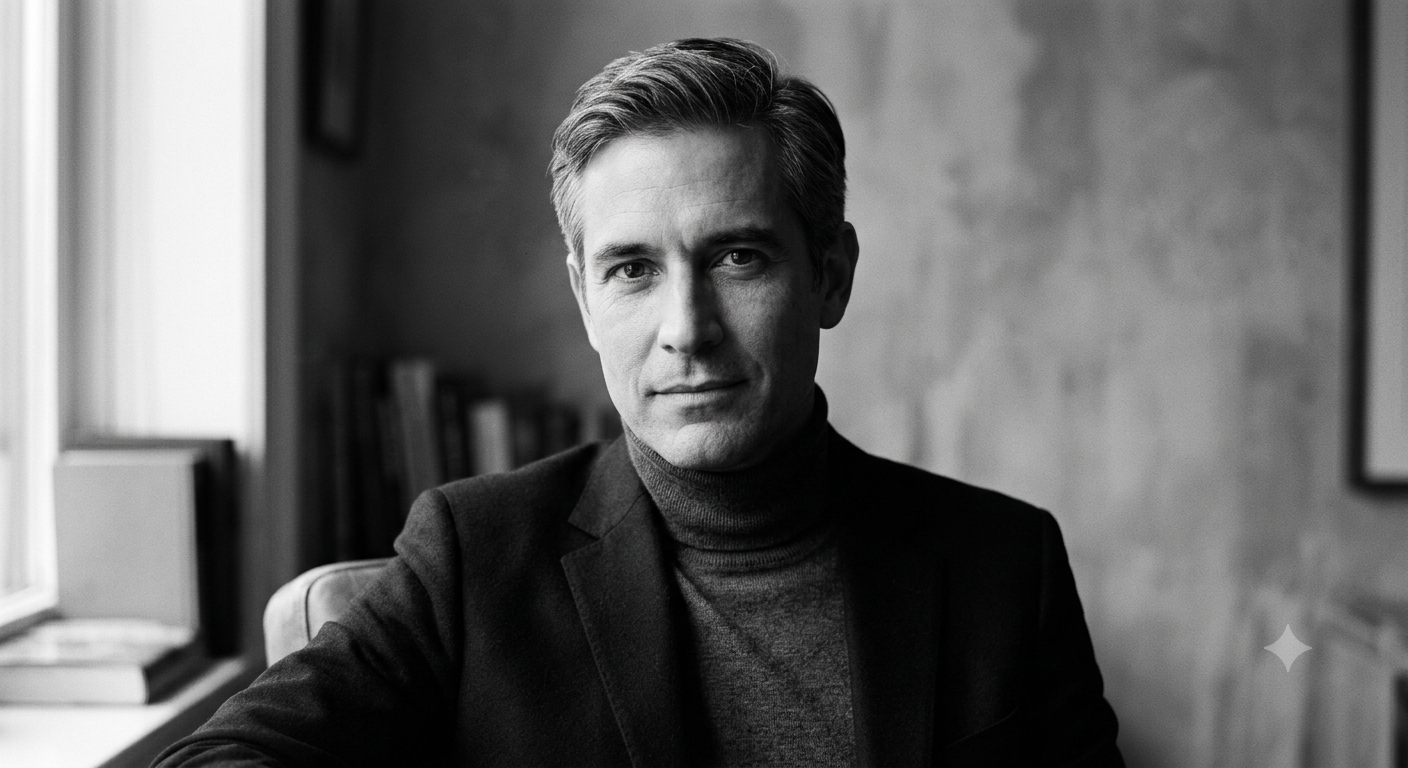
Best For: Fine art photography, timeless portraits, gallery prints
Copy & Paste Prompt
Convert the uploaded portrait into a classic black-and-white fine art photograph using rich grayscale tones, controlled contrast, realistic film grain, dramatic side lighting, and detailed shadow transitions. Preserve facial, expression, hairstyle, clothing details, and natural textures while producing an elegant monochrome portrait with timeless visual appeal.
What It Creates
Transforms a color portrait into a sophisticated monochrome image emphasizing emotion, lighting, and facial detail.
Customization Tips
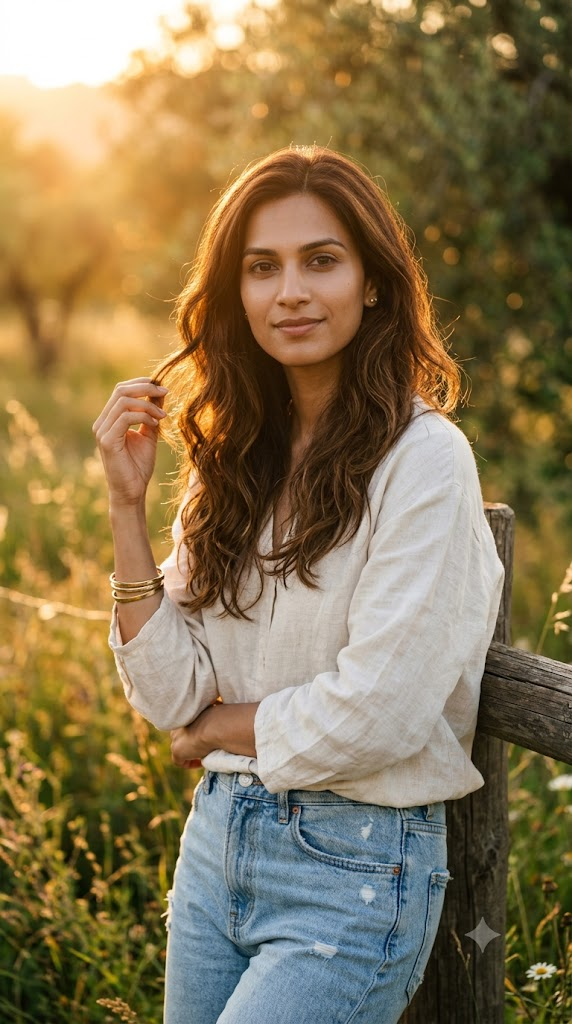
Best For: Lifestyle photography, travel portraits, outdoor branding
Copy & Paste Prompt
Transform the uploaded portrait into a natural golden hour outdoor photograph. Illuminate the subject with warm sunset light, realistic lens flare, soft shadows, vibrant yet natural colors, and shallow depth of field. Preserve facial identity, expression, hairstyle, clothing, and pose while creating a calm, cinematic outdoor atmosphere with realistic environmental lighting.
What It Creates
Creates a warm outdoor portrait with realistic sunset lighting and natural depth that resembles professional lifestyle photography.
Customization Tips
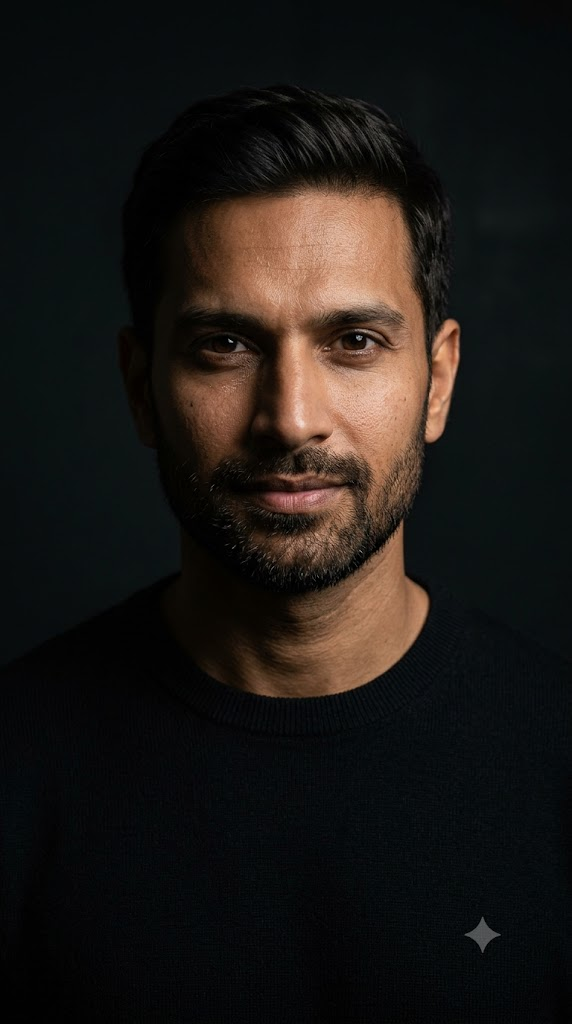
Best For: Dramatic portraits, creative photography, artistic branding
Copy & Paste Prompt
Restyle the uploaded portrait using low-key photography techniques with a dark background, dramatic single-direction lighting, controlled shadows, realistic skin texture, deep contrast, and subtle atmospheric depth. Preserve facial identity, body proportions, hairstyle, and expression while emphasizing emotion and facial structure through cinematic lighting.
What It Creates
Produces a dramatic portrait with controlled shadows that highlights facial contours and creates a powerful visual mood.
Customization Tips
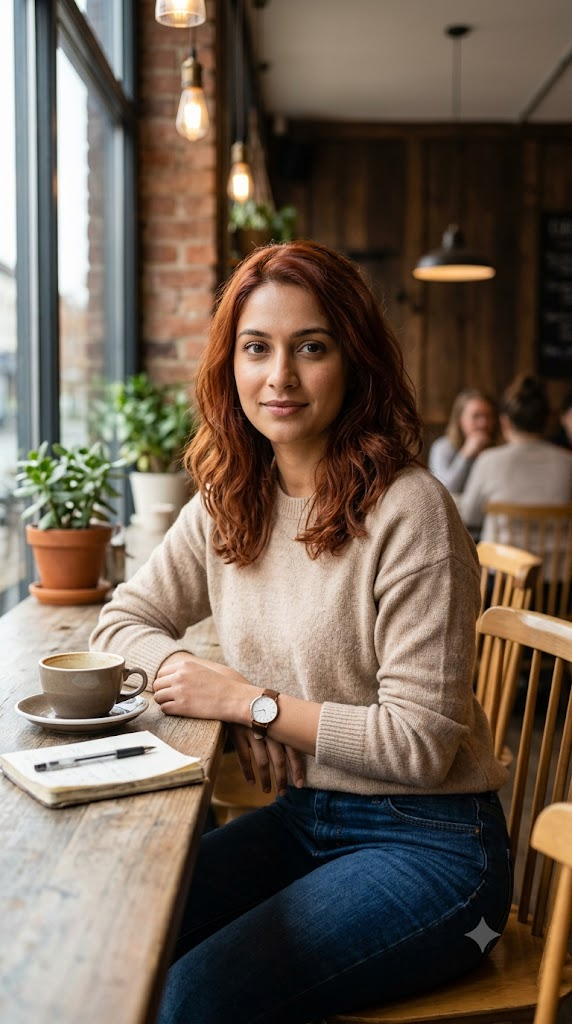
Best For: Personal branding, bloggers, creators, lifestyle content
Copy & Paste Prompt
Place the uploaded subject inside a modern café with abundant natural window light, warm wooden interiors, realistic coffee shop details, shallow depth of field, authentic color grading, and relaxed editorial composition. Preserve facial identity, hairstyle, expression, clothing, and posture while creating a natural lifestyle portrait with premium photography quality.
What It Creates
Generates a casual yet polished lifestyle image suitable for blogs, creator profiles, and social media.
Customization Tips
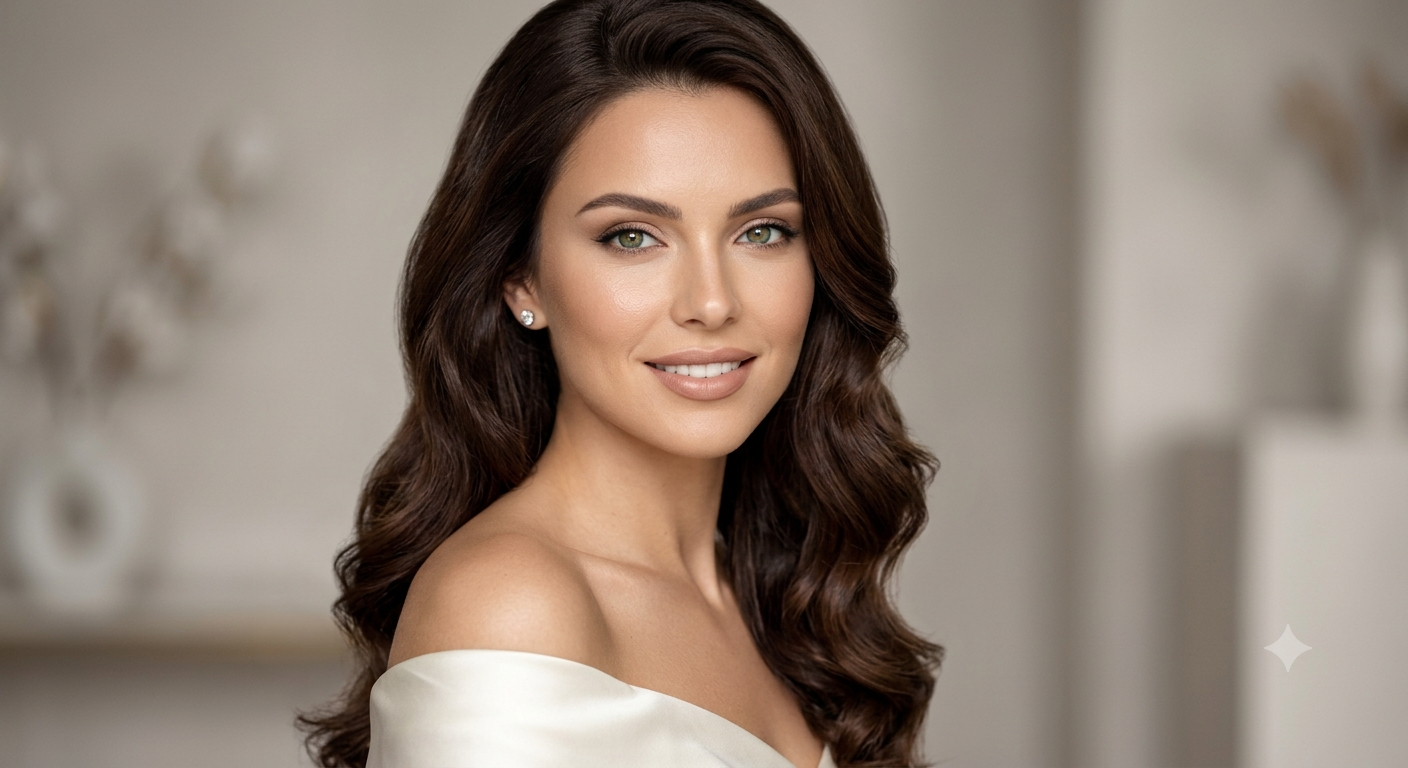
Best For: Beauty campaigns, skincare brands, cosmetics marketing
Copy & Paste Prompt
Transform the uploaded portrait into a premium beauty campaign photograph with flawless yet realistic skin texture, balanced beauty lighting, soft diffusion, natural makeup enhancement, crisp eye detail, and elegant background separation. Preserve facial identity, expression, hairstyle, and proportions while creating a clean commercial-quality beauty portrait.
What It Creates
Produces a polished beauty portrait with realistic skin and premium lighting suitable for cosmetic and skincare branding.
Customization Tips

Best For: Personal branding, entrepreneur profiles, company websites, media kits
Copy & Paste Prompt
Transform the uploaded portrait into a modern startup founder portrait inside a bright collaborative workspace with contemporary office interiors, indoor plants, natural daylight, premium smart-casual clothing, realistic skin texture, soft editorial lighting, and shallow depth of field. Preserve facial identity, expression, hairstyle, body proportions, and posture while creating a confident, approachable, and authentic business portrait.
What It Creates
Creates a modern entrepreneurial portrait that blends professionalism with an approachable startup aesthetic, making it ideal for founders, executives, speakers, and technology professionals.
Customization Tips
Artistic and illustration prompts transform photos into handcrafted artworks inspired by traditional and digital art styles. From watercolor paintings and oil masterpieces to pencil sketches, charcoal drawings, and storybook illustrations, these prompts help create unique artistic visuals while preserving the subject’s recognizable identity, expression, and overall composition.
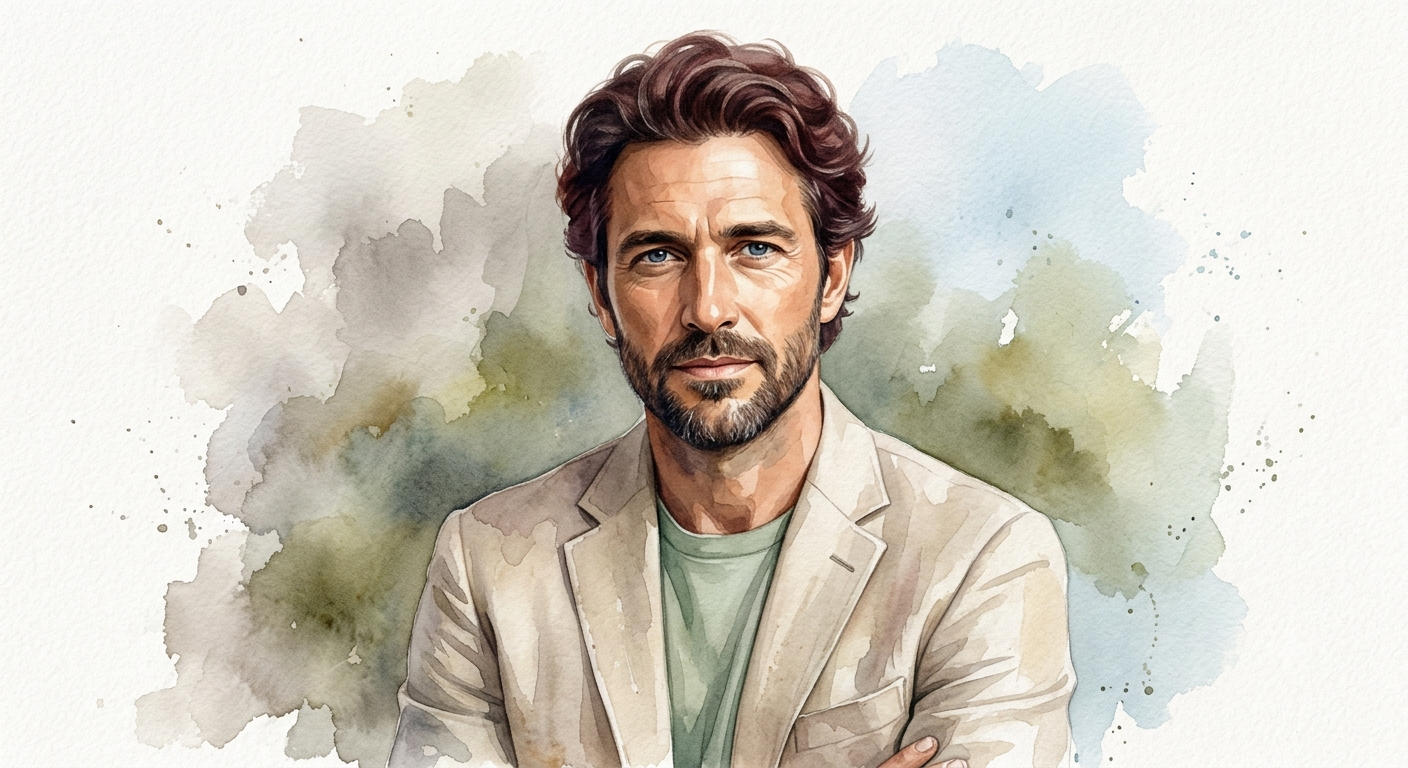
Best For: Personalized artwork, home décor, greeting cards, artistic portraits
Copy & Paste Prompt
Transform the uploaded image into an elegant watercolor painting using soft pigment washes, layered translucent colors, textured watercolor paper, delicate brush blending, natural paint blooms, and subtle edge diffusion. Preserve the subject’s facial identity, proportions, expression, and composition while creating an authentic hand-painted appearance with realistic watercolor textures.
What It Creates
Produces a delicate watercolor artwork that mimics traditional hand-painted illustrations while maintaining recognizable details from the original image.
Customization Tips
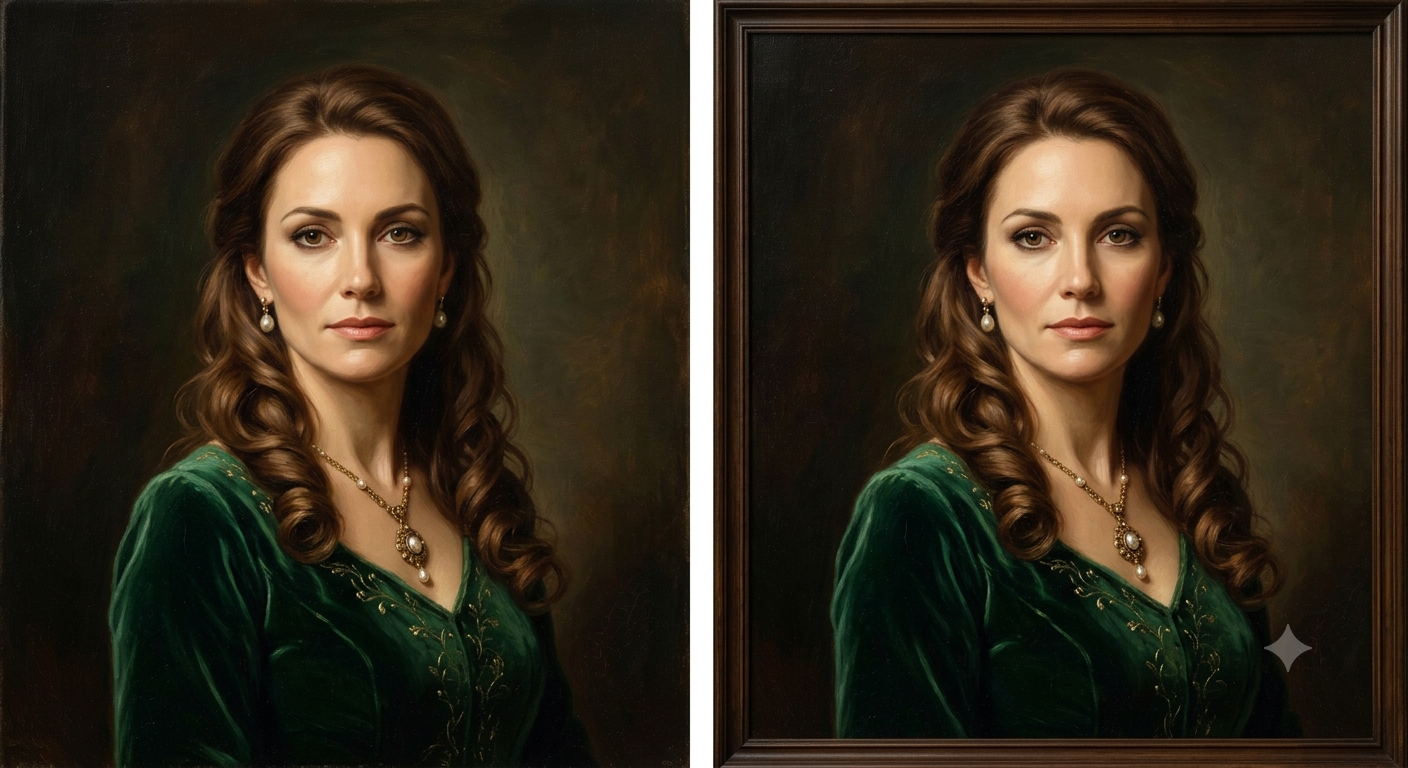
Best For: Fine art prints, canvas artwork, museum-style portraits
Copy & Paste Prompt
Reimagine the uploaded image as a traditional oil painting with rich layered pigments, visible brush strokes, textured canvas, balanced lighting, deep color transitions, and subtle varnish reflections. Preserve the subject’s identity, expression, body proportions, and composition while creating a timeless museum-quality masterpiece inspired by classical oil painting techniques.
What It Creates
Creates a highly detailed oil painting featuring realistic canvas texture, expressive brushwork, and premium gallery-quality aesthetics.
Customization Tips
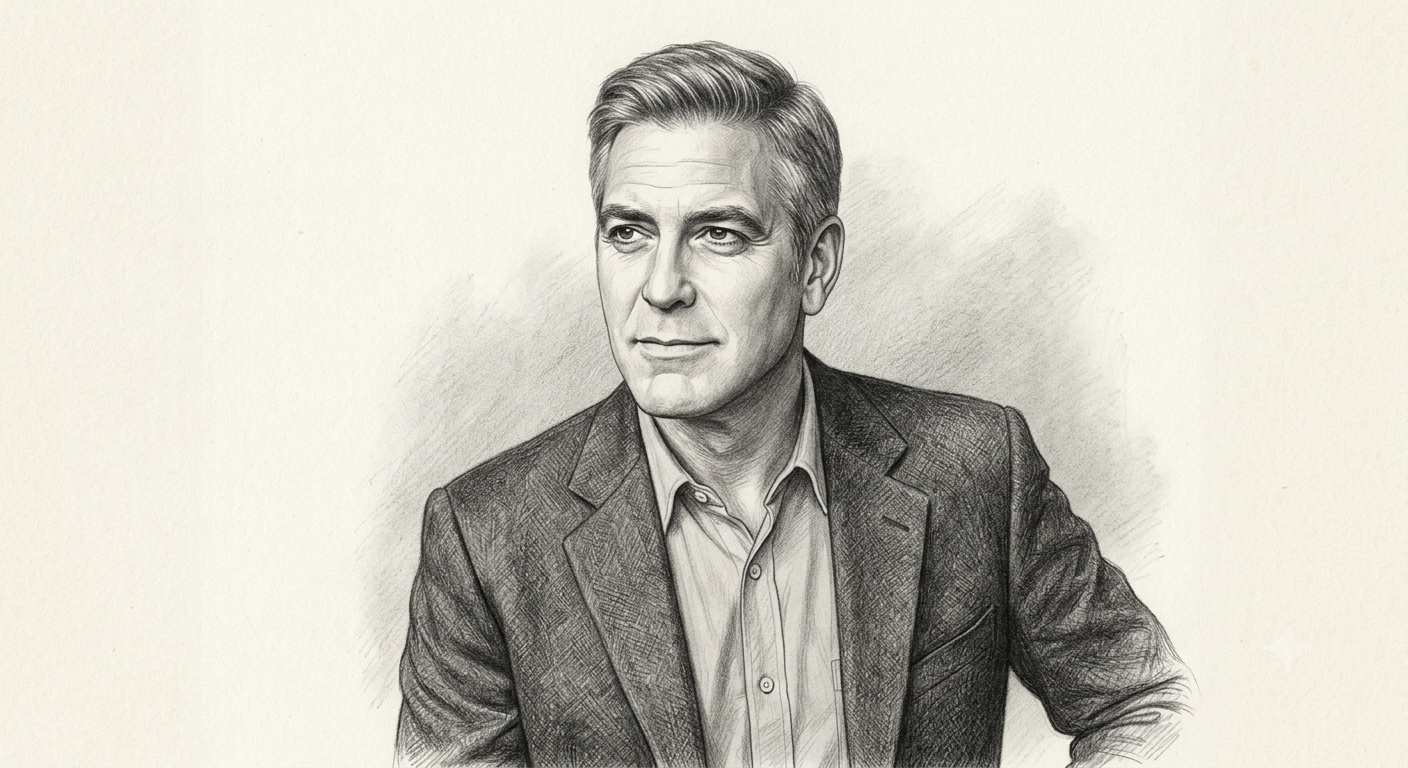
Best For: Portrait sketches, concept art, personalized gifts
Copy & Paste Prompt
Convert the uploaded image into a realistic graphite pencil sketch using fine linework, detailed cross-hatching, smooth shading, textured drawing paper, and precise facial proportions. Preserve the subject’s identity, hairstyle, expression, clothing, and composition while creating a handcrafted artist-quality illustration.
What It Creates
Produces a highly realistic graphite drawing that closely resembles traditional pencil artwork completed by a professional illustrator.
Customization Tips
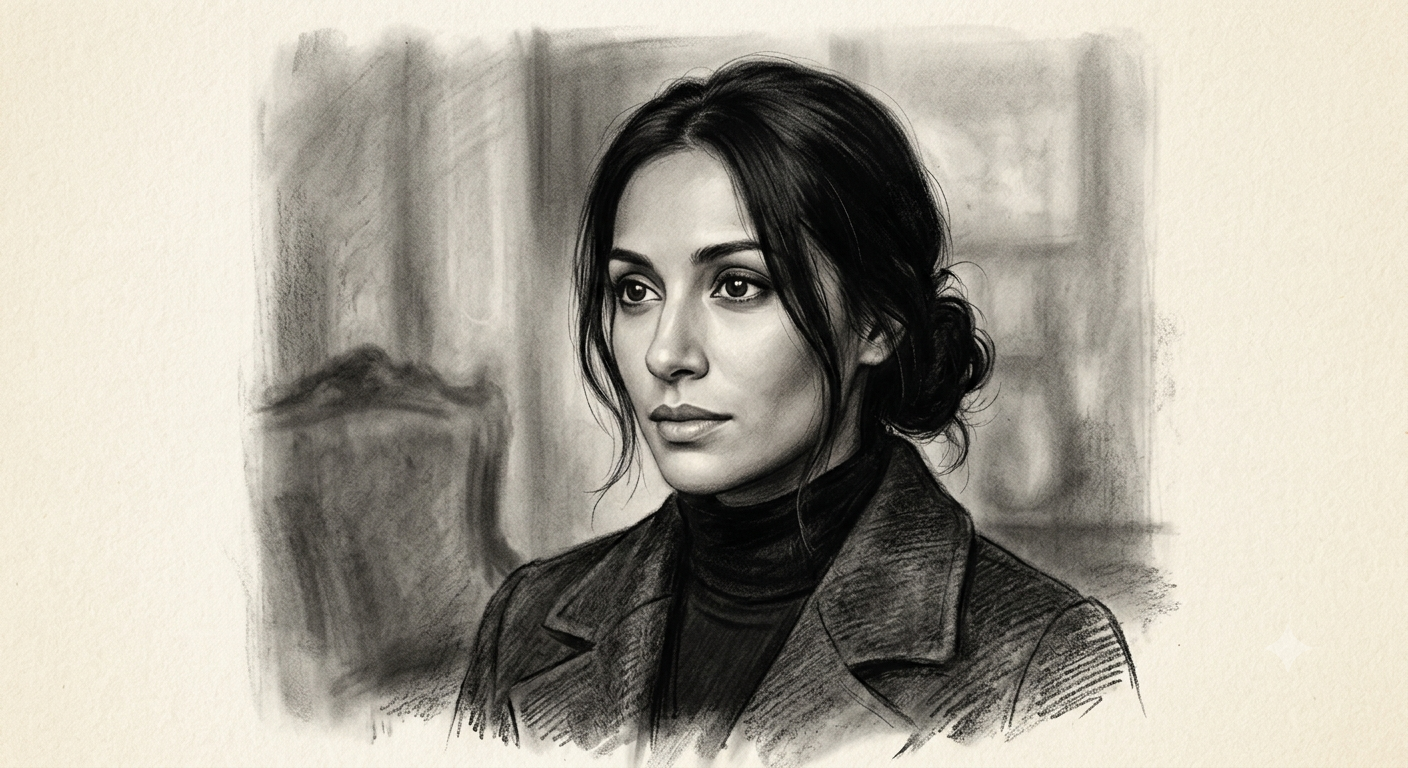
Best For: Dramatic artwork, gallery prints, expressive illustrations
Copy & Paste Prompt
Transform the uploaded image into a charcoal drawing featuring rich charcoal textures, expressive shading, bold highlights, smudged blending, textured fine-art paper, and dramatic contrast. Preserve facial identity, proportions, expression, and composition while creating an authentic hand-drawn charcoal illustration.
What It Creates
Generates a bold charcoal artwork with strong contrast and expressive shading that emphasizes emotion and artistic depth.
Customization Tips
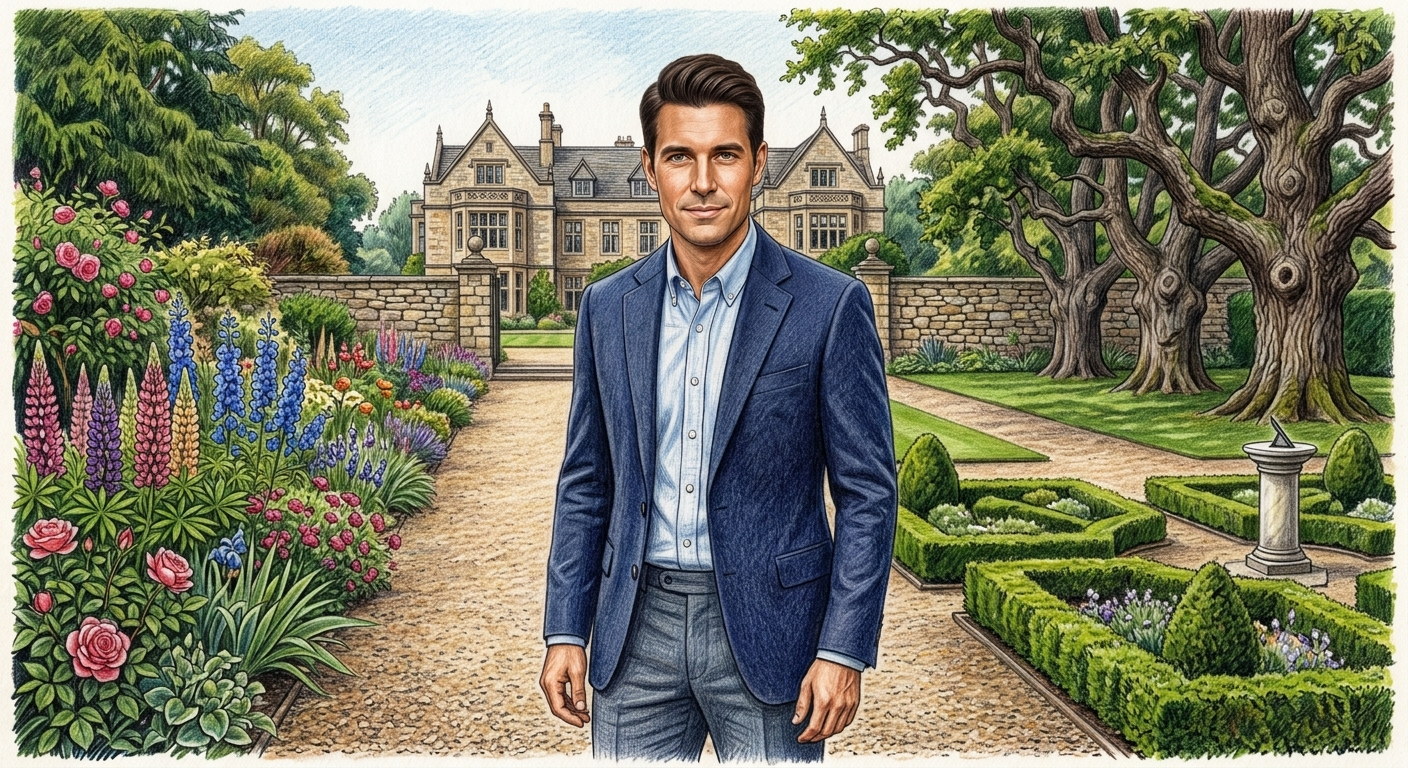
Best For: Children’s books, custom artwork, educational illustrations
Copy & Paste Prompt
Recreate the uploaded image as a professional colored pencil illustration using realistic layered pencil strokes, textured paper, vibrant yet natural colors, subtle blending, and detailed shading. Preserve the subject’s facial identity, expression, clothing, and proportions while maintaining a handcrafted artistic appearance.
What It Creates
Produces a colorful illustration with realistic pencil textures and vibrant artistic details while preserving recognizable facial features.
Customization Tips
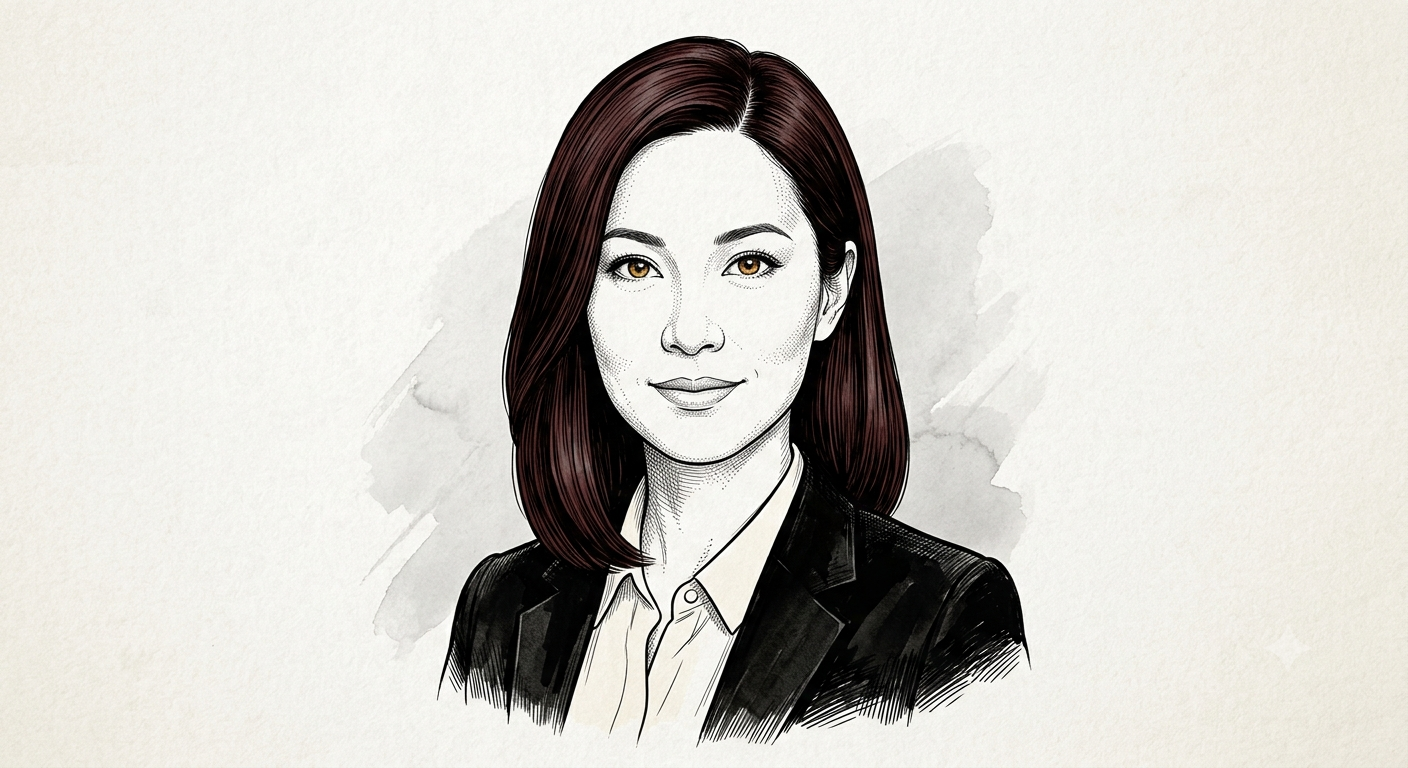
Best For: Editorial artwork, comics, logos, minimalist art
Copy & Paste Prompt
Transform the uploaded image into a refined black ink line illustration using clean contour lines, controlled cross-hatching, elegant pen strokes, balanced negative space, and premium illustration paper. Preserve the original facial identity, expression, hairstyle, proportions, and composition while creating a sophisticated hand-inked drawing.
What It Creates
Creates a clean editorial illustration with crisp black ink lines and professional pen-and-ink aesthetics.
Customization Tips
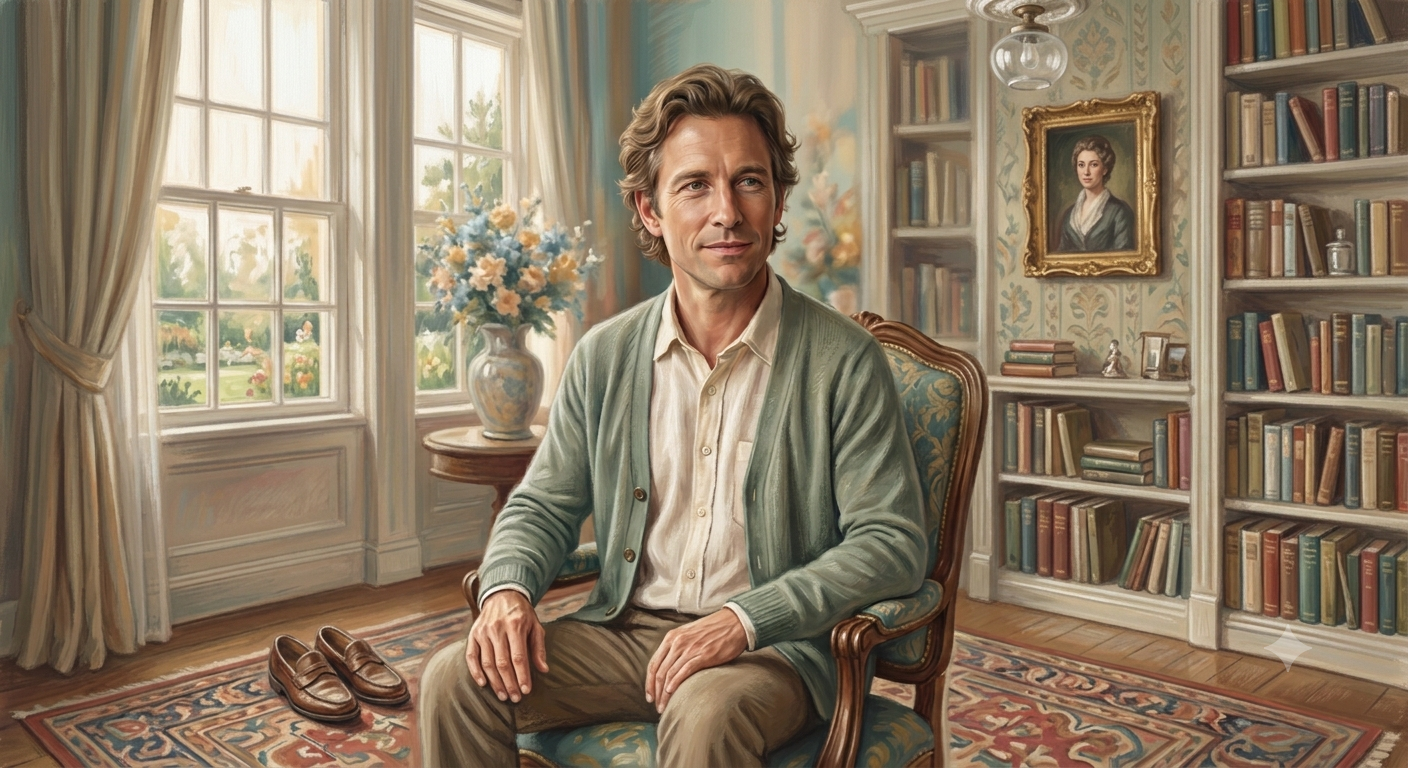
Best For: Artistic portraits, wall décor, creative projects
Copy & Paste Prompt
Convert the uploaded image into a soft pastel chalk artwork using delicate chalk textures, gentle color blending, visible paper grain, diffused lighting, and realistic hand-applied pastel strokes. Preserve the subject’s identity, expression, proportions, and composition while creating a warm fine-art illustration.
What It Creates
Produces a soft pastel illustration with gentle colors and handcrafted artistic textures that resemble traditional chalk artwork.
Customization Tips
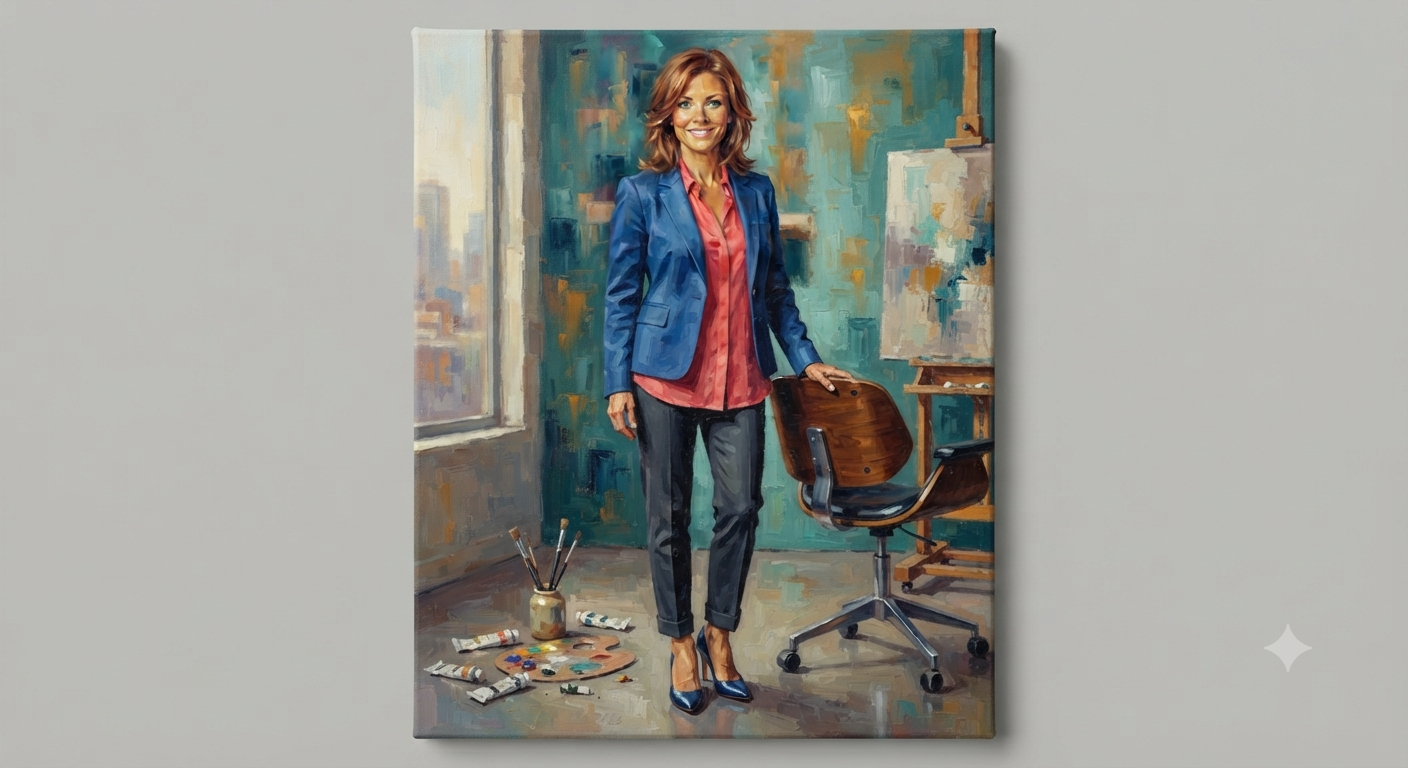
Best For: Home décor, modern artwork, commercial illustrations
Copy & Paste Prompt
Recreate the uploaded image as an acrylic canvas painting with bold layered paint, visible palette knife textures, vibrant color transitions, textured canvas fabric, and realistic acrylic brushwork. Preserve facial identity, body proportions, clothing, and overall composition while creating a contemporary gallery-style painting.
What It Creates
Generates a colorful acrylic painting with textured paint layers and modern artistic appeal suitable for canvas printing.
Customization Tips
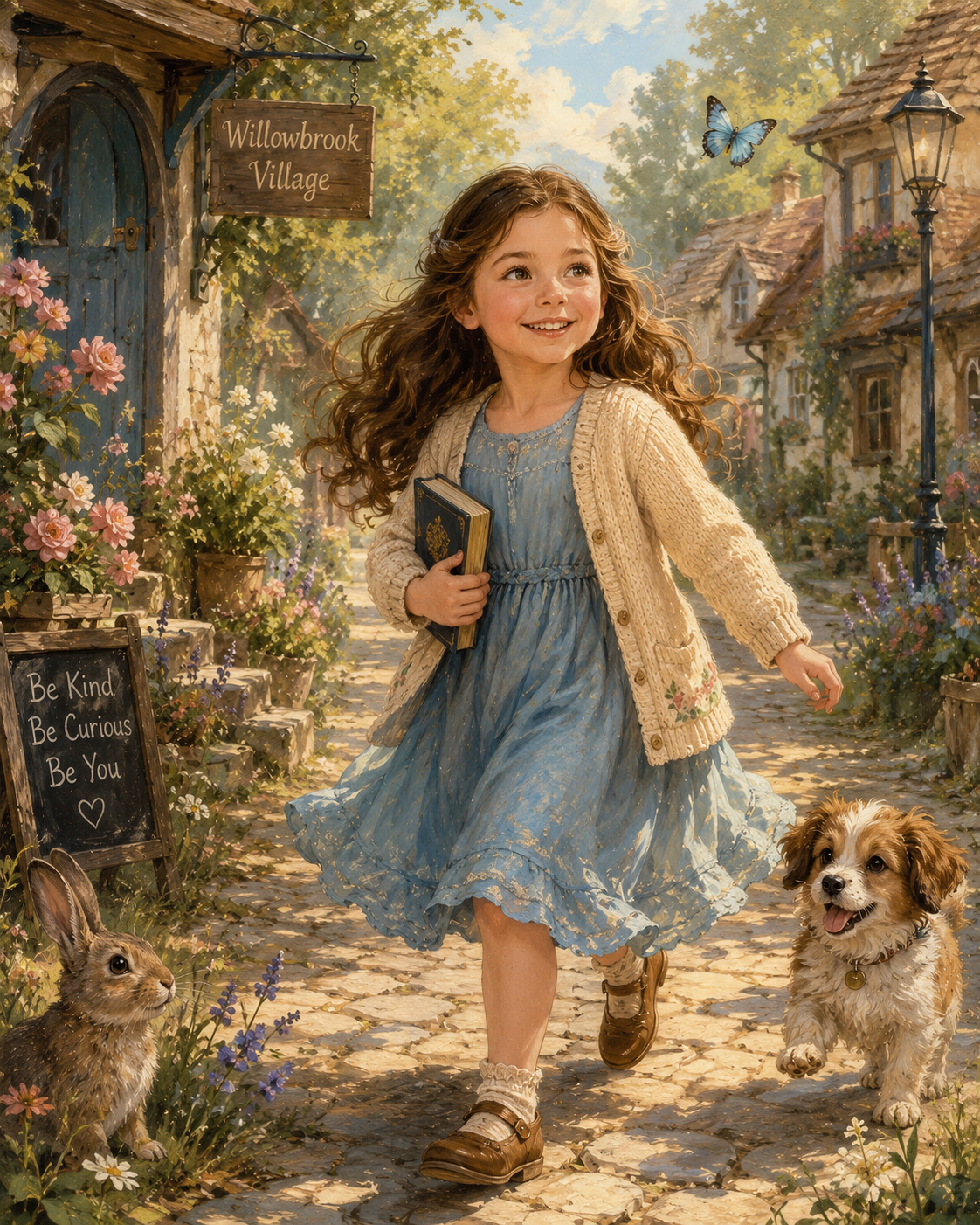
Best For: Children’s books, fantasy artwork, educational materials
Copy & Paste Prompt
Transform the uploaded image into a beautifully illustrated storybook scene featuring soft painterly textures, whimsical details, gentle color palettes, expressive characters, magical lighting, and handcrafted illustration techniques. Preserve the subject’s identity, expression, proportions, and recognizable features while creating an enchanting children’s book illustration.
What It Creates
Produces a charming illustrated scene inspired by professionally published storybooks with soft artistic details and imaginative environments.
Customization Tips
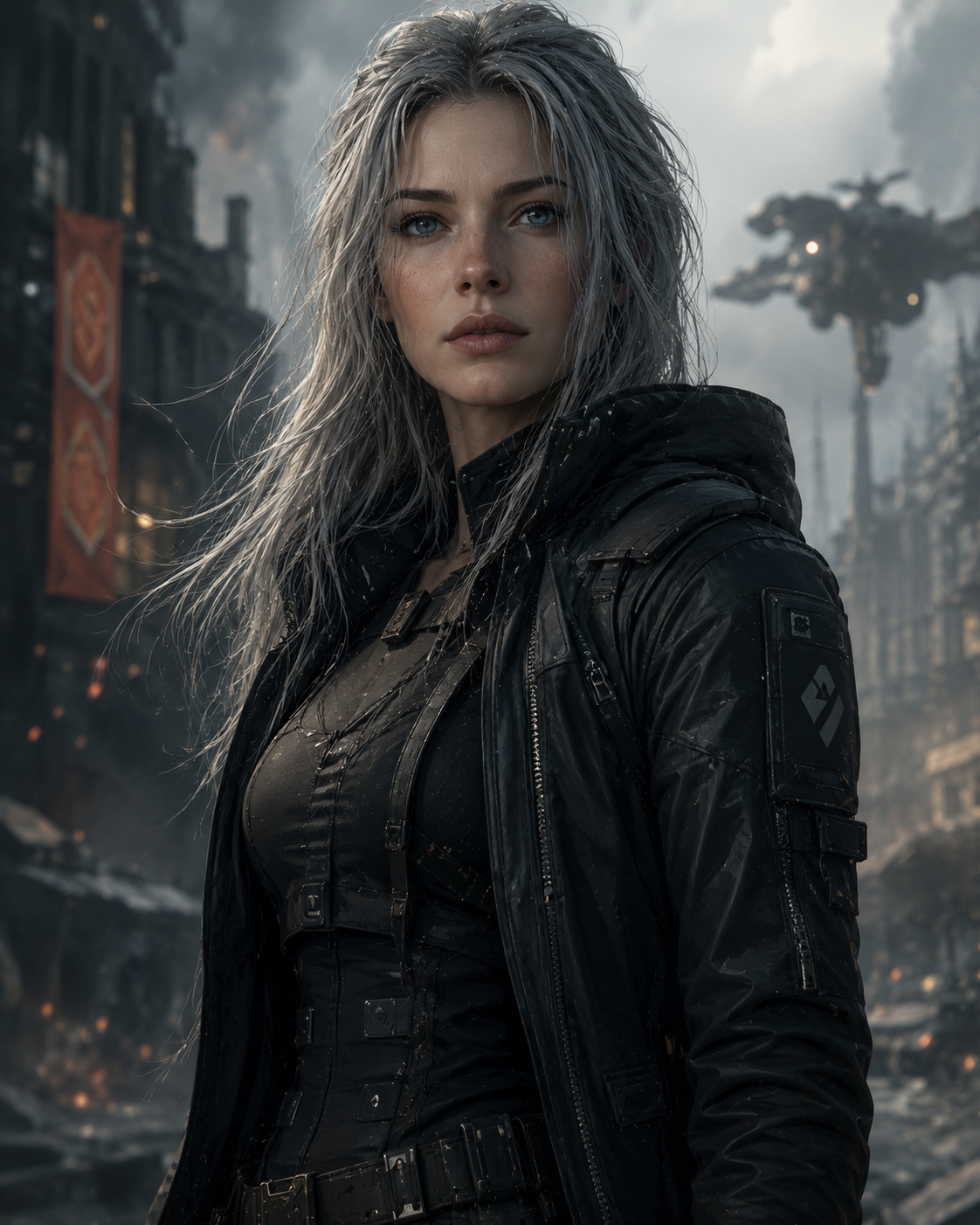
Best For: Game design, entertainment, concept visualization, creative portfolios
Copy & Paste Prompt
Transform the uploaded image into high-end digital concept art featuring realistic digital painting techniques, cinematic lighting, rich environmental details, advanced color grading, atmospheric depth, and professional entertainment-industry artwork. Preserve the subject’s facial identity, expression, body proportions, and composition while creating a visually striking concept illustration suitable for modern games and films.
What It Creates
Creates a premium digital painting with detailed environments, cinematic lighting, and polished concept art quality commonly used in film, gaming, and visual development.
Customization Tips
Cartoon and animation prompts convert photos into stylized animated characters inspired by popular illustration and animation techniques. Whether you’re creating 3D animated portraits, anime-inspired artwork, comic book characters, manga illustrations, or playful cartoon avatars, these prompts preserve key facial features while applying creative animation styles with Google Gemini.
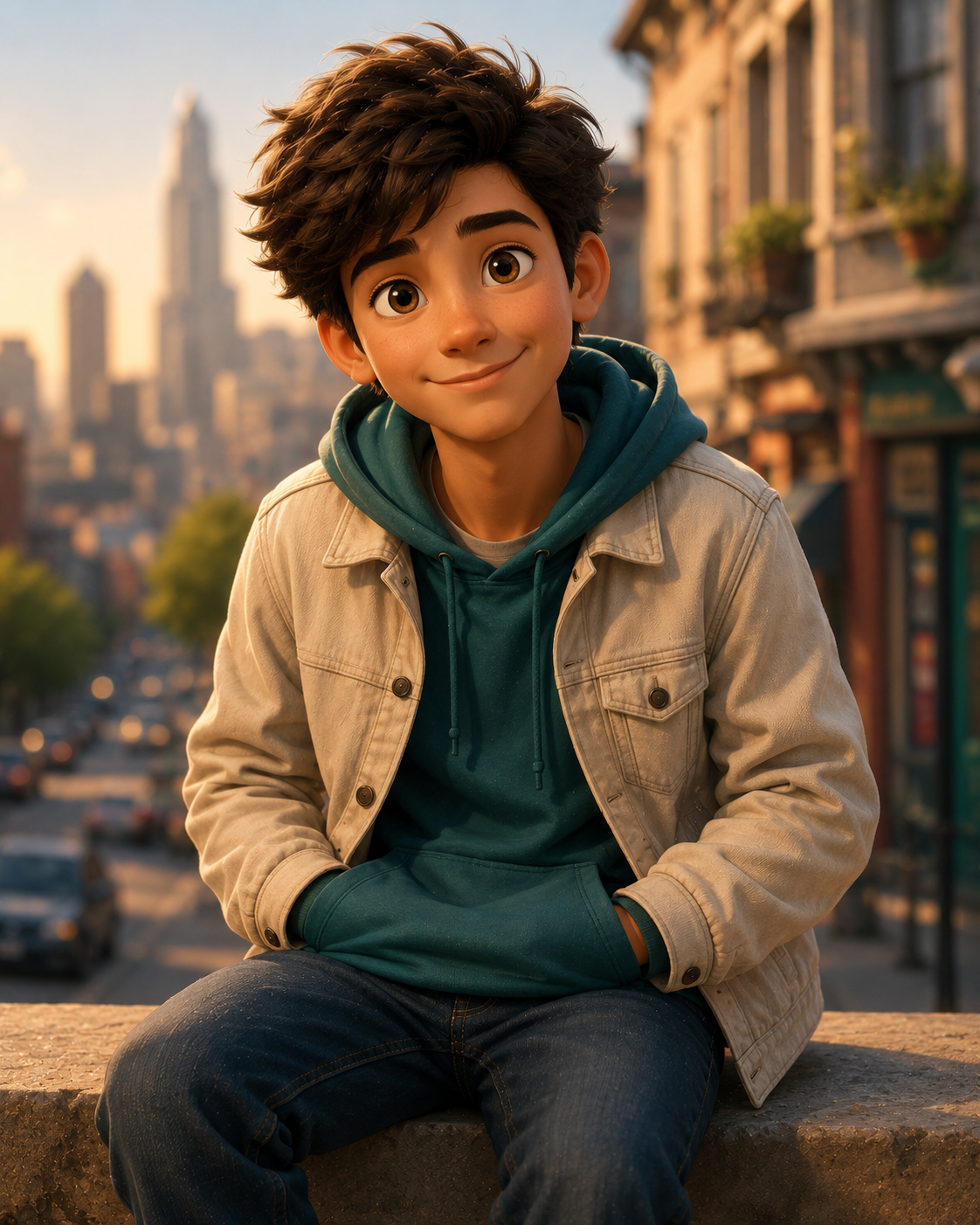
Best For: Social media avatars, family portraits, creative branding, profile pictures
Copy & Paste Prompt
Transform the uploaded portrait into a high-quality 3D animated character inspired by modern family-friendly animation. Create expressive eyes, realistic skin shading, soft subsurface lighting, stylized facial proportions, detailed hair, premium clothing textures, and cinematic depth of field. Preserve the subject’s recognizable facial identity, hairstyle, expression, and body proportions while maintaining a warm, vibrant, and polished animated appearance.
What It Creates
Produces a polished 3D animated portrait with expressive features, soft lighting, and premium animation quality while keeping the original person recognizable.
Customization Tips
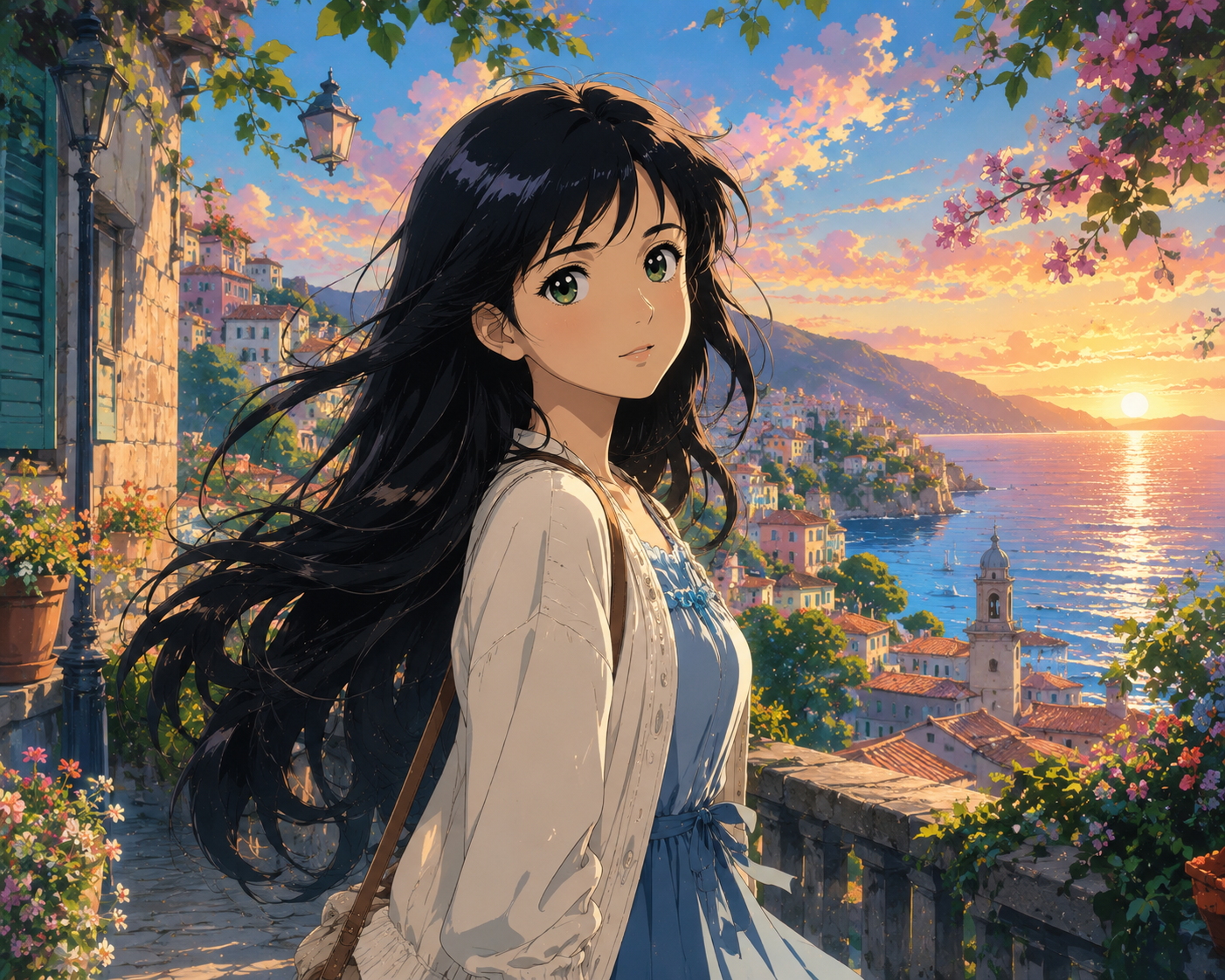
Best For: Anime fans, digital art, social media, creative portraits
Copy & Paste Prompt
Reimagine the uploaded portrait as a beautifully illustrated anime movie scene featuring clean line art, expressive eyes, cinematic lighting, hand-painted backgrounds, detailed cel shading, vibrant colors, flowing hair movement, and emotional storytelling. Preserve the subject’s facial identity, hairstyle, expression, and overall proportions while maintaining a premium animated film aesthetic.
What It Creates
Creates a cinematic anime-inspired illustration with vibrant colors, expressive features, and professionally illustrated backgrounds.
Customization Tips
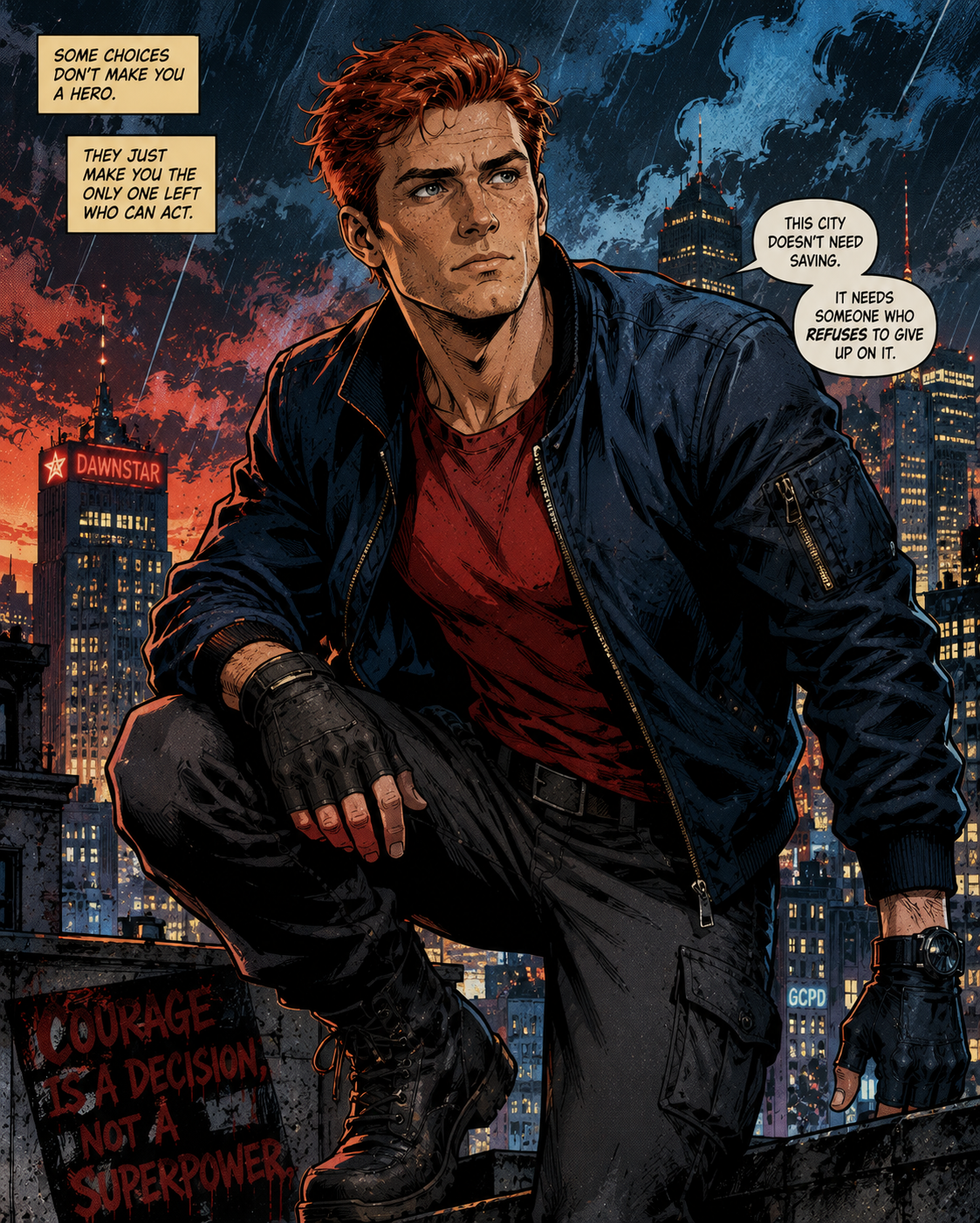
Best For: Posters, profile images, comic enthusiasts, creative artwork
Copy & Paste Prompt
Transform the uploaded image into a bold comic book illustration featuring dynamic ink outlines, vibrant halftone textures, dramatic action lighting, rich comic-style colors, stylized shadows, and printed comic page aesthetics. Preserve the subject’s recognizable facial identity, hairstyle, expression, and pose while creating a powerful superhero-inspired illustration.
What It Creates
Produces a colorful comic-style illustration with bold outlines and dramatic action-book aesthetics.
Customization Tips
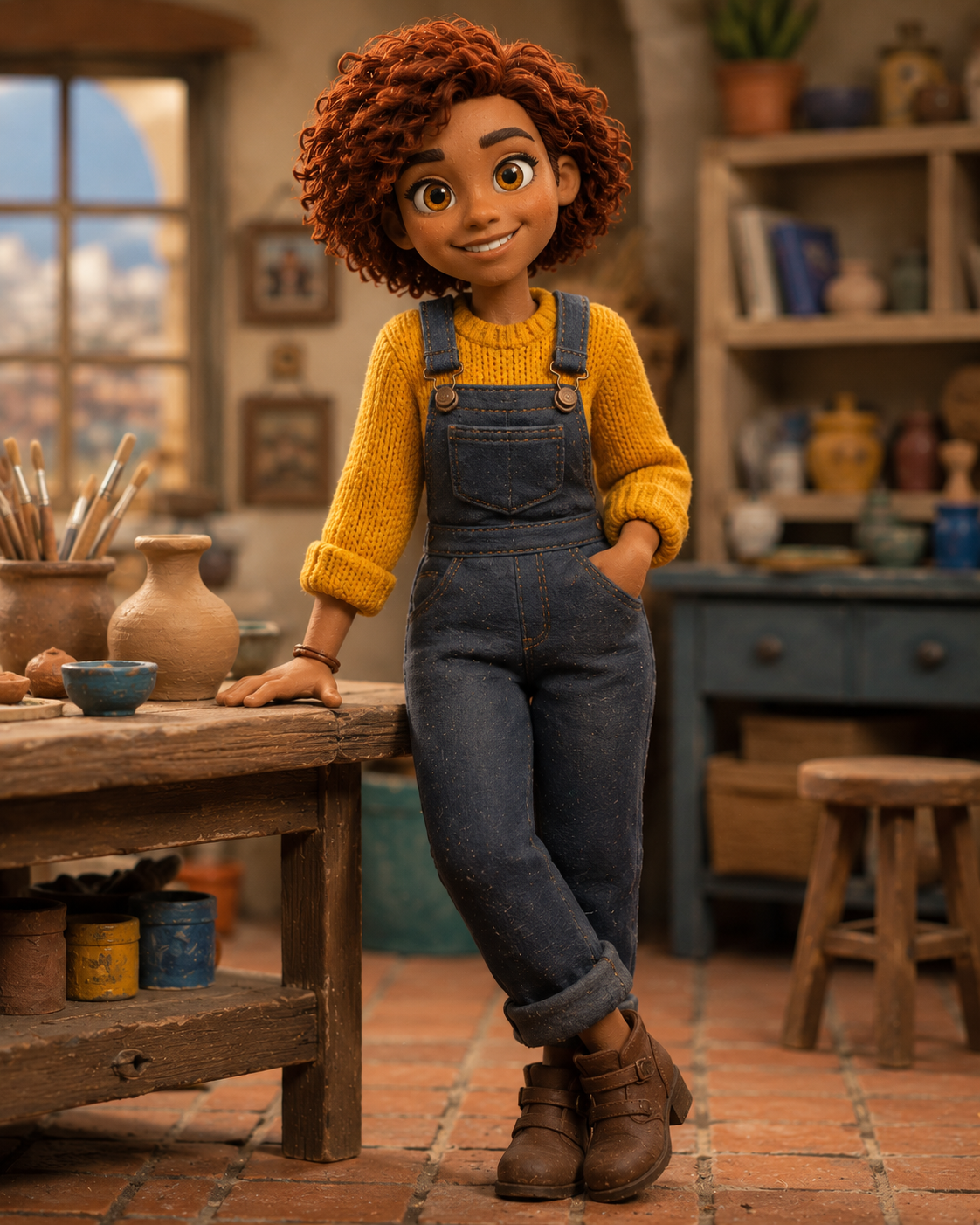
Best For: Creative portraits, family photos, children’s projects
Copy & Paste Prompt
Convert the uploaded portrait into a handcrafted clay animation character with realistic modeling clay textures, subtle fingerprints, soft studio lighting, rounded forms, handcrafted imperfections, and stop-motion animation aesthetics. Preserve the subject’s facial identity, hairstyle, clothing, expression, and body proportions while creating a charming handcrafted appearance.
What It Creates
Generates a handcrafted clay figure that resembles traditional stop-motion animation while maintaining recognizable facial characteristics.
Customization Tips
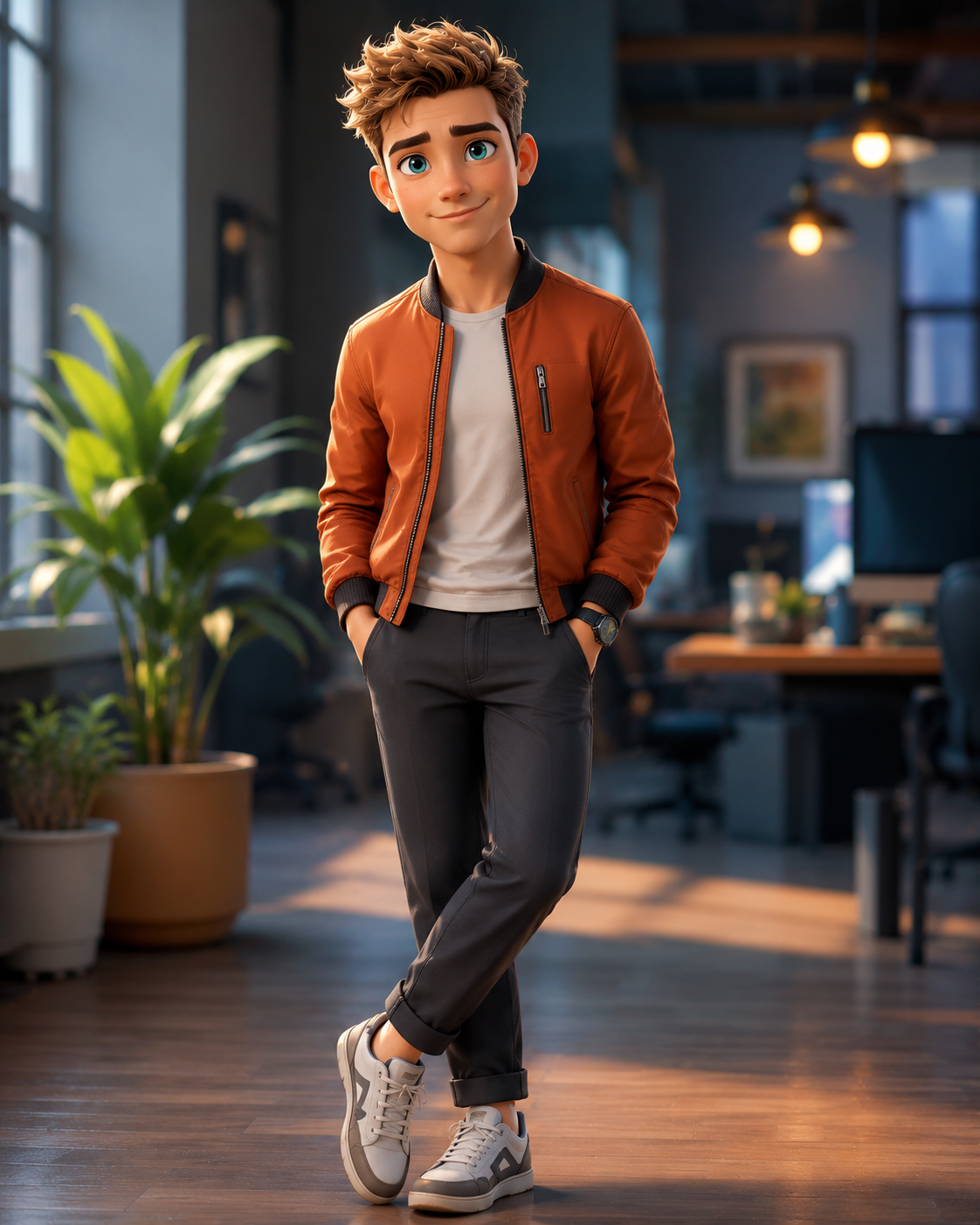
Best For: YouTube channels, gaming profiles, creator branding
Copy & Paste Prompt
Transform the uploaded portrait into a premium stylized 3D cartoon character with smooth rounded geometry, realistic lighting, detailed materials, expressive facial features, soft ambient shadows, and vibrant color grading. Preserve the subject’s identity, hairstyle, clothing, expression, and proportions while creating a polished animated character suitable for modern digital media.
What It Creates
Creates a modern 3D cartoon version of the subject with realistic rendering and clean animated aesthetics.
Customization Tips
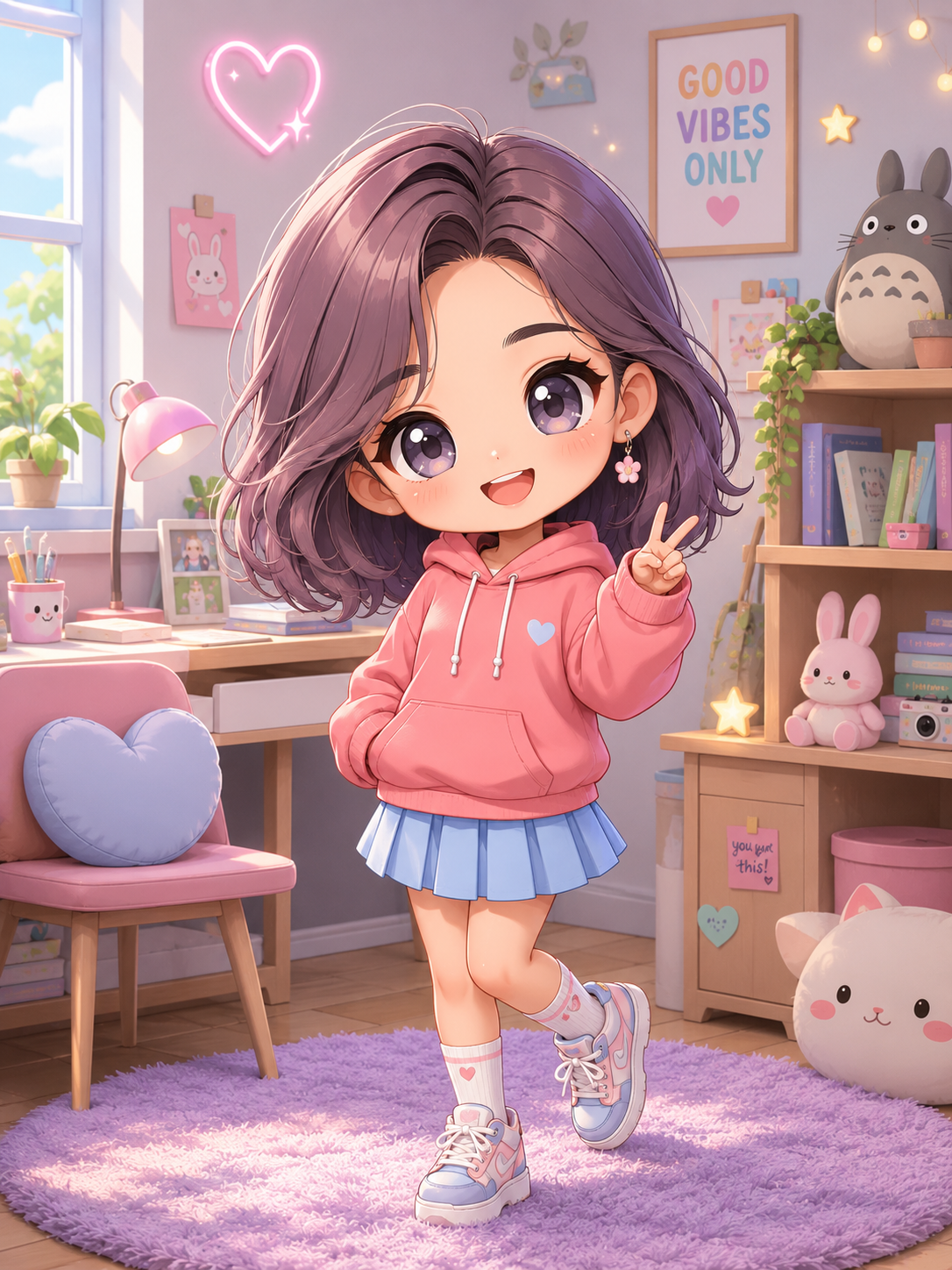
Best For: Stickers, social media icons, merchandise, fan art
Copy & Paste Prompt
Reimagine the uploaded portrait as an adorable Chibi-style character with a large expressive head, oversized eyes, miniature body proportions, soft pastel colors, clean digital illustration, cheerful facial expressions, and playful backgrounds. Preserve the subject’s hairstyle, clothing colors, facial identity, and expression while creating a cute collectible illustration.
What It Creates
Produces a highly stylized miniature character ideal for digital stickers, avatars, and personalized artwork.
Customization Tips
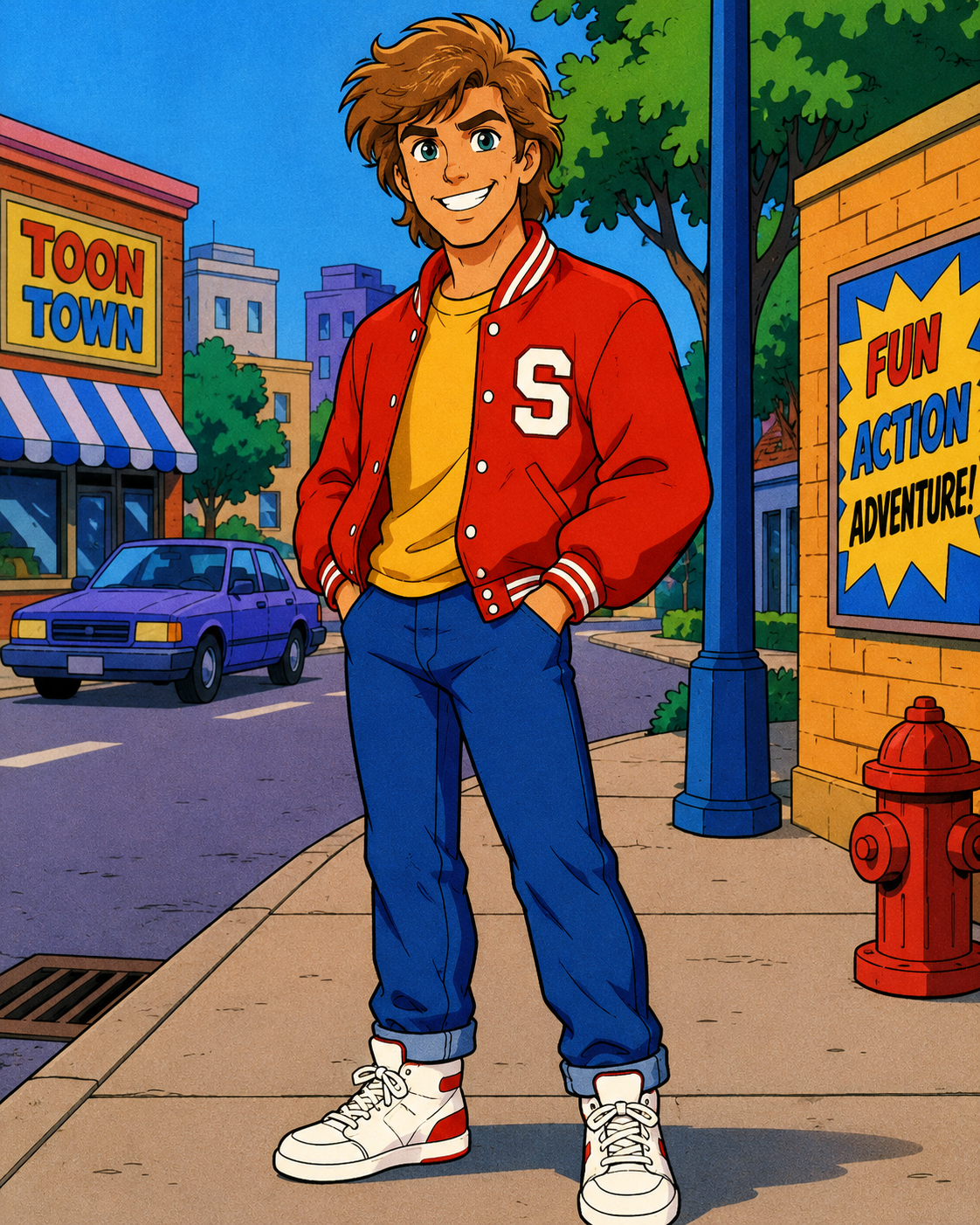
Best For: Nostalgic artwork, retro posters, creative branding
Copy & Paste Prompt
Transform the uploaded image into a classic Saturday morning cartoon with clean vintage animation linework, flat color fills, expressive character animation, retro television color palettes, simplified backgrounds, and nostalgic 1980s–1990s cartoon styling. Preserve the subject’s recognizable identity, hairstyle, and expression while creating an authentic retro animated appearance.
What It Creates
Creates a nostalgic cartoon illustration inspired by classic television animation with colorful retro styling.
Customization Tips
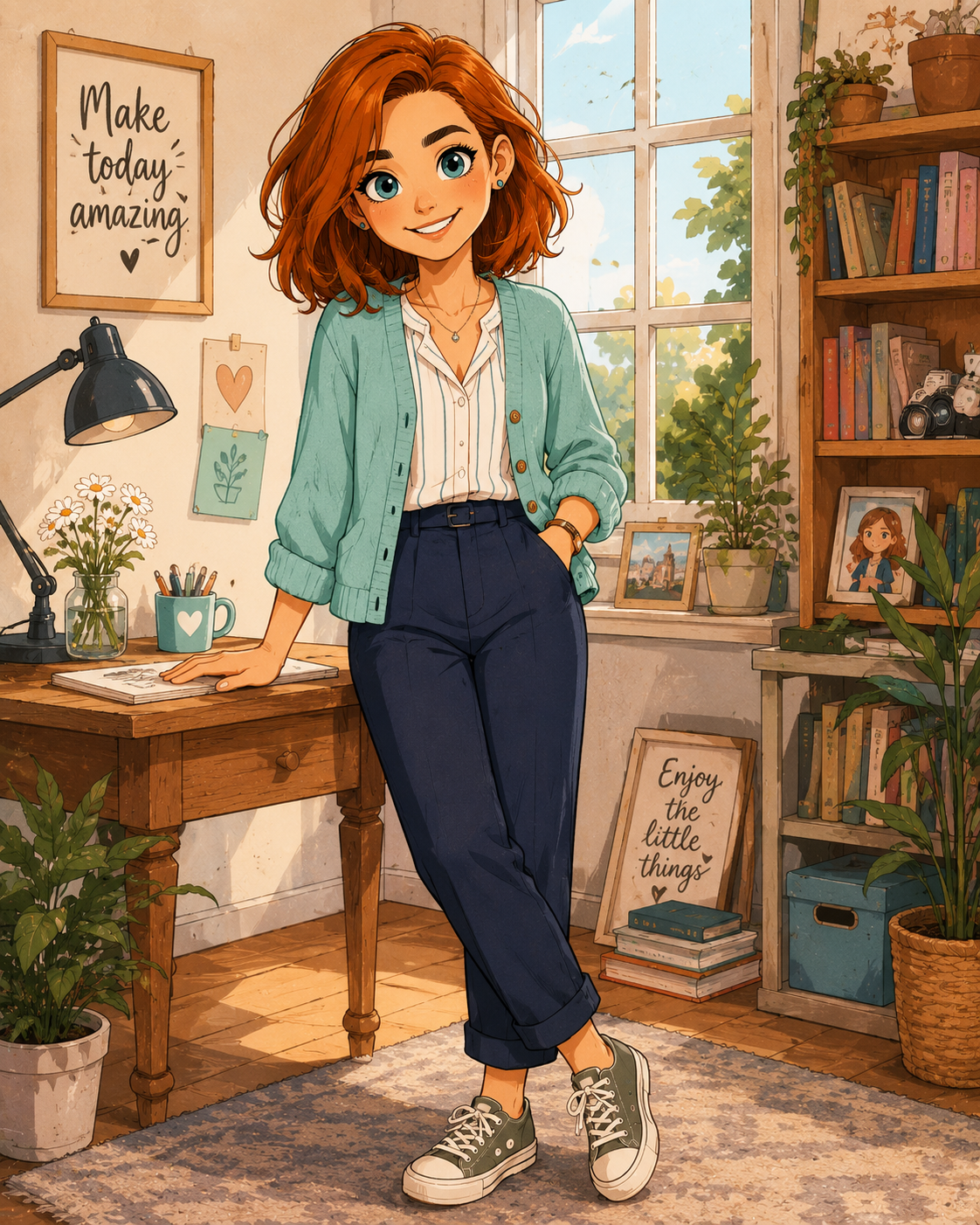
Best For: Children’s illustrations, personalized gifts, educational content
Copy & Paste Prompt
Convert the uploaded portrait into a charming hand-drawn cartoon illustration using smooth pencil outlines, soft digital coloring, expressive facial features, subtle shading, playful proportions, and handcrafted artistic details. Preserve the subject’s hairstyle, clothing, expression, and recognizable identity while creating a warm illustrated appearance.
What It Creates
Produces a clean hand-drawn cartoon with a friendly and approachable artistic style.
Customization Tips
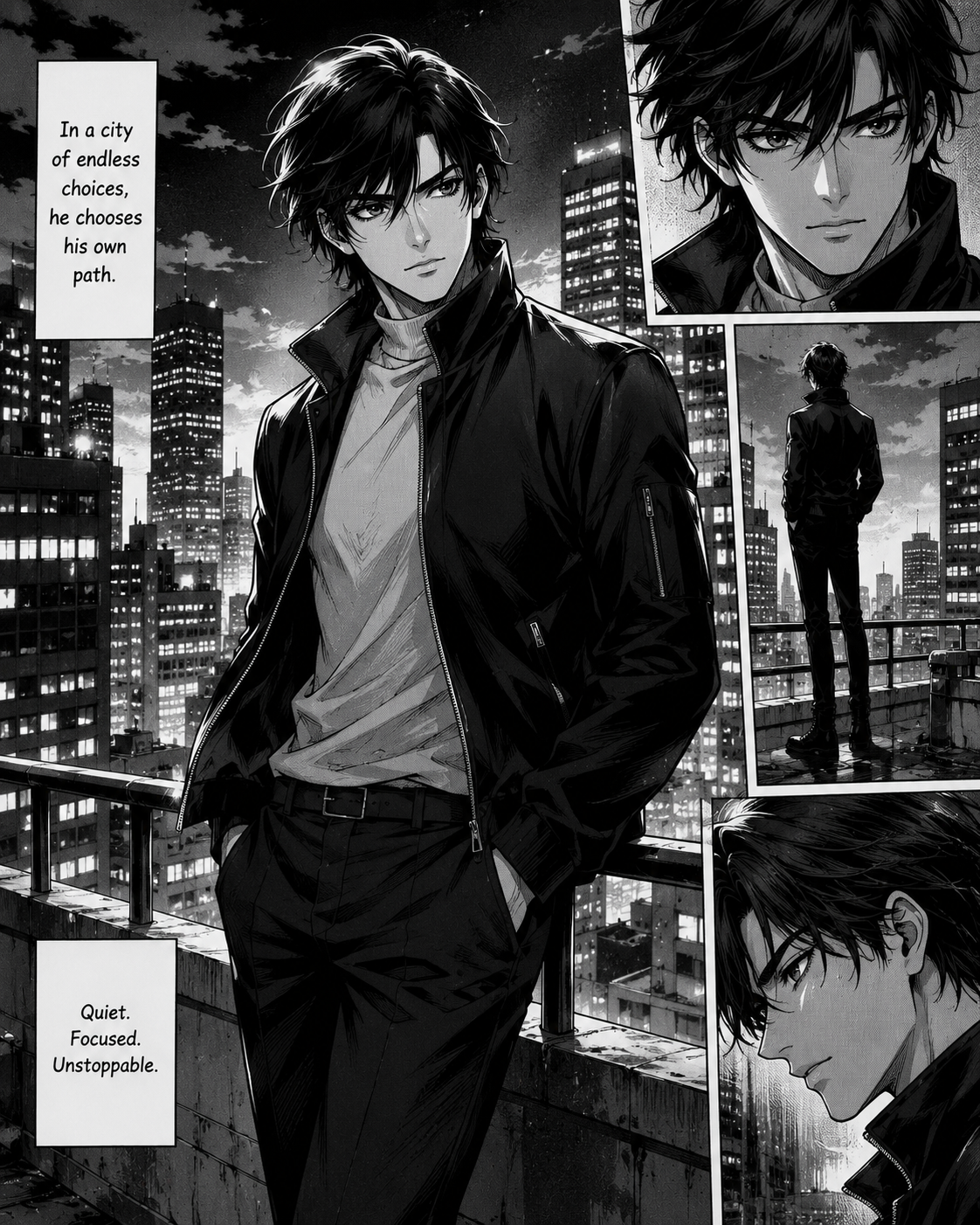
Best For: Manga fans, profile pictures, creative storytelling
Copy & Paste Prompt
Transform the uploaded portrait into a detailed manga illustration featuring expressive monochrome line art, dynamic screen tones, dramatic shading, cinematic composition, detailed hair rendering, and authentic manga storytelling aesthetics. Preserve the subject’s facial identity, hairstyle, expression, and body proportions while creating a professionally illustrated manga character.
What It Creates
Creates a black-and-white manga illustration with dramatic shading and authentic Japanese comic styling.
Customization Tips
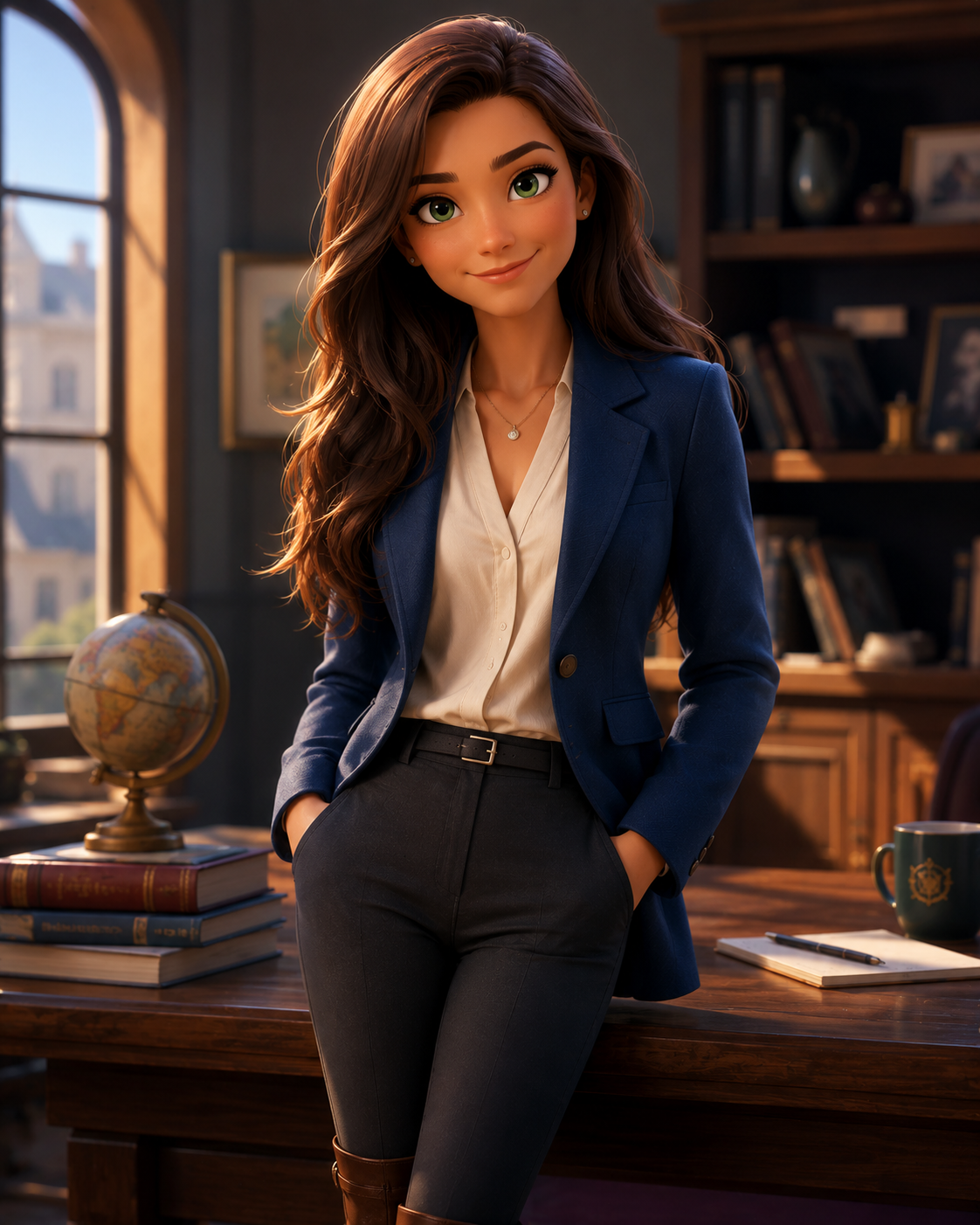
Best For: Entertainment, creative portfolios, digital storytelling, concept art
Copy & Paste Prompt
Recreate the uploaded portrait as a premium CGI animated movie character with realistic skin shaders, expressive facial animation, cinematic global illumination, detailed hair simulation, physically based rendering, soft depth of field, and feature-film-quality animation. Preserve the subject’s facial identity, hairstyle, clothing, expression, and body proportions while creating a believable big-screen animated character.
What It Creates
Generates a cinematic CGI character with advanced lighting, detailed textures, and professional animated film quality while keeping the subject easily recognizable.
Customization Tips
Fantasy, material, and texture prompts transform portraits into imaginative artworks inspired by real-world materials and creative craftsmanship. From crystal glass sculptures and marble statues to origami, stained glass, porcelain, wood carvings, and metallic effects, these prompts create visually distinctive AI-generated artwork while maintaining recognizable facial identity and realistic proportions.
Best For: Luxury artwork, premium posters, digital collectibles, artistic portraits
Copy & Paste Prompt
Transform the uploaded portrait into a breathtaking crystal glass sculpture with flawless transparent surfaces, realistic light refraction, intricate internal reflections, polished beveled edges, subtle caustic lighting, and premium studio illumination. The sculpture should appear hand-carved from a single block of crystal while preserving the subject’s facial identity, hairstyle, expression, body proportions, and recognizable silhouette. Place the artwork in a minimalist gallery with cinematic lighting and photorealistic rendering.
What It Creates
Creates an elegant crystal sculpture that captures the transparency, reflections, and optical properties of real crystal while maintaining the original person’s recognizable appearance.
Customization Tips
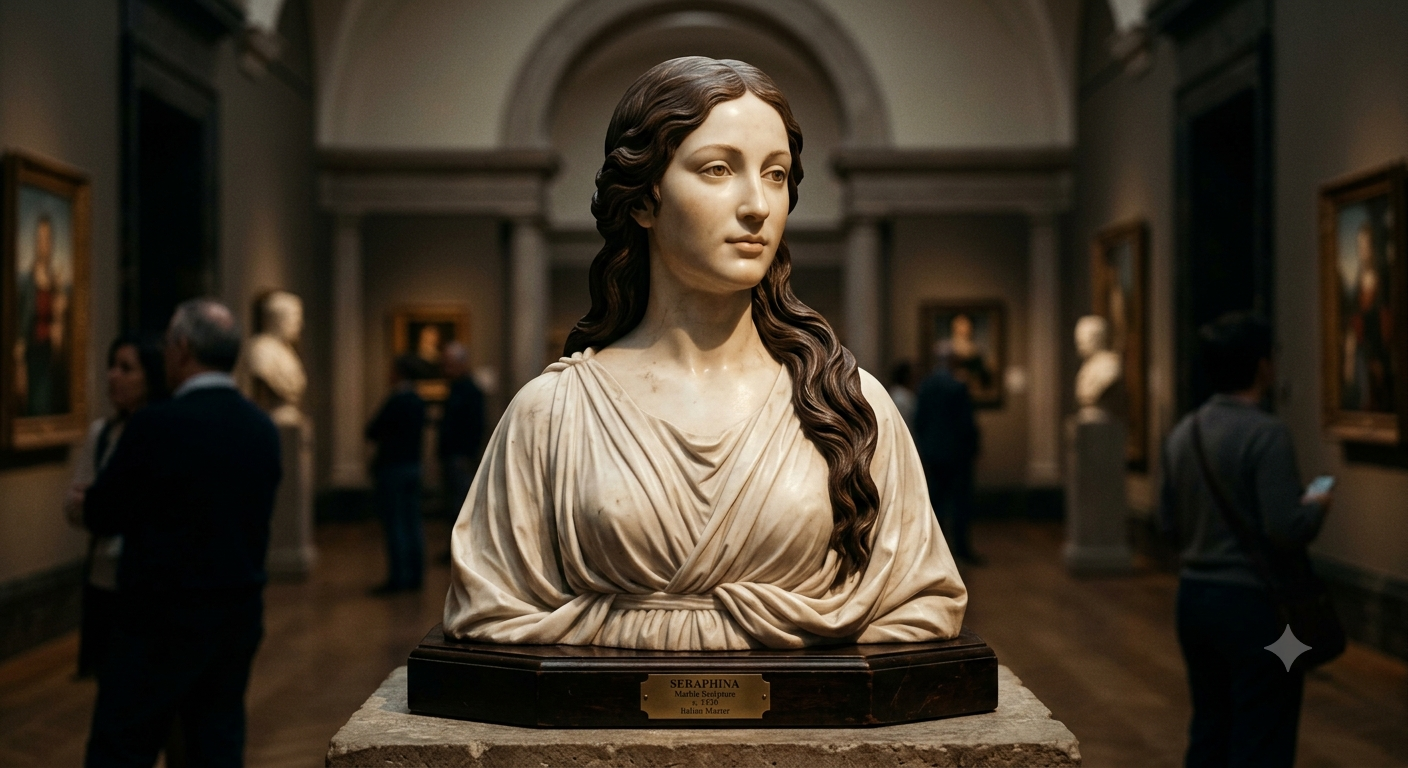
Best For: Classical artwork, museum concepts, luxury branding, fine art
Copy & Paste Prompt
Recreate the uploaded portrait as a timeless white marble sculpture inspired by classical Renaissance craftsmanship. Apply realistic marble textures, subtle mineral veins, soft stone imperfections, sculpted facial details, and elegant museum lighting. Preserve the subject’s identity, hairstyle, expression, proportions, and posture while creating an authentic hand-carved masterpiece displayed in a premium gallery environment.
What It Creates
Produces a realistic marble sculpture with refined stone textures and museum-quality presentation.
Customization Tips
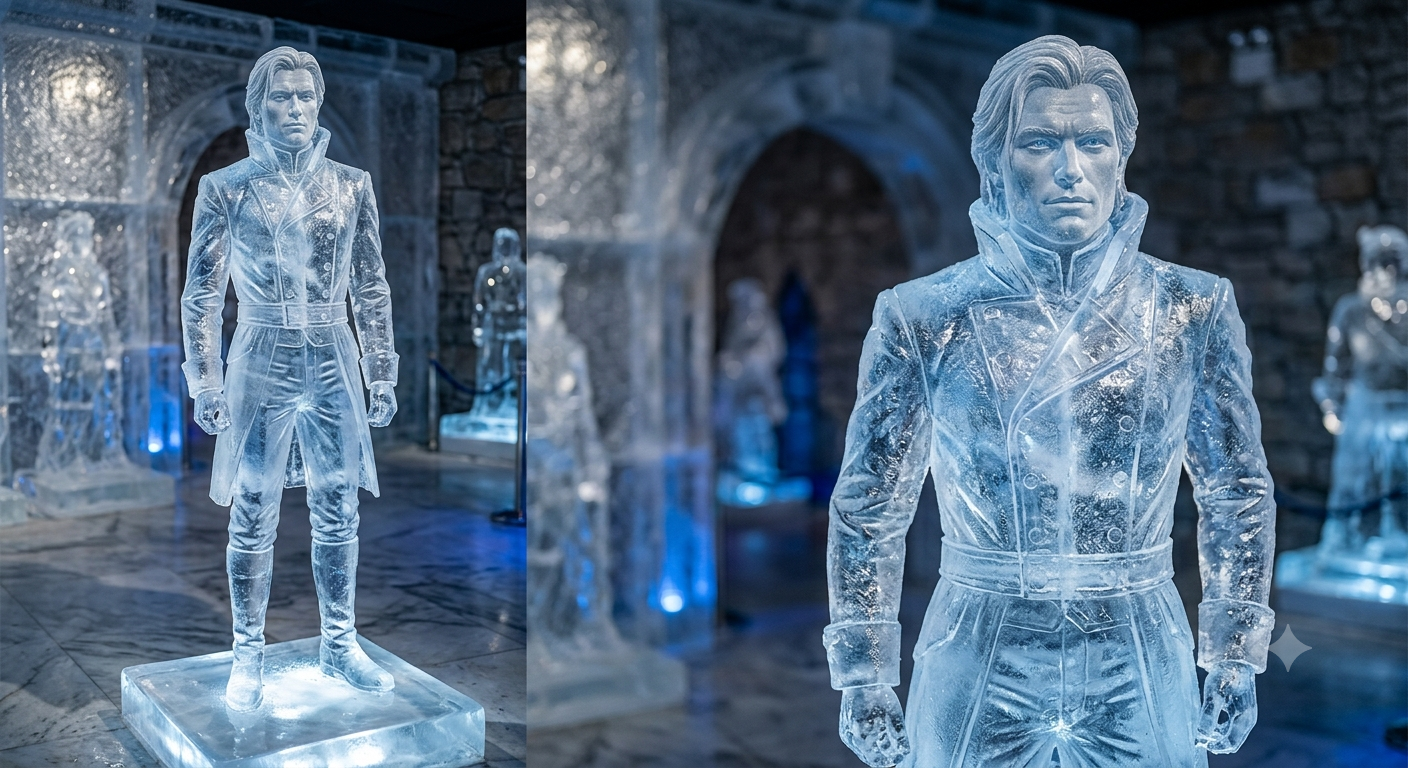
Best For: Winter artwork, seasonal campaigns, fantasy concepts
Copy & Paste Prompt
Transform the uploaded portrait into a magnificent frozen ice sculpture carved from crystal-clear blue ice. Include realistic frost patterns, trapped air bubbles, frozen textures, sparkling reflections, melting droplets, and cool cinematic lighting. Preserve the facial identity, hairstyle, expression, and body proportions while creating an authentic frozen masterpiece displayed inside an elegant ice gallery.
What It Creates
Generates a photorealistic ice sculpture with translucent textures and believable frozen details.
Customization Tips
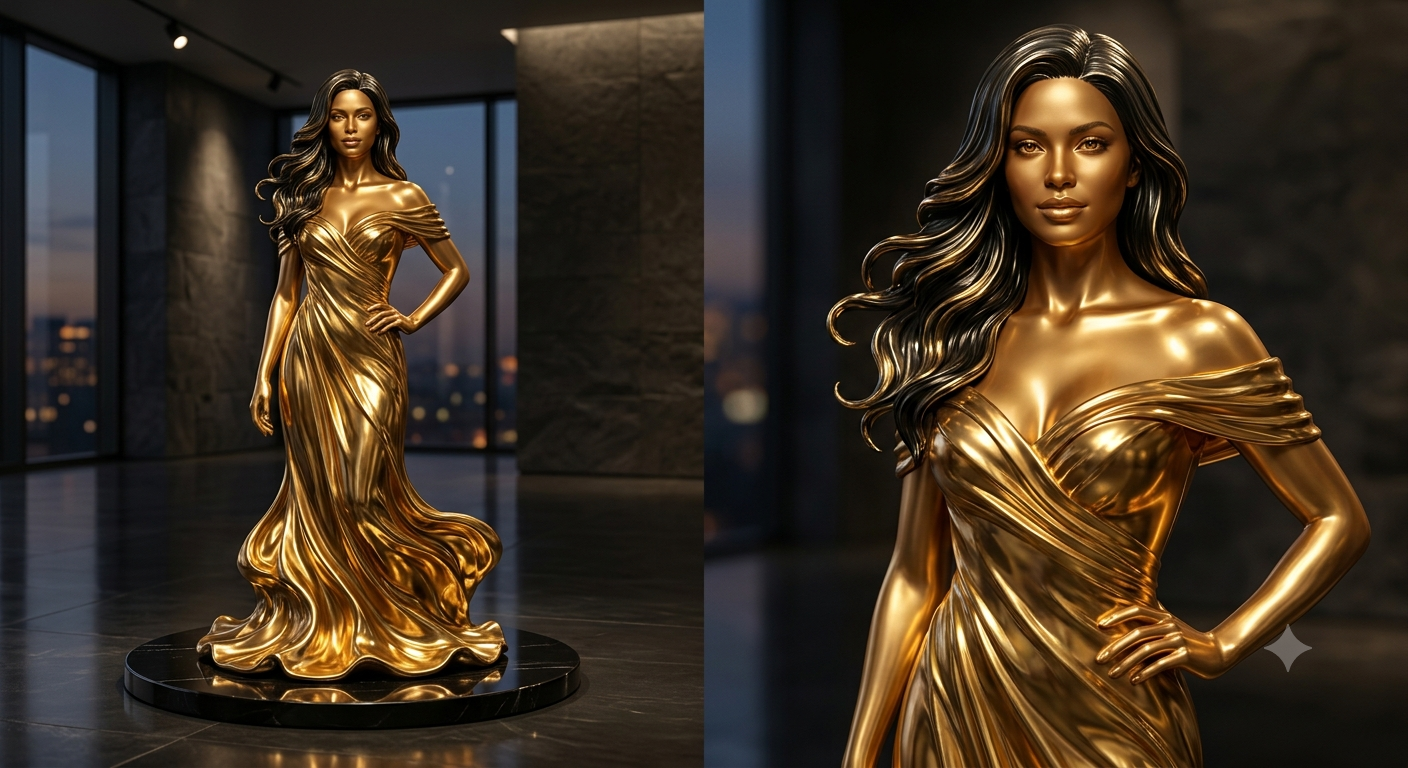
Best For: Premium branding, luxury campaigns, artistic visuals
Copy & Paste Prompt
Transform the uploaded portrait into a luxurious liquid gold sculpture with highly reflective metallic surfaces, realistic molten textures, polished highlights, rich golden reflections, and premium studio lighting. Preserve the subject’s recognizable identity, facial features, hairstyle, expression, and body proportions while creating an elegant masterpiece that appears cast from flowing liquid gold.
What It Creates
Produces a striking metallic artwork with realistic reflective surfaces and luxury-inspired aesthetics.
Customization Tips
Best For: Traditional artwork, craftsmanship, home décor concepts
Copy & Paste Prompt
Recreate the uploaded portrait as an intricately hand-carved wooden sculpture crafted from polished walnut. Showcase realistic wood grain, natural carving marks, layered textures, satin wood finish, and handcrafted detailing while preserving facial identity, expression, hairstyle, body proportions, and recognizable features. Display the sculpture in a warm artisan workshop with soft natural lighting.
What It Creates
Creates a handcrafted wooden sculpture that highlights realistic carving techniques and organic wood textures.
Customization Tips
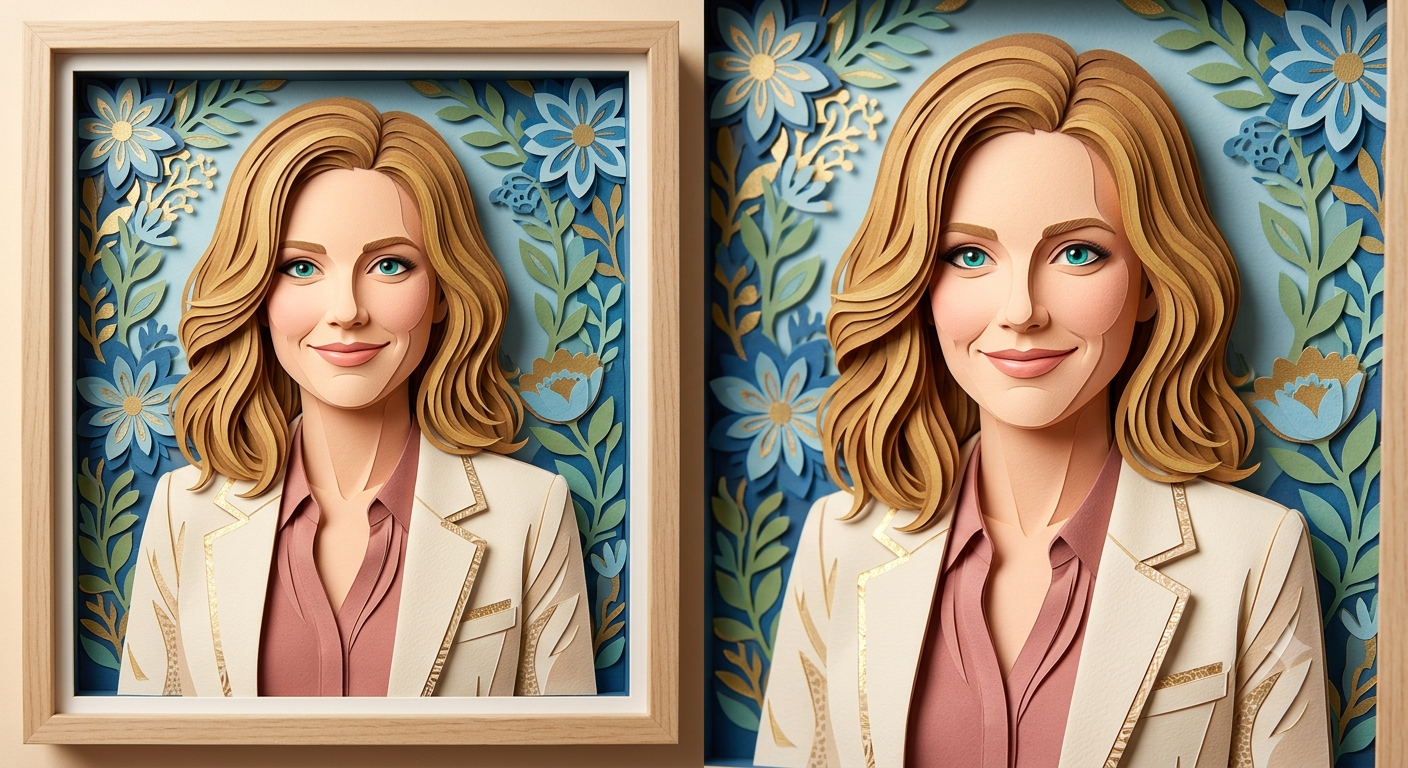
Best For: Creative illustrations, greeting cards, editorial artwork
Copy & Paste Prompt
Transform the uploaded portrait into an intricate layered paper cut artwork composed of stacked handcrafted paper layers with realistic shadows, crisp cut edges, textured cardstock, vibrant color transitions, and dimensional depth. Preserve the subject’s identity, hairstyle, expression, and proportions while creating an elegant handcrafted paper illustration with premium studio lighting.
What It Creates
Produces a three-dimensional paper artwork with layered depth and handcrafted precision.
Customization Tips
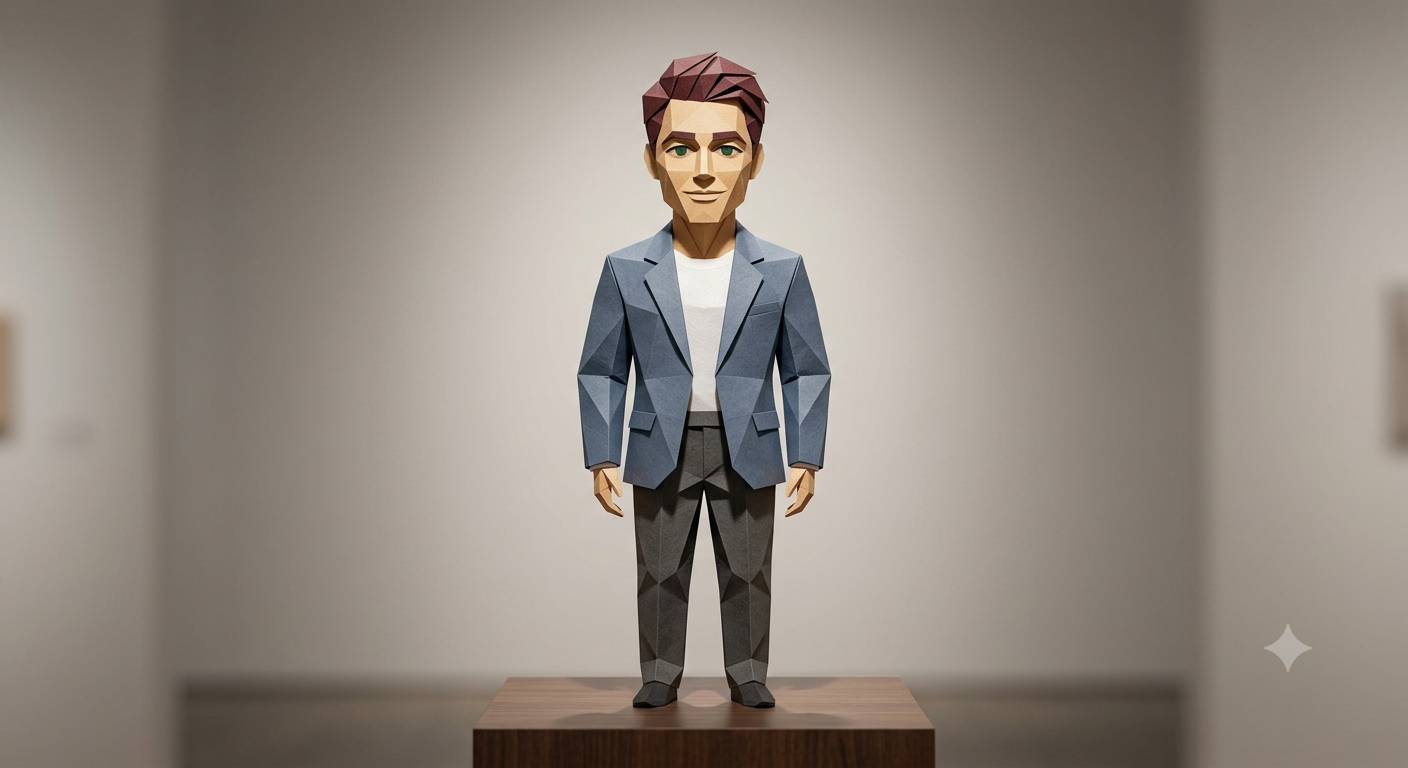
Best For: Modern art, educational graphics, minimalist designs
Copy & Paste Prompt
Transform the uploaded portrait into a precision-folded origami sculpture crafted from a single sheet of premium paper. Create crisp geometric folds, clean polygonal surfaces, subtle paper texture, realistic shadows, and balanced studio lighting while preserving the subject’s facial identity, hairstyle, expression, and overall proportions. Present the finished artwork on a minimalist display with elegant composition.
What It Creates
Generates a sophisticated origami interpretation featuring sharp folds and realistic paper craftsmanship.
Customization Tips
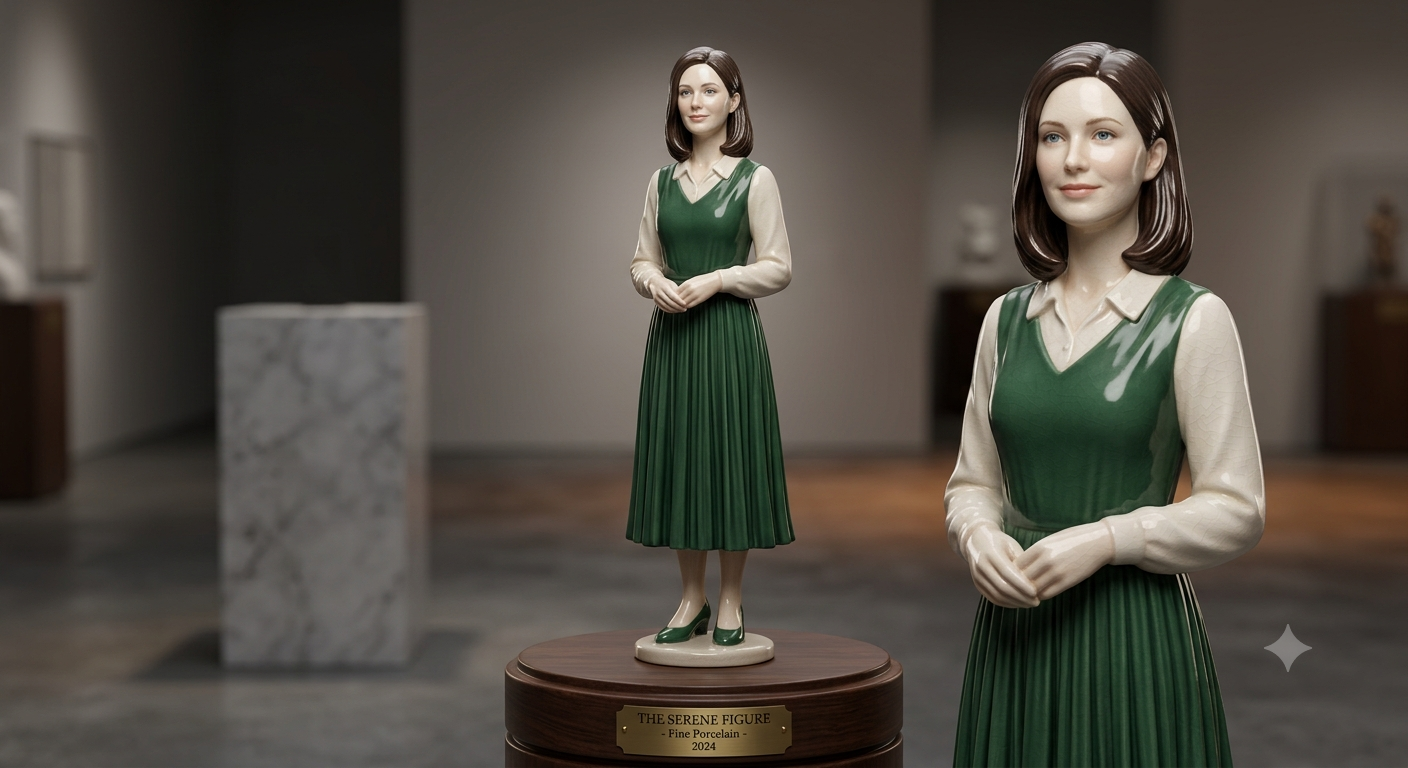
Best For: Decorative art, collectible concepts, luxury crafts
Copy & Paste Prompt
Convert the uploaded portrait into an elegant porcelain ceramic figurine with smooth glazed surfaces, subtle crackle glaze patterns, realistic ceramic reflections, handcrafted sculptural details, and premium studio lighting. Preserve the facial identity, hairstyle, expression, clothing details, and proportions while creating a collectible ceramic artwork displayed on a refined pedestal.
What It Creates
Creates a premium porcelain sculpture with glossy finishes and handcrafted ceramic realism.
Customization Tips
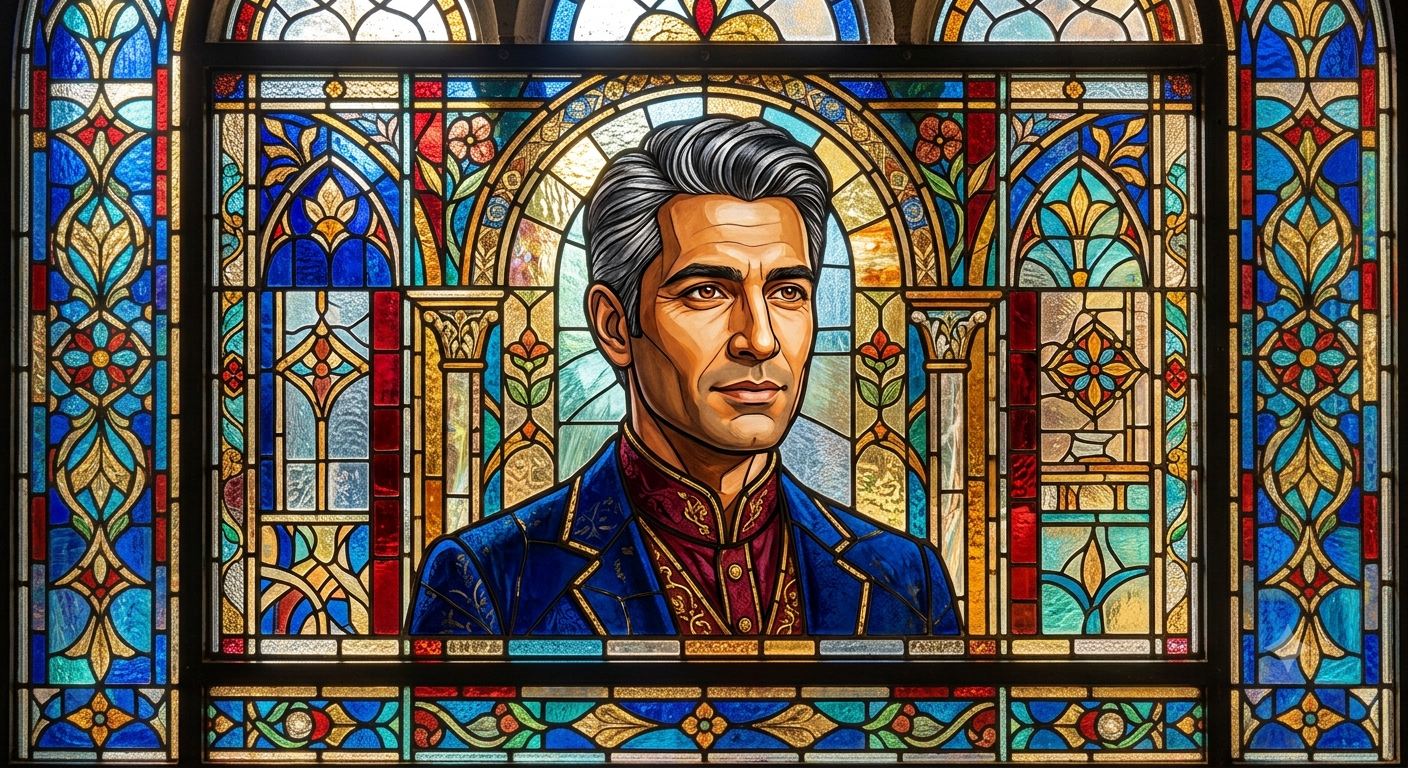
Best For: Church-inspired art, decorative panels, artistic displays
Copy & Paste Prompt
Transform the uploaded portrait into a magnificent stained glass mosaic composed of individually crafted colored glass pieces joined by realistic lead lines. Illuminate the artwork with natural sunlight passing through the glass to create vibrant colored reflections while preserving the subject’s facial identity, hairstyle, expression, and proportions. Produce an authentic handcrafted stained glass masterpiece with cathedral-quality detail.
What It Creates
Produces a realistic stained glass portrait with colorful illumination and handcrafted mosaic craftsmanship.
Customization Tips
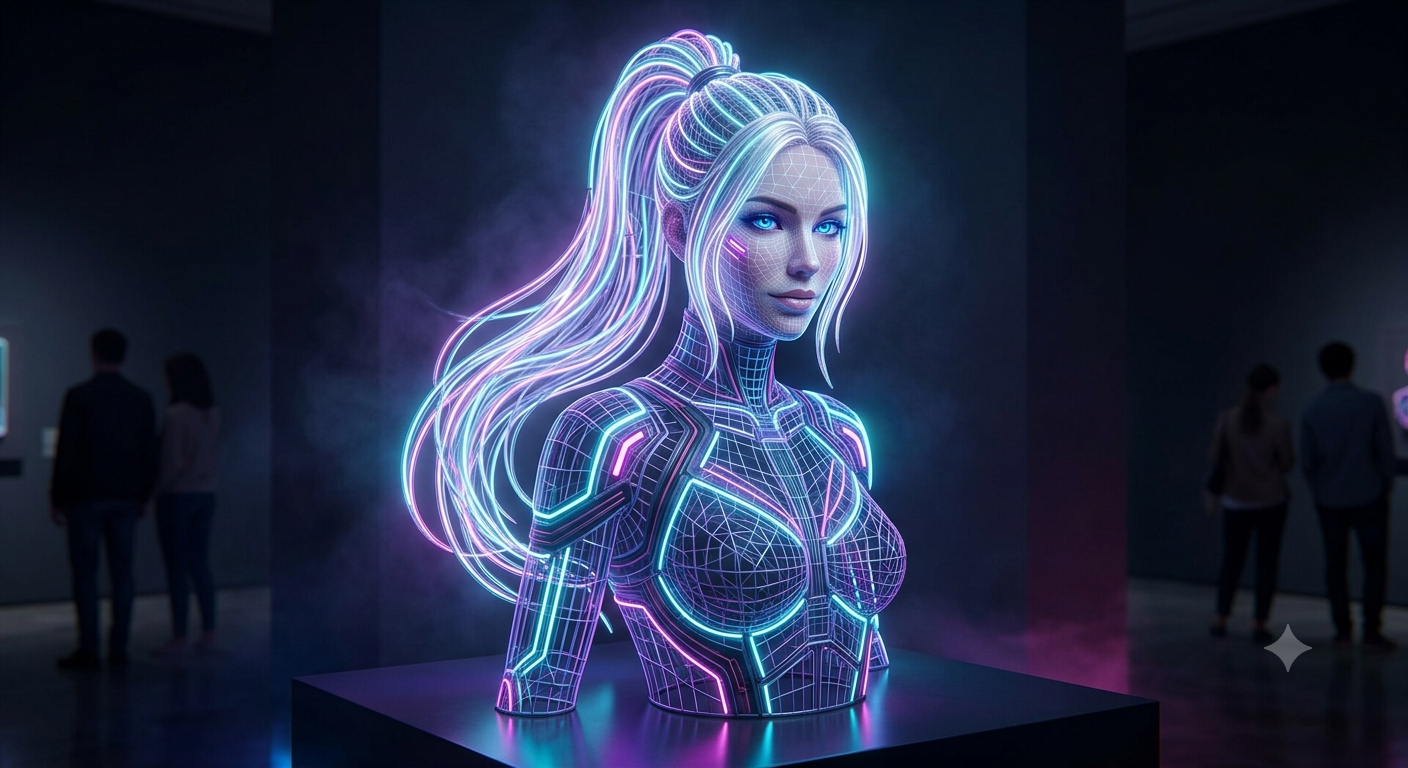
Best For: Technology branding, futuristic artwork, event promotions, digital campaigns
Copy & Paste Prompt
Transform the uploaded portrait into a futuristic glowing neon wireframe sculpture composed of illuminated light tubes, geometric contours, and interconnected luminous lines. Apply realistic volumetric lighting, vibrant neon reflections, subtle atmospheric haze, premium cinematic rendering, and a dark studio environment. Preserve the subject’s facial identity, hairstyle, expression, body proportions, and recognizable facial geometry while maintaining an elegant cyber-inspired aesthetic.
What It Creates
Creates a futuristic neon wireframe portrait that combines geometric structure with glowing light effects, resulting in a modern digital artwork suitable for technology branding, creative campaigns, and futuristic visual storytelling.
Customization Tips
Lighting, seasonal, and creative prompts enhance images with cinematic lighting, atmospheric environments, and imaginative visual effects. Whether you want neon portraits, golden hour photography, winter landscapes, tropical scenes, double exposure artwork, or surreal fantasy compositions, these prompts help create immersive, professional-quality AI images with realistic lighting and mood.
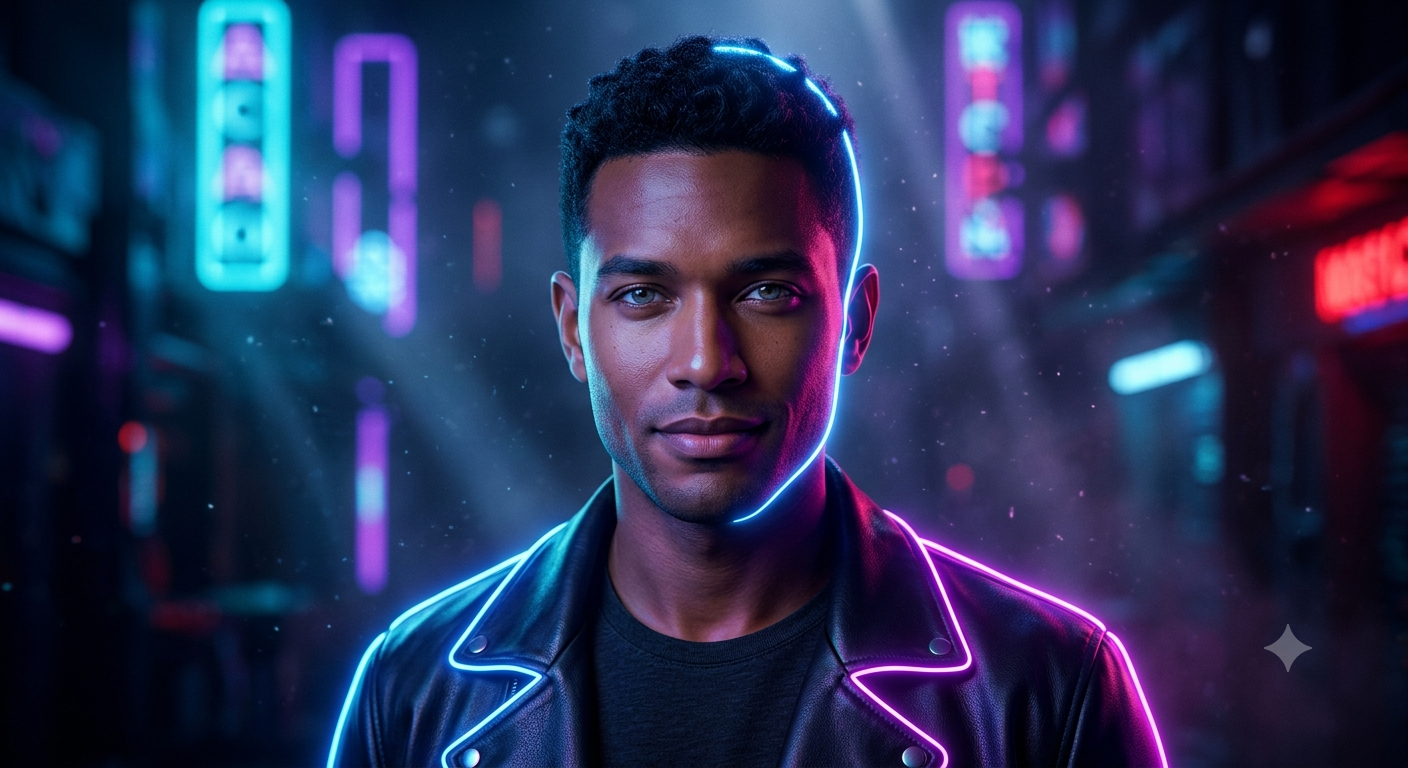
Best For: Social media, gaming profiles, technology branding, creative campaigns
Copy & Paste Prompt
Transform the uploaded portrait into a vibrant neon glow artwork illuminated by electric blue, magenta, and purple neon lighting. Outline the subject with glowing neon tubes, realistic colored reflections, cinematic atmospheric haze, subtle volumetric lighting, and premium studio rendering. Preserve the subject’s facial identity, hairstyle, expression, body proportions, and natural skin texture while creating a futuristic cyber-inspired portrait.
What It Creates
Creates a visually striking portrait with glowing neon outlines and realistic colored lighting, perfect for futuristic and technology-inspired visuals.
Customization Tips
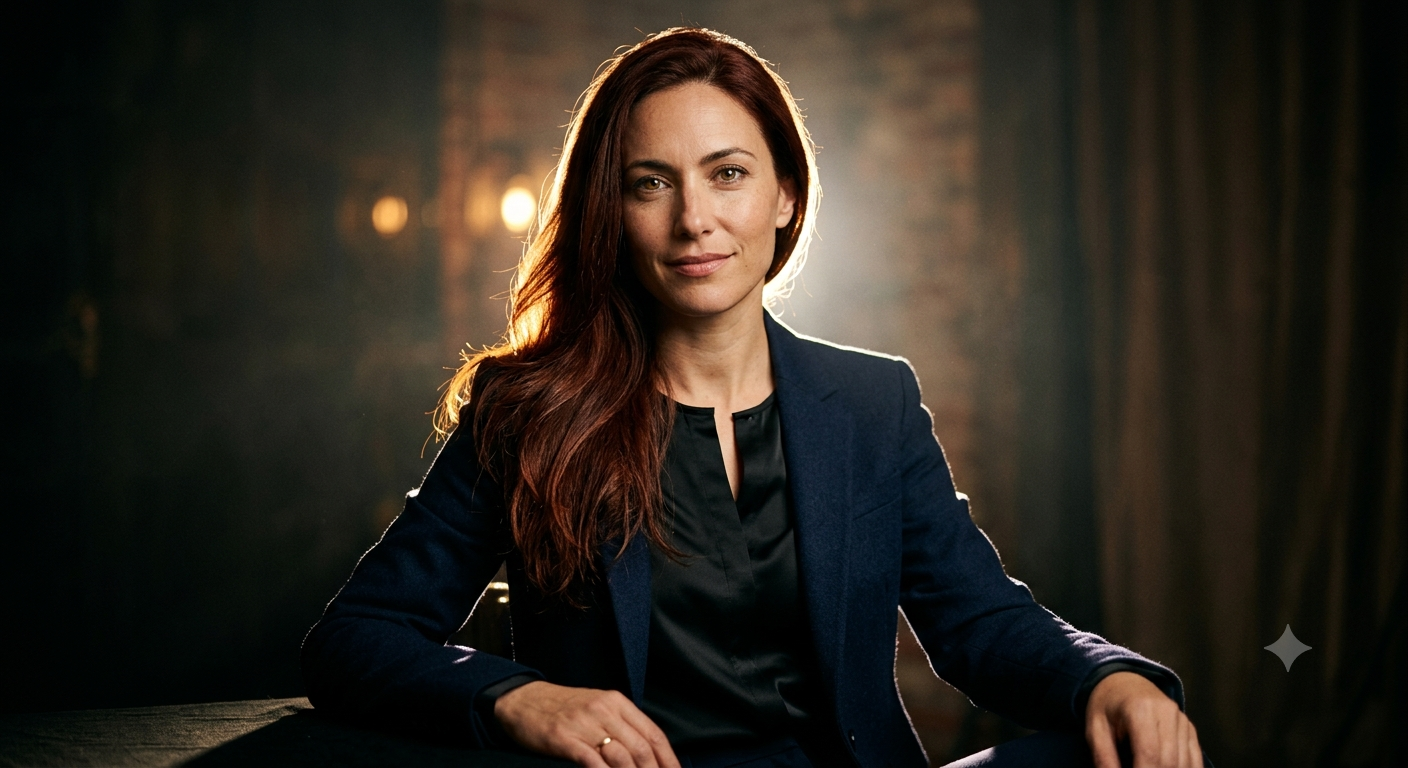
Best For: Editorial portraits, fine art photography, creative branding
Copy & Paste Prompt
Apply dramatic rim lighting to the uploaded portrait using a bright backlight that outlines the subject’s silhouette while keeping the front softly shadowed. Create realistic light spill, cinematic contrast, atmospheric depth, and premium studio lighting while preserving facial identity, expression, hairstyle, clothing, and body proportions.
What It Creates
Produces a dramatic portrait that emphasizes shape and depth through controlled edge lighting.
Customization Tips
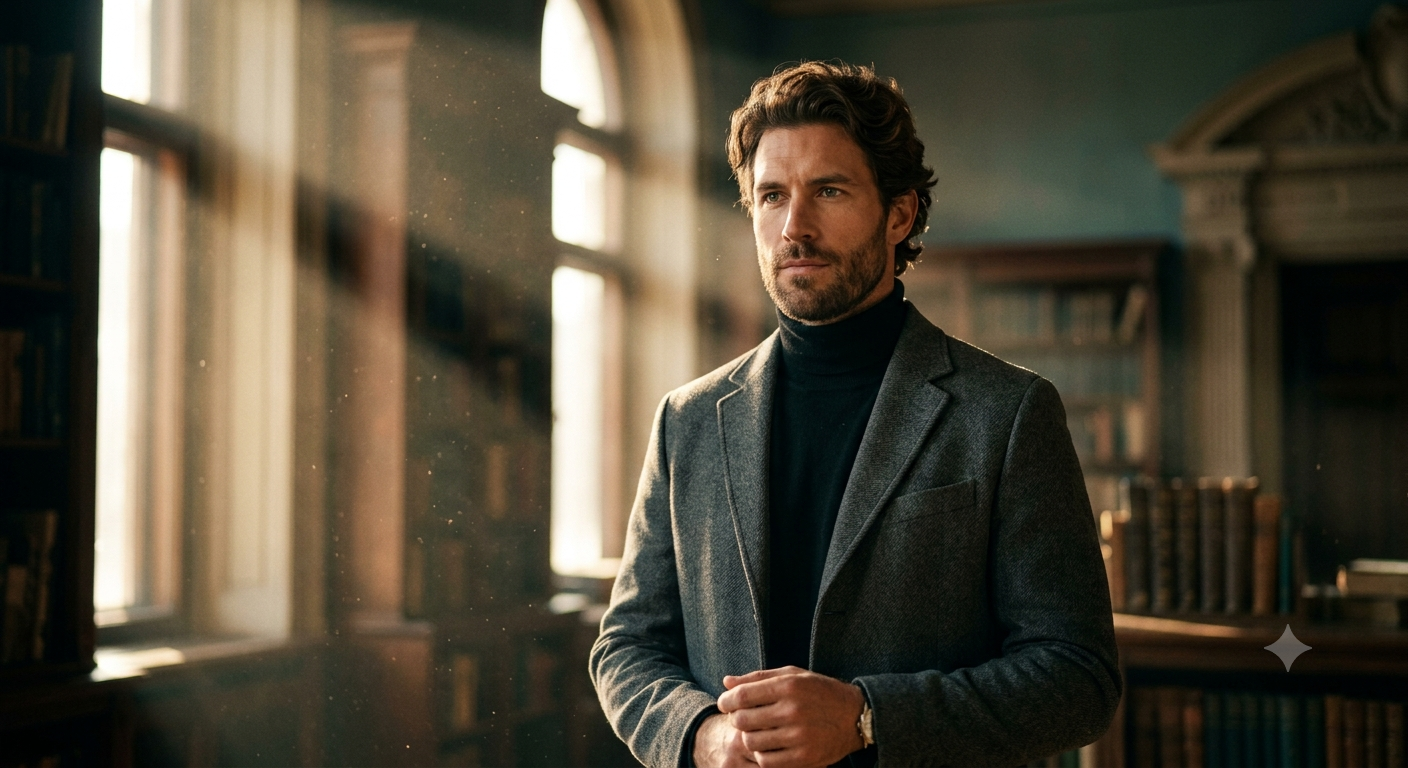
Best For: Movie posters, fantasy artwork, dramatic portraits
Copy & Paste Prompt
Transform the uploaded image with cinematic volumetric lighting featuring visible light beams passing through atmospheric haze, realistic dust particles, directional sunlight, soft shadows, and premium color grading. Preserve the subject’s identity, facial features, pose, and composition while creating an immersive cinematic atmosphere.
What It Creates
Generates realistic “God rays” and cinematic lighting that adds depth and visual drama.
Customization Tips
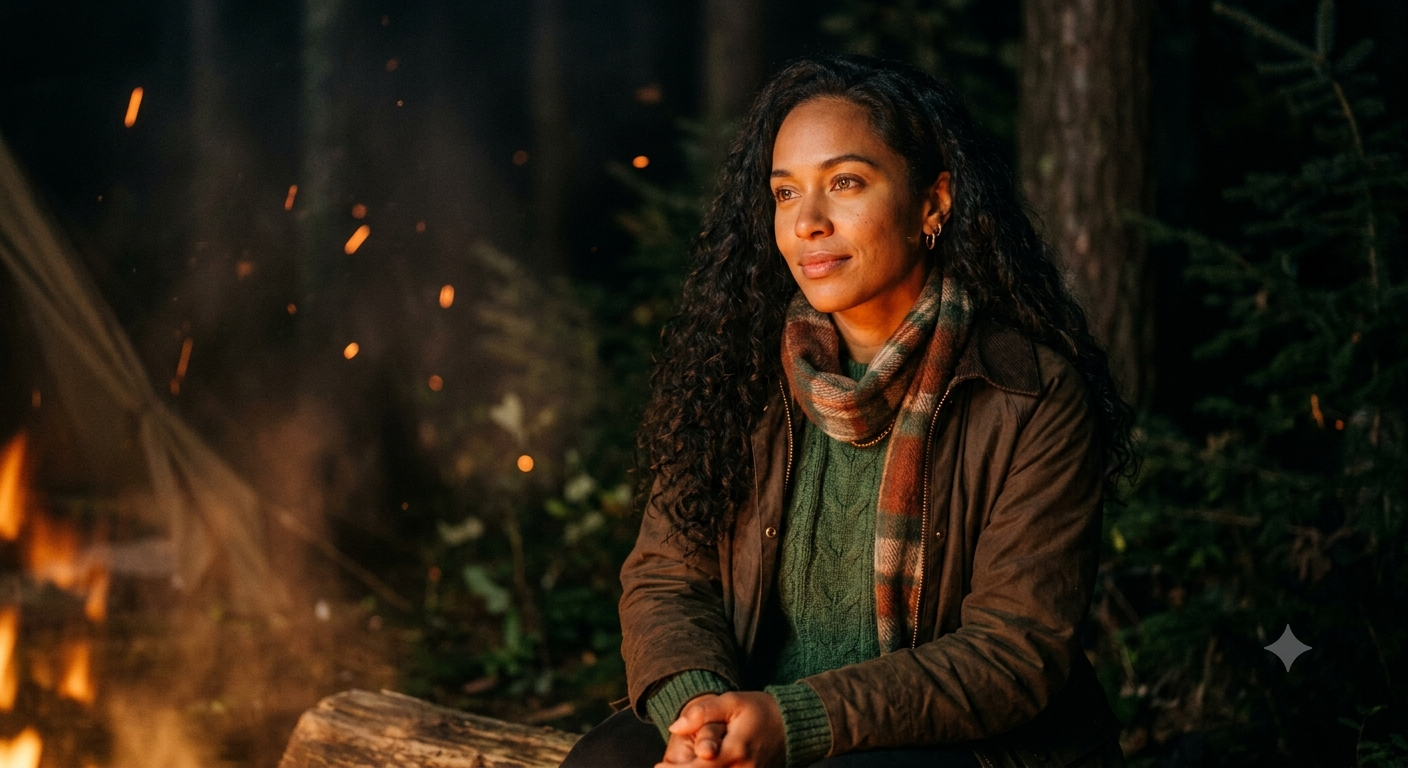
Best For: Outdoor photography, storytelling, adventure portraits
Copy & Paste Prompt
Recreate the uploaded portrait as if illuminated by a nearby campfire. Cast realistic warm orange and amber firelight across the subject’s face, create soft flickering shadows, subtle smoke particles, glowing embers, and natural nighttime surroundings while preserving facial identity, expression, hairstyle, and body proportions.
What It Creates
Creates a cozy nighttime portrait with believable firelight and cinematic outdoor ambiance.
Customization Tips
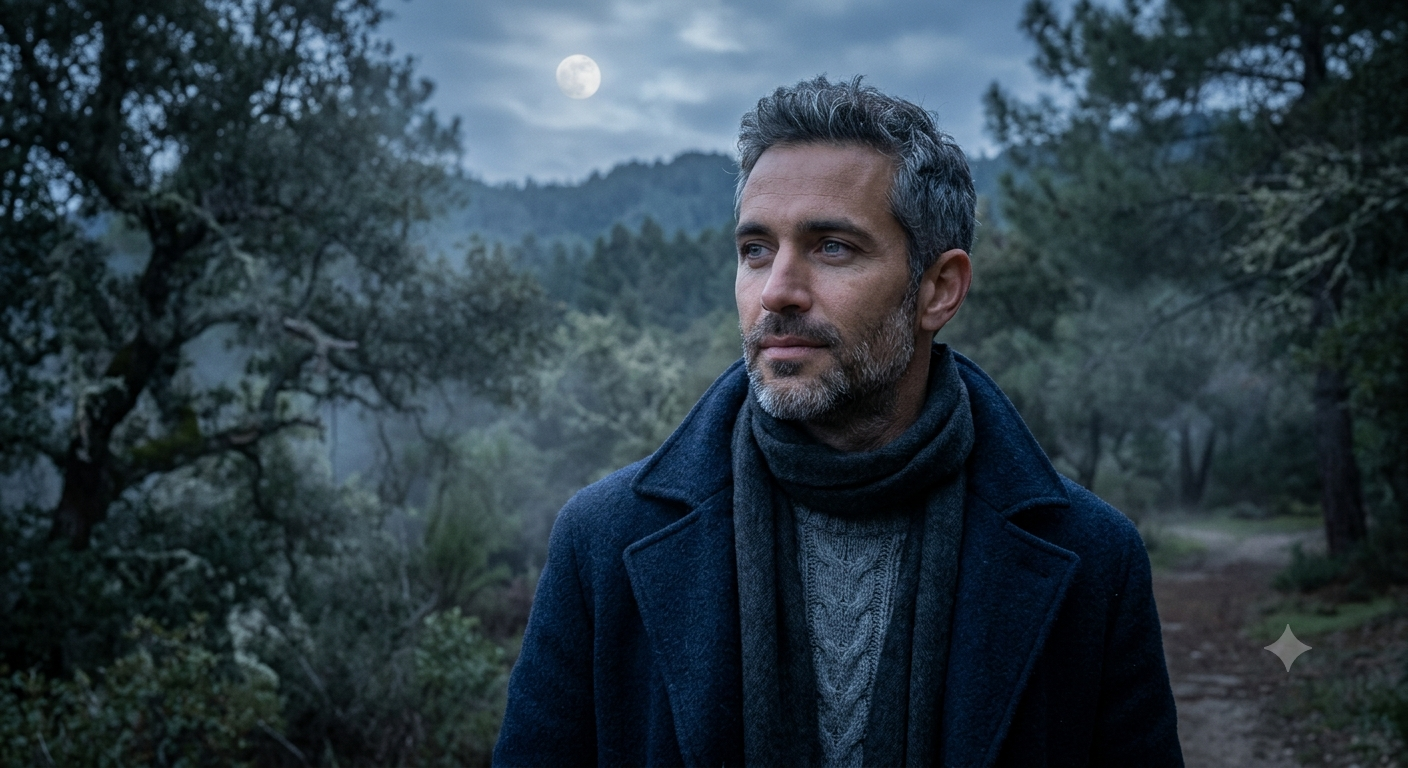
Best For: Fantasy scenes, artistic portraits, nighttime photography
Copy & Paste Prompt
Transform the uploaded portrait into a peaceful moonlit night scene using cool blue tones, realistic moonlight illumination, soft silver highlights, subtle mist, atmospheric shadows, and detailed nighttime surroundings. Preserve the subject’s identity, hairstyle, expression, and proportions while creating a tranquil cinematic portrait.
What It Creates
Produces a calm nighttime portrait illuminated by realistic moonlight with natural cool tones.
Customization Tips
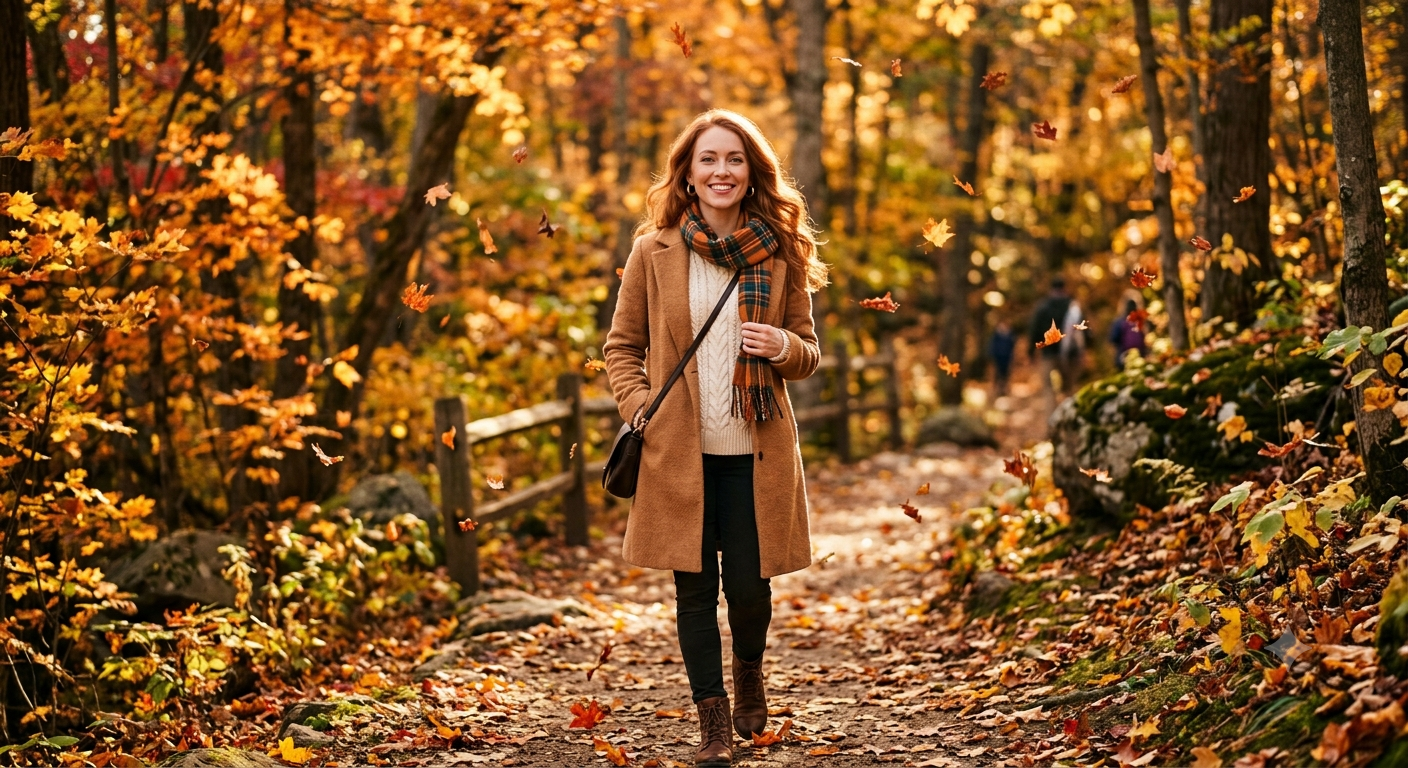
Best For: Seasonal campaigns, family portraits, travel photography
Copy & Paste Prompt
Place the uploaded subject in a vibrant autumn forest filled with golden, orange, and crimson foliage. Add realistic falling leaves, warm afternoon sunlight, soft natural shadows, detailed woodland textures, and cinematic color grading while preserving facial identity, expression, hairstyle, clothing, and body proportions.
What It Creates
Creates a warm seasonal portrait surrounded by colorful autumn scenery and natural outdoor lighting.
Customization Tips
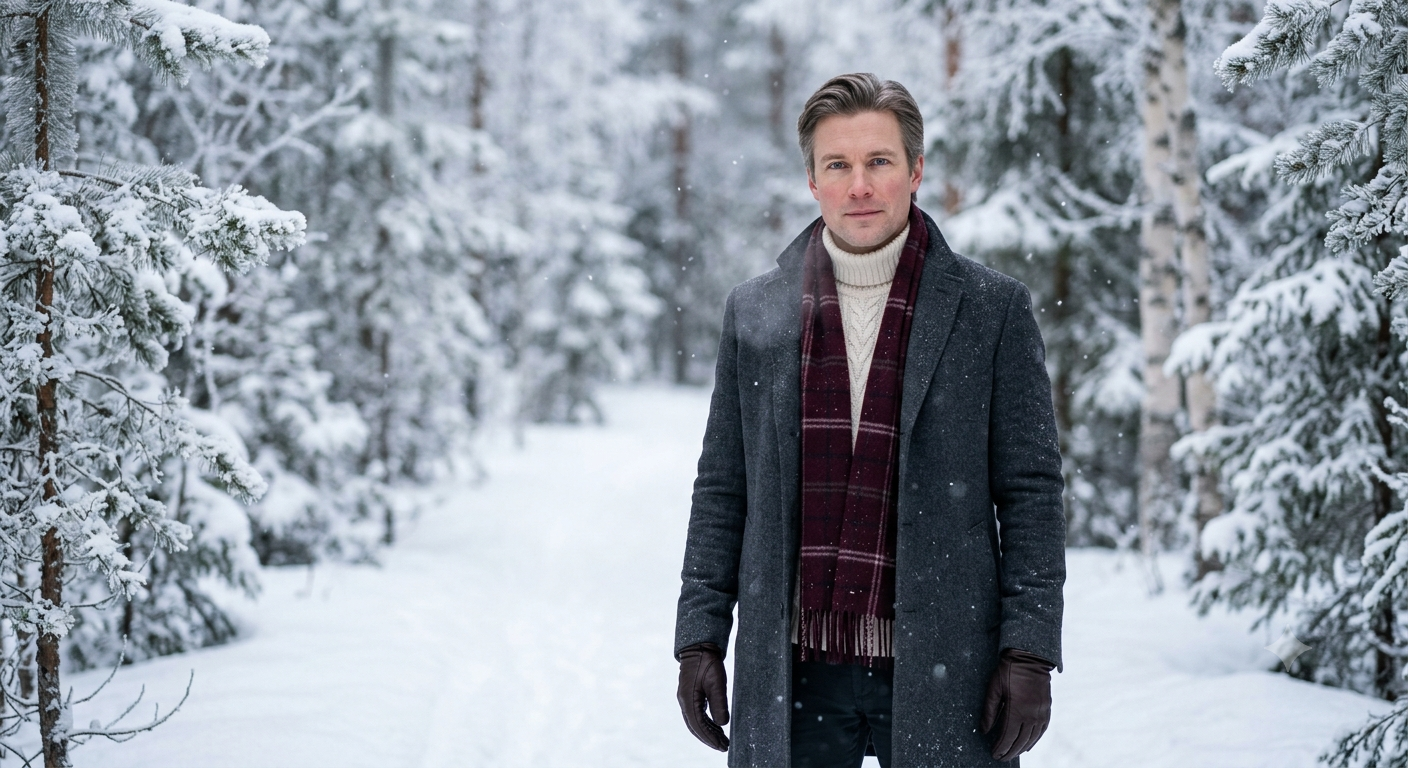
Best For: Holiday campaigns, Christmas portraits, greeting cards
Copy & Paste Prompt
Transform the uploaded portrait into a snowy winter wonderland featuring fresh snowfall, frost-covered trees, soft overcast lighting, realistic snow textures, cozy winter clothing enhancements, and subtle cold-weather atmosphere. Preserve the subject’s identity, hairstyle, facial expression, and body proportions while creating a peaceful winter landscape.
What It Creates
Generates a realistic winter portrait with fresh snow and festive seasonal atmosphere.
Customization Tips
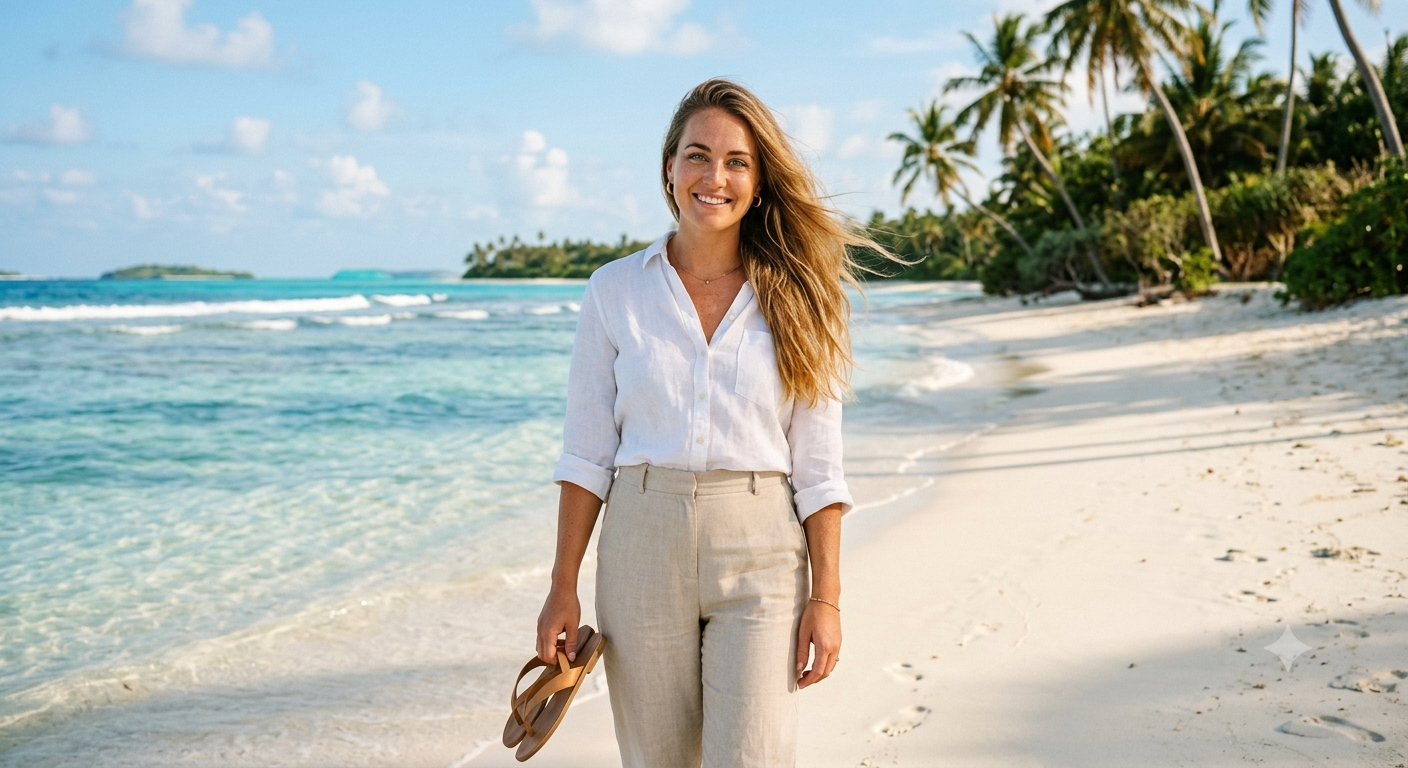
Best For: Travel content, vacation campaigns, lifestyle photography
Copy & Paste Prompt
Replace the background with a tropical beach featuring turquoise water, white sand, swaying palm trees, bright sunshine, realistic ocean reflections, vibrant blue skies, and natural summer lighting. Preserve the subject’s facial identity, hairstyle, expression, clothing, and proportions while matching the environment’s lighting naturally.
What It Creates
Produces a vibrant tropical vacation portrait with realistic beach lighting and scenery.
Customization Tips
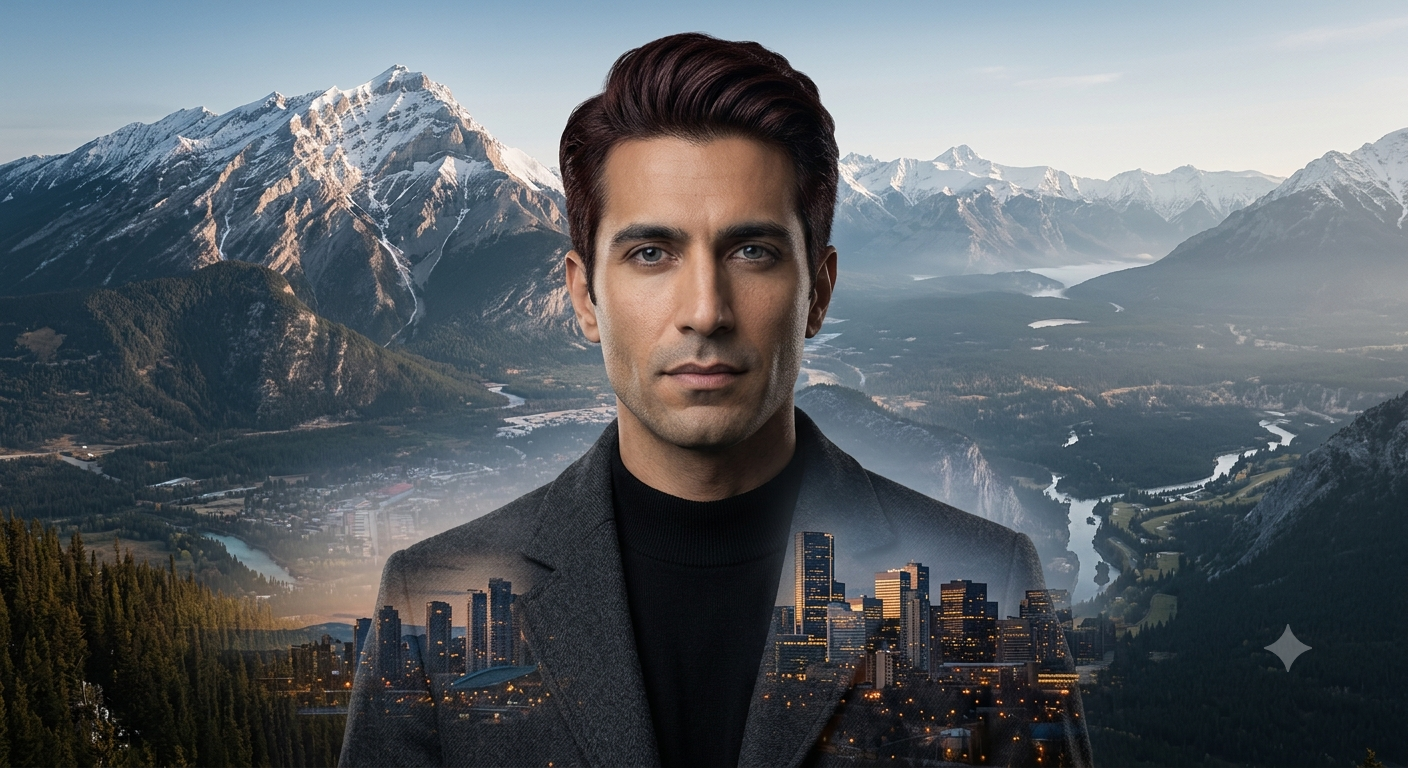
Best For: Creative portfolios, artistic posters, album covers
Copy & Paste Prompt
Create a professional double exposure effect by blending the uploaded portrait with a dramatic landscape such as mountains, forests, city skylines, or ocean waves. Use smooth transparency transitions, cinematic lighting, balanced composition, and realistic blending while preserving the subject’s recognizable facial identity, expression, and overall proportions.
What It Creates
Produces a sophisticated artistic composition that combines portrait photography with environmental storytelling.
Customization Tips
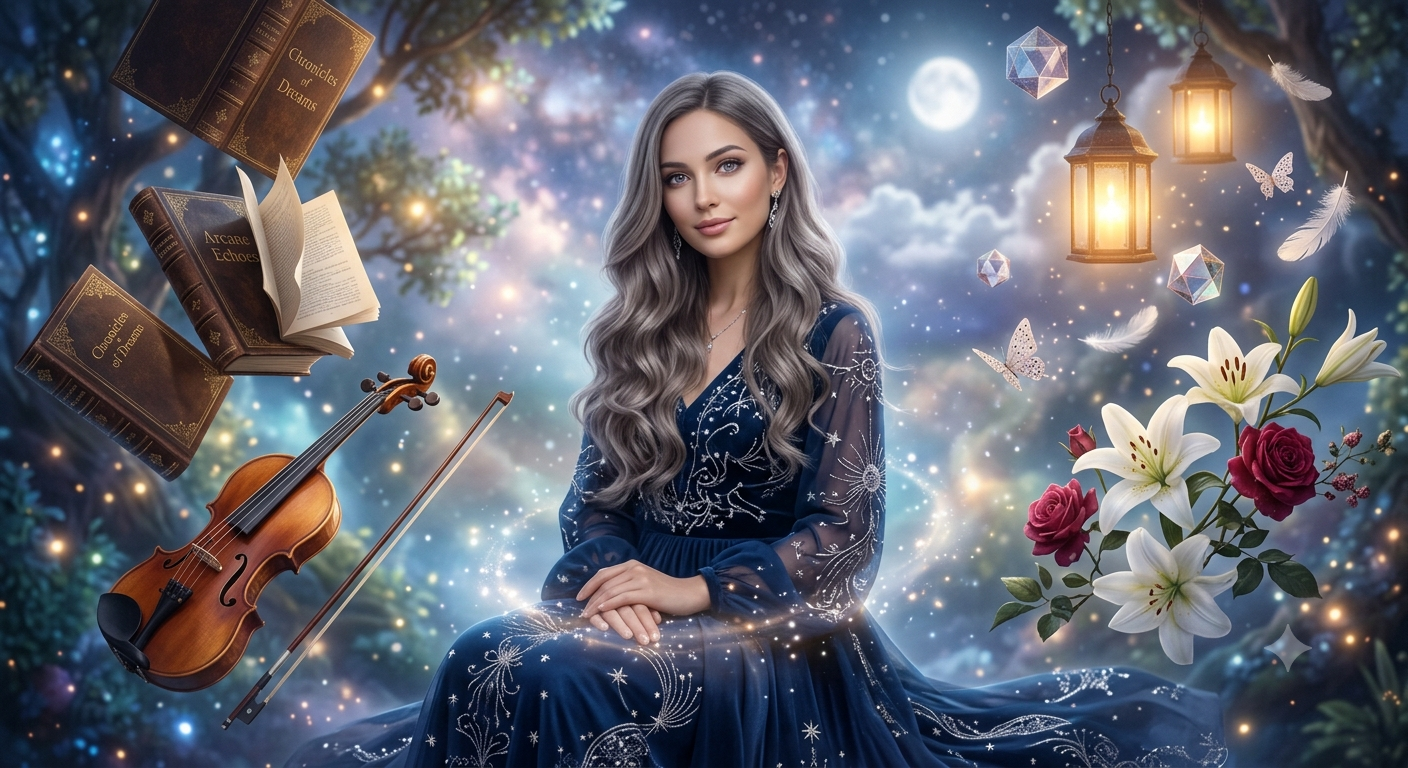
Best For: Concept art, book covers, creative campaigns
Copy & Paste Prompt
Transform the uploaded image into a surreal fantasy environment where everyday objects such as books, flowers, lanterns, musical instruments, or geometric shapes float naturally around the subject. Apply realistic gravity-defying composition, cinematic lighting, atmospheric depth, soft volumetric haze, and premium color grading while preserving facial identity, expression, hairstyle, and body proportions.
What It Creates
Creates a magical floating-object scene that blends realism with imaginative visual storytelling.
Customization Tips
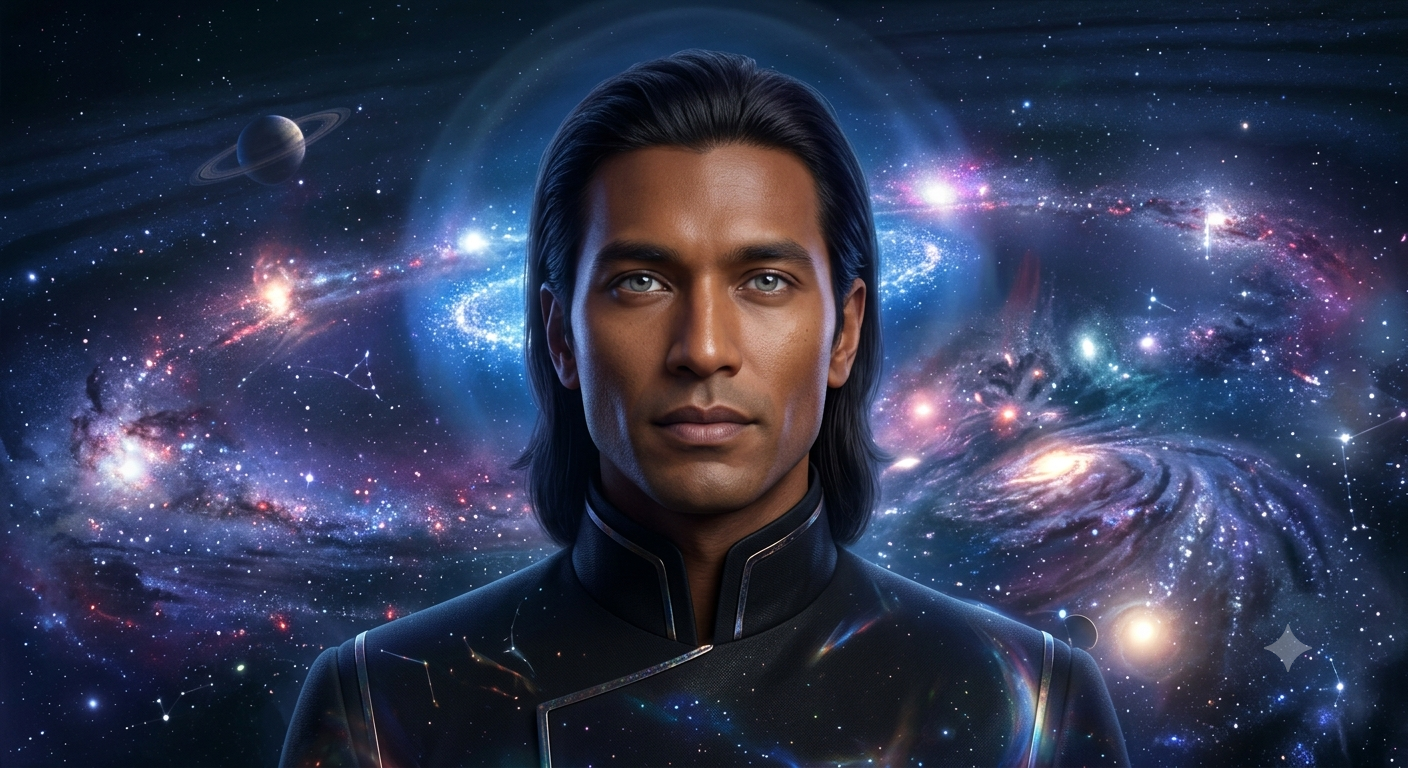
Best For: Sci-fi artwork, creative branding, digital wallpapers
Copy & Paste Prompt
Transform the uploaded portrait into an epic cosmic artwork surrounded by swirling galaxies, colorful nebulae, distant planets, glowing constellations, sparkling stardust, and cinematic deep-space lighting. Preserve the subject’s facial identity, hairstyle, expression, and body proportions while integrating the portrait naturally into the universe with realistic cosmic reflections and atmospheric depth.
What It Creates
Produces a visually immersive portrait surrounded by detailed astronomical elements and cinematic space environments.
Customization Tips
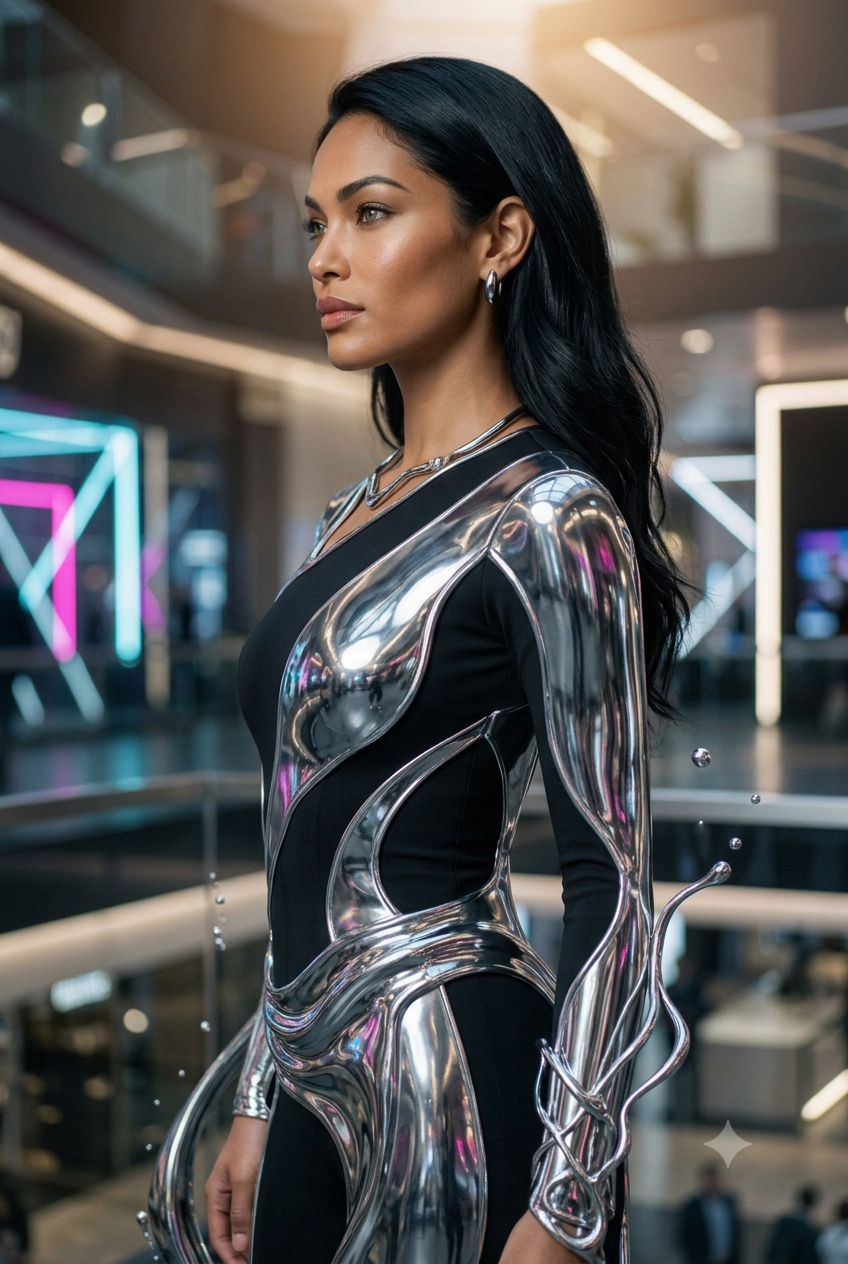
Best For: Technology branding, futuristic fashion, concept art
Copy & Paste Prompt
Transform selected clothing, accessories, or the entire subject into a flowing liquid chrome material with realistic metallic reflections, mirror-like surfaces, physically accurate highlights, smooth fluid transitions, and premium cinematic lighting. Preserve the subject’s facial identity, hairstyle, expression, body proportions, and recognizable appearance while creating a futuristic metallic aesthetic.
What It Creates
Generates a premium liquid-metal effect that combines futuristic design with photorealistic metallic rendering.
Customization Tips
Creating high-quality images with Google Gemini is about more than choosing the right prompt. The way you describe your subject, visual style, lighting, composition, and desired outcome has a significant impact on the final result. Small improvements in prompt structure can lead to noticeably better images while reducing unwanted edits and inconsistencies. The following best practices help you create more realistic, professional, and consistent AI-generated or AI-edited images.
Every successful prompt begins by identifying the primary subject. Whether you’re editing an uploaded portrait or generating an image from scratch, describe exactly what Gemini should focus on before introducing artistic styles or visual effects.
Instead of writing:
Create a beautiful image.
Write:
Create a professional portrait of a young entrepreneur standing in a modern office with natural daylight.
A clearly defined subject gives Gemini a strong foundation for interpreting the rest of the prompt.
Words like beautiful, amazing, professional, or high quality are subjective and often produce inconsistent results. Replace them with precise visual instructions.
For example, instead of asking Gemini to “make the photo look cinematic,” describe the characteristics that create a cinematic appearance, such as dramatic lighting, shallow depth of field, subtle film grain, balanced color grading, and realistic shadows.
The more descriptive your prompt, the more predictable the final image becomes.
Lighting determines the mood, depth, and realism of an image. Including lighting instructions helps Gemini generate scenes that feel natural and visually balanced.
Popular lighting styles include:
Choosing the right lighting style often has a greater impact than adding extra artistic effects.
A well-described background gives the image context and improves visual storytelling. Rather than leaving the environment to AI interpretation, specify the location and atmosphere.
Examples include:
Matching the background to the subject creates more cohesive compositions.
When editing existing photos, always explain what should remain unchanged. This reduces the likelihood of Gemini altering important features unintentionally.
You may want to preserve:
Preservation instructions are especially important for professional portraits, branded assets, and product photography.
Large prompts that request many unrelated edits at once can produce inconsistent results. Instead of changing the background, clothing, hairstyle, lighting, weather, and artistic style simultaneously, prioritize the most important transformation first.
After generating the initial image, continue refining it with follow-up prompts. An iterative workflow usually produces more controlled and realistic results than attempting every modification in a single request.
Google Gemini responds well to professional visual language. Describing photographic techniques often improves realism and composition.
Useful terms include:
These details provide clearer creative direction than generic adjectives.
When editing photos, the quality of the uploaded image directly affects the output. High-resolution images with good lighting and clear facial details allow Gemini to produce cleaner edits with better texture retention.
For best results:
A strong source image gives Gemini more visual information to work with.
AI image generation is an iterative process. Small prompt adjustments—such as changing the lighting, camera angle, background, or artistic style—can dramatically improve the final result.
Rather than replacing an entire prompt, refine specific elements one at a time. This approach makes it easier to understand how each change influences the output and helps you build reusable prompts that consistently produce high-quality images across different creative projects.
For enhancing existing photos, an AI Photo Editor can work alongside these Gemini prompts to improve lighting, remove backgrounds, retouch portraits, and apply creative effects while preserving important details.
Every Google Gemini Photo & Image Effect Prompt is designed as a flexible starting point rather than a fixed instruction. By changing a few key elements, you can create completely different visual styles while keeping the overall prompt structure intact. This makes it easy to adapt prompts for personal projects, professional branding, marketing campaigns, or social media content.
Begin by replacing the subject with the person, object, or scene you want to transform. Next, modify the visual effect or artistic style to match your creative vision, such as watercolor, cyberpunk, vintage film, or photorealistic photography. You can then adjust the lighting, background, and color palette to create a different mood or atmosphere.
For example, a cinematic portrait can be customized with golden hour lighting for a warm lifestyle look, neon lighting for a futuristic aesthetic, or black-and-white tones for a timeless editorial style.
When editing existing photos, always include instructions that preserve important details, such as facial identity, hairstyle, expression, clothing, logos, or product shape. This helps Gemini apply the requested effect without altering key elements.
Finally, experiment with small adjustments instead of rewriting the entire prompt. Changing one or two variables at a time—such as lighting, environment, or camera angle—makes it easier to refine results and build reusable prompts that consistently produce high-quality AI-generated and AI-edited images.
Many AI image results fall short because prompts are too vague or overloaded with conflicting instructions. Avoid generic requests like “make it look better” and instead describe the exact style, lighting, background, and effect you want. Don’t combine multiple major transformations in a single prompt, as this can produce inconsistent outputs. When editing photos, always specify which elements—such as facial identity, expression, clothing, or logos—should remain unchanged. Use high-quality source images whenever possible, and refine results through follow-up prompts rather than rewriting everything. Small, targeted adjustments usually produce more natural and consistent images.
Google Gemini Photo & Image Effect Prompts make it easier to generate professional, artistic, and highly customized AI images with consistent results. By combining clear subject descriptions, visual effects, lighting, backgrounds, and preservation instructions, you can create everything from realistic portraits to imaginative digital artwork. Use the copy-and-paste prompts in this guide as a starting point, customize them to fit your project, and continue refining your prompts to achieve even better AI-generated and AI-edited images.
Yes. Most Google Gemini Photo & Image Effect Prompts are reusable across different subjects. Simply replace details such as the subject, environment, clothing, lighting, or artistic style to match your new image while keeping the overall prompt structure intact.
Not necessarily. Well-structured prompts are more effective than long prompts. Focus on describing the subject, desired effect, lighting, background, composition, and any elements that should remain unchanged. Clear instructions generally produce more consistent results than overly detailed or repetitive prompts.
High-resolution images with good lighting, clear focus, and minimal motion blur typically produce the best results. Portraits, product photos, landscapes, architecture, and lifestyle images respond particularly well because Gemini can preserve important visual details while applying creative transformations.
Yes, provided the effects complement each other. For example, you can combine a cinematic portrait with golden hour lighting and a shallow depth of field. However, combining too many unrelated effects at once may reduce consistency. Applying one major transformation at a time usually delivers more reliable results.
Use specific visual descriptions instead of generic adjectives. Mention realistic lighting, natural skin texture, accurate proportions, camera perspective, depth of field, color grading, and environmental details. Including instructions to preserve facial identity, expressions, and other key features also helps create more believable and natural-looking images.

Google Gemini Photo & Image Effect Prompts are detailed text instructions that help users transform, enhance, or restyle images with…
![50+ Best ChatGPT Photo & Image Effect Prompts in 2026 [Copy & Paste]](https://images.template.net/wp-content/uploads/2026/07/Executive-Corporate-Headshot-Example.png)
ChatGPT Photo & Image Effect Prompts are detailed instructions that help users transform, restyle, or enhance photos using ChatGPT’s AI…
Introduction Creating content today is faster, smarter, and more competitive than ever. Whether you are a blogger, marketer, business owner,…
1. Introduction: The Real State of AI Image Generation in 2026 AI image generation in 2026 is no longer a…

Introduction: The State of AI Customer Service in 2026 Customer service has undergone a fundamental shift. By 2026, AI chatbots…
Introduction: AI Video Generation Is No Longer Experimental What began as short, unstable demo clips has evolved into production-grade systems…
In today’s fast-paced digital world, efficiency and consistency are key to content creation, and this is where the power of…
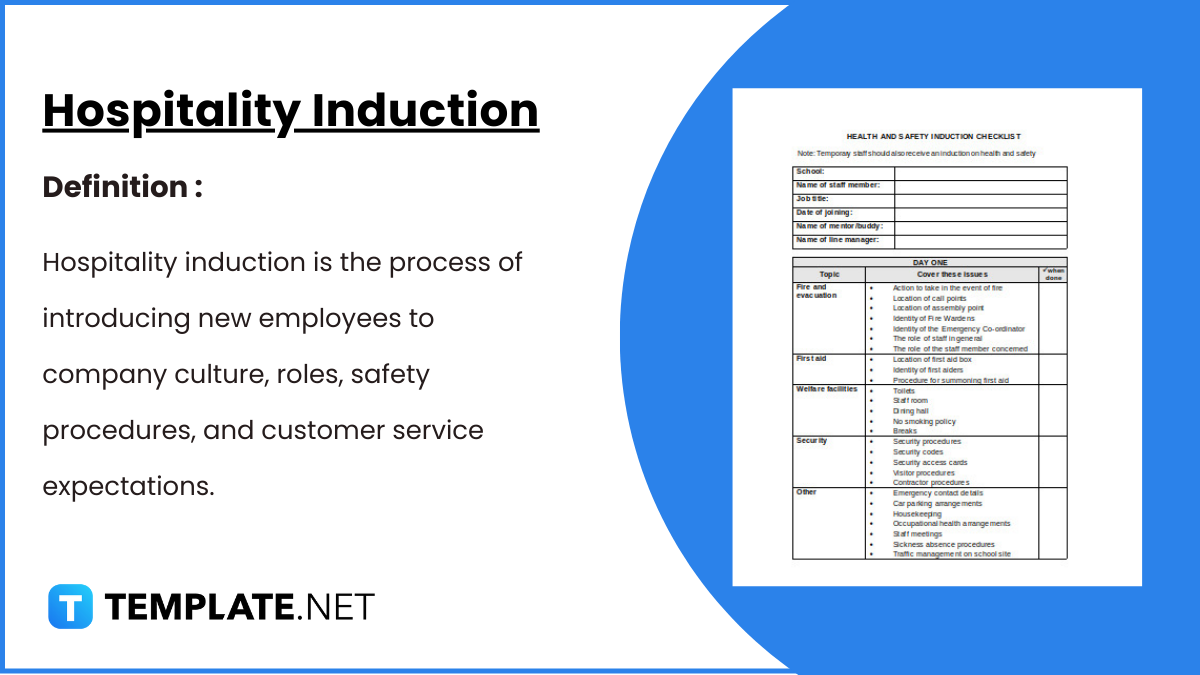
Hospitality Induction Templates are structured guides created specifically for the hospitality industry to facilitate the onboarding process for new employees.…
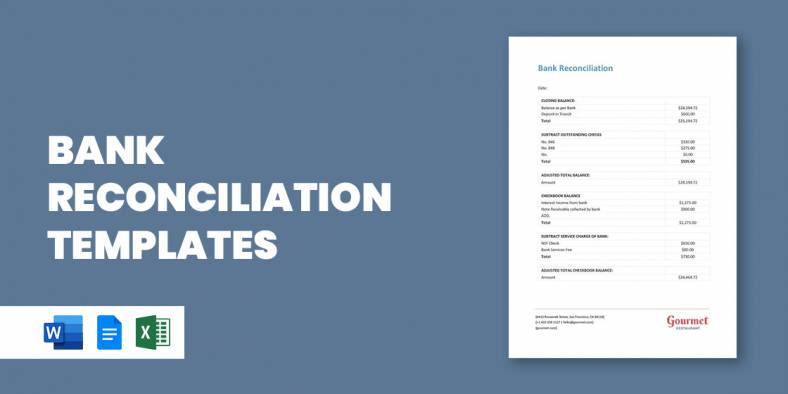
Whether you are a business or an organization, it is important for you to keep track of your business bank…