Free Sample Server Maintenance Checklist

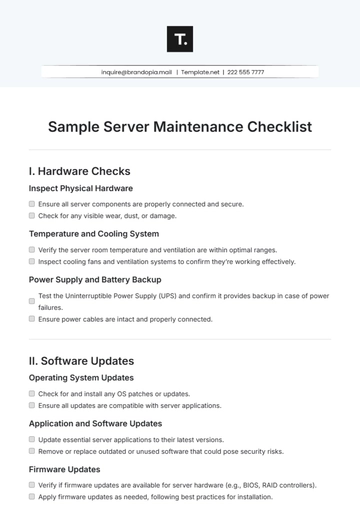
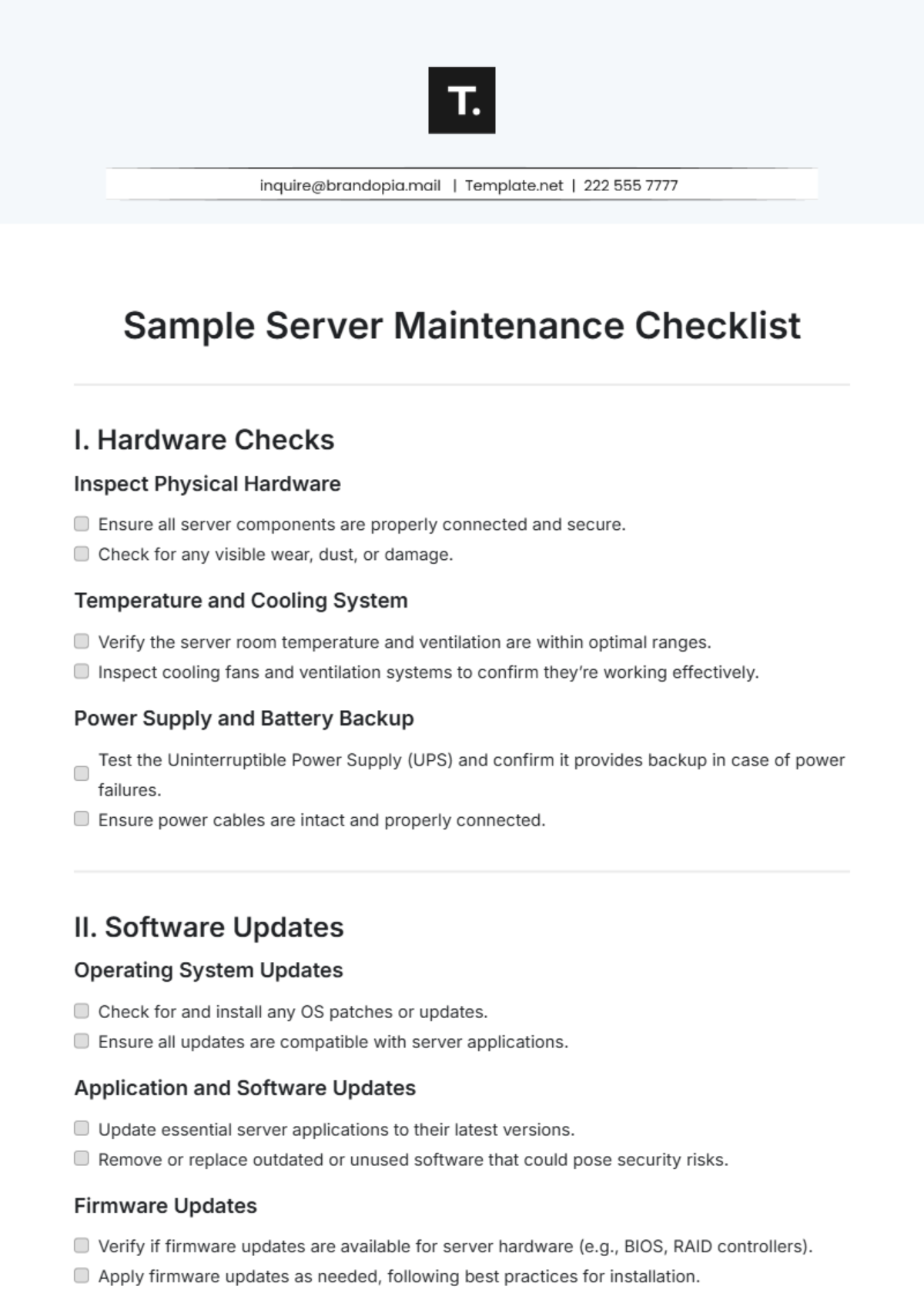
I. Hardware Checks
Inspect Physical Hardware
Ensure all server components are properly connected and secure.
Check for any visible wear, dust, or damage.
Temperature and Cooling System
Verify the server room temperature and ventilation are within optimal ranges.
Inspect cooling fans and ventilation systems to confirm they’re working effectively.
Power Supply and Battery Backup
Test the Uninterruptible Power Supply (UPS) and confirm it provides backup in case of power failures.
Ensure power cables are intact and properly connected.
II. Software Updates
Operating System Updates
Check for and install any OS patches or updates.
Ensure all updates are compatible with server applications.
Application and Software Updates
Update essential server applications to their latest versions.
Remove or replace outdated or unused software that could pose security risks.
Firmware Updates
Verify if firmware updates are available for server hardware (e.g., BIOS, RAID controllers).
Apply firmware updates as needed, following best practices for installation.
III. Security Checks
Access Control
Review and update user access permissions to ensure compliance with security policies.
Disable or remove accounts for inactive users or employees who have left the organization.
Firewall and Antivirus Protection
Ensure firewall configurations are up-to-date and functioning properly.
Run antivirus scans and confirm that the antivirus definitions are current.
Vulnerability Scans and Patch Management
Conduct a vulnerability scan to identify potential security risks.
Apply any critical patches that address vulnerabilities.
IV. Backup and Recovery
Verify Backups
Confirm that regular backups are being created without errors.
Ensure backup files are stored securely and are protected from unauthorized access.
Test Recovery Process
Perform a test recovery to verify that data can be restored successfully.
Document any issues encountered during the recovery test and resolve them.
Backup Schedule Review
Check that the backup schedule meets business continuity requirements.
Update the backup plan if there have been changes in data volume or critical assets.
V. Performance Monitoring
CPU, Memory, and Disk Usage
Review server CPU, memory, and disk usage to identify any unusual spikes or bottlenecks.
Optimize resource allocation based on current server workload.
Network Traffic Analysis
Monitor network traffic for any unusual or high-usage patterns.
Identify and address any potential bandwidth issues or network bottlenecks.
Storage Capacity
Check available disk space and forecast storage needs based on usage trends.
Clean up unnecessary files or data to free up storage as needed.
VI. Log Review
Error and Event Logs
Review error logs and event logs for unusual activities or repeated errors.
Address recurring issues and document resolutions.
Access and Security Logs
Analyze access logs to detect any unauthorized access attempts.
Document and report any security incidents identified in the logs.
System Health Logs
Check for warnings or errors related to hardware performance and system health.
Resolve any identified issues to maintain server stability and performance.
- 100% Customizable, free editor
- Access 1 Million+ Templates, photo’s & graphics
- Download or share as a template
- Click and replace photos, graphics, text, backgrounds
- Resize, crop, AI write & more
- Access advanced editor
Ensure your servers are running smoothly with our Sample Server Maintenance Checklist Template available at Template.net. This editable and customizable template provides a comprehensive framework for tracking maintenance tasks. Modify it in our Ai Editor Tool to suit your server environment and operational requirements. Stay proactive in preventing downtime and optimize your IT infrastructure management with this essential resource.
You may also like
- Cleaning Checklist
- Daily Checklist
- Travel Checklist
- Self Care Checklist
- Risk Assessment Checklist
- Onboarding Checklist
- Quality Checklist
- Compliance Checklist
- Audit Checklist
- Registry Checklist
- HR Checklist
- Restaurant Checklist
- Checklist Layout
- Creative Checklist
- Sales Checklist
- Construction Checklist
- Task Checklist
- Professional Checklist
- Hotel Checklist
- Employee Checklist
- Moving Checklist
- Marketing Checklist
- Accounting Checklist
- Camping Checklist
- Packing Checklist
- Real Estate Checklist
- Cleaning Checklist Service
- New Employee Checklist
- Food Checklist
- Home Inspection Checklist
- Advertising Checklist
- Event Checklist
- SEO Checklist
- Assessment Checklist
- Inspection Checklist
- Baby Registry Checklist
- Induction Checklist
- Employee Training Checklist
- Medical Checklist
- Safety Checklist
- Site Checklist
- Job Checklist
- Service Checklist
- Nanny Checklist
- Building Checklist
- Work Checklist
- Office Checklist
- Training Checklist
- Website Checklist
- IT and Software Checklist
- Performance Checklist
- Project Checklist
- Startup Checklist
- Education Checklist
- Home Checklist
- School Checklist
- Maintenance Checklist
- Planning Checklist
- Manager Checklist
- Wedding Checklist
- Vehicle Checklist
- Travel Agency Checklist
- Vehicle Inspection Checklist
- Interior Design Checklist
- Backpacking Checklist
- Business Checklist
- Legal Checklist
- Nursing Home Checklist
- Weekly Checklist
- Recruitment Checklist
- Salon Checklist
- Baby Checklist
- Equipment Checklist
- Trade Show Checklist
- Party Checklist
- Hospital Bag Checklist
- Evaluation Checklist
- Agency Checklist
- First Apartment Checklist
- Hiring Checklist
- Opening Checklist
- Small Business Checklist
- Rental Checklist
- College Dorm Checklist
- New Puppy Checklist
- University Checklist
- Building Maintenance Checklist
- Work From Home Checklist
- Student Checklist
- Application Checklist