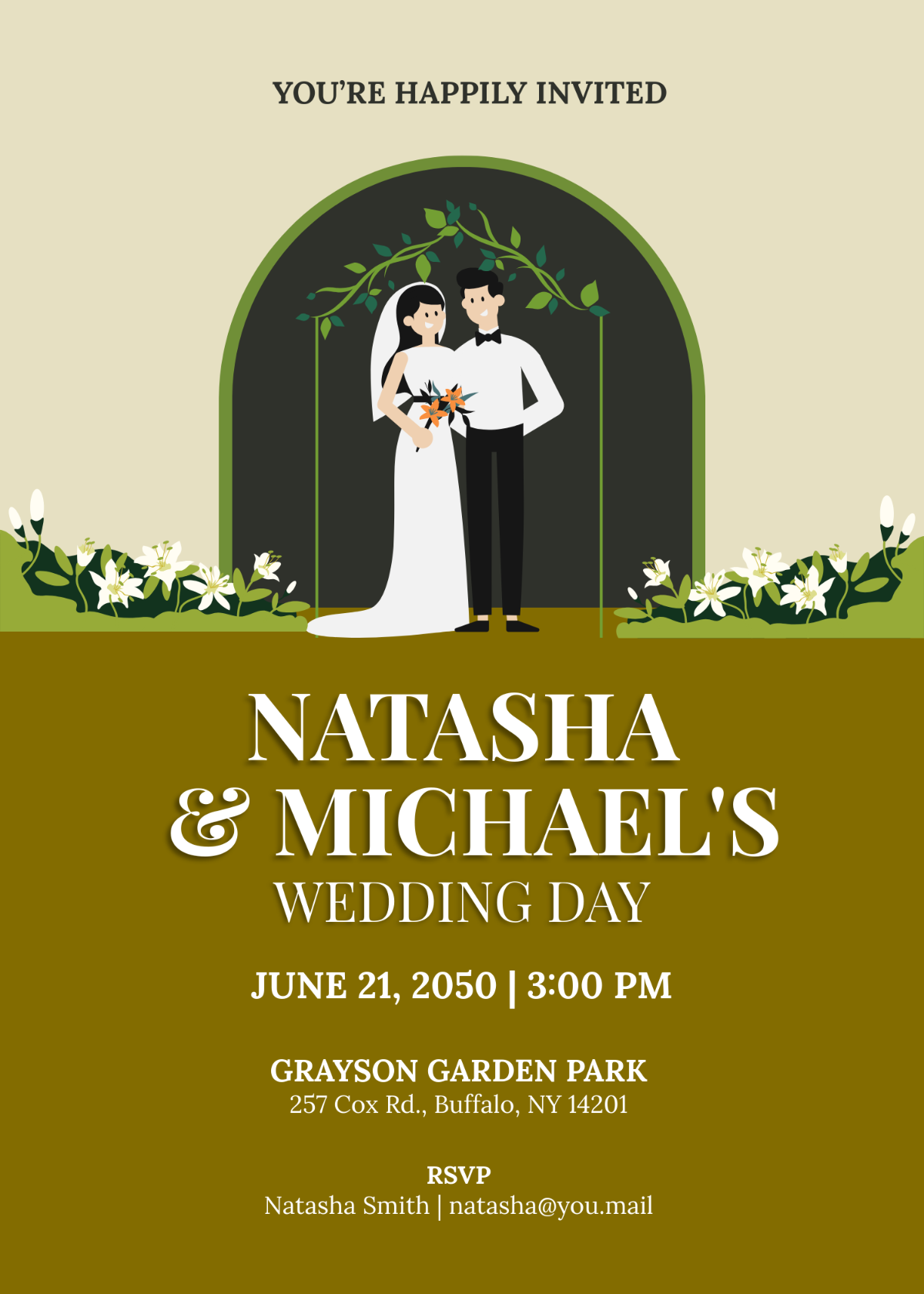
A Marriage Email Invitation Template with RSVP is a single panel email invitation with floral decoration border, couple's names, wedding date and time, venue name, and RSVP website, built with Template.net's AI-powered invitation builder and exported as an HTML5 file with inline styles and table-based layout for consistent email client display.
A Marriage Email Invitation Template with RSVP is a single panel email invitation with floral decoration border, couple's names, wedding date and time, venue name, and RSVP website, built with Template.net's AI-powered invitation builder and exported as an HTML5 file with inline styles and table-based layout for consistent email client display.
How to Create a Marriage Email Invitation Template with RSVP for Free?
Creating a professional Marriage Email Invitation Template with RSVP is quick and straightforward.
- Customize a Free TemplateStart with this free editable and email-ready Marriage Email Invitation Template with RSVP template and personalize it online for weddings, engagement parties, or vow renewal ceremonies. (or )
- Generate an On-Brand Marriage Email Invitation Template with RSVP with AIDescribe your wedding event and couple details or upload last year's invitation, and AI will build the actual editable invitation with floral border and RSVP website link, set as a table-based layout with inline styles for inbox compatibility.
- Edit in the HTML5 EditorAdjust the subject and preheader lines, the floral border, couple’s names, invitation phrase, dress code line, wedding date and time, venue name and street address, and RSVP website link in our HTML5 editor.
- Download an HTML5 FileDownload the completed invitation as an HTML5 file with inline CSS and absolute image URLs, ready to paste into a Gmail compose window or send via your preferred email tool.
Marriage Email Invitation Template with RSVP Details and How Each One Is Set
This template starts with the inviting phrase and family line, bride's name, and you can expand it to cover any of the invitation details below.
Set these invitation details the way each one is normally presented — inviting phrase and family line (small caps line centered near the top, above the names), bride's name (largest serif script font, centered prominently), groom's name (largest serif script font, centered prominently below the bride's name), invitation phrase (small caps centered below the names, inviting guests to the wedding), dress code line (small caps centered under invitation phrase), date with weekday and day (serif small caps and superscript for ordinal, centered below dress code), time (smaller serif line below the date line), venue name (all caps centered below date and time, separated by a vertical bar line), venue street address (smaller caps below venue name), decorative floral border (floral illustration forming a rounded border on top and side edges), RSVP instruction line (small caps centered near the bottom with RSVP website URL below), RSVP website link (lowercase URL, centered below RSVP instruction), date icon (small stylized calendar clock symbol left aligned with date), location icon (small stylized map pin symbol left aligned with venue name).
Free Marriage Email Invitation Template with RSVP Template & AI Invitation Builder
Invitation Generator