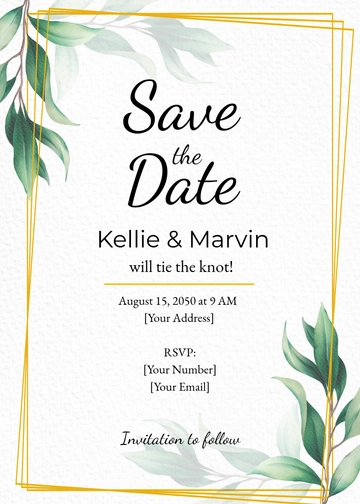
A White Wedding Email Invitation is a single-panel email featuring the couples' names, the inviting families' label, and the wedding date, and built with Template.net's AI-powered invitation builder. This invitation exports as an HTML5 file with inline styles and table-based rows so it displays consistently across Gmail and other email clients.
A White Wedding Email Invitation is a single-panel email featuring the couples' names, the inviting families' label, and the wedding date, and built with Template.net's AI-powered invitation builder. This invitation exports as an HTML5 file with inline styles and table-based rows so it displays consistently across Gmail and other email clients.
How to Create a White Wedding Email Invitation for Free?
Creating an elegant White Wedding Email Invitation is simple and fast with this template.
- Customize a Free TemplateStart with this free editable and email-ready White Wedding Email Invitation template and personalize it online for ceremonies, family celebrations, or engagement announcements. (or )
- Generate an On-Brand White Wedding Email Invitation with AIDescribe your wedding and the couple’s names or upload your previous invitation and AI will build the actual editable invitation with families invite you to, the couples’ names, the date block, and a large hero photograph, all arranged in table-based rows with inline CSS ready for email.
- Edit in the HTML5 EditorUpdate the host family line, occasion headline with names, background photo, and date numeral. Adjust other text overlays visible on the panel, plus the isabella and james in the drag-and-drop editor.
- Download an HTML5 FileDownload the completed invitation as an HTML5 file using inline styles and absolute image URLs, ready to paste into a Gmail compose window or send with your preferred mail tool.
White Wedding Email Invitation Details and How Each One Is Set
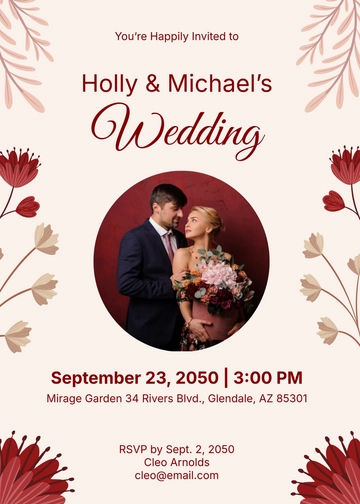
This template starts with a hero photograph of the couple, a host or inviting-party line, an occasion headline with honouree names, and a date block showing weekday, numeric day, and month, and you can expand it to cover any of the invitation details below.
Set these invitation details the way each one is normally presented — subject line (a brief, clear phrase for inbox preview), preheader snippet (a short text preview kept from the body), invitation label (all-caps and letterspaced above the headline), occasion headline (display script, largest type on the panel), honouree name (centred on its own line with italic style for emphasis), host or inviting-family line (small caps near the centre of the panel), event date (a large numeral with weekday and month stacked around it), hero photograph of the couple (full-bleed background image covering the entire email panel), RSVP call-to-action (usually a clickable text link or button prompting response), venue name and street address (structured as a two-line block beneath the date), event start time (a single line under the date with any relevant time zone), dress code line (italic or small caps for attire guidance), footer with contact info (small text line near the bottom for phone, email, or postal), unsubscribe or privacy statement (a small text link or line placed in the footer), and decorative border or motif (such as foliage or a subtle frame around the edges).