


![How to Add a Signature in Microsoft Forms [Templates + Examples] 2026](https://images.template.net/wp-content/uploads/2022/07/How-to-Add-a-Signature-in-Microsoft-Forms-Templates-Examples-2023-788x443.jpg)
How to Add a Signature in Microsoft Forms [Templates + Examples] 2026
Signatures found in documents establish who you are as an individual or as an organization. Aside from the fact that…
Dec 22, 2025


Sep 01, 2025
Microsoft Forms can be beneficial for company uses, as it can be a tool to easily gather feedback, both from customers and employees. They also allow owners to easily view their results and produce a quick summary of each question.
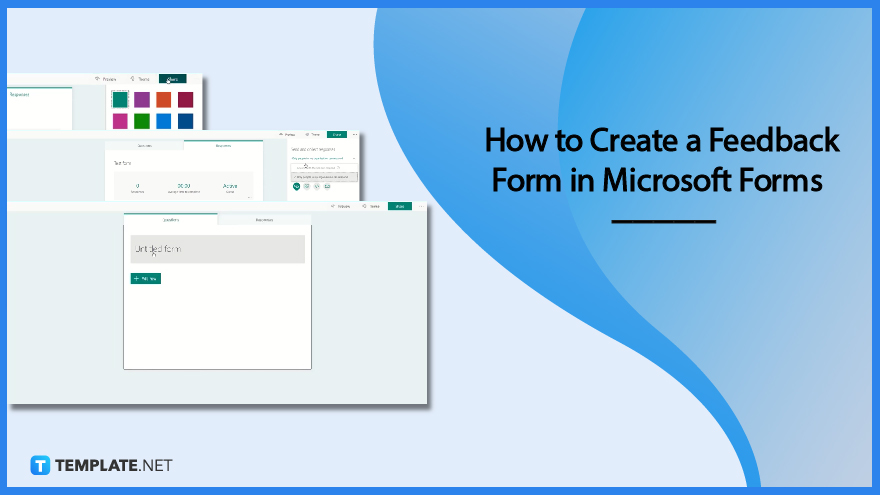
Microsoft Forms is a recommendable tool when it comes to sending out surveys and obtaining data in real-time. This guide on creating a feedback form in Microsoft Forms will help you out with a comprehensive direction.
Launch Microsoft Forms on the website. After you input your login information, you are then brought to your Forms portal. Through your list of forms, you can modify an existing survey or create a new one with the ‘Add New’ button.
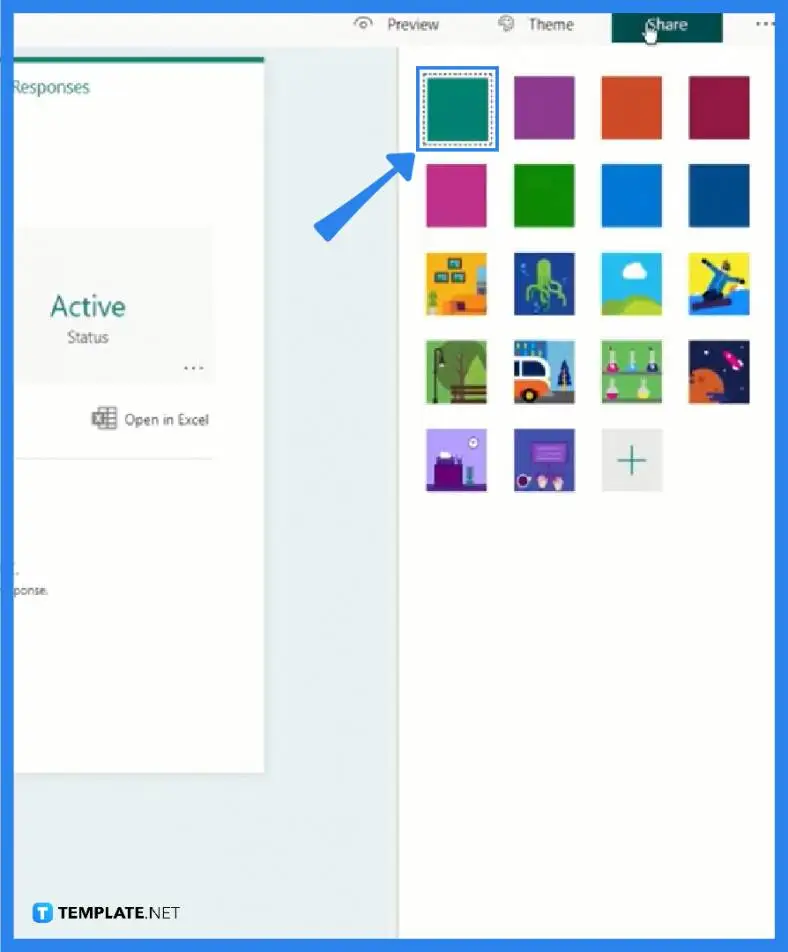
At the top-right corner of your screen is a set of buttons, one of which offers you a wide array of themes. Clicking it will open a panel. From solid colors to ones with a fun background, you can distinguish your form from other users.
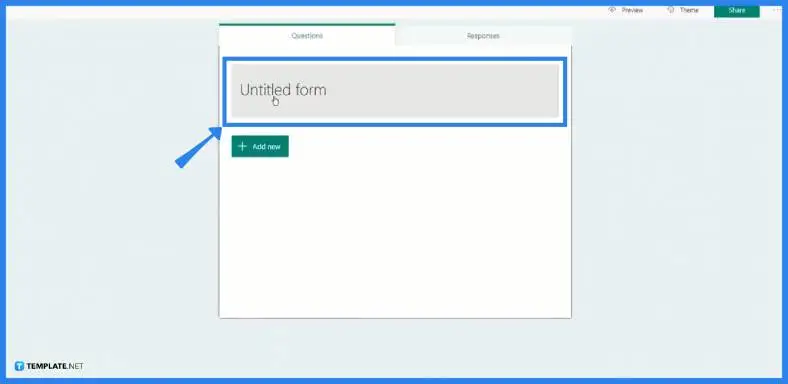
After you have set your theme, you should encode your title to label what your feedback form is meant to serve. Alternatively, you can add your business name so customers will know to who they are sending their responses.
The next step is for you to add in questions. But before you go into the process, you will need to select a specific type of form since Microsoft Forms has different available types which impacts the answers your respondents may give. Some viable options for feedback are choices, which offer multiple choices that respondents can select from, Likert type, or even rating type.
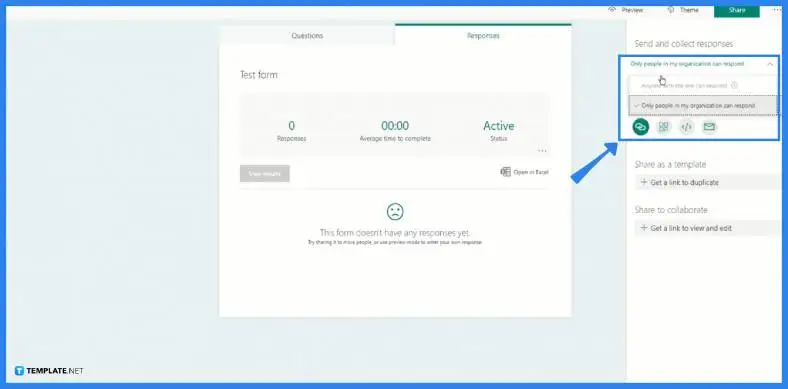
After completing the form and ensuring no other content is forgotten, it is time for you to share it with your customers for their reviews, or possibly with your employees for their comments on how they are handling their tasks. Note that the purpose of your feedback survey depends on who your respondents are.
Respective Microsoft Forms owners can change their settings to accommodate people outside of their organization to send their answers to the feedback survey.
When Microsoft Forms is open, you may leave your overall feedback by clicking the box to the right containing the student’s name which is the feedback that will be displayed in their form’s summary view.
The answers sent by respondents are only visible to the form’s owners.
After you have produced a survey, poll, or quiz, you can choose whether or not to send respondents an email with a confirmation of their replies.
Simple text-based polls, party invites, internal surveys for offices, schools, and universities, and more may be created.

Signatures found in documents establish who you are as an individual or as an organization. Aside from the fact that…
![How To Make/Create a Newsletter in Microsoft Outlook [Templates + Examples] 2026](https://images.template.net/wp-content/uploads/2022/07/How-to-Start-a-Newsletter-with-Microsoft-Outlook-788x443.jpg)
Newsletters enable companies and organizations to communicate relevant and helpful information to their client, prospects, and subscribers. By giving you…
![How To Make/Create a Booklet in Microsoft Publisher [Templates + Examples] 2026](https://images.template.net/wp-content/uploads/2022/08/How-To-Make_Create-a-Booklet-in-Microsoft-Publisher-788x443.png)
Booklet templates are pre-designed layouts that make it easy to create a professional-looking booklet. They typically include placeholders for text…
![How To Make/Create a Booklet in Microsoft PowerPoint [Templates + Examples] 2026](https://images.template.net/wp-content/uploads/2022/07/How-To-Make-Create-a-Booklet-in-Microsoft-PowerPoint-788x443.jpg)
Booklets can be created in Microsoft PowerPoint, which offers a design feature that allows users to display them in PPT…
![How to Automatically Fill PDF Forms Using Microsoft Excel [Templates + Examples] 2026](https://images.template.net/wp-content/uploads/2022/07/How-to-Automatically-Fill-PDF-Forms-Using-Microsoft-Excel-788x444.png)
Automatically fill PDF forms using Microsoft Excel so you won’t have to save multiple PDF forms in an Excel spreadsheet…
![How to Make/Create a Floor Plan on Microsoft Excel [Templates + Examples] 2026](https://images.template.net/wp-content/uploads/2022/07/How-to-Make-a-Floor-Plan-on-Microsoft-Excel-788x443.jpg)
Floor plans either make or break projects related to engineering and architecture. That being said, every apartment room, bedroom, living…
![How to Make/Create a Grid in Microsoft Word [Templates + Examples] 2026](https://images.template.net/wp-content/uploads/2022/07/How-to-Make_Create-a-Grid-in-Microsoft-Word-788x444.jpg)
Grids consist of a network of lines that work as graphic cues while formatting your document in Microsoft Office. If…
![How to Add More Highlight Colors to Microsoft Word [Templates + Examples] 2026](https://images.template.net/wp-content/uploads/2022/07/How-to-Add-More-Highlight-Colors-to-Microsoft-Word-Templates-Examples-2023-788x443.jpg)
Add more highlight colors to Microsoft Word so you won’t have to settle with the default shading color in marking…
![How to Make/Create a Border in Microsoft Publisher [Templates + Examples] 2026](https://images.template.net/wp-content/uploads/2022/08/How-to-MakeCreate-a-Border-in-Microsoft-Publisher-788x444.png)
Borders are graphic design elements that make a document more pleasing and stylish to look at. This can be used…