


![How to Add a Signature in Microsoft Forms [Templates + Examples] 2026](https://images.template.net/wp-content/uploads/2022/07/How-to-Add-a-Signature-in-Microsoft-Forms-Templates-Examples-2023-788x443.jpg)
How to Add a Signature in Microsoft Forms [Templates + Examples] 2026
Signatures found in documents establish who you are as an individual or as an organization. Aside from the fact that…
Dec 22, 2025


Sep 02, 2025
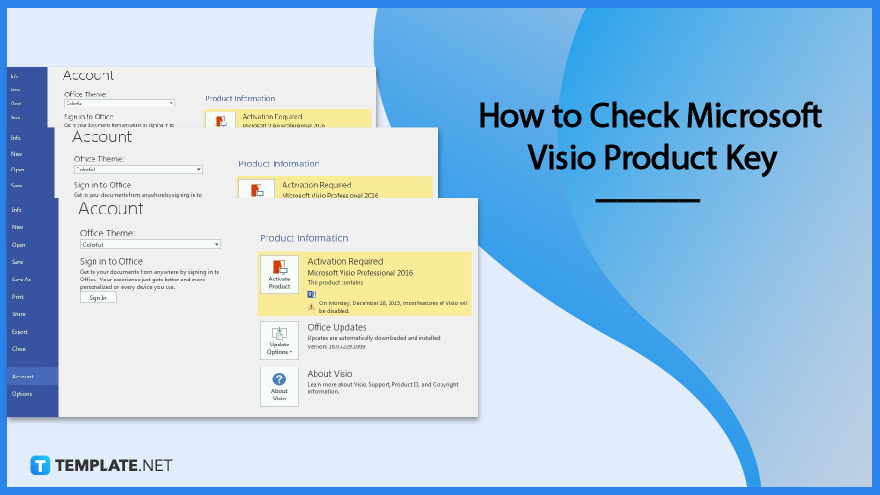
Finding a product key for the Microsoft Visio software only takes a few clicks and doesn’t require a diagrammed process.
You might need access to your software’s product key while moving a piece of software from one machine to another, performing reinstallations, dealing with a crash or virus, or updating.
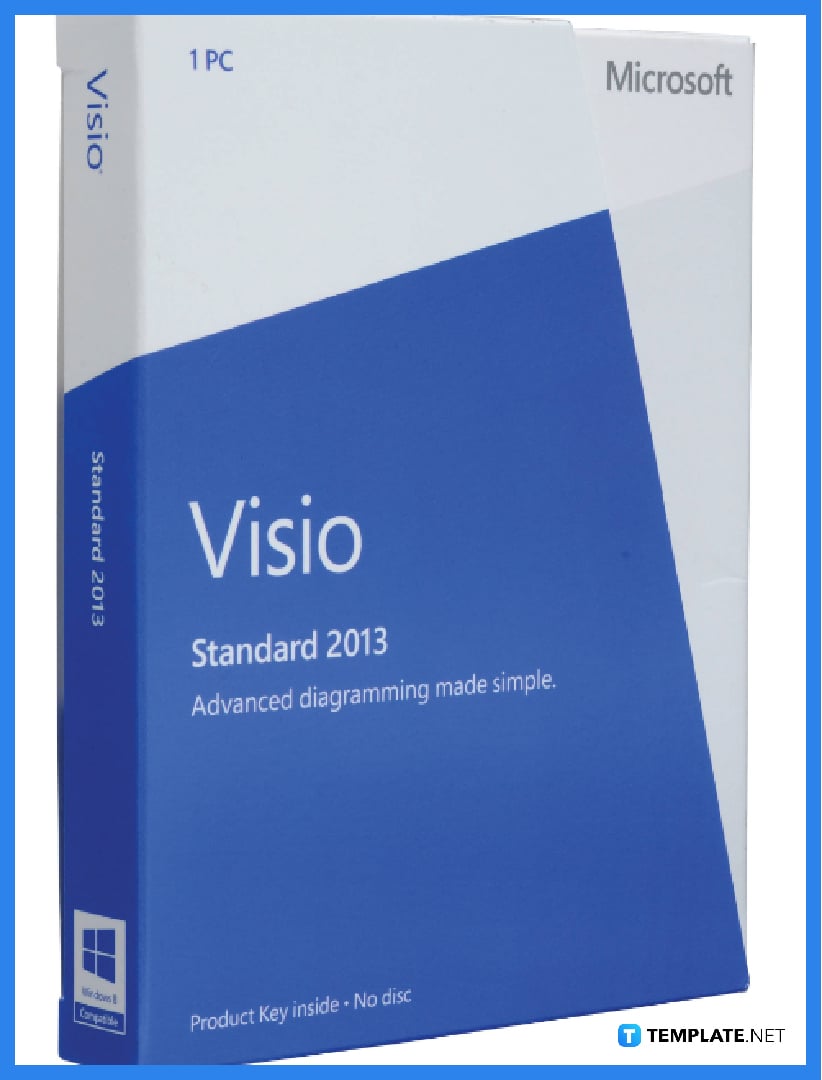
The most common way to check the product key of Microsoft Visio is to examine the Visio or Microsoft Office Suite packaging for the software, such as the clamshell case, paper CD-ROM holders, or pamphlets included in the clamshell, for example. The product key is included in at least one of these examples.
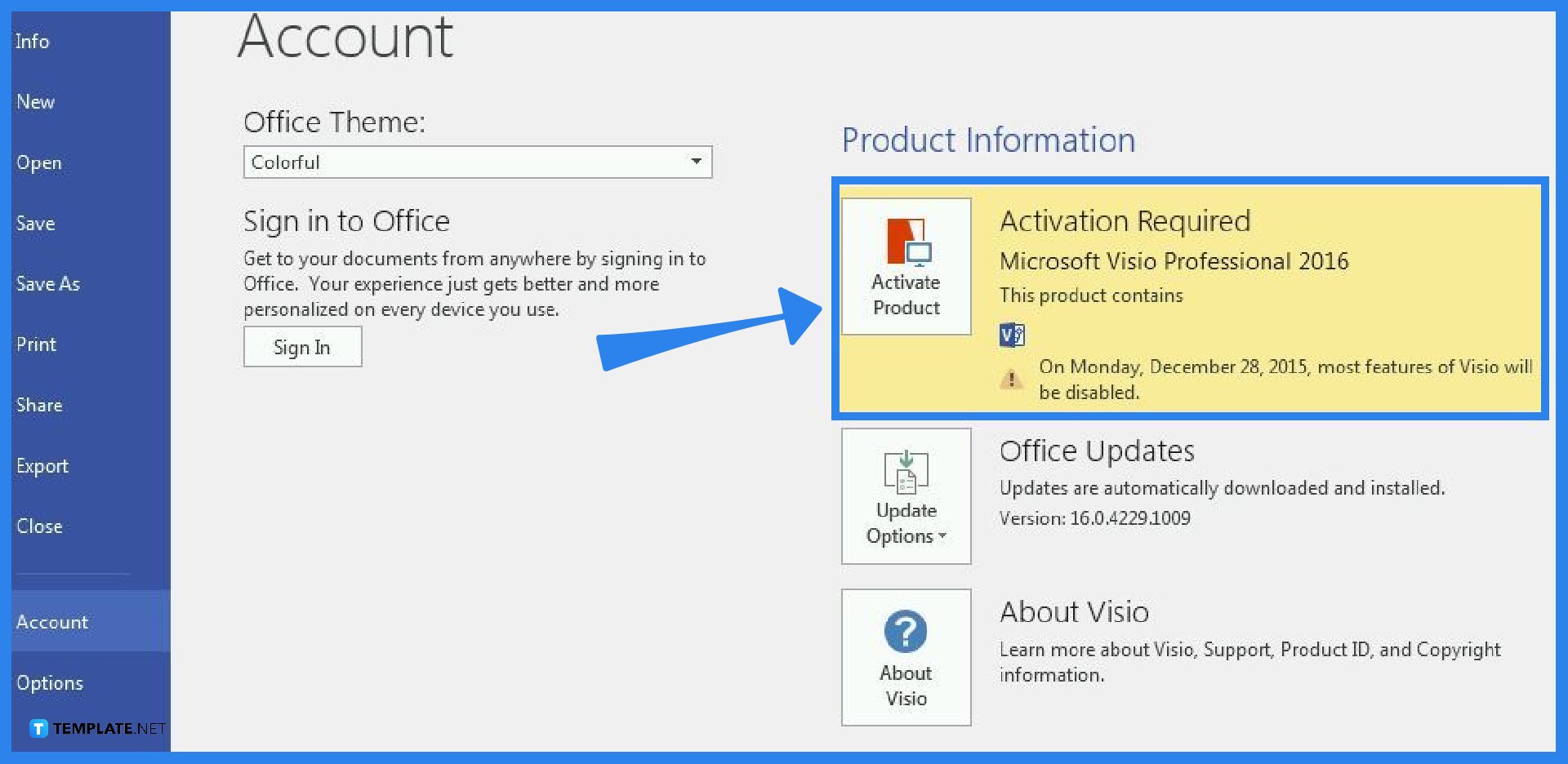
Open the Microsoft Visio program on your computer. Then, go to the File tab of the Microsoft Visio ribbon, and select the Help option for the older version of the software or the Account option for the latest version of the software. After you click Help, look at the text directly above the words “Microsoft Software License Terms” on the screen. The words “Product ID” and their corresponding block of four sets of dashed numbers are directly above it. On the other hand, after you click Account, click the About Visio button, and you will find the product key just above the dialog box that appears.
Enter your product key after signing in with an existing or new Microsoft account; once Visio is linked to your Microsoft account, the product key is no longer required and you can redownload the app or manage your license from the Microsoft account page, and it will always be connected to your account.
Utilizing software that has been licensed through a specific volume licensing program requires a product key, and only volume licensing products should be used with the product keys listed in the Microsoft 365 admin center, and your organization should be the only one using them.
For each product/version combination, a setup key is required to unlock the product without using activation, and one of two methods, namely physical fulfillment or download fulfillment, will provide you with a setup key.
Microsoft Visio has two categories for purchase, which include its subscription plans, namely the Visio Plan 1, costing $5 per user per month, and the Visio Plan 2, costing $15 per user per month, and its one-time purchase plans, namely the Visio Standard 2021, costing $309.99, and the Visio Professional 2021, costing $579.99.
Yes, you can set up and utilize more than one version of Microsoft Visio on a single computer, although it is not recommended (for instance, you can install and utilize both Microsoft Office Visio 2003 and Microsoft Office Visio 2007 on the same computer).
Yes, the license can also be transferred if you need to move your Microsoft Visio to another computer, but you must first have your Microsoft Visio product key.

Signatures found in documents establish who you are as an individual or as an organization. Aside from the fact that…
![How To Make/Create a Newsletter in Microsoft Outlook [Templates + Examples] 2026](https://images.template.net/wp-content/uploads/2022/07/How-to-Start-a-Newsletter-with-Microsoft-Outlook-788x443.jpg)
Newsletters enable companies and organizations to communicate relevant and helpful information to their client, prospects, and subscribers. By giving you…
![How To Make/Create a Booklet in Microsoft Publisher [Templates + Examples] 2026](https://images.template.net/wp-content/uploads/2022/08/How-To-Make_Create-a-Booklet-in-Microsoft-Publisher-788x443.png)
Booklet templates are pre-designed layouts that make it easy to create a professional-looking booklet. They typically include placeholders for text…
![How To Make/Create a Booklet in Microsoft PowerPoint [Templates + Examples] 2026](https://images.template.net/wp-content/uploads/2022/07/How-To-Make-Create-a-Booklet-in-Microsoft-PowerPoint-788x443.jpg)
Booklets can be created in Microsoft PowerPoint, which offers a design feature that allows users to display them in PPT…
![How to Automatically Fill PDF Forms Using Microsoft Excel [Templates + Examples] 2026](https://images.template.net/wp-content/uploads/2022/07/How-to-Automatically-Fill-PDF-Forms-Using-Microsoft-Excel-788x444.png)
Automatically fill PDF forms using Microsoft Excel so you won’t have to save multiple PDF forms in an Excel spreadsheet…
![How to Make/Create a Floor Plan on Microsoft Excel [Templates + Examples] 2026](https://images.template.net/wp-content/uploads/2022/07/How-to-Make-a-Floor-Plan-on-Microsoft-Excel-788x443.jpg)
Floor plans either make or break projects related to engineering and architecture. That being said, every apartment room, bedroom, living…
![How to Make/Create a Grid in Microsoft Word [Templates + Examples] 2026](https://images.template.net/wp-content/uploads/2022/07/How-to-Make_Create-a-Grid-in-Microsoft-Word-788x444.jpg)
Grids consist of a network of lines that work as graphic cues while formatting your document in Microsoft Office. If…
![How to Add More Highlight Colors to Microsoft Word [Templates + Examples] 2026](https://images.template.net/wp-content/uploads/2022/07/How-to-Add-More-Highlight-Colors-to-Microsoft-Word-Templates-Examples-2023-788x443.jpg)
Add more highlight colors to Microsoft Word so you won’t have to settle with the default shading color in marking…
![How to Make/Create a Border in Microsoft Publisher [Templates + Examples] 2026](https://images.template.net/wp-content/uploads/2022/08/How-to-MakeCreate-a-Border-in-Microsoft-Publisher-788x444.png)
Borders are graphic design elements that make a document more pleasing and stylish to look at. This can be used…