


![How to Add a Signature in Microsoft Forms [Templates + Examples] 2026](https://images.template.net/wp-content/uploads/2022/07/How-to-Add-a-Signature-in-Microsoft-Forms-Templates-Examples-2023-788x443.jpg)
How to Add a Signature in Microsoft Forms [Templates + Examples] 2026
Signatures found in documents establish who you are as an individual or as an organization. Aside from the fact that…
Dec 22, 2025


Sep 02, 2025
Microsoft Forms, like many other Microsoft applications, are easy to maneuver and handle when you are in need of undergoing changes within the content. Go through this tutorial on how you can create or edit quizzes, polls, and surveys in Microsoft Forms.
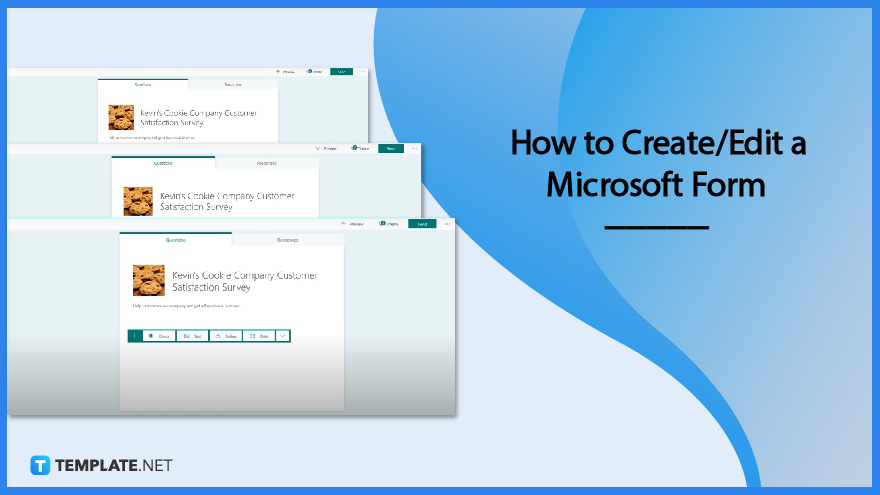
The accessibility and smooth editing option in Microsoft Form make it a well-regarded tool in allowing owners to perform quick changes and the save indicator found on the top left corner, this confirms that each edit made is automatically saved. This prevents you from losing the effort made into polishing the form you have created.
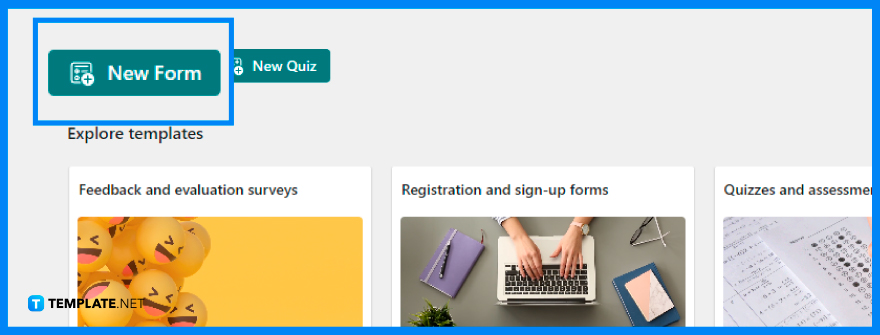
Creating a Microsoft Form can be easily done through the ‘New Form’ button, which would lead you to a blank sheet. For pre-existing forms, whether you created them from scratch or have selected a form template, you can select them to do necessary changes.
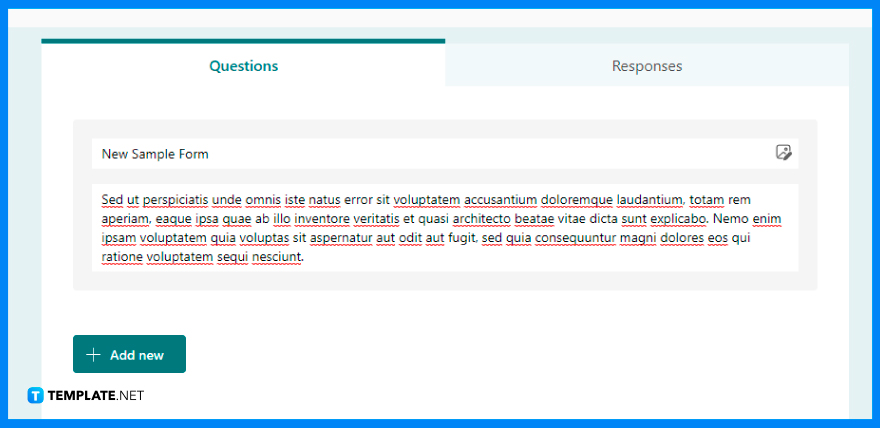
Hover over the title and description section and select the part you want to do some changes to. Whether it is the entire title or just a portion of it, you will need to remove it by highlighting the entire thing or word or pressing backspace multiple times before inserting the preferred title or word you would want.
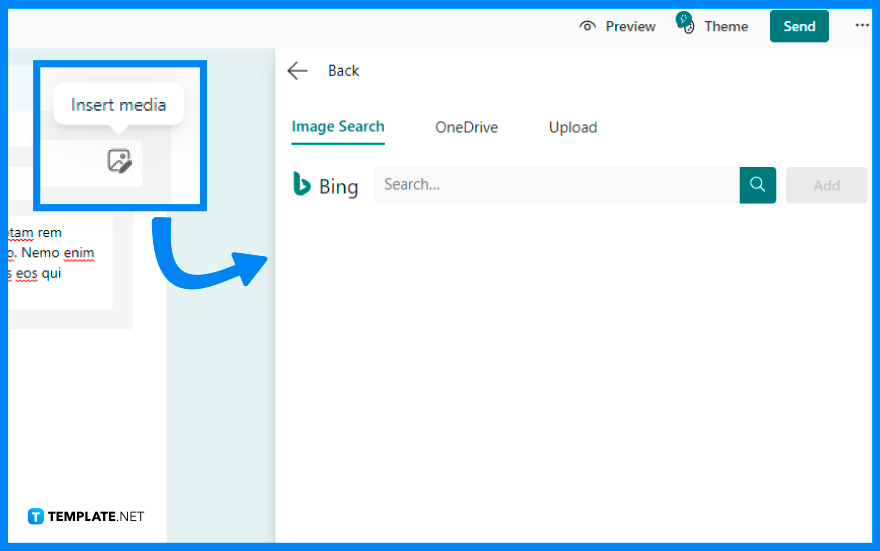
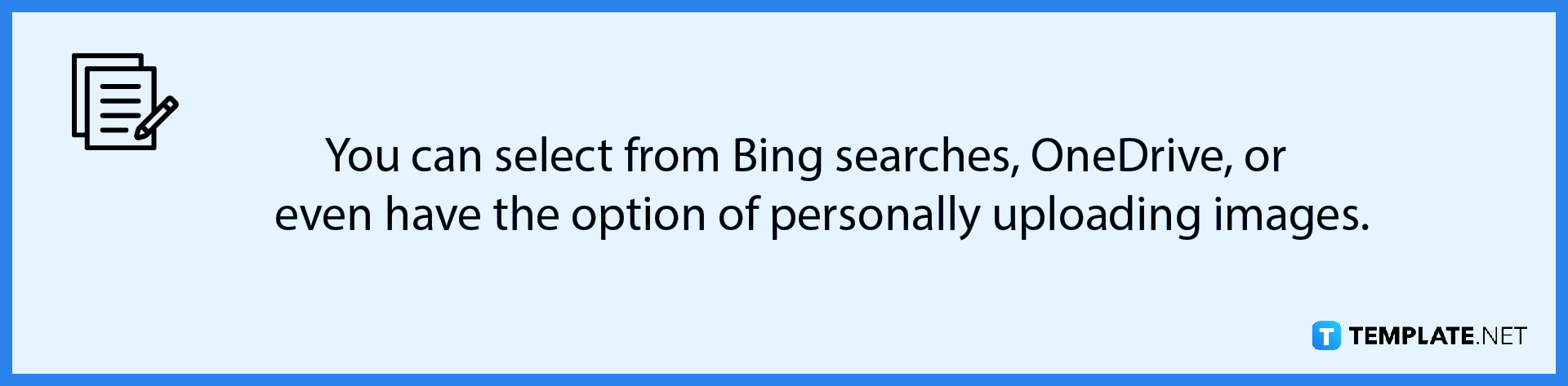
Nearby the title and description section, the ‘Add Image’ button allows you to include images in your forms. If you have a pre-existing image but don’t find that it matches your form, you can easily click on the button again, and as the panel opens up, browse through the newer image you prefer.
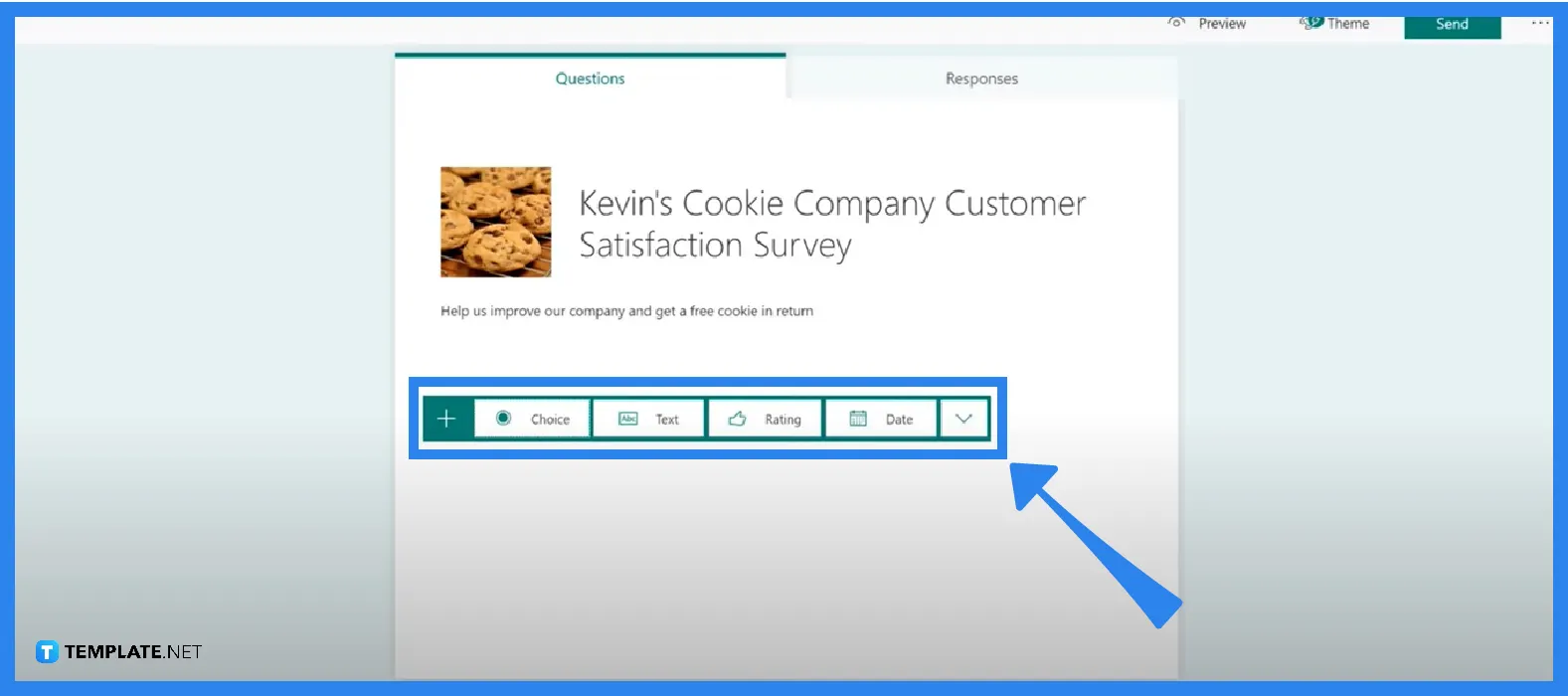
Clicking the ‘Add New’ button will allow you to incorporate questions to your forms, with various types to select from, such as choices, rating, Likert, text, etc. If you want to change your selected type, hover over the bin icon to remove that unwanted type and repeat the process to proceed with selecting a different type.
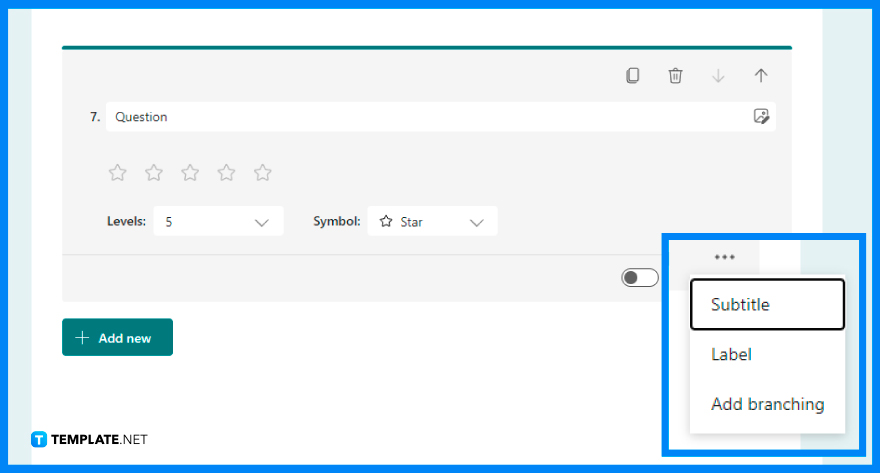
After adding a sufficient number of questions that you want your respondents to answer, you can tinker more with the settings of each question. You can either specify whether that question is required, especially pertaining to relevant questions, or not be required, for confidential data. Furthermore, you can also add a subtitle, a label, and branching.
When a Microsoft Form is submitted, the respondent is not able to retrieve the form and it disallows them from editing their answers.
When you share a form or quiz to collaborate, you retain ownership and it remains in your Forms portal, but your co-authors may access and update it using the URL you provided.
While on the Design Page, move your cursor over the question you want to alter or edit, then click it and add the necessary changes you want to make.
Since Microsoft Form is a web-based application it is only available while you are connected to the internet and does not have any offline capabilities.
Whether or not you have a pre-existing form or a blank sheet, selecting the ‘Add New’ button will open up the various types of questions within the form which includes choices as it offers multiple options respondents can choose from.

Signatures found in documents establish who you are as an individual or as an organization. Aside from the fact that…
![How To Make/Create a Newsletter in Microsoft Outlook [Templates + Examples] 2026](https://images.template.net/wp-content/uploads/2022/07/How-to-Start-a-Newsletter-with-Microsoft-Outlook-788x443.jpg)
Newsletters enable companies and organizations to communicate relevant and helpful information to their client, prospects, and subscribers. By giving you…
![How To Make/Create a Booklet in Microsoft Publisher [Templates + Examples] 2026](https://images.template.net/wp-content/uploads/2022/08/How-To-Make_Create-a-Booklet-in-Microsoft-Publisher-788x443.png)
Booklet templates are pre-designed layouts that make it easy to create a professional-looking booklet. They typically include placeholders for text…
![How To Make/Create a Booklet in Microsoft PowerPoint [Templates + Examples] 2026](https://images.template.net/wp-content/uploads/2022/07/How-To-Make-Create-a-Booklet-in-Microsoft-PowerPoint-788x443.jpg)
Booklets can be created in Microsoft PowerPoint, which offers a design feature that allows users to display them in PPT…
![How to Automatically Fill PDF Forms Using Microsoft Excel [Templates + Examples] 2026](https://images.template.net/wp-content/uploads/2022/07/How-to-Automatically-Fill-PDF-Forms-Using-Microsoft-Excel-788x444.png)
Automatically fill PDF forms using Microsoft Excel so you won’t have to save multiple PDF forms in an Excel spreadsheet…
![How to Make/Create a Floor Plan on Microsoft Excel [Templates + Examples] 2026](https://images.template.net/wp-content/uploads/2022/07/How-to-Make-a-Floor-Plan-on-Microsoft-Excel-788x443.jpg)
Floor plans either make or break projects related to engineering and architecture. That being said, every apartment room, bedroom, living…
![How to Make/Create a Grid in Microsoft Word [Templates + Examples] 2026](https://images.template.net/wp-content/uploads/2022/07/How-to-Make_Create-a-Grid-in-Microsoft-Word-788x444.jpg)
Grids consist of a network of lines that work as graphic cues while formatting your document in Microsoft Office. If…
![How to Add More Highlight Colors to Microsoft Word [Templates + Examples] 2026](https://images.template.net/wp-content/uploads/2022/07/How-to-Add-More-Highlight-Colors-to-Microsoft-Word-Templates-Examples-2023-788x443.jpg)
Add more highlight colors to Microsoft Word so you won’t have to settle with the default shading color in marking…
![How to Make/Create a Border in Microsoft Publisher [Templates + Examples] 2026](https://images.template.net/wp-content/uploads/2022/08/How-to-MakeCreate-a-Border-in-Microsoft-Publisher-788x444.png)
Borders are graphic design elements that make a document more pleasing and stylish to look at. This can be used…