


![How to Add a Signature in Microsoft Forms [Templates + Examples] 2026](https://images.template.net/wp-content/uploads/2022/07/How-to-Add-a-Signature-in-Microsoft-Forms-Templates-Examples-2023-788x443.jpg)
How to Add a Signature in Microsoft Forms [Templates + Examples] 2026
Signatures found in documents establish who you are as an individual or as an organization. Aside from the fact that…
Dec 22, 2025


Sep 02, 2025
Unlike other software available in the market, Microsoft Sway already has a built-in set of layouts that you can change anytime. Moreover, Sway also offers the second type found in the Group Cards category which is the “Stack Group Cards”.
In order to effectively use the “Stack Group Cards”, you will have to follow certain steps.
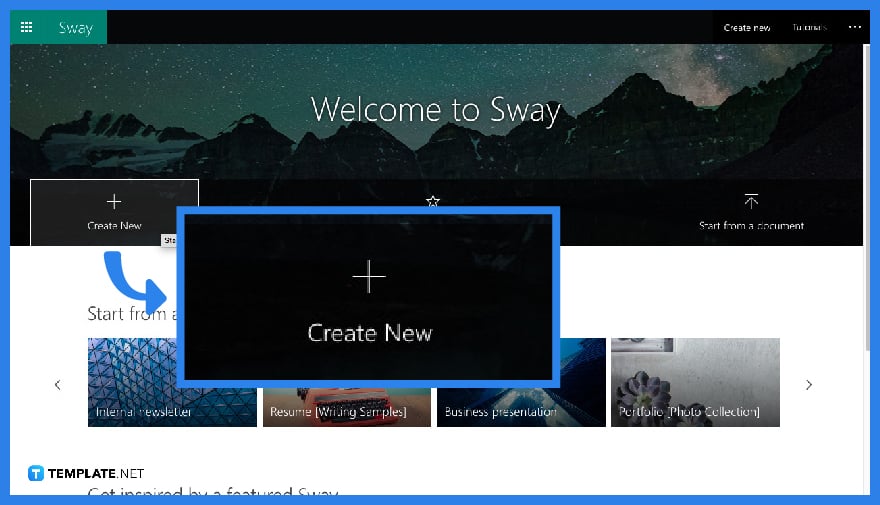
Make a new Sway presentation by clicking “Create New” in the Sway homepage.
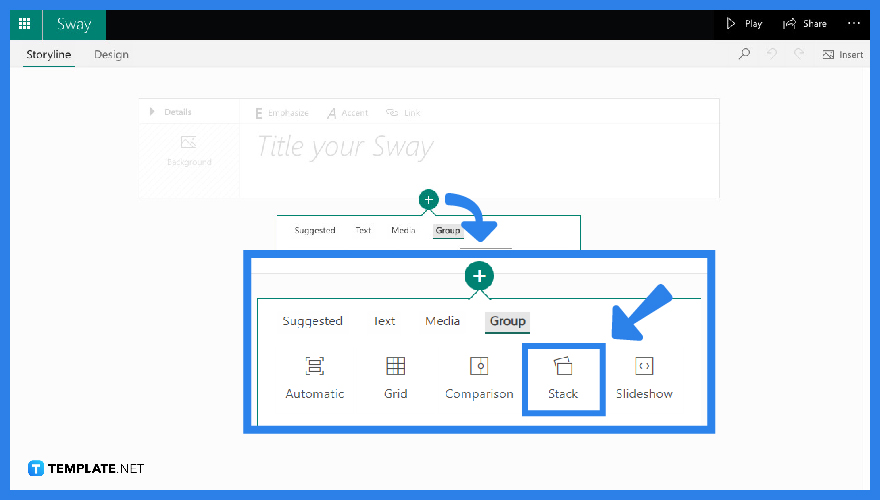
Once you have landed on your “Storyline” canvas, immediately click your “+” located underneath your “Title” card. From this, click “Group” and proceed to “Stack”.
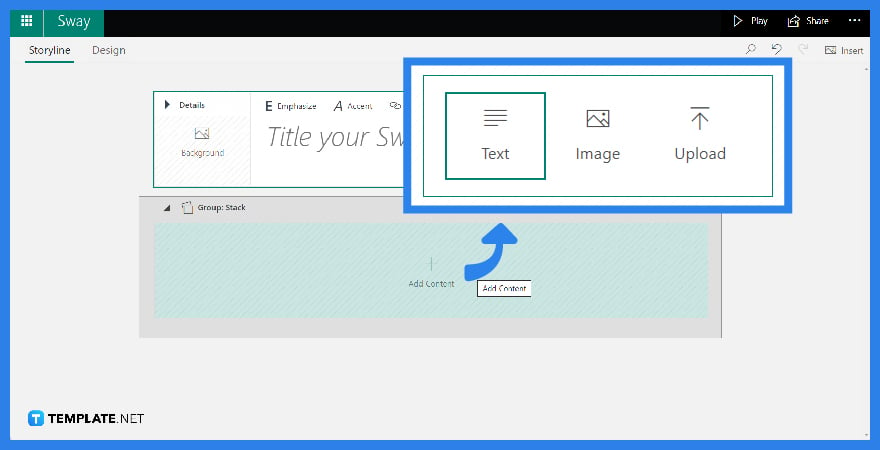
When you already have your “Stack” group ready, click “Content” too choose from the three options: “Text”, “Image,” and “Upload”.
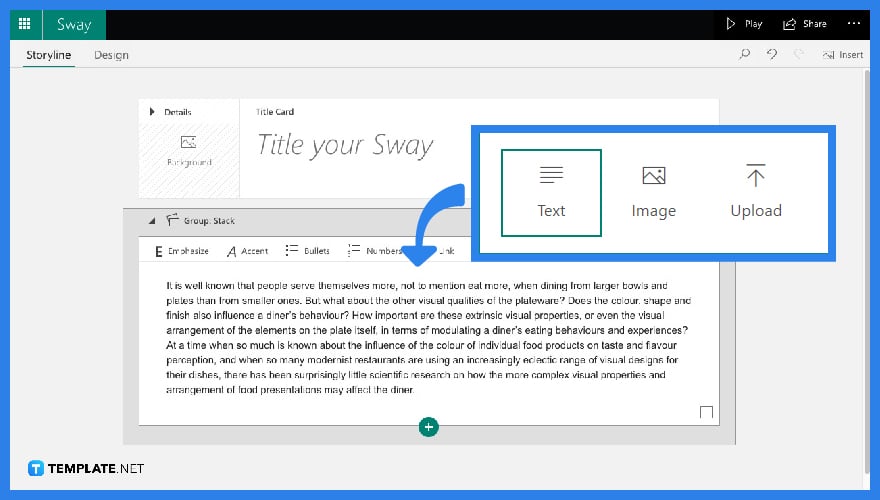
If you have chosen the “Text” option, you can simply add your text.
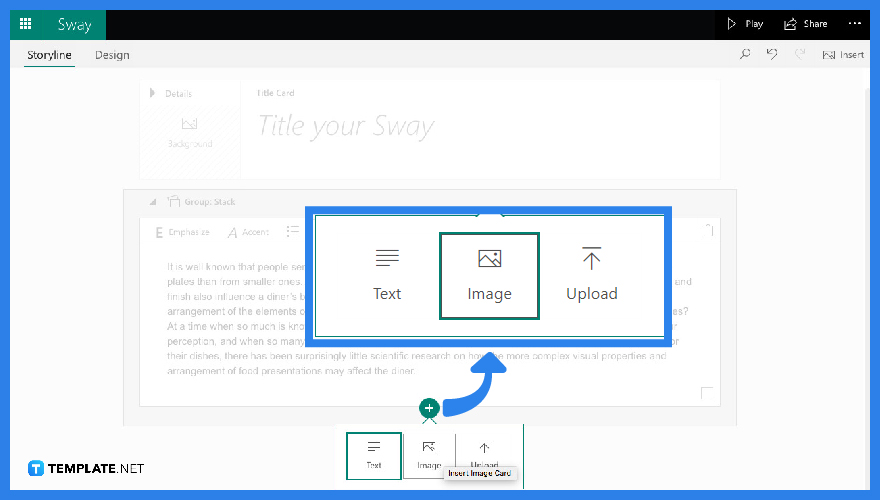
If you have chosen the “Image” option, you can drag pictures out from the “Suggested” pane and place them into your group.
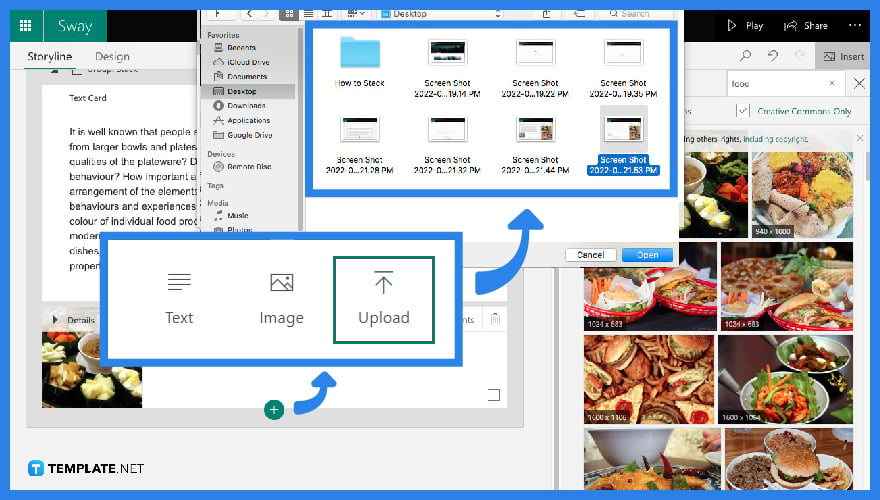
If you have chosen the “Upload” option, you can choose any file from your device and insert it into your group as well.
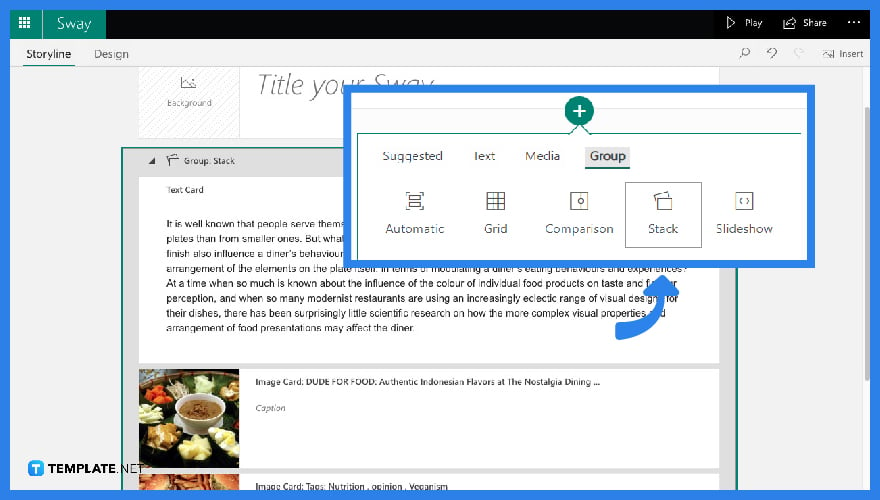
Adding another “Stack” Group can be done even after making previous “Stack” Groups. Moreover, the contents that you can put in each group are endless, further making your Microsoft Sway outputs more organized.
You can stack “Group” cards in Microsoft Sway by simply clicking the “+” button after every group.
You can definitely put multiple pictures on Sway just by dragging and inserting recommended pictures into your “Storyline”.
There are 5 “Group” card types found in Microsoft Sway.
You can create a “Group Stack Card” in Microsoft Sway by clicking the “+” button underneath a regular card and proceed to “Group” to further tap “Stack”.
No. “Group” is a kind of Sway card containing different kinds of content, meanwhile “Grid” is a kind of feature used in collecting images.
How to Stack Group Cards in Microsoft Sway?
Can I put Multiple Pictures on Sway?
How Many Group Card Types Can We Use in Microsoft Sway?
How to make a Group Stack Card in Microsoft Sway?
Is Group and Grid the Same in Microsoft Sway?

Signatures found in documents establish who you are as an individual or as an organization. Aside from the fact that…
![How To Make/Create a Newsletter in Microsoft Outlook [Templates + Examples] 2026](https://images.template.net/wp-content/uploads/2022/07/How-to-Start-a-Newsletter-with-Microsoft-Outlook-788x443.jpg)
Newsletters enable companies and organizations to communicate relevant and helpful information to their client, prospects, and subscribers. By giving you…
![How To Make/Create a Booklet in Microsoft Publisher [Templates + Examples] 2026](https://images.template.net/wp-content/uploads/2022/08/How-To-Make_Create-a-Booklet-in-Microsoft-Publisher-788x443.png)
Booklet templates are pre-designed layouts that make it easy to create a professional-looking booklet. They typically include placeholders for text…
![How To Make/Create a Booklet in Microsoft PowerPoint [Templates + Examples] 2026](https://images.template.net/wp-content/uploads/2022/07/How-To-Make-Create-a-Booklet-in-Microsoft-PowerPoint-788x443.jpg)
Booklets can be created in Microsoft PowerPoint, which offers a design feature that allows users to display them in PPT…
![How to Automatically Fill PDF Forms Using Microsoft Excel [Templates + Examples] 2026](https://images.template.net/wp-content/uploads/2022/07/How-to-Automatically-Fill-PDF-Forms-Using-Microsoft-Excel-788x444.png)
Automatically fill PDF forms using Microsoft Excel so you won’t have to save multiple PDF forms in an Excel spreadsheet…
![How to Make/Create a Floor Plan on Microsoft Excel [Templates + Examples] 2026](https://images.template.net/wp-content/uploads/2022/07/How-to-Make-a-Floor-Plan-on-Microsoft-Excel-788x443.jpg)
Floor plans either make or break projects related to engineering and architecture. That being said, every apartment room, bedroom, living…
![How to Make/Create a Grid in Microsoft Word [Templates + Examples] 2026](https://images.template.net/wp-content/uploads/2022/07/How-to-Make_Create-a-Grid-in-Microsoft-Word-788x444.jpg)
Grids consist of a network of lines that work as graphic cues while formatting your document in Microsoft Office. If…
![How to Add More Highlight Colors to Microsoft Word [Templates + Examples] 2026](https://images.template.net/wp-content/uploads/2022/07/How-to-Add-More-Highlight-Colors-to-Microsoft-Word-Templates-Examples-2023-788x443.jpg)
Add more highlight colors to Microsoft Word so you won’t have to settle with the default shading color in marking…
![How to Make/Create a Border in Microsoft Publisher [Templates + Examples] 2026](https://images.template.net/wp-content/uploads/2022/08/How-to-MakeCreate-a-Border-in-Microsoft-Publisher-788x444.png)
Borders are graphic design elements that make a document more pleasing and stylish to look at. This can be used…