


![How to Add a Signature in Microsoft Forms [Templates + Examples] 2026](https://images.template.net/wp-content/uploads/2022/07/How-to-Add-a-Signature-in-Microsoft-Forms-Templates-Examples-2023-788x443.jpg)
How to Add a Signature in Microsoft Forms [Templates + Examples] 2026
Signatures found in documents establish who you are as an individual or as an organization. Aside from the fact that…
Dec 22, 2025


Sep 02, 2025
Microsoft Teams is a powerful collaboration software that automatically notifies and informs their user whenever a discussion, a meeting, or a notice occurs. These notifications often pops-up in the lower left corner of the screen usually in a shape of a box with a banner and a field.
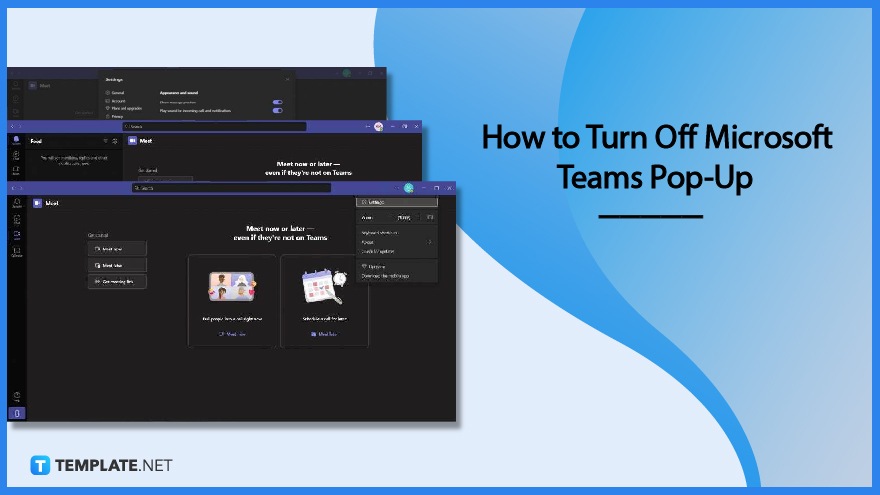
These notifications are accompanied by a small sound ensuring that the user can both visually and audibly perceive the notifications. Though it is recommended that the user keep these pop-ups and notifications enabled, they may distract the user from what they are currently doing.
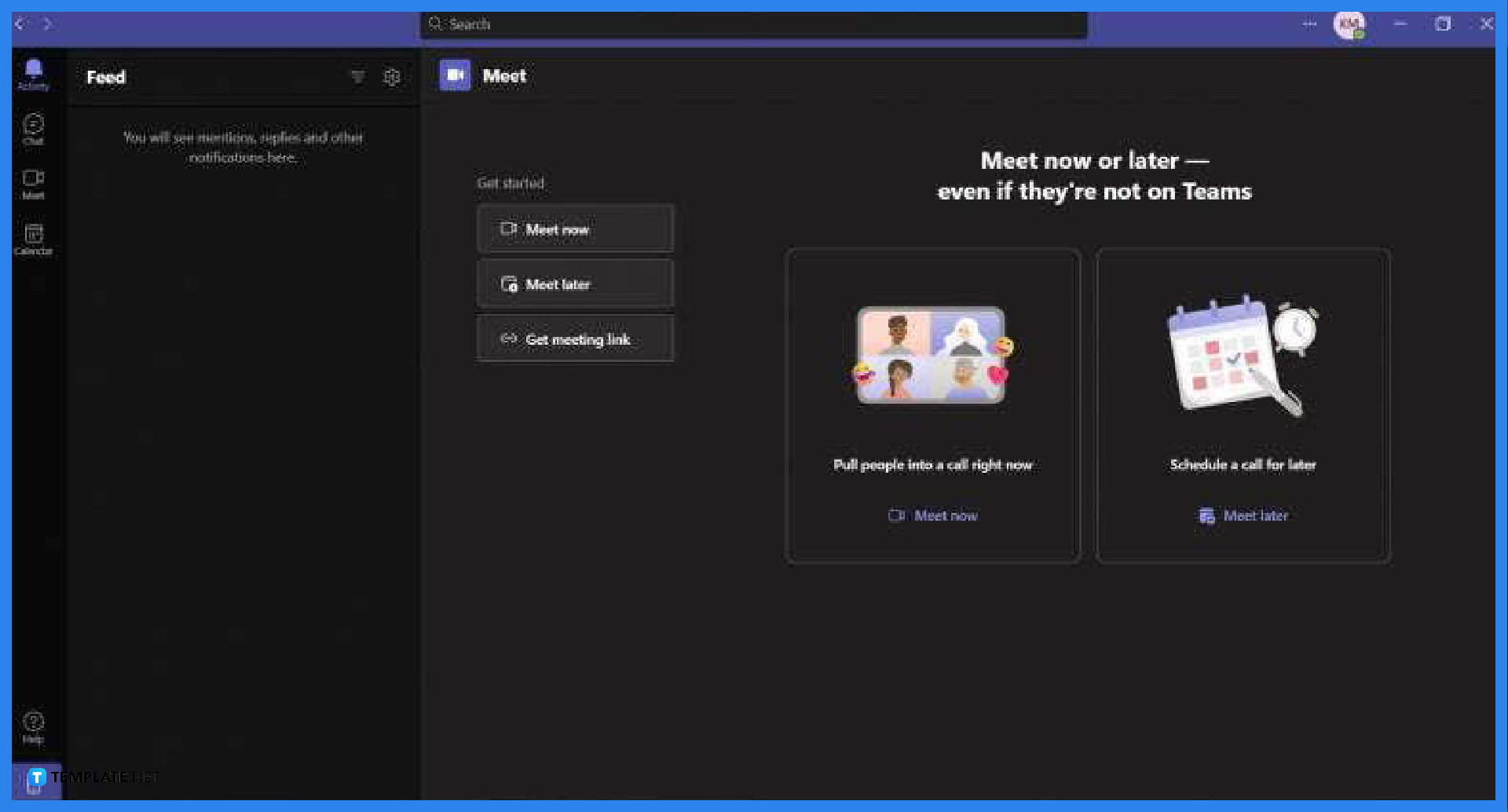
Begin by opening or launching any version of Microsoft Teams on the desktop. To do this, the user will need to double click or open the shortcut located either on the user’s home page or the start button.
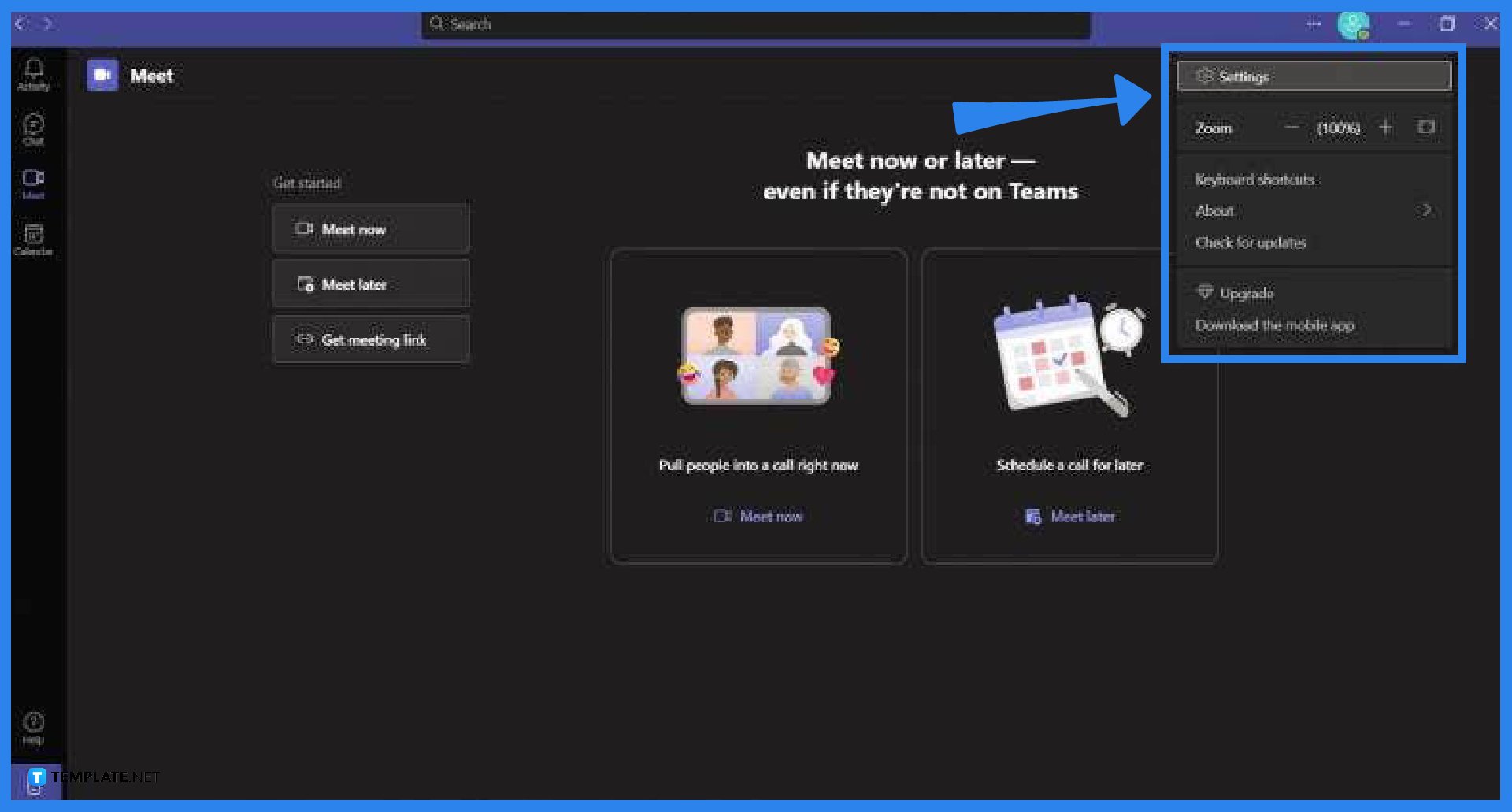
The settings window allows the user to manipulate Microsoft Teams to their preference, this means the user can find the notifications settings in this window. First, the user must locate the settings button located in the settings dropdown by clicking the ··· on the top right corner of the screen, and then select the settings option to open the settings window.
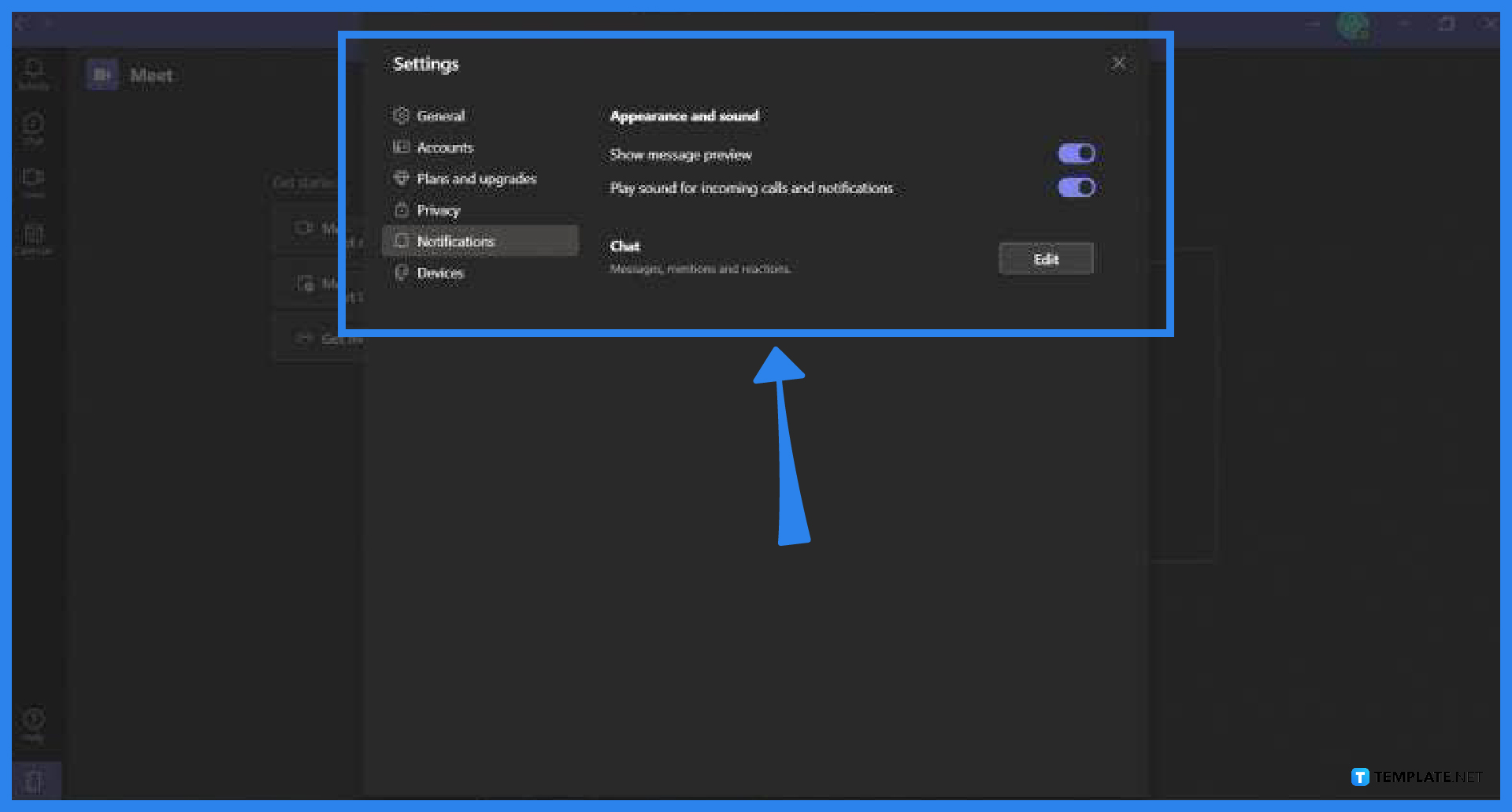
After the user has accessed the settings window they will now need to head to the Notifications tab. To achieve this, the user must click the Notifications tab on the left side of the window. In this view, the user can now select the category they want to change the notifications settings on by clicking the “Edit” button.
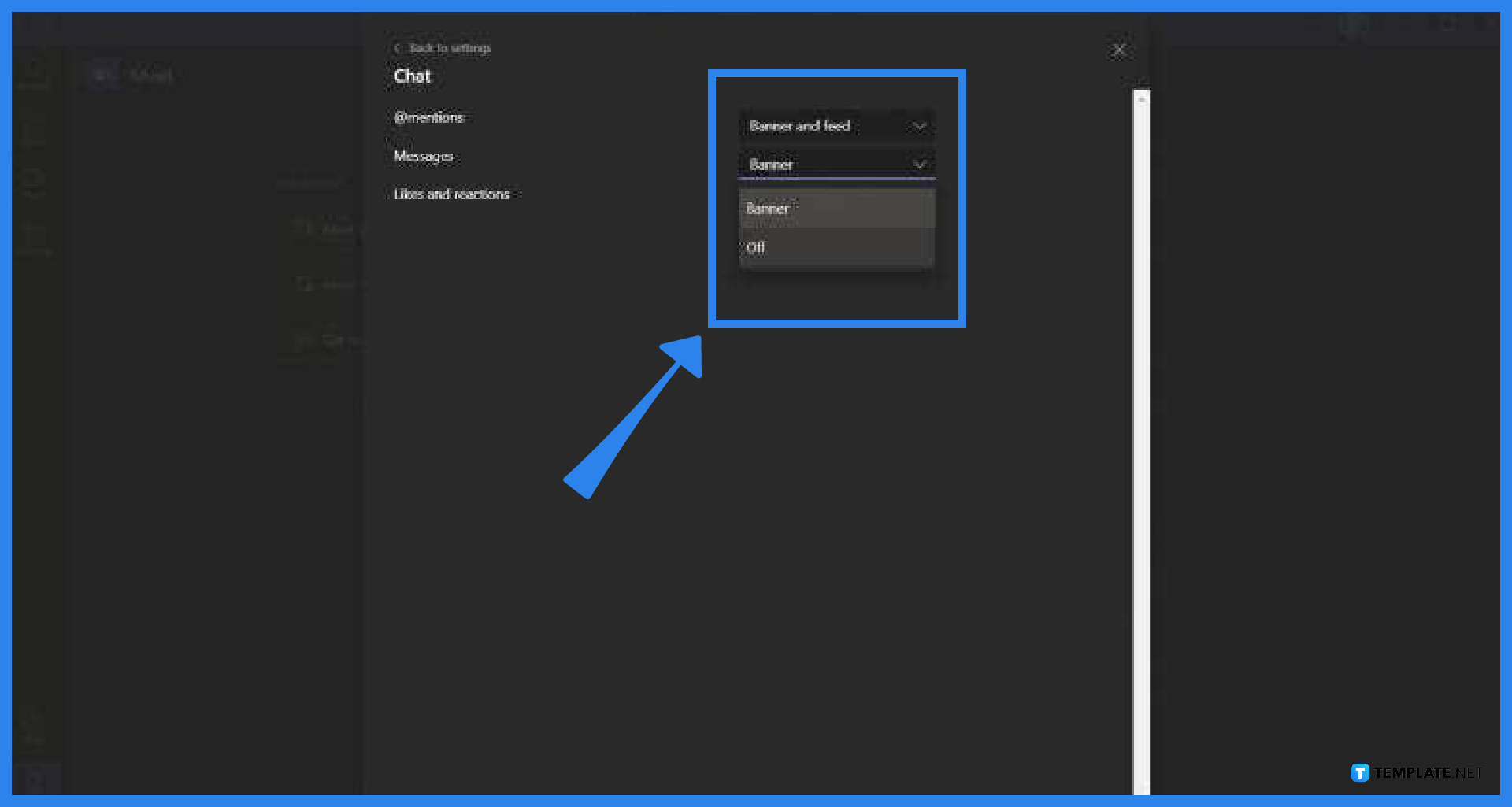
The user can now set specific notifications off or have them appear significantly less. To choose these options, the user must click the dropdown associated with the specific action that would cause the notification. Do this for all the other categories until you are satisfied with the end result.
Microsoft Teams allow the user to freely modify and manipulate how the program will notify them of any activity; this means you can pick and choose which aspects of Microsoft Teams will have a pop-up.
Banners are the square pop-ups that will appear on the lower right portion of the screen when a notification is sent by a program, while the field is a description of the notifications set by the program.
The other facets of Microsoft Teams are only available on the subscription-based version of Microsoft Teams 365; this means you are using the free version of Microsoft Teams as the chat function is one of the few assets available in Microsoft Teams.
Yes, you can turn off the pop-ups and notifications from the general team channel by muting the channel via right-clicking the team channel and selecting the mute option.
One of the ways you can prevent notifications from appearing in Microsoft Teams is by setting your current status to “Do Not Disturb,” as this will prevent any notifications and pop-ups from appearing on your desktop.

Signatures found in documents establish who you are as an individual or as an organization. Aside from the fact that…
![How To Make/Create a Newsletter in Microsoft Outlook [Templates + Examples] 2026](https://images.template.net/wp-content/uploads/2022/07/How-to-Start-a-Newsletter-with-Microsoft-Outlook-788x443.jpg)
Newsletters enable companies and organizations to communicate relevant and helpful information to their client, prospects, and subscribers. By giving you…
![How To Make/Create a Booklet in Microsoft Publisher [Templates + Examples] 2026](https://images.template.net/wp-content/uploads/2022/08/How-To-Make_Create-a-Booklet-in-Microsoft-Publisher-788x443.png)
Booklet templates are pre-designed layouts that make it easy to create a professional-looking booklet. They typically include placeholders for text…
![How To Make/Create a Booklet in Microsoft PowerPoint [Templates + Examples] 2026](https://images.template.net/wp-content/uploads/2022/07/How-To-Make-Create-a-Booklet-in-Microsoft-PowerPoint-788x443.jpg)
Booklets can be created in Microsoft PowerPoint, which offers a design feature that allows users to display them in PPT…
![How to Automatically Fill PDF Forms Using Microsoft Excel [Templates + Examples] 2026](https://images.template.net/wp-content/uploads/2022/07/How-to-Automatically-Fill-PDF-Forms-Using-Microsoft-Excel-788x444.png)
Automatically fill PDF forms using Microsoft Excel so you won’t have to save multiple PDF forms in an Excel spreadsheet…
![How to Make/Create a Floor Plan on Microsoft Excel [Templates + Examples] 2026](https://images.template.net/wp-content/uploads/2022/07/How-to-Make-a-Floor-Plan-on-Microsoft-Excel-788x443.jpg)
Floor plans either make or break projects related to engineering and architecture. That being said, every apartment room, bedroom, living…
![How to Make/Create a Grid in Microsoft Word [Templates + Examples] 2026](https://images.template.net/wp-content/uploads/2022/07/How-to-Make_Create-a-Grid-in-Microsoft-Word-788x444.jpg)
Grids consist of a network of lines that work as graphic cues while formatting your document in Microsoft Office. If…
![How to Add More Highlight Colors to Microsoft Word [Templates + Examples] 2026](https://images.template.net/wp-content/uploads/2022/07/How-to-Add-More-Highlight-Colors-to-Microsoft-Word-Templates-Examples-2023-788x443.jpg)
Add more highlight colors to Microsoft Word so you won’t have to settle with the default shading color in marking…
![How to Make/Create a Border in Microsoft Publisher [Templates + Examples] 2026](https://images.template.net/wp-content/uploads/2022/08/How-to-MakeCreate-a-Border-in-Microsoft-Publisher-788x444.png)
Borders are graphic design elements that make a document more pleasing and stylish to look at. This can be used…