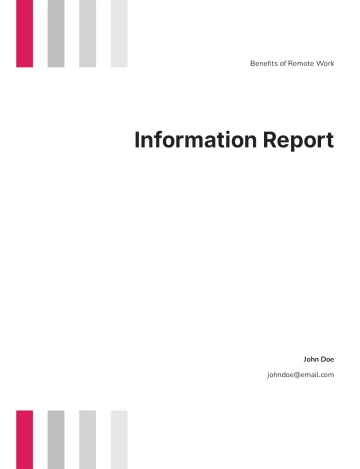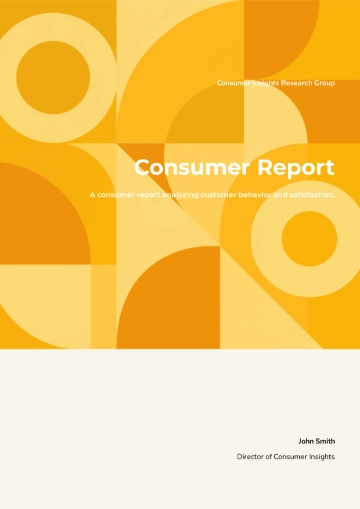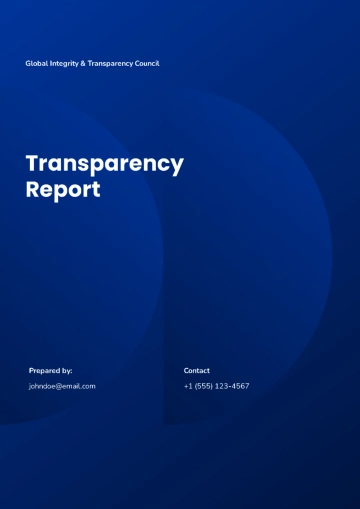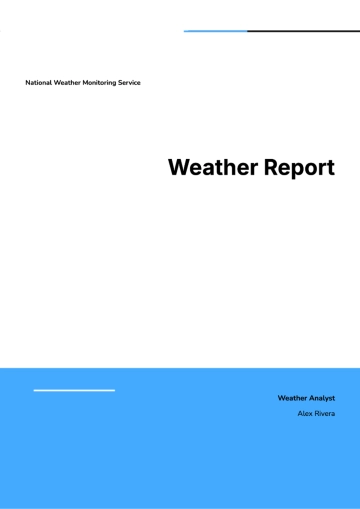
Free Report Layout Design

The objective of this report is to provide a guide to layout design, which is a crucial component in presenting information effectively. This report will explore various elements and best practices associated with layout design to help create visually appealing and functional layouts.
Introduction to Layout Design
Layout design involves the arrangement of visual elements on a page according to specific principles that enhance user experience and information accessibility. Effective layout design is essential in print media, web design, and user interface design.
Key Principles of Layout Design
The foundation of any great layout design lies in understanding and applying key design principles. These principles help designers create balanced and cohesive designs that communicate effectively with the audience.
1. Balance
Balance refers to the distribution of visual elements on a page. It can be symmetrical or asymmetrical. Symmetrical balance involves mirroring elements on both sides of a central axis, while asymmetrical balance utilizes differing elements to create harmony.
2. Alignment
Alignment ensures that elements have a visual connection with each other, providing structure and organization to the design. Consistent alignment contributes to a professional and clean appearance.
3. Contrast
Contrast involves using opposing elements, such as colors, shapes, or sizes, to create visual interest and highlight important elements. Proper use of contrast helps to draw attention to specific areas of a layout.
4. Proximity
Proximity is the principle of grouping related elements together to create a relationship between them. This helps users quickly identify and process related information.
5. Repetition
Repetition strengthens a design by reusing elements to create consistency and unity. This could involve repeating colors, fonts, icons, or layout structures.
Layout Design Process
Designing a layout involves several steps from conception to completion. Understanding these steps ensures an efficient workflow and a successful final product.
Step 1: Define the Purpose
The first step is to clearly define the purpose of the design. Understanding what you aim to achieve with the design dictates all subsequent decisions in the design process.
Step 2: Research and Gather Information
Research involves understanding the audience, competitors, and the industry. Gathering this information helps in formulating design strategies that cater to the target audience’s preferences.
Step 3: Sketch and Wireframe
Creating sketches and wireframes allows designers to visualize the basic layout and structure of the design. This step serves as a blueprint for the final design.
Step 4: Design and Develop
With a solid plan and wireframe, designers proceed to actual design and development. This step includes choosing color schemes, fonts, images, and other elements that align with the defined purpose.
Step 5: Review and Revise
Once the design is complete, it must be reviewed for effectiveness and coherence. Feedback is collected, and necessary revisions are made to enhance the overall design.
Tools and Technologies
Several tools and technologies are available to assist in layout design. Below are some of the most popular tools used by designers around the world.
Adobe Photoshop: A versatile tool for creating detailed graphics and layouts.
Adobe Illustrator: Ideal for creating vector-based designs and typography.
Sketch: A popular tool for UI/UX design with robust prototyping features.
Figma: A web-based design tool known for its collaboration features.
InDesign: Used for designing and publishing high-quality print media.
Best Practices in Layout Design
To ensure a successful layout, designers should adhere to several best practices that enhance the usability and aesthetic quality of a design.
Responsive Design
Designs should adapt to various devices and screen sizes. Responsive design ensures that layouts are user-friendly across all platforms.
Grid Systems
Using grid systems provides a structured framework for placing elements, leading to consistent and organized designs.
Accessible Design
Designs should be inclusive, catering to users with disabilities by incorporating features such as alt text, high contrast, and keyboard navigation.
Conclusion
Layout design is an integral part of any visual media, requiring careful consideration of design principles and processes to achieve effective communication. By following the outlined steps and best practices, designers can create layouts that not only captivate but also convey the intended message clearly.
References
Below is a list of resources and literature for further study in layout design.
"The Non-Designer's Design Book" by Robin Williams
"Grid Systems in Graphic Design" by Josef Müller-Brockmann
Online tutorials from platforms like Coursera and Udemy on layout design
Articles and case studies from design-focused websites like Smashing Magazine and A List Apart
- 100% Customizable, free editor
- Access 1 Million+ Templates, photo’s & graphics
- Download or share as a template
- Click and replace photos, graphics, text, backgrounds
- Resize, crop, AI write & more
- Access advanced editor
Elevate your reports with Template.net’s Report Layout Design Template. Fully customizable and designed for ease, it’s ideal for professional presentations. Utilize the AI Editable Tool for effortless personalization and formatting. With its editable features, tailor layouts to suit any purpose. Achieve stunning, polished results quickly and efficiently with this dynamic, user-friendly solution.

You may also like
- Sales Report
- Daily Report
- Project Report
- Business Report
- Weekly Report
- Incident Report
- Annual Report
- Report Layout
- Report Design
- Progress Report
- Marketing Report
- Company Report
- Monthly Report
- Audit Report
- Status Report
- School Report
- Reports Hr
- Management Report
- Project Status Report
- Handover Report
- Health And Safety Report
- Restaurant Report
- Construction Report
- Research Report
- Evaluation Report
- Investigation Report
- Employee Report
- Advertising Report
- Weekly Status Report
- Project Management Report
- Finance Report
- Service Report
- Technical Report
- Meeting Report
- Quarterly Report
- Inspection Report
- Medical Report
- Test Report
- Summary Report
- Inventory Report
- Valuation Report
- Operations Report
- Payroll Report
- Training Report
- Job Report
- Case Report
- Performance Report
- Board Report
- Internal Audit Report
- Student Report
- Monthly Management Report
- Small Business Report
- Accident Report
- Call Center Report
- Activity Report
- IT and Software Report
- Internship Report
- Visit Report
- Product Report
- Book Report
- Property Report
- Recruitment Report
- University Report
- Event Report
- SEO Report
- Conference Report
- Narrative Report
- Nursing Home Report
- Preschool Report
- Call Report
- Customer Report
- Employee Incident Report
- Accomplishment Report
- Social Media Report
- Work From Home Report
- Security Report
- Damage Report
- Quality Report
- Internal Report
- Nurse Report
- Real Estate Report
- Hotel Report
- Equipment Report
- Credit Report
- Field Report
- Non Profit Report
- Maintenance Report
- News Report
- Survey Report
- Executive Report
- Law Firm Report
- Advertising Agency Report
- Interior Design Report
- Travel Agency Report
- Stock Report
- Salon Report
- Bug Report
- Workplace Report
- Action Report
- Investor Report
- Cleaning Services Report
- Consulting Report
- Freelancer Report
- Site Visit Report
- Trip Report
- Classroom Observation Report
- Vehicle Report
- Final Report
- Software Report