
Free AI Flyer Generator Online
Prompt text or voice, our AI generates editable, professional free flyers instantly. Promote events, products, or services effortlessly. No sign-up needed. Free, fast, and online.


Make Flyers, Customize Online with Design Editor
Template.net’s Free AI Flyer Generator helps you create eye-catching, professional flyers with ease. Simply describe your purpose, event, or promotion, and let AI generate structured flyer layouts instantly. Customize flyers using smart editing tools, brand colors, fonts, images, and calls-to-action. Perfect for businesses, marketers, event organizers, nonprofits, and educators.
Design Custom, Printable Flyers for free
Everything you need to design, customize, and manage flyers without complex design software

Thousands of Ready-Made Flyer Templates
Start instantly with professionally designed flyer templates for events, promotions, sales, announcements, and more. Pick a layout, personalize it, and you're ready to go.

AI-Powered Flyer Generator
Simply enter a prompt or speak your idea, our AI generates a complete, editable flyer layout in seconds, tailored to your message and purpose.

Drag-and-Drop Flyer Editor
Easily move text, images, and shapes around your flyer with an intuitive drag-and-drop interface. No design experience needed.

Fully Customizable Flyer Layouts
Change fonts, colors, images, and sections to fit your brand or campaign. Tweak every detail of your flyer with total creative control.

Fonts, Icons & Graphics Built-In
Access thousands of fonts, icons, illustrations, and stock photos to make your flyer visually engaging and on-point.

1-Click Brand Kit for Flyers
Apply your logo, fonts, and brand colors across any flyer instantly. Keep every flyer consistent with your visual identity.

Create Flyers in 20+ Languages
Use text or voice to generate flyers in multiple languages including English, Spanish, Hindi, French, Chinese, Arabic, German, Japanese, Korean, Portuguese, Russian, Italian, Dutch, Bengali, Urdu, Turkish, Vietnamese, Thai, Tamil, Telugu, and more, great for multilingual audiences.

Preview Before Sharing
Preview flyers to ensure layout accuracy and readability before exporting.

Remove or Replace Flyer Backgrounds
Make your flyer cleaner and sharper by removing photo backgrounds with a single click or adding your own custom background.

Standard Flyer Size Support
Create flyers in common sizes, such as 4×6, 5×7, and 8.5×11 inches.

Smart Image Cropping
Crop and frame images on your flyer with precision. Focus on what matters most without disrupting your layout.

Organize Flyer Elements Easily
Stack, layer, and align flyer text, shapes, and images smoothly for a sharp, professional result.

Create Flyer Collages
Combine multiple images, graphics, and callouts into one cohesive flyer, perfect for event promos, product highlights, or service features.

Customize Without Limits
From QR codes to links, uploads, and animations, freely adjust every element of your flyer for a truly unique result.

Access Millions of Flyer-Ready Assets
Search and insert high-quality images, illustrations, and icons designed to work beautifully in flyers, no need to search elsewhere.

Edit Flyers Anywhere, Anytime
Create and customize flyers on desktop, tablet, or mobile right in your browser, with no software to install.

Export & Share Flyers Instantly
Download your flyer in PNG, JPG, PDF, SVG, or HTML. Or share it via direct link or QR code, ideal for online or offline promotion.

Embed Flyers on Websites or Blogs
Generate an embed code to showcase your flyer on your website or blog, perfect for marketing campaigns or announcements.
How to Generate Flyers Using AI
Just describe your flyer purpose, let AI design it, customize the layout, and download or share in instantly.
Step 1: Enter Your Prompt & Generate a Flyer
Open the AI Flyer Generator and type or speak a prompt and click Generate to receive multiple flyer designs instantly.
Step 2: Review and Customize Your Flyer
Preview your flyer and edit it directly, or ask the built-in chat to suggest more layout variations. Tweak the text, colors, images, and layout until it perfectly fits your message and brand style.
Step 3: Preview Download
Preview your flyer, once you're satisfied, download the flyer in PNG, PDF, SVG, or HTML format, or share it instantly using a live link, QR code, or post directly to platforms like Facebook, Instagram, LinkedIn, X (Twitter), WhatsApp, TikTok, Pinterest, YouTube, and Messenger.
Create Flyers That Drive Attention and Action
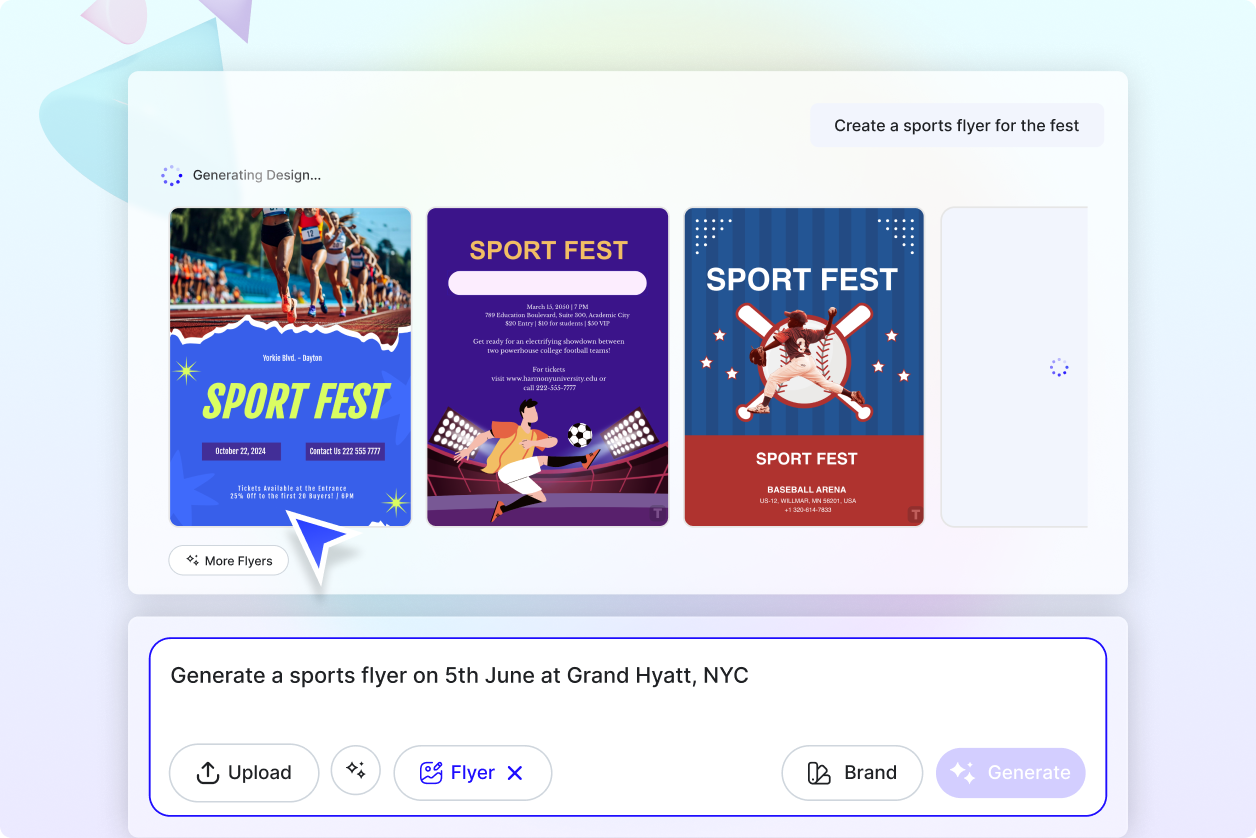
Design Flyers with a Clear Purpose
Create flyers aligned with your promotion, event, or message using AI-powered layouts.
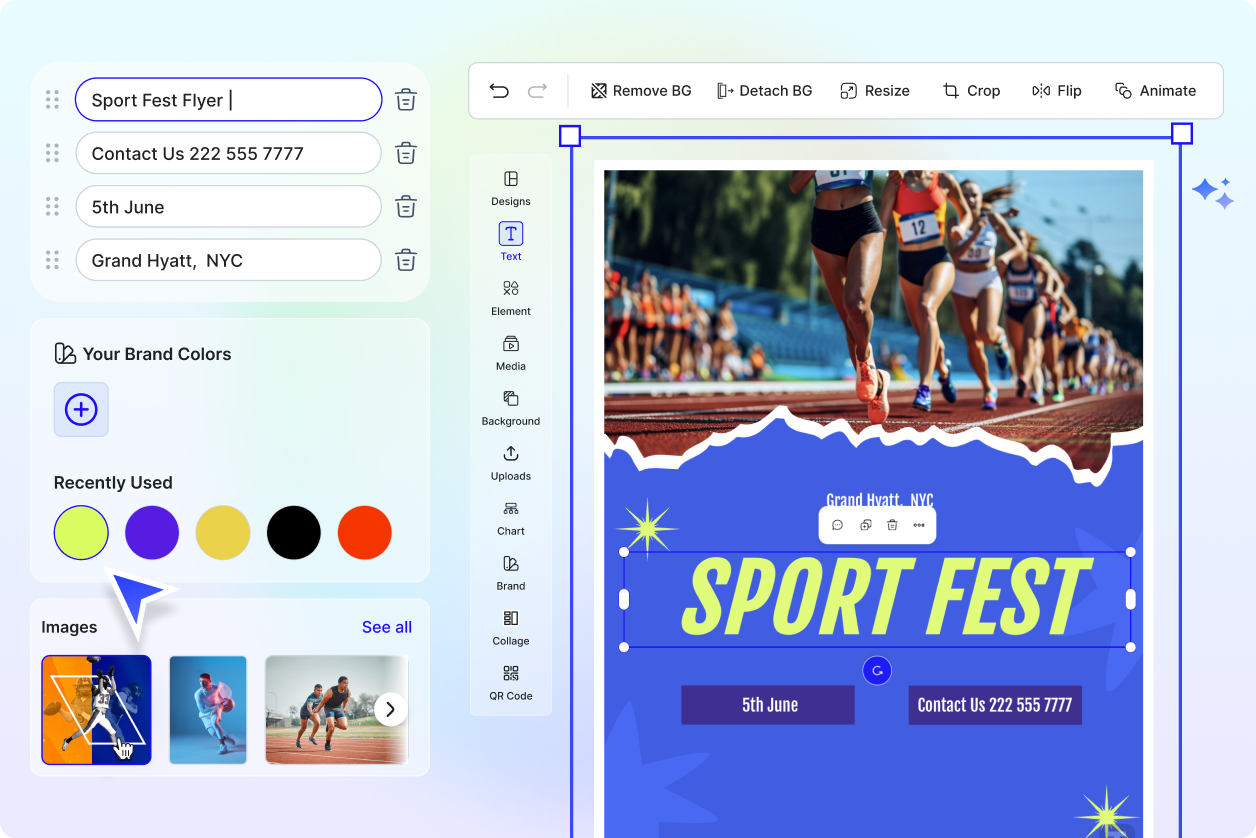
Customize Flyers for Any Use Case
Adapt flyers for sales, events, announcements, menus, or business promotions.
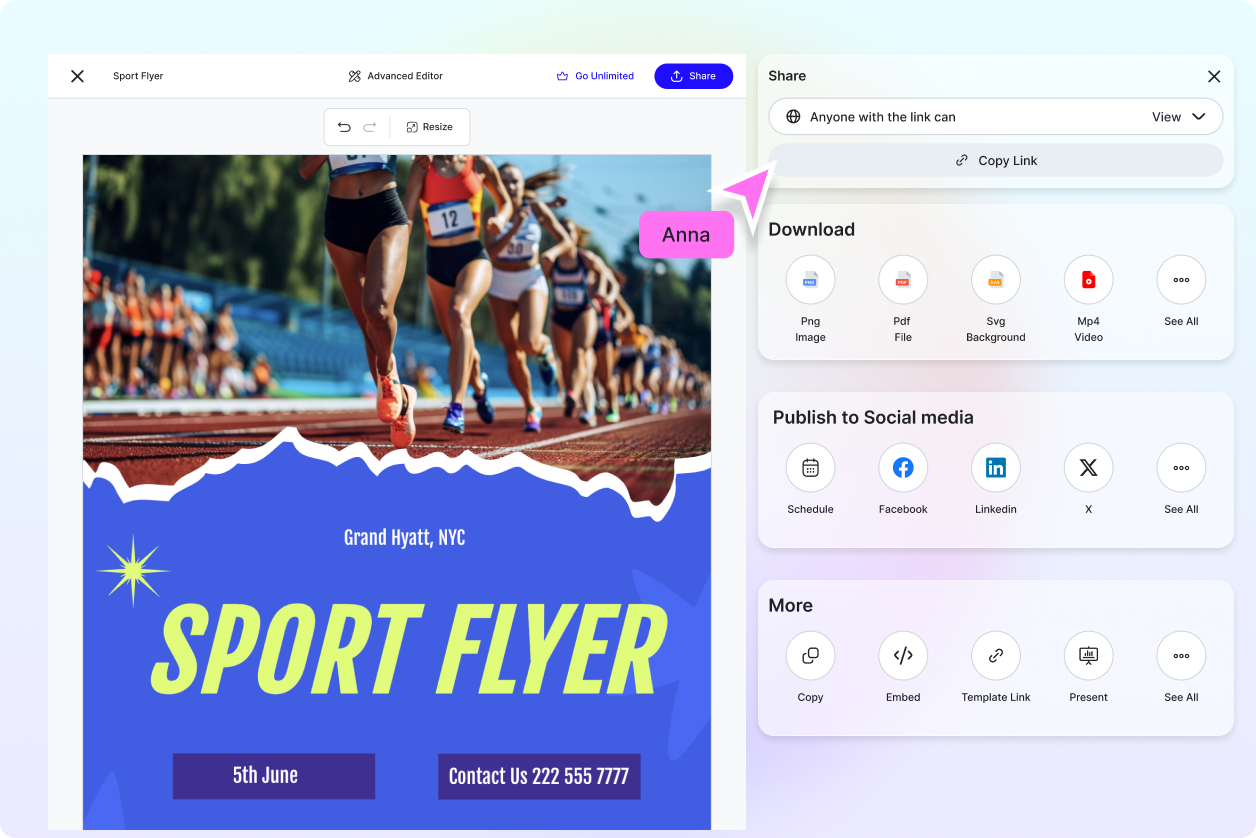
Share Anywhere, Faster
Export your flyer in PNG, PDF, SVG, or HTML, ready for print or digital. Publish or schedule posts directly to Facebook, Instagram, LinkedIn, X, WhatsApp, TikTok, Pinterest, YouTube, and Messenger, or share via public link or QR code. Collaborate live with teammates and clients, goodbye endless email chains.
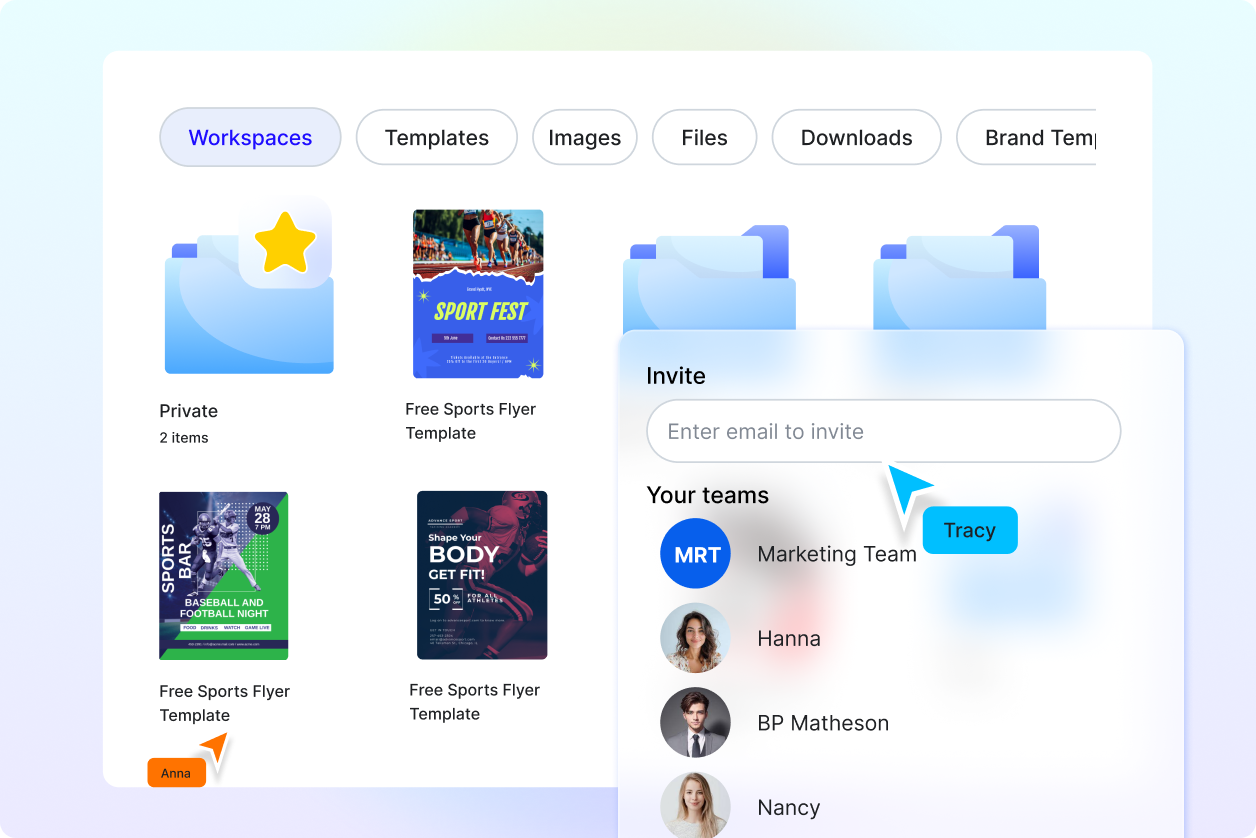
Manage Campaigns in One Workspace
Create private or shared workspaces for teams, clients, or departments. Assign roles, manage access, and keep brand assets and templates centralized so everyone works faster and nothing goes off-brand.
