AI Image Restyler – Reimagine Your Photos
Upload an image, enter a text prompt, and let AI transform its visual style instantly. Create artistic, realistic, cinematic, illustrated, and creative image variations with an easy image-to-image workflow. Free, fast, and online.

Transform Existing Images with an AI-Powered Generator
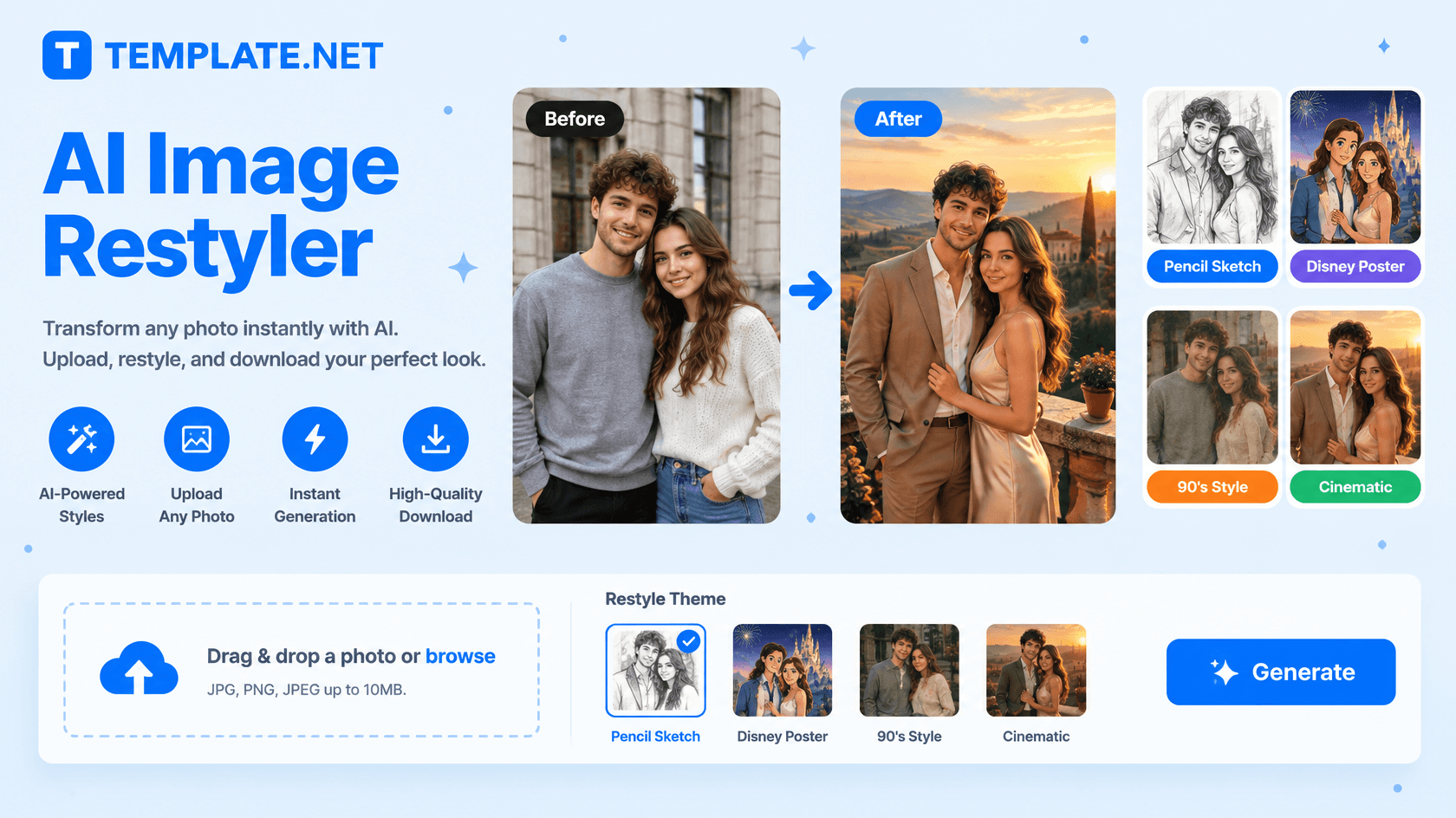
Template.net’s Free AI Image Restyler helps you transform an existing image into a new visual style using an uploaded image and a simple text prompt.
- Upload your source image, describe the look you want, and generate a new version while retaining important elements of the original visual.
- Create artistic transformations such as paintings, sketches, anime, illustrations, realistic renders, or cinematic treatments, and explore different visual directions without starting from scratch.
How to Restyle an Image Using AI
Upload, describe, generate, and refine your visual transformation through a simple image-restyling workflow.
Upload Your Image and Enter a Prompt
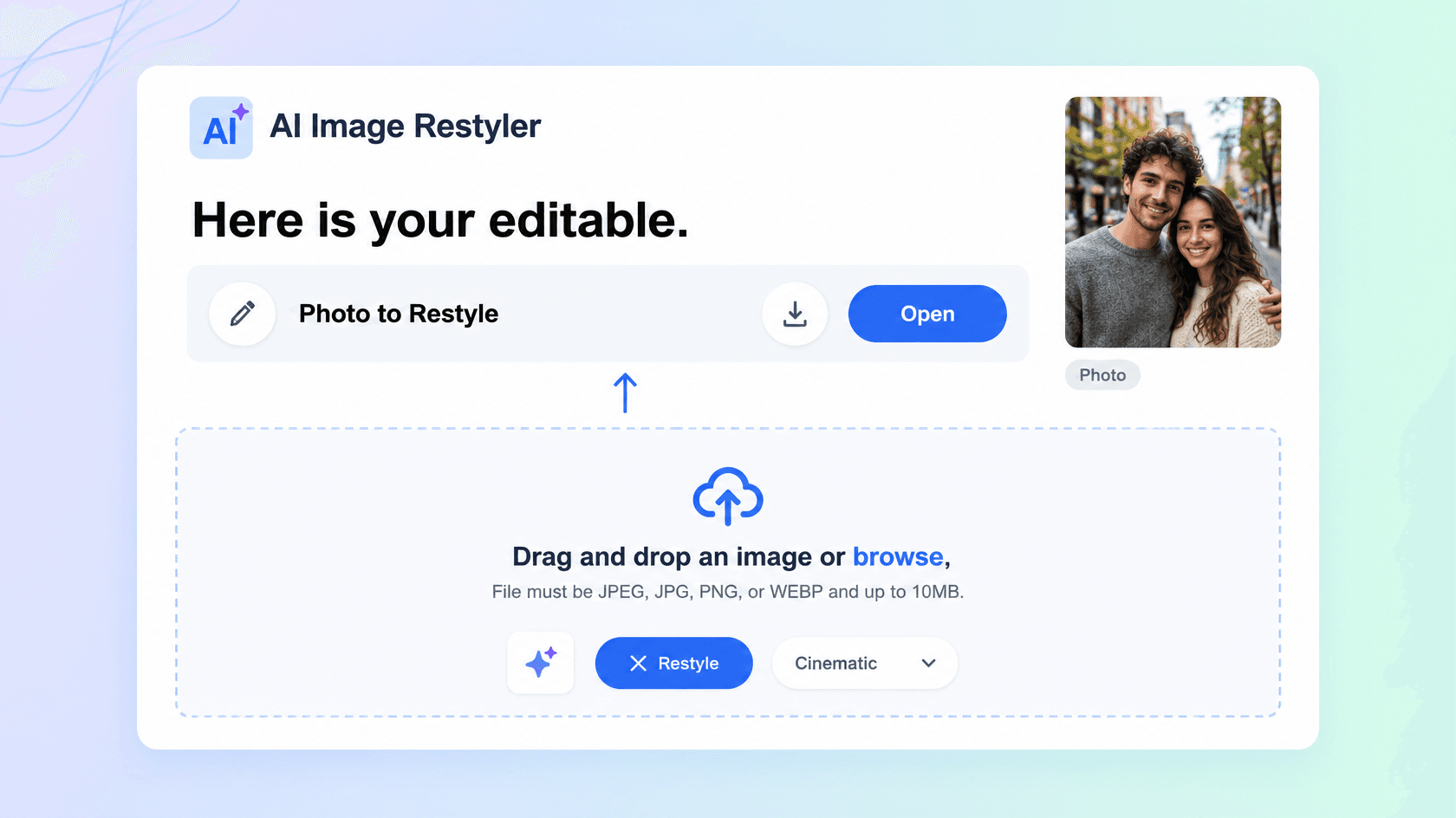
Open the AI Image Restyler and upload the image you want to transform. Then describe the desired result, such as “Turn this portrait into a cinematic editorial photograph”, “Convert this photo into a watercolor painting”, or “Make this 3D render look like a realistic product photograph.” Prompt-based restyling allows you to explain both the style and the changes you want.
Generate and Refine Your Restyled Image
The AI analyzes the uploaded image and applies your requested visual direction. Review the generated result and update your prompt when you want to adjust the style, lighting, colors, background, composition, or other details. Image-to-image workflows can preserve important characteristics of the original while introducing the requested transformation.
Save, Download, or Share
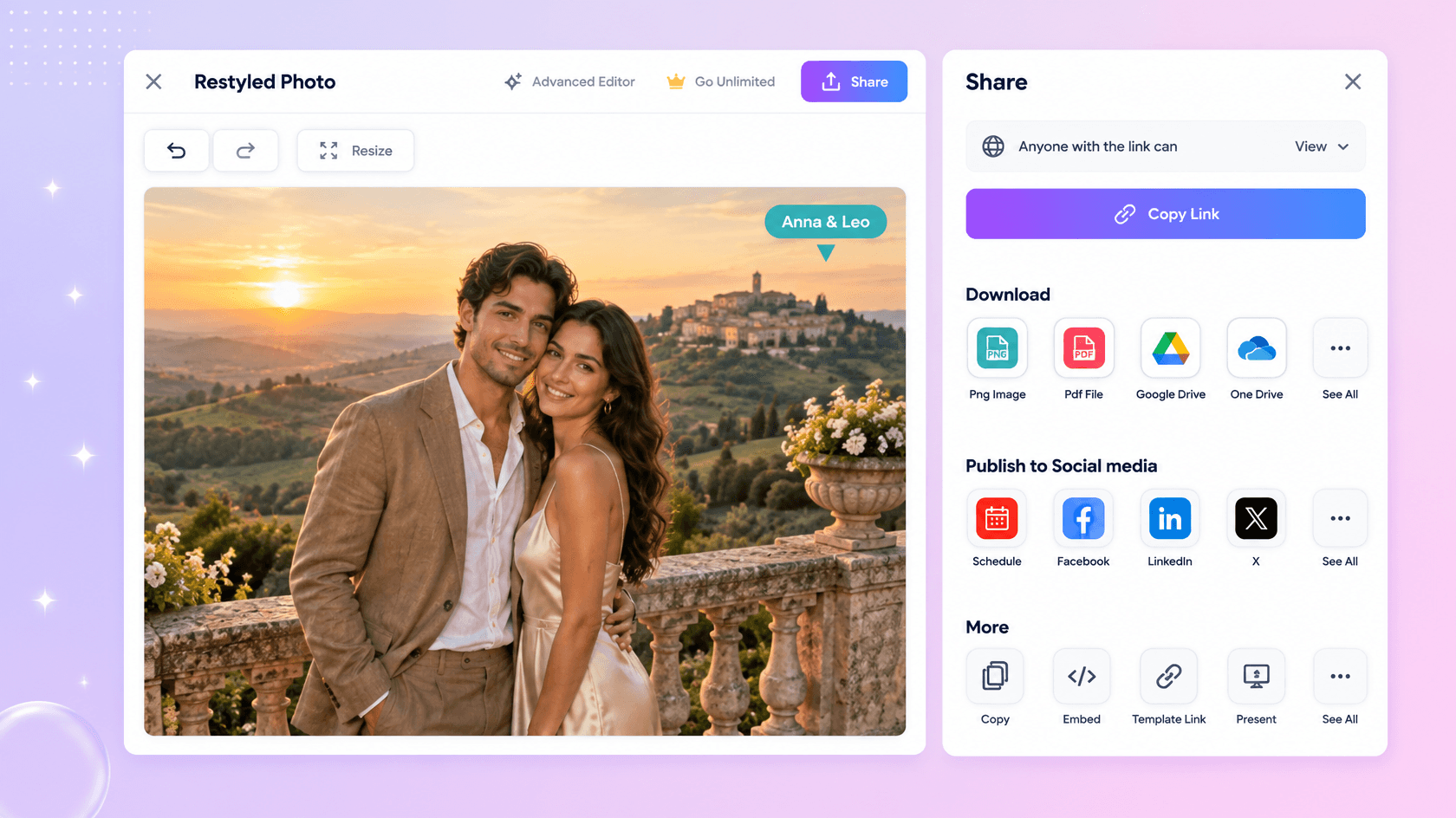
Preview your restyled image and choose the version you want to keep. Download the high-quality result or share instantly via Email, LinkedIn, WhatsApp, Facebook, X (Twitter), Pinterest, or generate a live link or QR code.
Give Every Image a Fresh Visual Direction with AI
Turn Existing Images into New Creative Styles
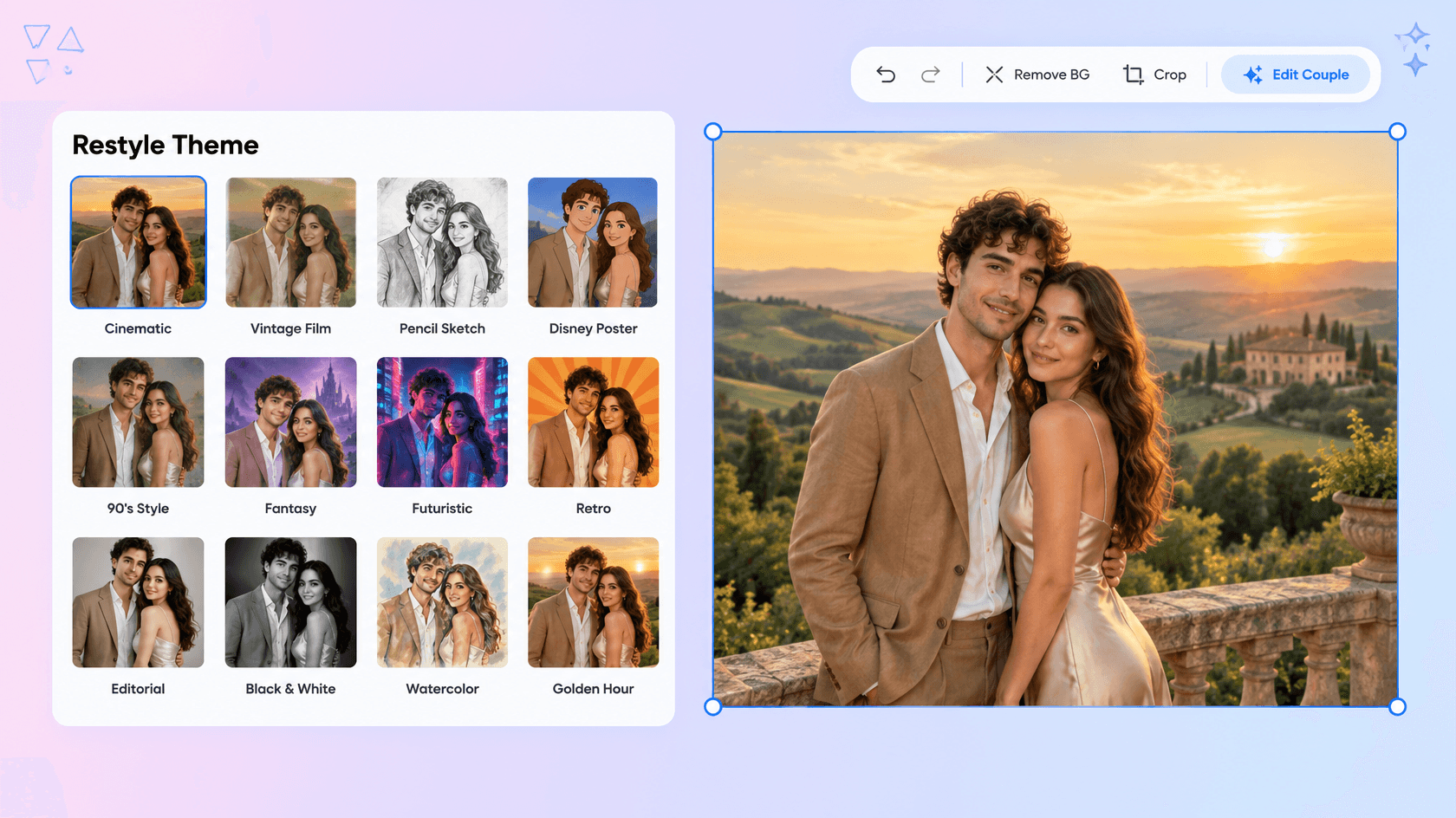
Transform an existing image into a painting, sketch, anime artwork, comic illustration, cinematic visual, 3D render, or photorealistic version by describing the desired appearance in a prompt.
Reimagine Scenes Without Starting Over
Change backgrounds, lighting, weather, atmosphere, and other environmental details while using the original image as the visual foundation. This makes it easier to explore different creative directions from one source.
Create Consistent Visual Variations
Use the same source image, style direction, or reference approach to explore multiple variations while keeping important visual characteristics consistent. Reference-based image workflows can help maintain subject, color, shape, and other defining details.
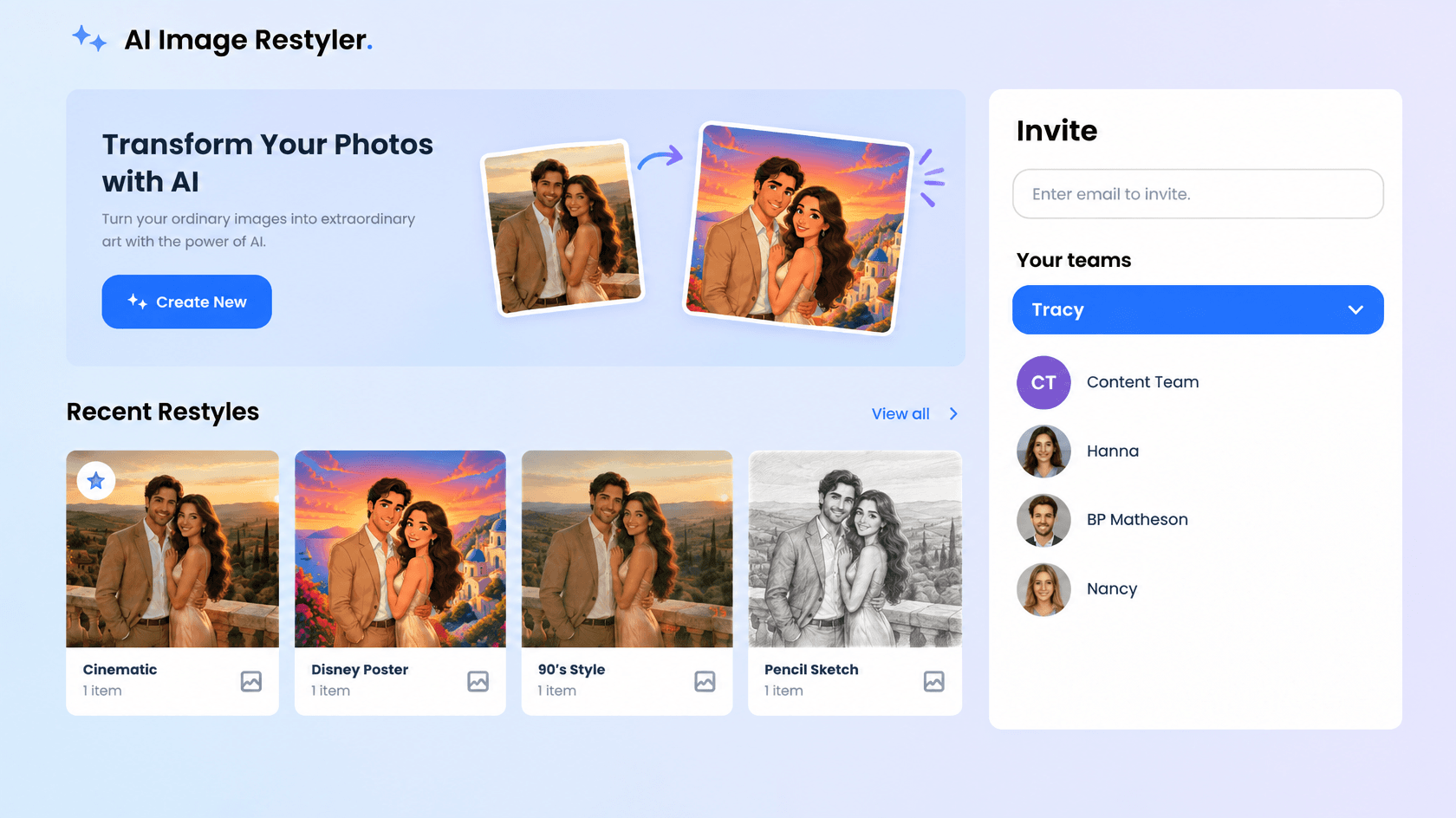
Explore Styles with Simple Natural-Language Prompts
You do not need complex editing controls to describe the transformation. Tell the AI what the image should become, refine the prompt when needed, and create new visual versions from the same source image.
Restyle and Redesign Images Effortlessly with AI
Everything you need to transform existing visuals into fresh styles, creative variations, and polished image outputs with simple upload-and-prompt controls.

AI-Powered Image Restyling
Transform an uploaded image into a completely different visual style using a natural-language prompt while retaining important visual elements.

Upload an Image and Set the Direction
Upload your source image and describe the desired transformation, such as changing its artistic style, atmosphere, medium, or overall visual treatment.

Describe Your Desired Visual Style
Use simple prompts to explain how you want the image to look. Describe styles such as watercolor, oil painting, anime, sketch, comic, cinematic, or photorealistic.

Transform Photos into Artistic Styles
Turn ordinary photos into paintings, illustrations, sketches, digital artwork, and other creative styles without manually recreating the original composition.

Convert Artistic Images into Realistic Visuals
Restyle sketches, cartoons, illustrations, or 3D renders into more realistic-looking images by describing the desired photographic appearance.

Context-Aware Image Transformation
AI interprets the relationship between your source image and prompt to apply the requested changes while keeping relevant subjects and visual details recognizable.

Preserve Important Image Details
Maintain key aspects of the source image, including the main subject, composition, colors, shapes, and other details while applying a new visual direction.

Restyle Scenes and Environments
Give an existing scene a new appearance by changing the background, atmosphere, weather, time of day, or surrounding environment through your prompt.

Change Lighting and Visual Atmosphere
Describe warmer, cooler, brighter, darker, dramatic, cinematic, or other lighting directions to create a different mood.

Create Fresh Portrait Styles
Transform portrait images into professional headshots, artistic portraits, editorial looks, character concepts, or other visual treatments while keeping the main subject recognizable.

Apply Reference Based Visual Directions
Use a source or reference image to guide the desired aesthetic and combine visual direction with text prompts for more controlled transformations. Reference-based workflows can help guide style, composition, and color characteristics.
Generate Multiple Restyling Variations
Explore different interpretations of the same source image by changing the prompt and generating new visual styles, compositions, or creative directions.

Explore Diverse Image Styles
Experiment with watercolor, oil painting, anime, comic, vintage, cinematic, 3D, photorealistic, and other visual treatments.

Flexible Image Aspect Ratios
Create restyled visuals in supported aspect ratios including 1:1, 3:4, 4:3, 9:16, and 16:9 for different digital and creative applications.

Multilingual Style Workflow
Generate AI Restyle image content in 20+ global languages, including English, Spanish, Hindi, Arabic, Chinese, Japanese, French, German, Portuguese, Russian, Korean, Italian, Turkish, Indonesian, Thai, Vietnamese, Dutch, Polish, Bengali, Telugu, and more.

Fast Style Generation
Generate a transformed image result quickly after uploading the source and selecting the desired restyle option.
Multiple Style Explorations
Create varied restyled image results from a source photo to compare different artistic and visual directions.

Download or Share Instantly
Download your completed restyled image or share it instantly via Email, LinkedIn, WhatsApp, Facebook, X (Twitter), Pinterest, or generate a live link or QR code.
Image Restyler FAQ
Still have questions?
The quickest answer is to try it - upload a photo and see the result.
What is an Image Restyler? Definition
An Image Restyler is an AI-powered tool that transforms the appearance of an existing image by applying new artistic styles, aesthetics, colors, or visual effects while preserving the original content and structure.
What is an AI Image Restyler and why is it used?
An AI Image Restyler is used to quickly change the appearance of existing visuals without recreating them manually. Users can apply new styles, lighting, backgrounds, artistic treatments, and creative directions through prompts.
What sizes or formats are supported for restyled images?
Restyled images support aspect ratios including 1:1, 3:4, 4:3, 9:16, and 16:9, making them suitable for square graphics, portraits, landscape visuals, social media content, presentations, and other digital uses.
What types of images can be restyled?
You can restyle photographs, portraits, illustrations, sketches, cartoons, product visuals, and other source images into artistic, realistic, cinematic, anime, watercolor, painted, or other visual styles.
Does the AI Image Restyler support multiple languages?
Yes, it supports 20+ multiple languages including English, Spanish, Hindi, Arabic, Chinese, Japanese, and more where multilingual input or interface support is available.
What are the benefits of using an AI Image Restyler?
It saves editing time, makes style experimentation easier, creates multiple visual variations, and lets users transform existing images through simple upload-and-prompt instructions.
What are common use cases for AI Image Restyling?
Common use cases include artistic style transfer, portrait creation, product visualization, social media content, marketing graphics, concept development, background transformation, and creative image experimentation.
Explore more AI image tools
 Image Editor
 Image to Image
 Remove Background
 Face Swap
 Inpaint
 Photo Upscaler
 Image Resizer
 Crop Image
 Camera Angle
 Skin Enhancer
 Relight
- Character Generator
- Object Remover
- Image Eraser
 Text Remover
 Watermark Remover
 Transparent Background Generator
 Mirror Image
 Image Background Changer
 Change Image Color
 Add Text To Photo
 Border Generator
 Watermark Generator
 Photo Blur
 Image Enhancer
- Image Clearer
 Sharpen Image
 HD Photo Converter
 Image To Cartoon
 Photo To Sketch
 SVG Converter
- Image To Text Generator
 Color Analysis
 Image Combiner
- Character Swap
- Photo Collage Generator
- Photo Grid Generator
 Headshot Generator
 Profile Picture Generator
 Portrait Generator
 Hair Style Changer
 Long Hair Extension Generator
 Action Figure Generator
 Old Photo Restoration
 Pet Portrait Generator
 Photo To Emoji Generator
- Product Expander Generator
- Cinematic Shot Generator
- Pixel Art Generator
- Sketch Generator
- Cake Topper Generator
- Emoji Generator
- Cartoon Generator
- Coloring Page Generator
- Anime Generator
- Lego Generator
- Tattoo Generator
- Drawing Generator
- Art Generator
- Stock Photo Generator
- Photo Generator
- PNG Image Generator
- Font Text Generator
- Text Effect Generator
- Random Quote Generator
Try AI Image Restyler now
Drag and drop an image or browse to edit it
or drop an image here
