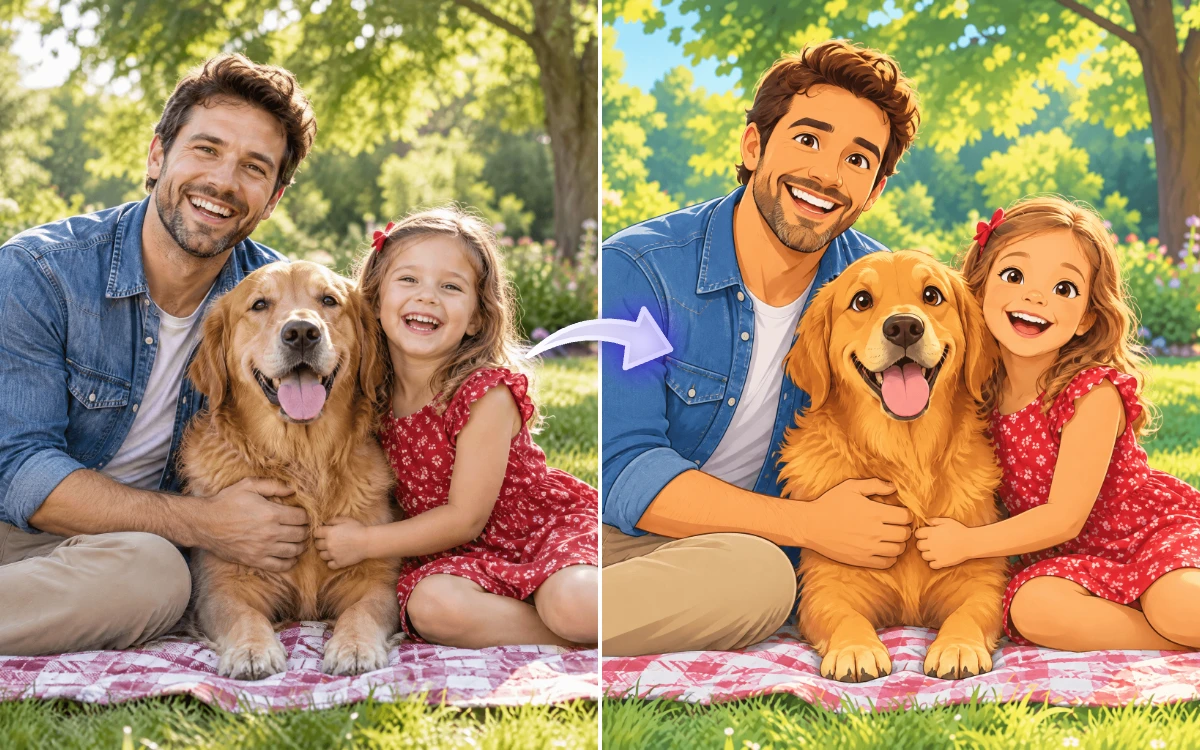
Free AI Image to Cartoon Generator
Upload your file and our AI transforms your photo into a cartoon image instantly with artistic styles and creative effects. Create fun, professional, or stylized visuals for social media and design. Free, fast, and online.
Turn Photos into Cartoons Online with AI
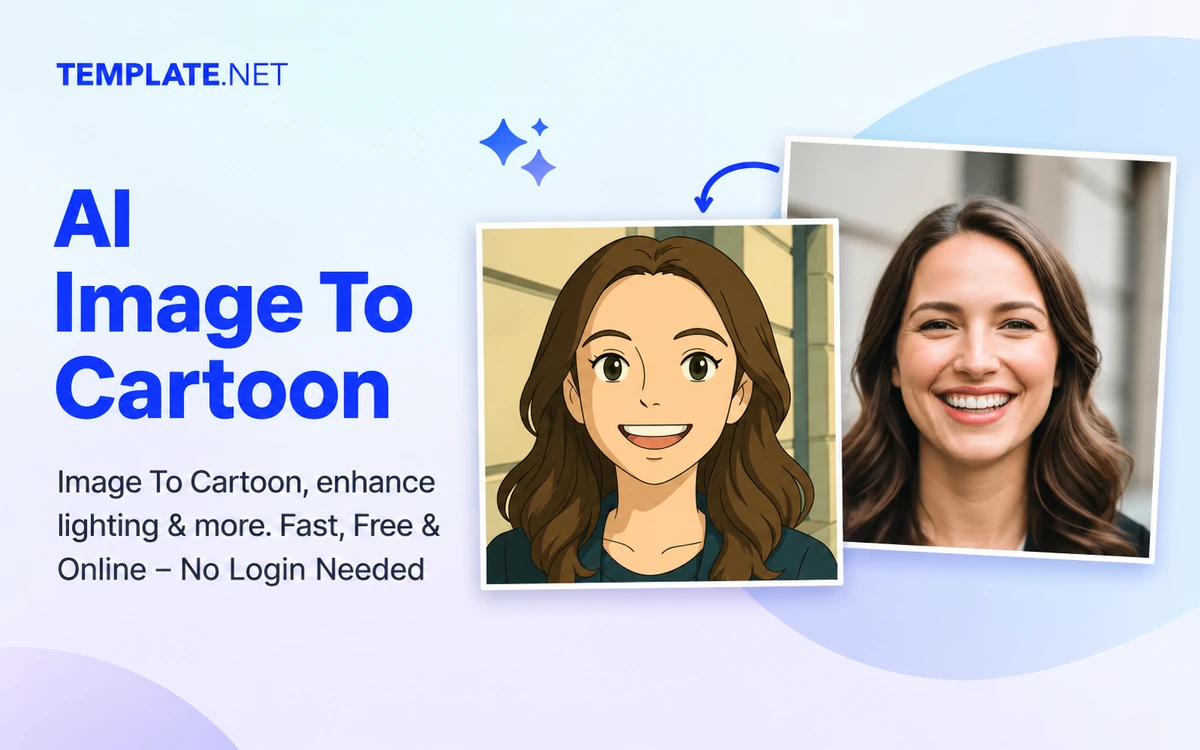
Template.net’s Free AI Image to Cartoon turns your photos into bright, recognizable cartoons in seconds. Pick from 30 styles like Anime, 3D Animation, Comic and Pop Art, add your own details, and get a cartoon ready for profiles, gifts and posts.
Cartoons That Still Look Like You
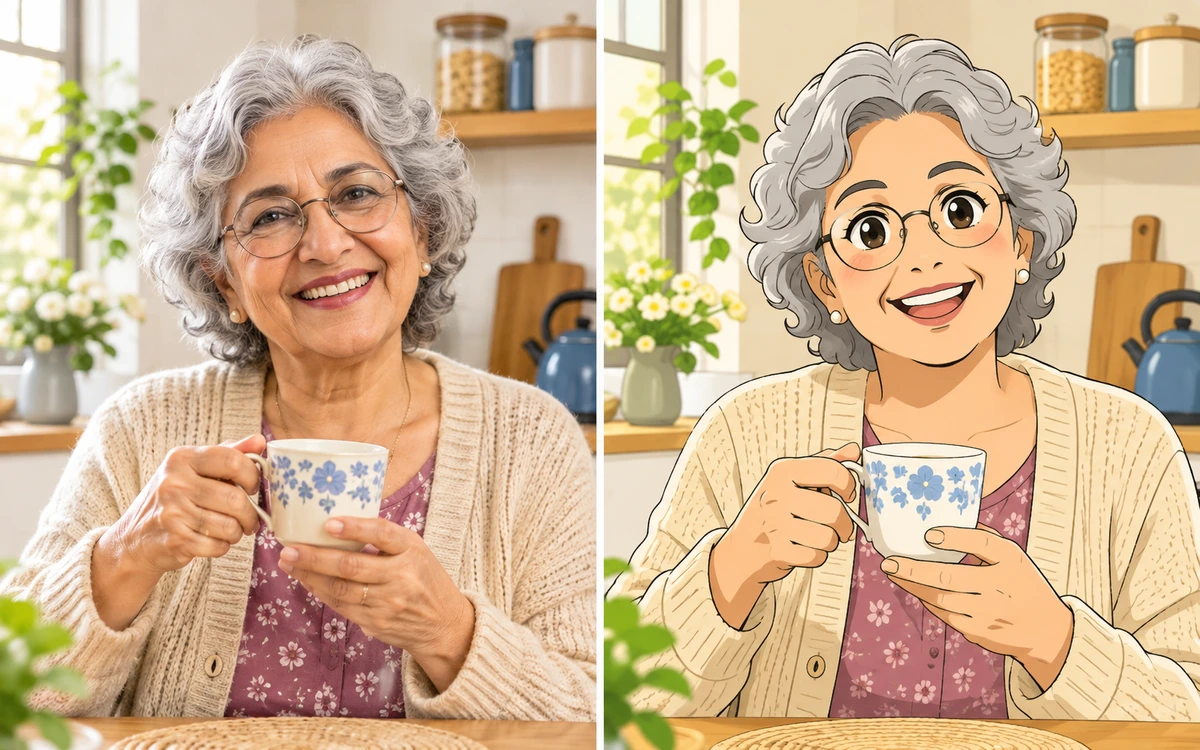
Our AI keeps faces, hair, outfits and poses true to your photo, redrawn in clean lines and bright cartoon colors that anyone can recognize at a glance.
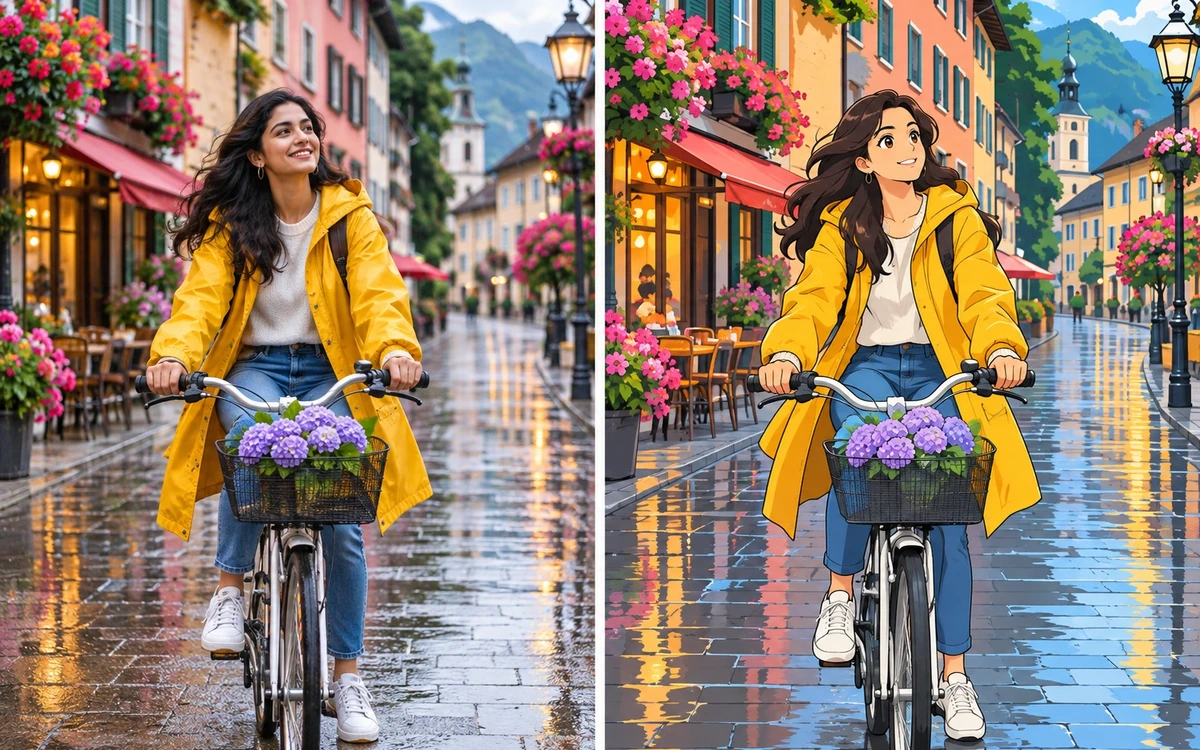
The Whole Scene, Not Just the Face
The AI cartoons your whole photo, people, outfits and backgrounds alike, so it looks like a frame from an animated film instead of a cut-out face.
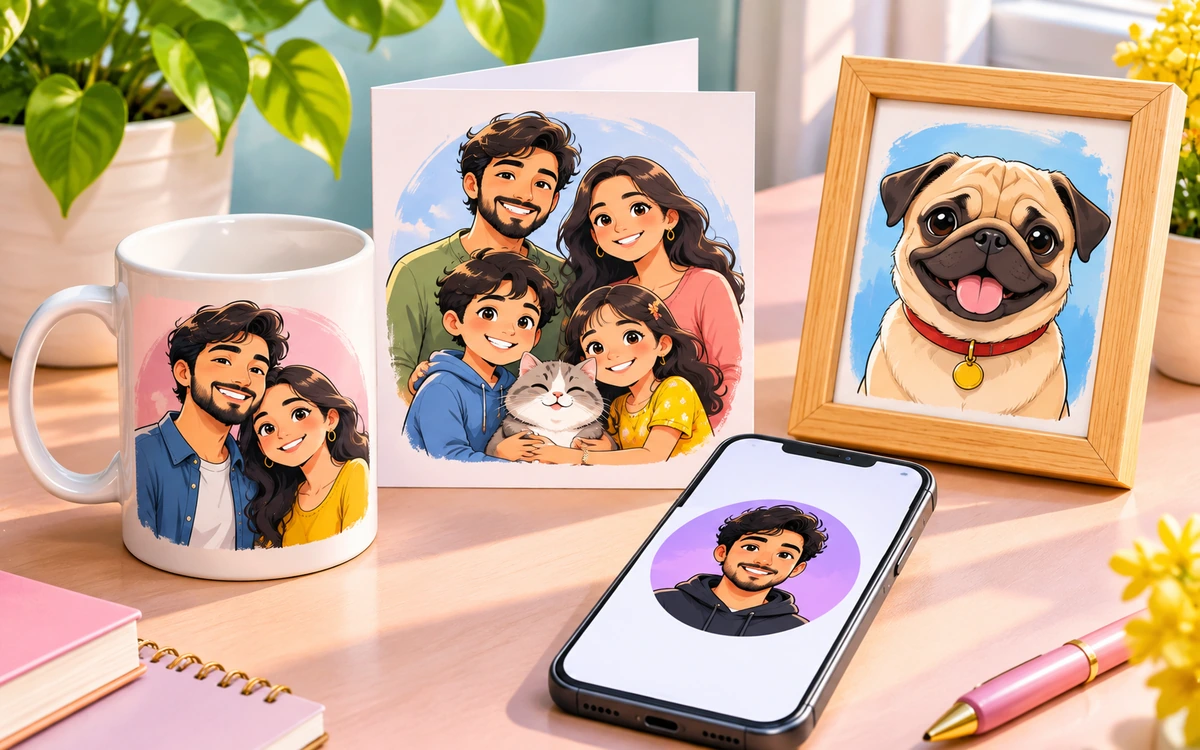
Made for Profiles, Gifts and Social Posts
Make cartoon avatars, custom gifts, family and pet portraits, invitations, and eye-catching brand posts.
How to Convert Images to Cartoon Using AI
Generate, refine, and export cartoon image outputs using a simple workflow.
- Step 1
Upload Your Image
Open the AI Image to Cartoon Generator and upload your file to begin transformation instantly.
- Step 2
Convert and Customize
The AI converts your photo image into a cartoon style with multiple variations. Choose your preferred version and refine styles if needed.
- Step 3
Save Download or Share
Preview your cartoon image and download it in high quality or share instantly via Email, LinkedIn, WhatsApp, Facebook, X (Twitter), Pinterest, or generate a live link or QR code.
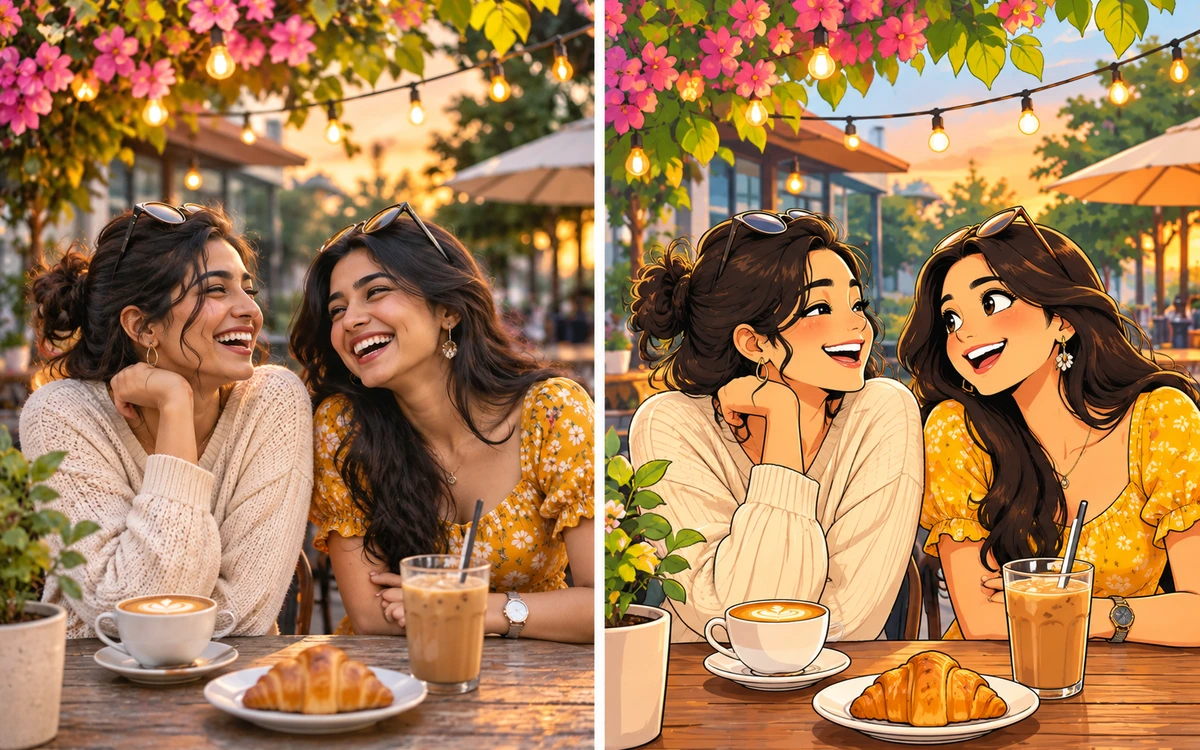
Clean, Share-Ready Cartoon Art
Download crisp, vivid cartoons from your Workspace to share right away or edit further with Template.net’s AI tools.
AI Image to Cartoon Features
Everything you need to turn everyday photos into polished cartoon art in a few clicks.

One-Click Cartoonizing
Upload a photo, pick a style and click Cartoonize. The AI redraws your image as a finished cartoon in seconds, with no drawing or editing skills needed.

Wide Range of Cartoon Styles
Choose from chibi, comic, anime, doodle, flat vector, pop art, retro, claymation and many more. Each style has its own linework, colors and shading.

Recognizable Likeness
Faces, hairstyles, glasses, outfits and poses stay true to the original, so the cartoon still clearly looks like the person in your photo.

Full-Scene Cartoonizing
The AI redraws the whole picture, including backgrounds, rooms, streets and landscapes, so the result looks like a frame from an animated film, not a cut-out face on a photo.

Cute Chibi Characters
Turn anyone into an adorable chibi with a big head, small body and expressive eyes. It’s the default style and perfect for avatars and stickers.

Anime and Comic Looks
Give your photo bold manga-inspired linework, comic book inks and halftones, or a vintage comics finish for a dramatic, story-ready look.

Seasonal and Themed Styles
Add some atmosphere with Cherry Blossom, Christmas, Early Autumn and Cyberpunk styles, made for holiday cards, seasonal posts and themed events.

Artistic Finishes
Go beyond classic cartoons with Pop Art, Neon Outline, Rococo, Pin-up and Claymation styles for eye-catching, gallery-style artwork.

Works on Pets and Objects
Cartoon your dog, cat, car, food, products or favorite places, not just people. It’s great for pet portraits and playful brand visuals.

Group and Family Photos
Cartoon couples, families, friends and teams in one image, with each person kept distinct and recognizable in the same consistent style.

Batch Upload
Add up to 8 photos at once and cartoon a whole photo set in one go. Each image can be up to 25 MB.

Custom Instructions
Add a short note to steer the result, such as brighter colors, a sunny background or a bigger smile, and the AI follows it while it cartoons your photo.

Flexible Output Sizes
Keep Auto to match your photo, or choose 1:1, 3:4, 4:3, 9:16 or 16:9 to fit profile pictures, stories, posts, prints and banners.

Fast or Pro Quality
Use Fast for quick previews and experiments, or switch to Pro for richer detail and cleaner lines on your final cartoon.

Style Previews Before You Generate
Every style shows a sample thumbnail, so you can see the look before using a generation and pick the right one the first time.

Clean, Share-Ready Results
Get crisp cartoon images with smooth outlines and vivid colors, ready to post, print or send straight away.

Saved to Your Workspace
Every cartoon is saved automatically to your Workspace, where you can download it any time or come back to it later.
Keep Editing with AI Tools
Take your cartoon further with Template.net’s other AI image tools: remove the background, upscale it or add it to a design template.
Frequently Asked Questions
How do I turn a photo into a cartoon?
Upload your photo, pick a cartoon style, add any extra instructions if you like, and click Cartoonize. The AI redraws your image as a cartoon in seconds, and you can download it from your Workspace.
What kinds of photos work best?
Clear, well-lit photos where faces and subjects are easy to see give the best results. Portraits, group shots, pets, travel photos and everyday scenes all work well. Very dark, blurry or heavily filtered photos may lose detail.
Will the cartoon still look like me?
Yes. The AI keeps key details like face shape, hairstyle, glasses, clothing and pose, so the cartoon stays recognizable while taking on the look of the style you choose.
Which cartoon styles can I choose from?
You can pick from a wide range of styles, including Chibi, Comic, Anime, Doodle, Flat Vector, Pop Art, Retro, Claymation, Vintage Comics, Neon Outline and seasonal looks like Cherry Blossom and Christmas. Each style shows a preview thumbnail before you generate.
Can I cartoon more than one photo at a time?
Yes. You can upload up to 8 photos at once, each up to 25 MB, and the AI cartoons every one in your chosen style.
Can I cartoon pets, objects and places, not just people?
Absolutely. The tool works on pets, landscapes, buildings, food and products too, which makes it great for pet portraits, illustrated scenes and fun brand visuals.
Can I change the size or shape of the cartoon?
Yes. Leave the size on Auto to match your photo, or choose 1:1, 3:4, 4:3, 9:16 or 16:9 to fit profile pictures, stories, posts and prints.
What is the difference between Fast and Pro quality?
Fast gives you quick results and is ideal for trying out different styles. Pro takes a little longer and produces richer detail, cleaner lines and a more polished finish for your final image.
Is AI Image to Cartoon free to use?
You can try it free as a guest. After that, sign up to keep creating, and each cartoon uses credits from your plan. The credit cost is shown on the Cartoonize button before you generate.
What can I use my cartoon images for?
Use them as profile pictures and avatars, on personalized gifts like mugs and cards, in birthday and wedding invitations, on social media posts, or as fun artwork for your home and brand.
Upgrade
Create for free. Only upgrade for pro features
